
Rabbit Trail
A clearer Rabbit Trail for your phone
The phone app started out as a partner to the desktop app: catch things while you're out, then work through them at the desk. More people want the phone to stand on its own, finding the connections and showing them without a computer involved. This is how I plan to rework it.
It's a clickable mockup, not the app, so nothing you do here is saved. Tap the tabs, open a note or a name, follow a trail on the Connections map, and answer a question or two. Switch to Today to compare it with the current app.
If something here still doesn't make sense, I want to hear it: send me a note.
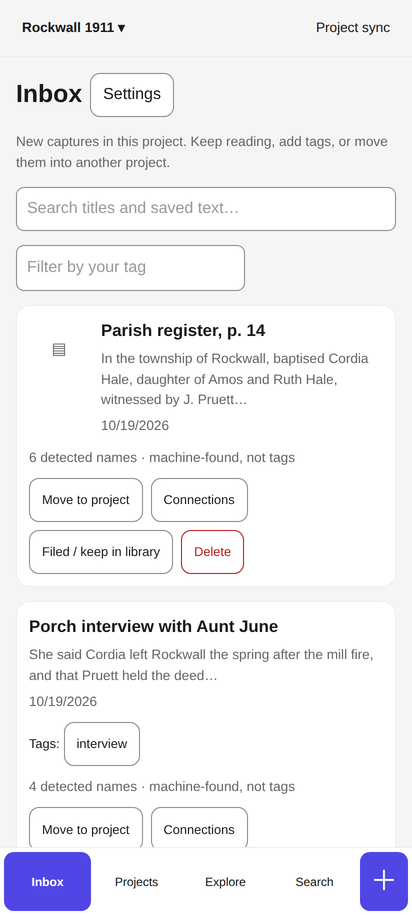
- Two filter boxes and an explanation before any notes.
- Four buttons on every card. What does "Filed / keep in library" mean?
- It says "6 detected names" but never shows them.
- Nothing tells you the phone is reading anything.
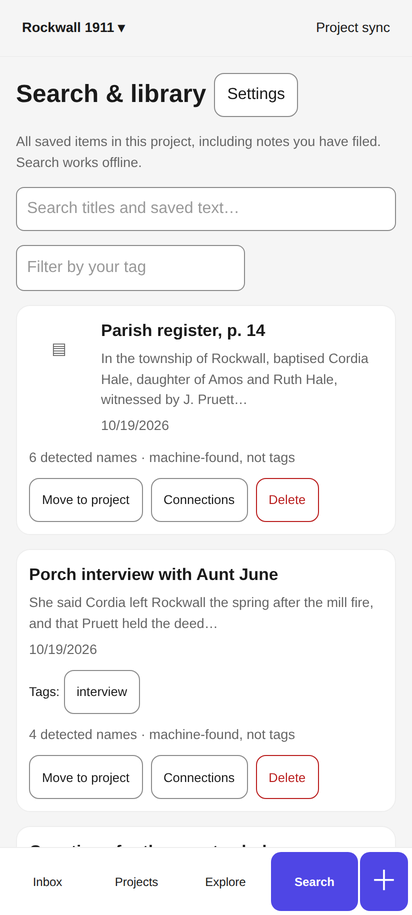
- The same screen as Inbox with a different title.
- Inbox, library and filed are three words for one thing.
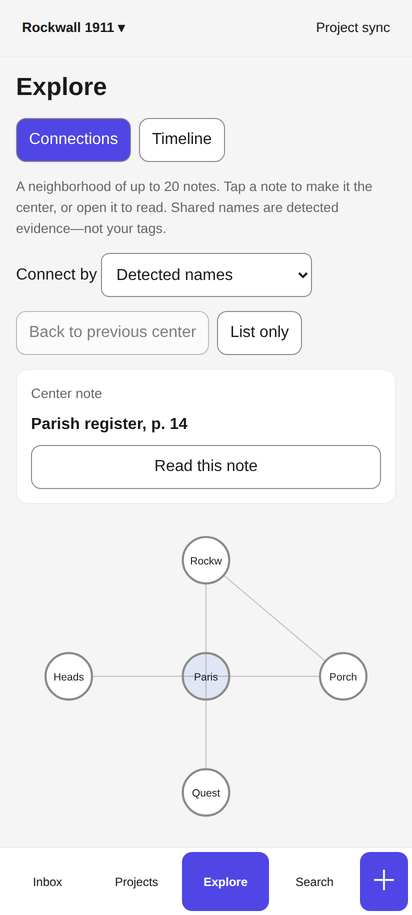
- Four rows of controls before the picture.
- Names cut to five letters: "Rockw", "Heads", "Quest".
- The lines don't say why notes connect. The reasons are in a list further down.
- It starts on whichever note is newest.
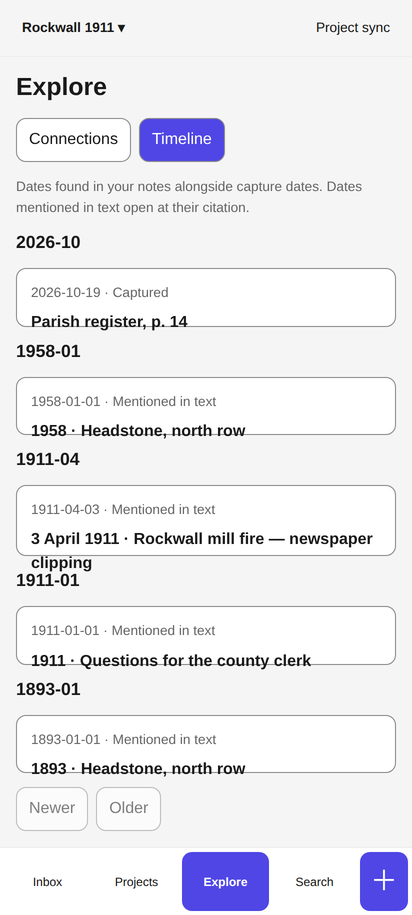
- Titles get cut off at the bottom of the cards.
- "1893" shows up as 1893-01-01.
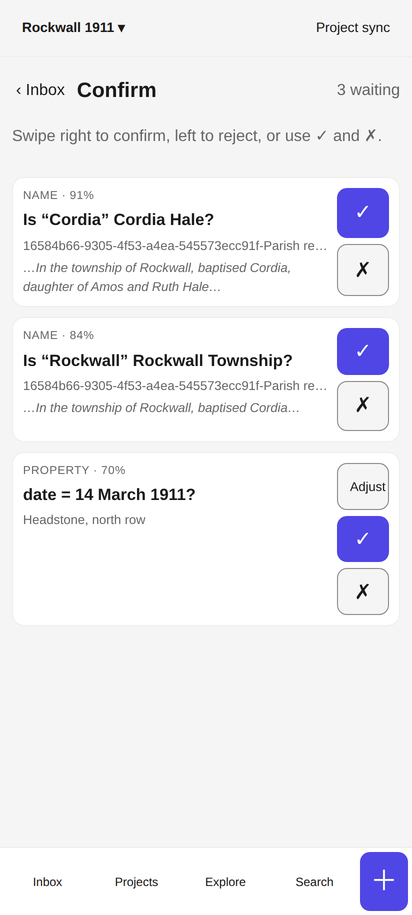
- Nothing in the app opens this screen.
- Every card says NAME, even for a place, and shows a percentage.
- "Is "Cordia" Cordia Hale?" doesn't say whether it means the same person.
- Dates read like code: "date = 14 March 1911?"
- The note shows up as a stored file name.
Jump to a screen