
Choirboy · Beta testing
Your library.
Your rules.
Choirboy is a media player with personal filtering. Listen to music and podcasts, watch your videos, and choose the words you want muted. Bring your own files or connect your media server. Keep the original recording intact.
Request beta accessAndroid first. Desktop for a larger library and editing workspace.
What makes Choirboy different
Your preferences travel with the playback.
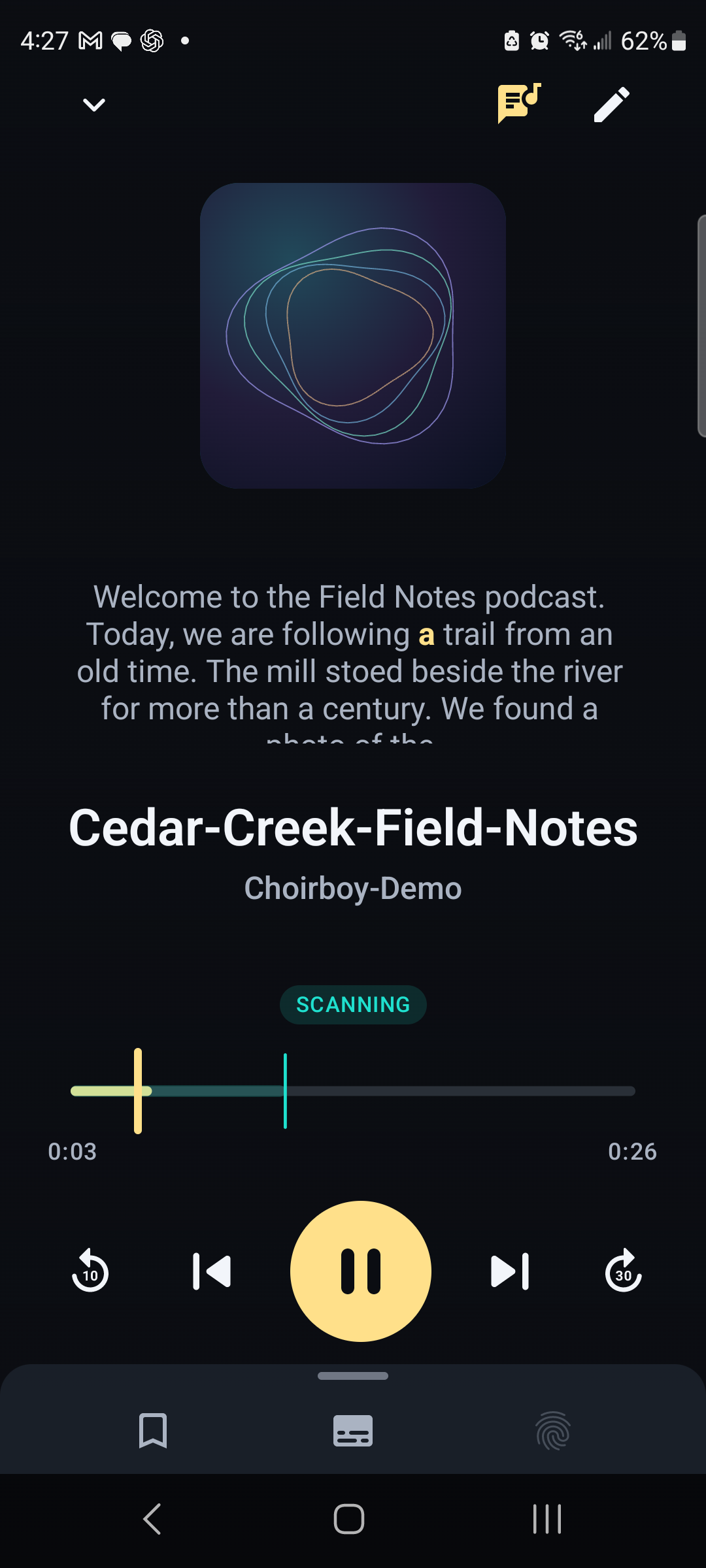
The recording and the filtering are separate. Choirboy scans speech, keeps a timed filtering record and applies it during playback. You can review the words, adjust timing and decide what should be filtered for your household.
Your original media stays on your devices or your chosen media server. On-device scanning can work with downloaded media offline. Online sources need a connection, and optional fingerprint sharing sends filtering information and transcripts rather than the recording itself.
Made for listening, too
Music, podcasts and video in one place.
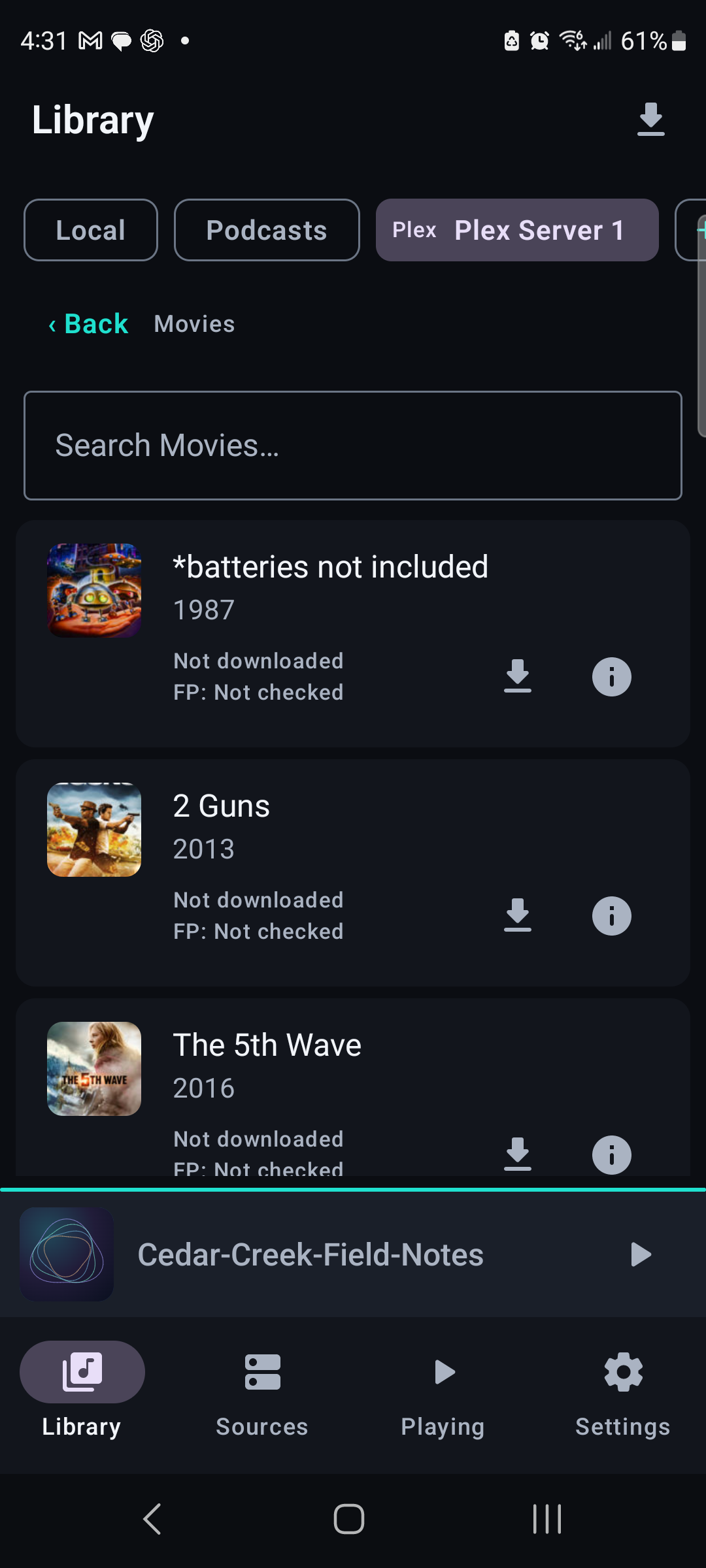
Filtering should fit the way you use a library. Open local files, browse a connected Plex, Jellyfin or Emby server, and use playback controls, transcripts and saved positions as you listen. Browse movies and TV from your Plex library alongside your music. A song and a spoken interview can need different treatment; Choirboy keeps those decisions close to the player.
YouTube, in the beta
Bring the same preferences to a video.
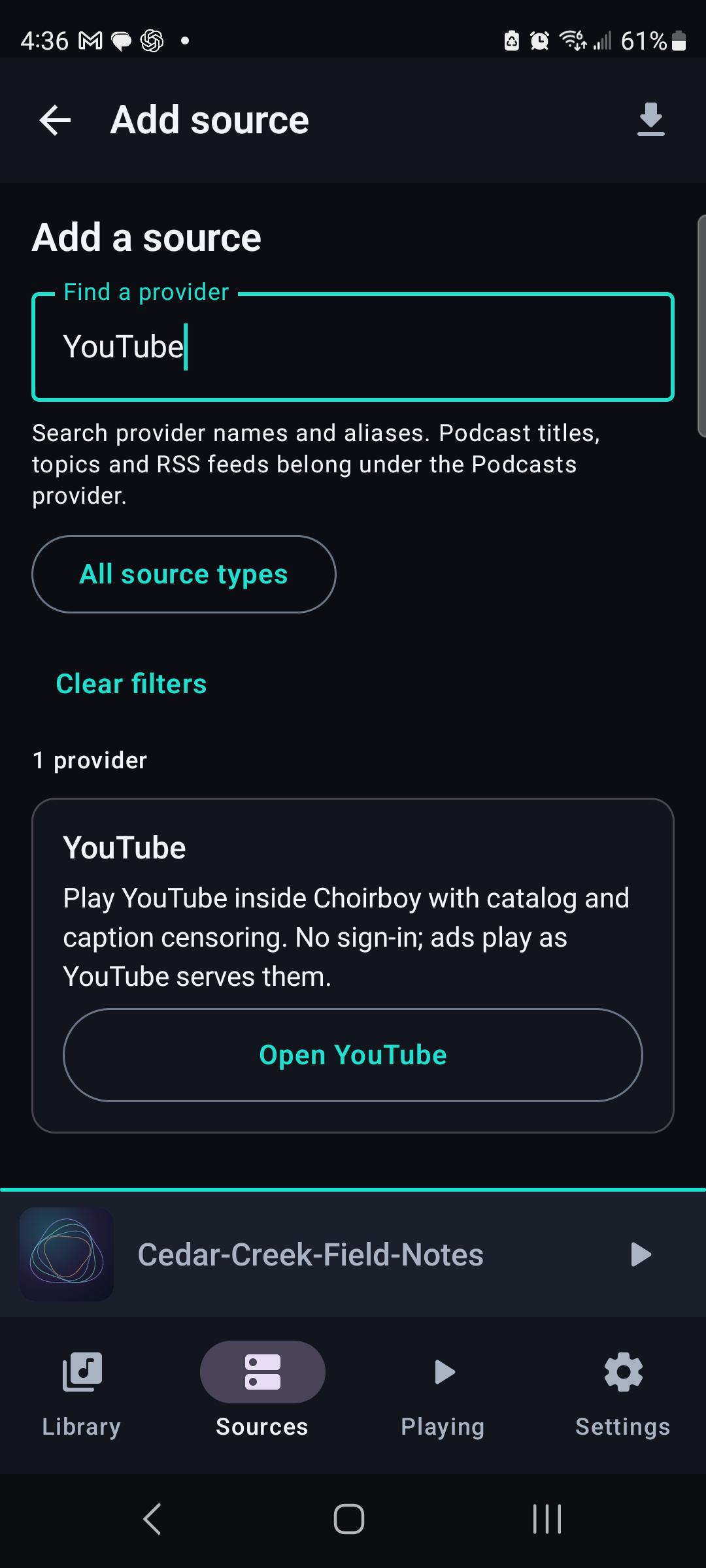
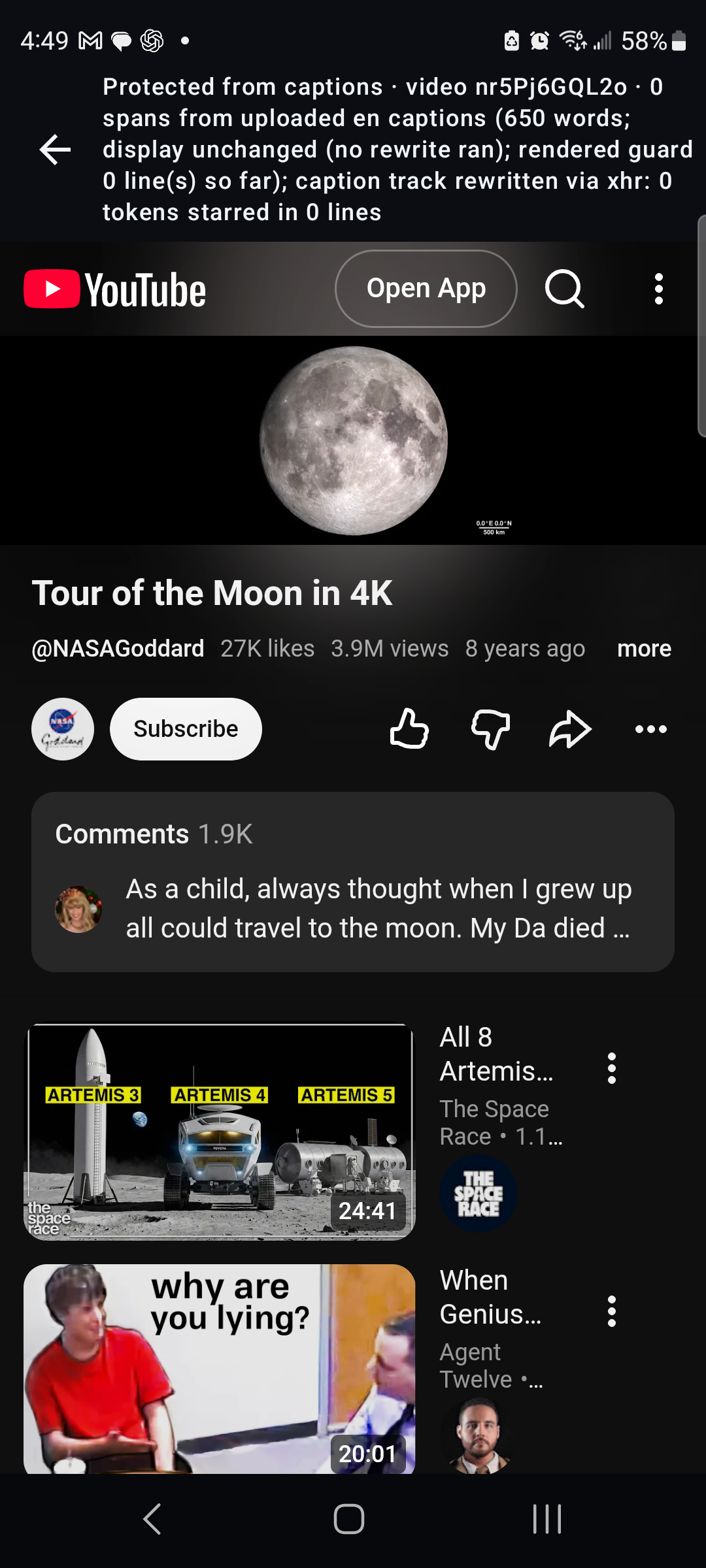
The Android beta includes a YouTube view inside Choirboy. Open it from Sources and keep the app in the foreground while you watch. This is an experimental part of the beta: video compatibility, caption availability and scan-ahead behavior are among the things testers help check.
Scroll sideways. Tap an image for full size.
A filter you can inspect
Go back to the words.
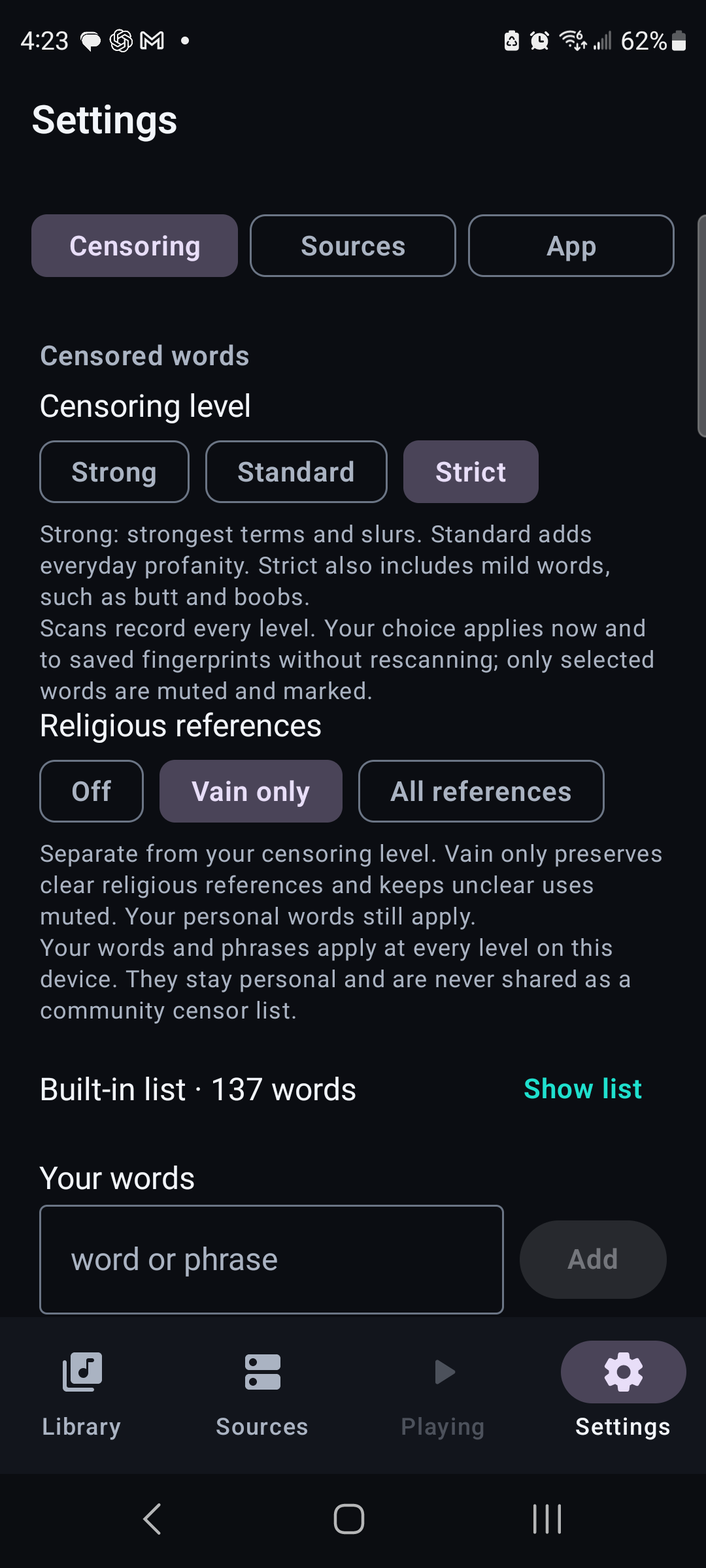
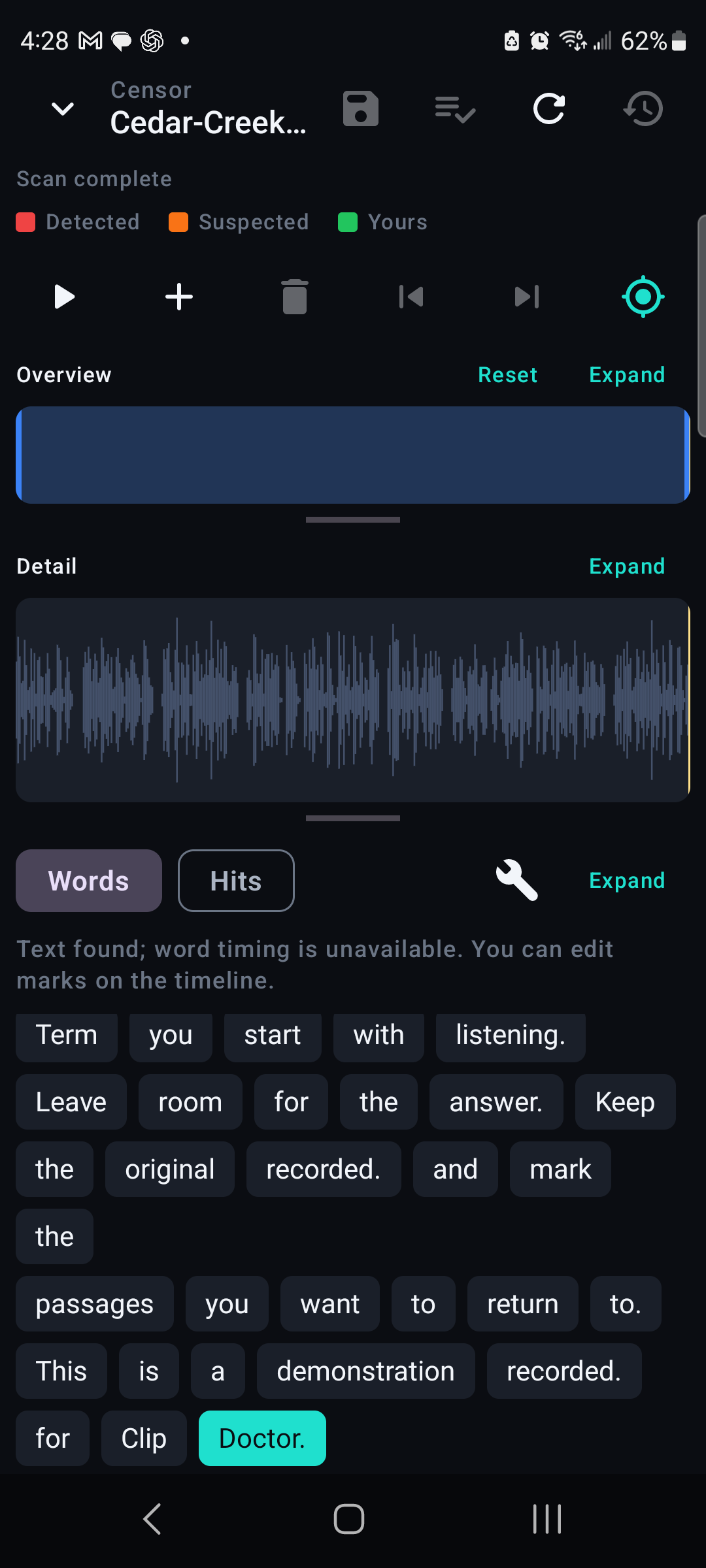
A filter is a set of timed decisions. The transcript and editor let you inspect those decisions, correct words and refine where a filtered passage starts and ends. Choose Strong, Standard or Strict censoring, set a separate preference for religious references, and add your own words or phrases. Your personal vocabulary stays personal.
A saved filtering record is called a fingerprint. It keeps the timed decisions separate from the media, so the same recording can use an existing filter. Optional sharing can include the fingerprint and its transcript; it does not upload your recording.
Recognition and timing still need real-world testing. The beta is an invitation to help find missed words, awkward controls and recordings that need better handling.
Desktop, when you want more room
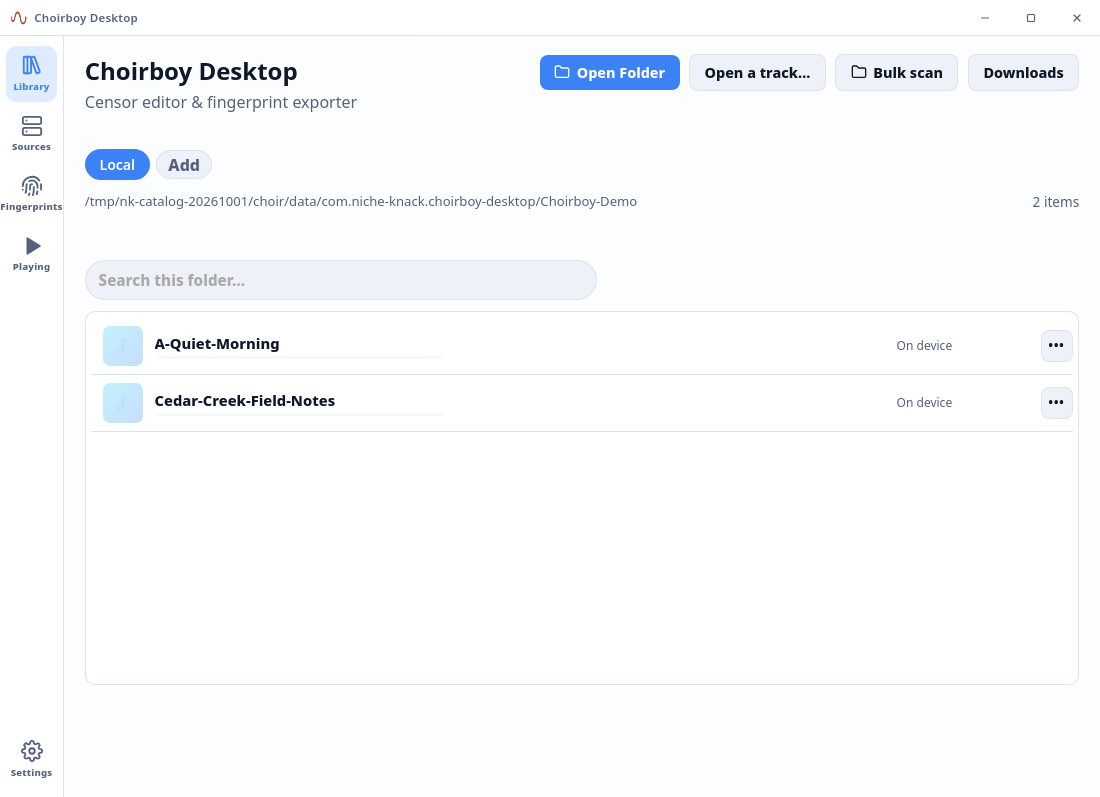
A bigger view of the same idea.
Browse the library, examine a transcript and work on filtering with room for the timeline and details. Android is the focus here; the desktop beta gives testers another way to use the player and review a recording.
Help shape the beta
Tell me what you want to test.
Choose your platform and tell me a little about your device or media setup. Send your request here and I’ll reply with build availability and access instructions.
Your request goes straight into Niche-Knack support, with a copy to support@nk.tools. You’ll receive an email confirmation and can continue the conversation by email.
An account is optional. Create one here to follow your request in your support dashboard, or create one later using the same email address. Requesting access does not start a purchase or guarantee a beta build.
Your name, reply address and note are used to respond to your beta request. Beta request privacy.
Before you start
This is beta software. Features, device support and availability can change as testing continues. Keep your original media and report what happened, which build you used and which device you tested. Android and desktop access are provided individually by reply.
For more about the product, visit choirboy.app.
Choirboy beta
Your request is saved.
I’ll reply with build availability and access instructions. Check your inbox and spam folder for confirmation; you can reply to that email to add details.
Open support dashboard