
Choirboy · Beta testing · Android · Linux · Roku
It’s your media.
Enjoy it your way.
Choose what you hear in the media you own or legitimately access. Choirboy selectively filters words and phrases during playback, with controls you can adjust for yourself and your household. Bring your music, movies, TV and online video: connect Plex, Emby, Jellyfin and more, or open your own files.
You shouldn’t have to wait for someone else to edit your media or decide what you can hear. Set your preferences, review the timed words and keep your originals intact. Reuse a saved filtering record without scanning the whole recording again, so each listen doesn’t depend on powerful hardware.
Android first. Desktop for a larger library and editing workspace.
Podcasts · Audio and video
Find your next podcast.
Keep the conversation going.
Discover audio and video podcasts, follow your favorite shows, and listen live with personal profanity filtering. Read along with timed transcripts and keep a backup of a live broadcast you heard.
Search shows, people and topics, browse categories and trending podcasts, filter by language or add an RSS feed. Preview a show’s details and episodes before subscribing. Keep audio and video podcasts in the same library.
Download recent episodes for offline listening, set a storage limit and optionally wait for an unmetered connection. Get an alert when a supported show goes live. Discovery, subscriptions, transcripts and personal filtering stay together in one player.
See the podcast how-tos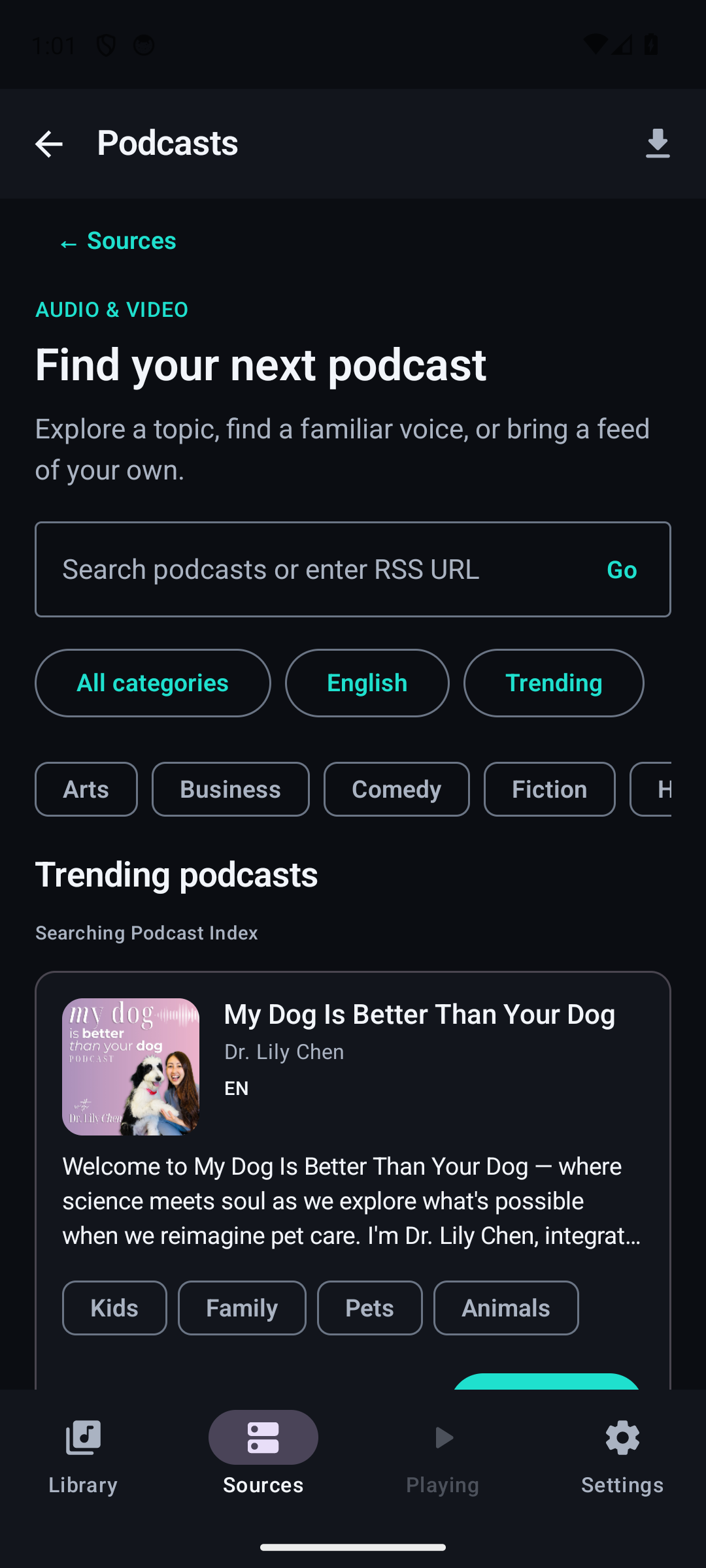
Live filtering
Filter profanity from live shows.
A live conversation has no finished recording to scan in advance. Choirboy records supported live streams as they arrive, scans ahead of playback and mutes the words you have chosen to filter. You listen behind the broadcast so the app has time to check the speech.
Choose the filtering level that suits you and add your own words or phrases. Live-show support, the listening delay and recognition accuracy are part of what beta testers help evaluate.
Transcriptions you can use
Read along. Find the moment. Refine the filter.
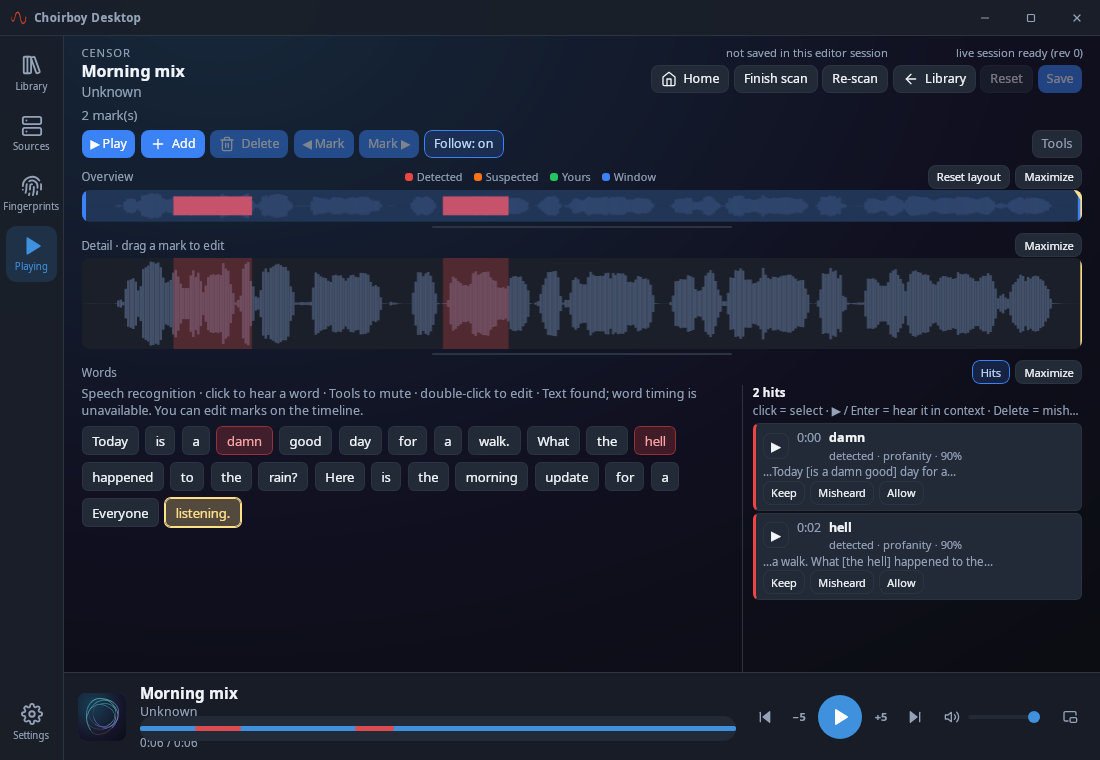
Choirboy can use available captions or transcribe speech on your device. Follow the timed words as you listen, then return to a passage beside the waveform. A filter is a set of timed decisions. The transcript and editor let you mute or unmute a word, correct text and refine where a filtered passage starts and ends. Preview a change, then Save. Strong covers the strongest terms and slurs; Standard adds everyday profanity; Strict adds milder words. Set a separate preference for religious references, and add your own words or phrases. Your personal vocabulary stays personal.
How to review and save a filter →
Keep the transcript beside the filtering decisions as you review a recording. Save corrections locally, or include the timed transcript when you choose to share its fingerprint. Sharing does not upload your original media.
Recognition and timing still need real-world testing. The beta is an invitation to help find missed words, awkward controls and recordings that need better handling.
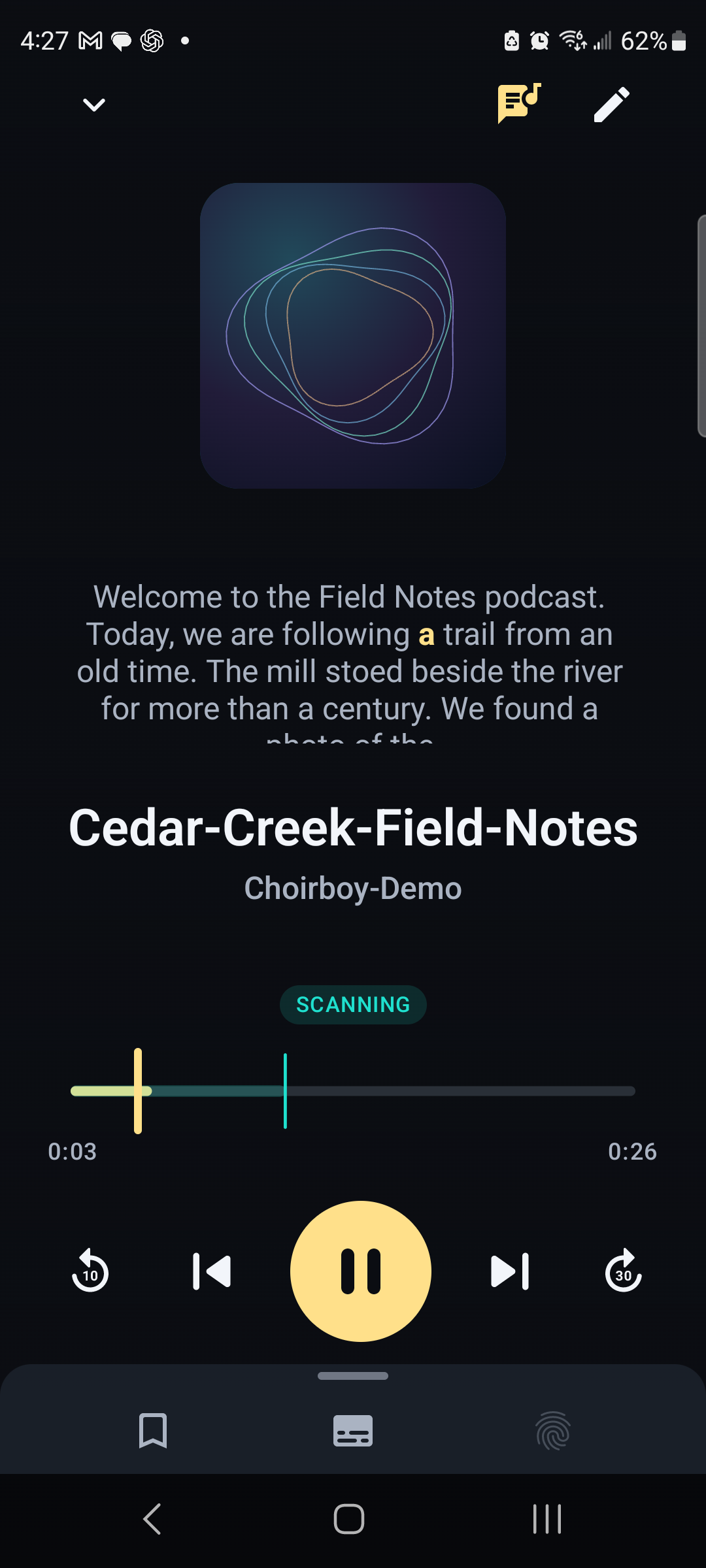
A backup in the audience
Every live listener is a potential backup recording.
The broadcaster’s copy does not have to be the only one. Choirboy records a supported live show on your device while you listen. If the broadcaster loses their recording, a listener who kept a copy may still have the moment that would otherwise be lost.
When the show ends, choose Keep or Discard, or set your preference to always keep or always discard. A backup contains the portion your device received; joining late or losing the connection can leave gaps. Keeping it saves a local recording, without automatically uploading the broadcast.
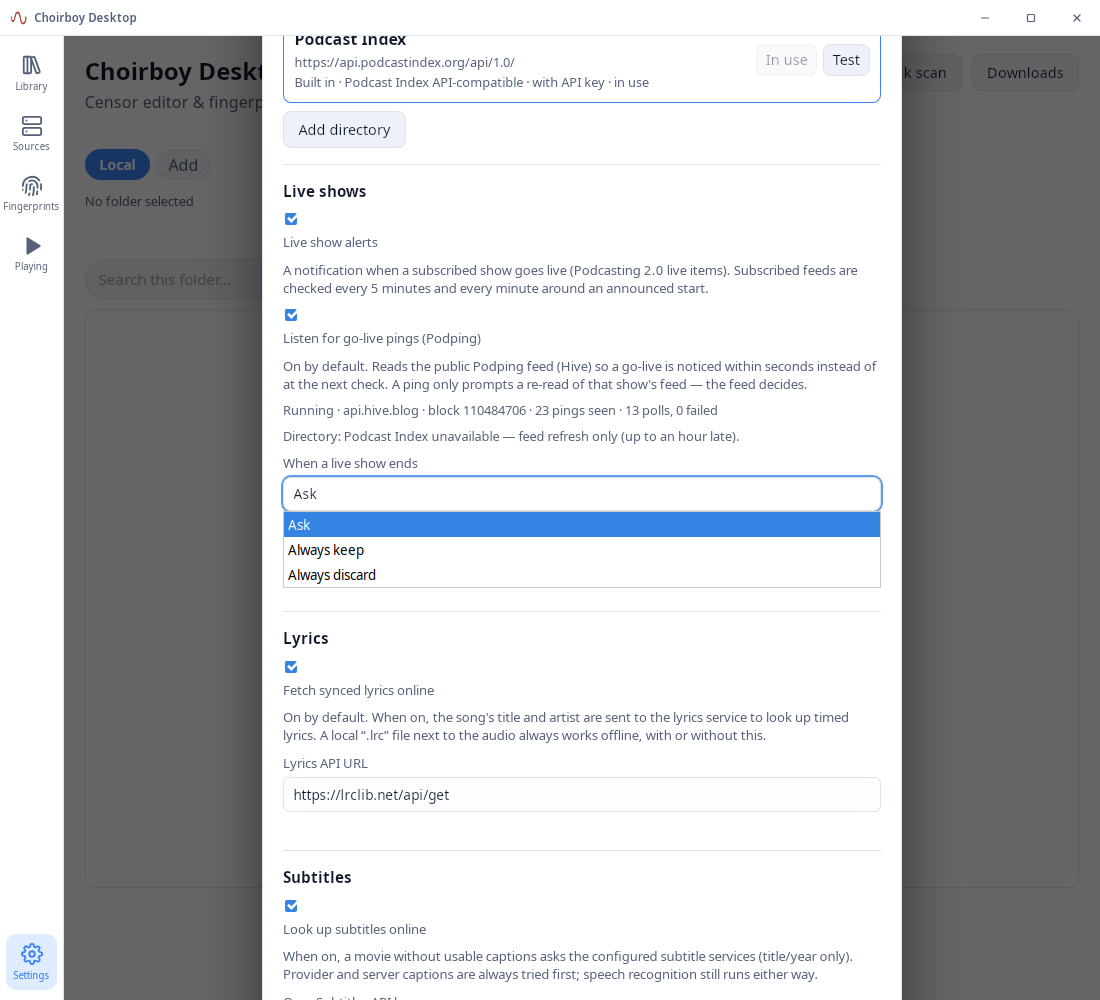
What makes Choirboy different
Your preferences travel with the playback.
The recording and the filtering are separate. Choirboy scans speech, keeps a timed filtering record and applies it during playback. You can review the words, adjust timing and decide what should be filtered for your household.
Your original media stays on your devices or your chosen media server. On-device scanning can work with downloaded media offline. Online sources need a connection, and optional fingerprint sharing sends filtering information and transcripts rather than the recording itself.
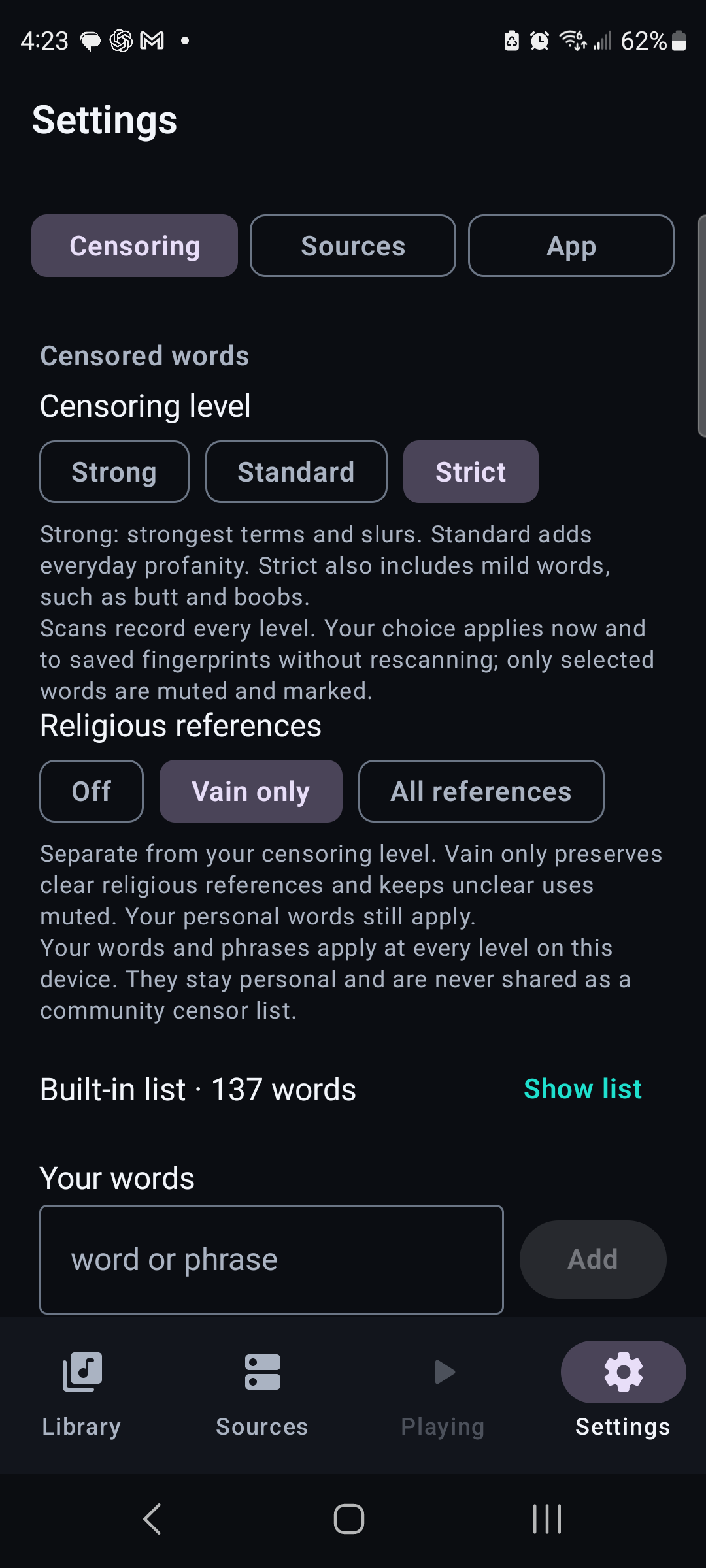
Your media, from more places
Plex, Emby, Jellyfin and more.
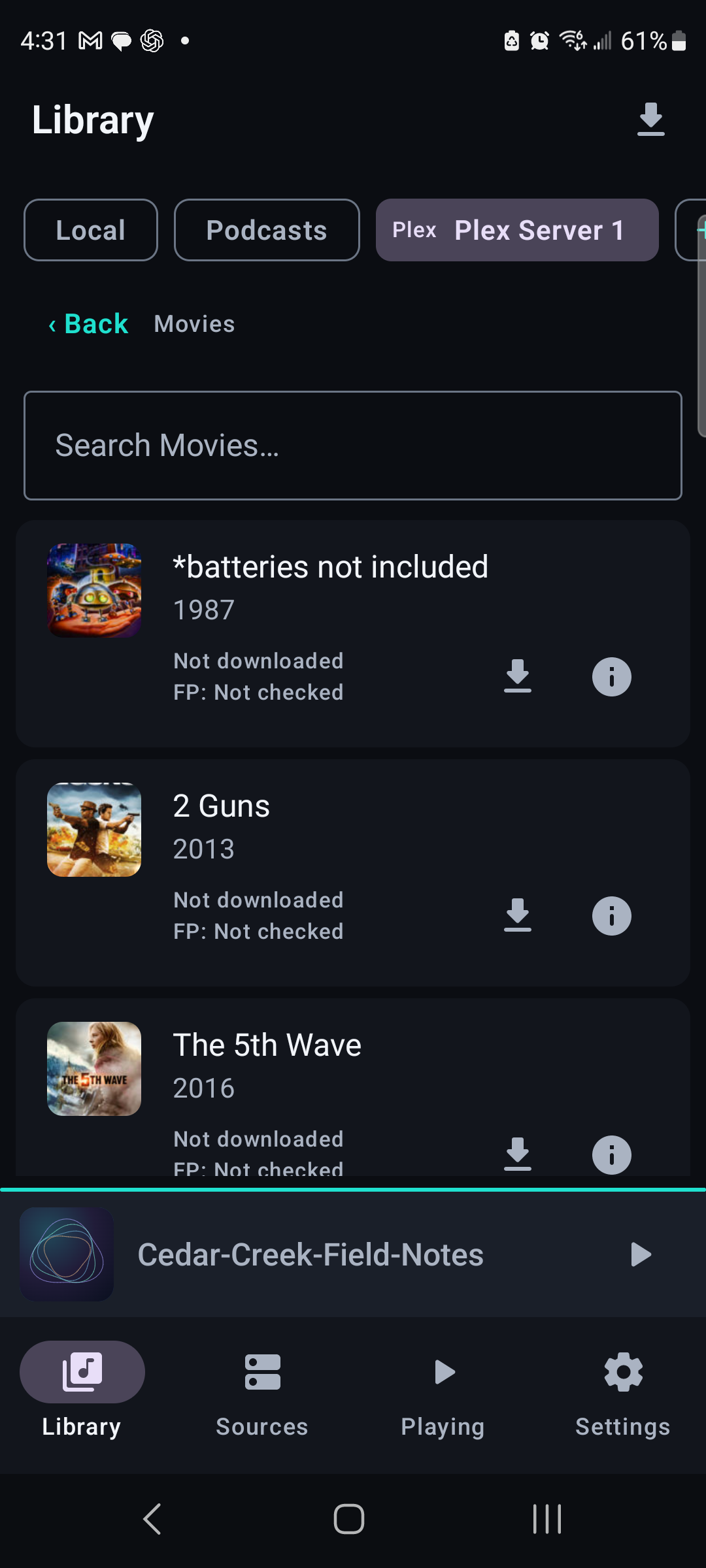
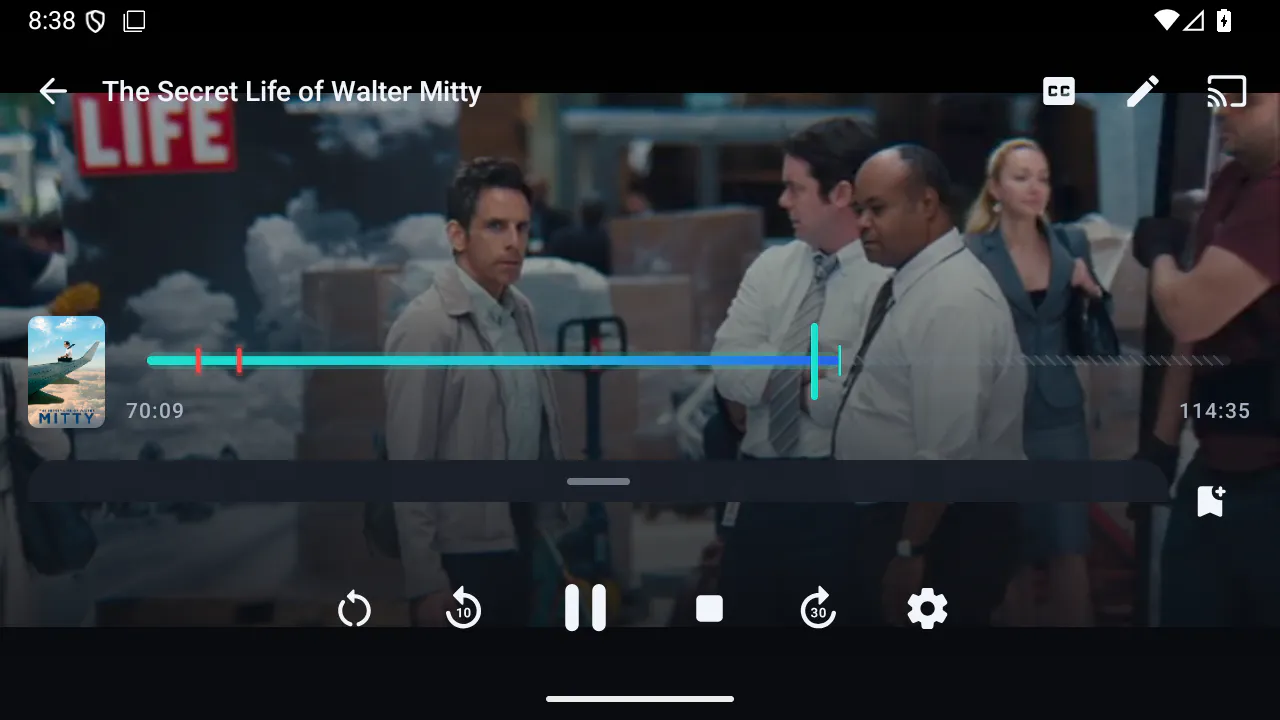
Bring your music, movies and TV from Plex, Emby or Jellyfin, connect a Subsonic-compatible music server such as Navidrome or Airsonic, or open local files. Podcast feeds and supported online video sources give you more ways to build your listening and viewing library.
Use the same player, filtering preferences, transcripts and saved positions across supported media. Available content and controls depend on the source; the screenshot shows a Plex movie library as one example. Online sources need a connection and their own access credentials. Current builds also include Vimeo using your account token.
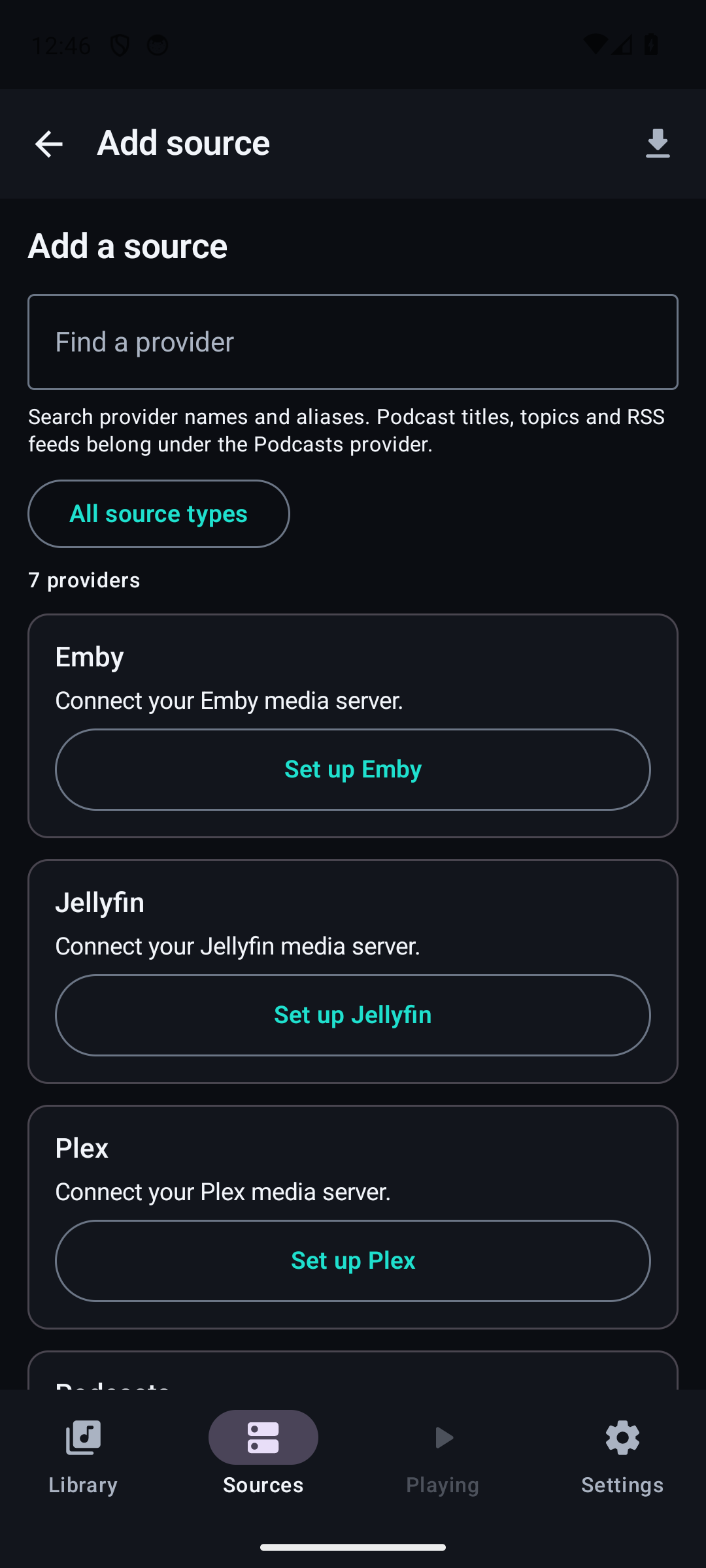
Scroll sideways. Tap an image for full size.
YouTube, in the beta
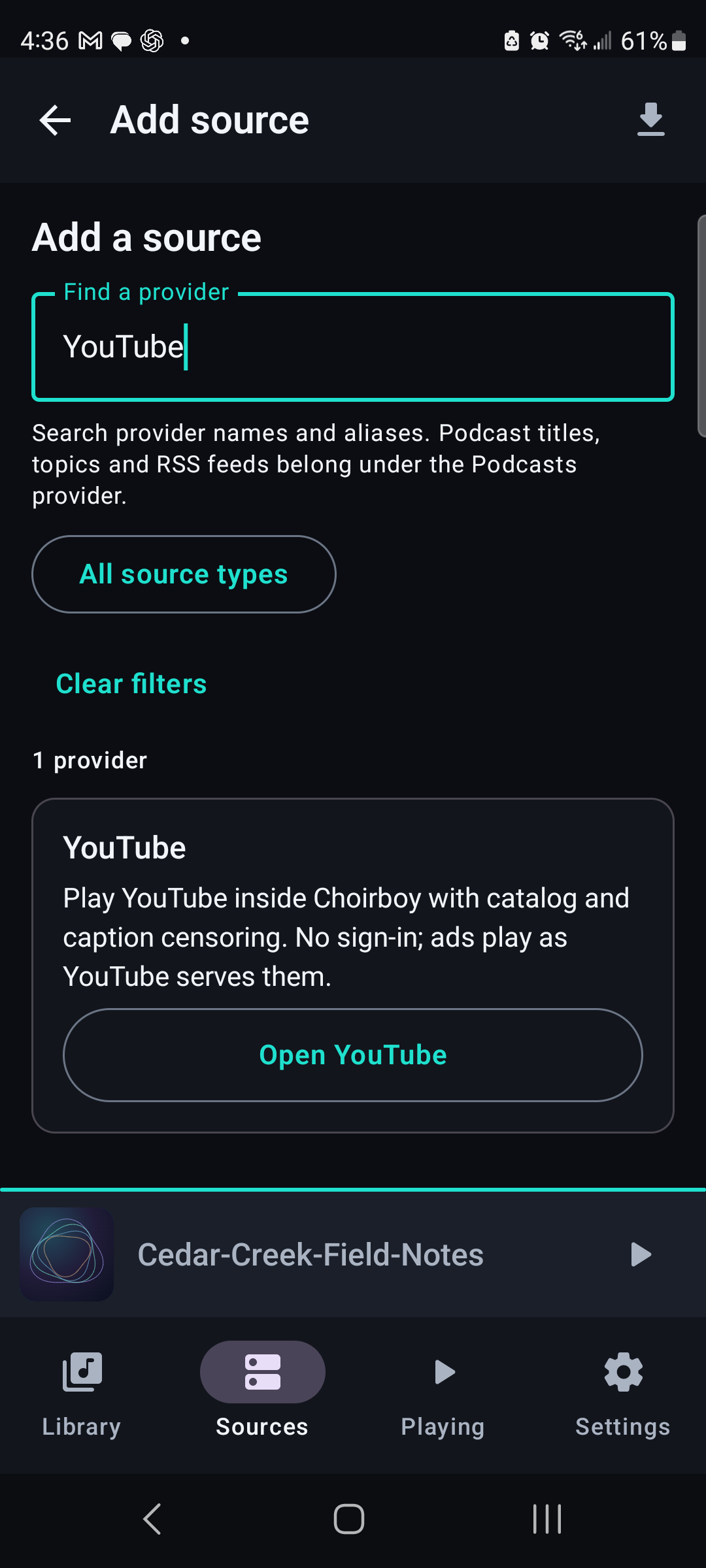
Bring the same preferences to YouTube.
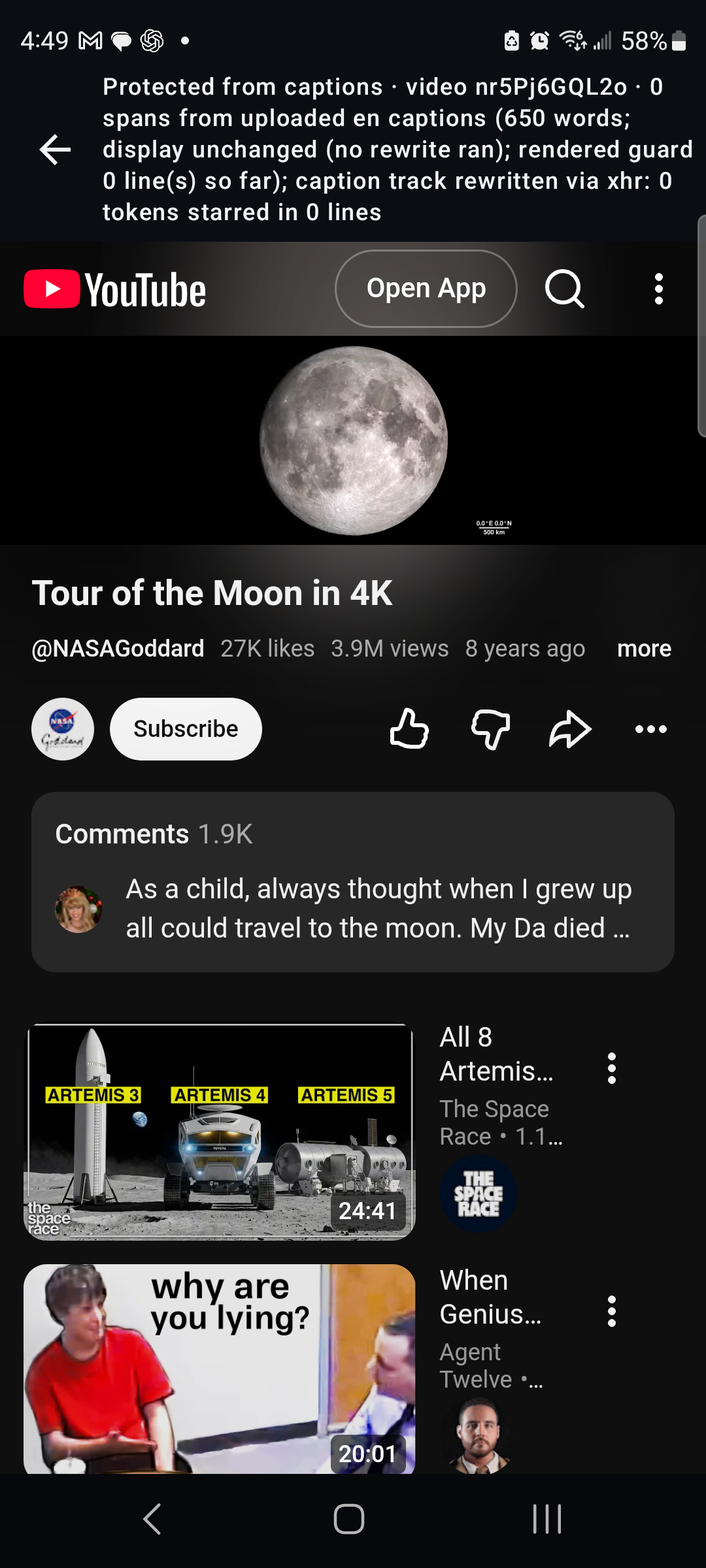
Current builds include a YouTube view inside Choirboy. Open it from Sources and keep the app in the foreground while you watch. The view does not sign in or skip ads. This is an experimental part of the beta: video compatibility, caption availability and scan-ahead behavior are among the things testers help check.
Scroll sideways. Tap an image for full size.
Desktop, when you want more room
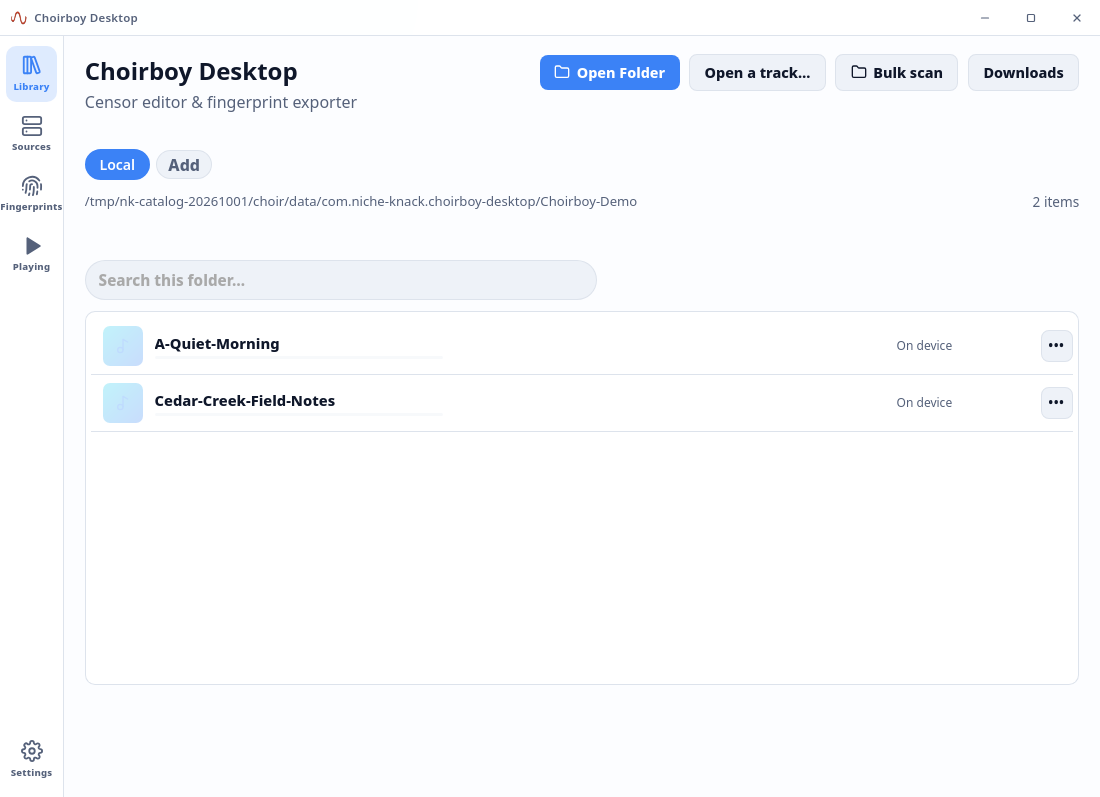
A bigger view of the same idea.
Browse the library, examine a transcript and work on filtering with room for the timeline and details. Android is the focus here; the desktop beta gives testers another way to use the player and review a recording.
The bigger screen
Roku, in the beta.
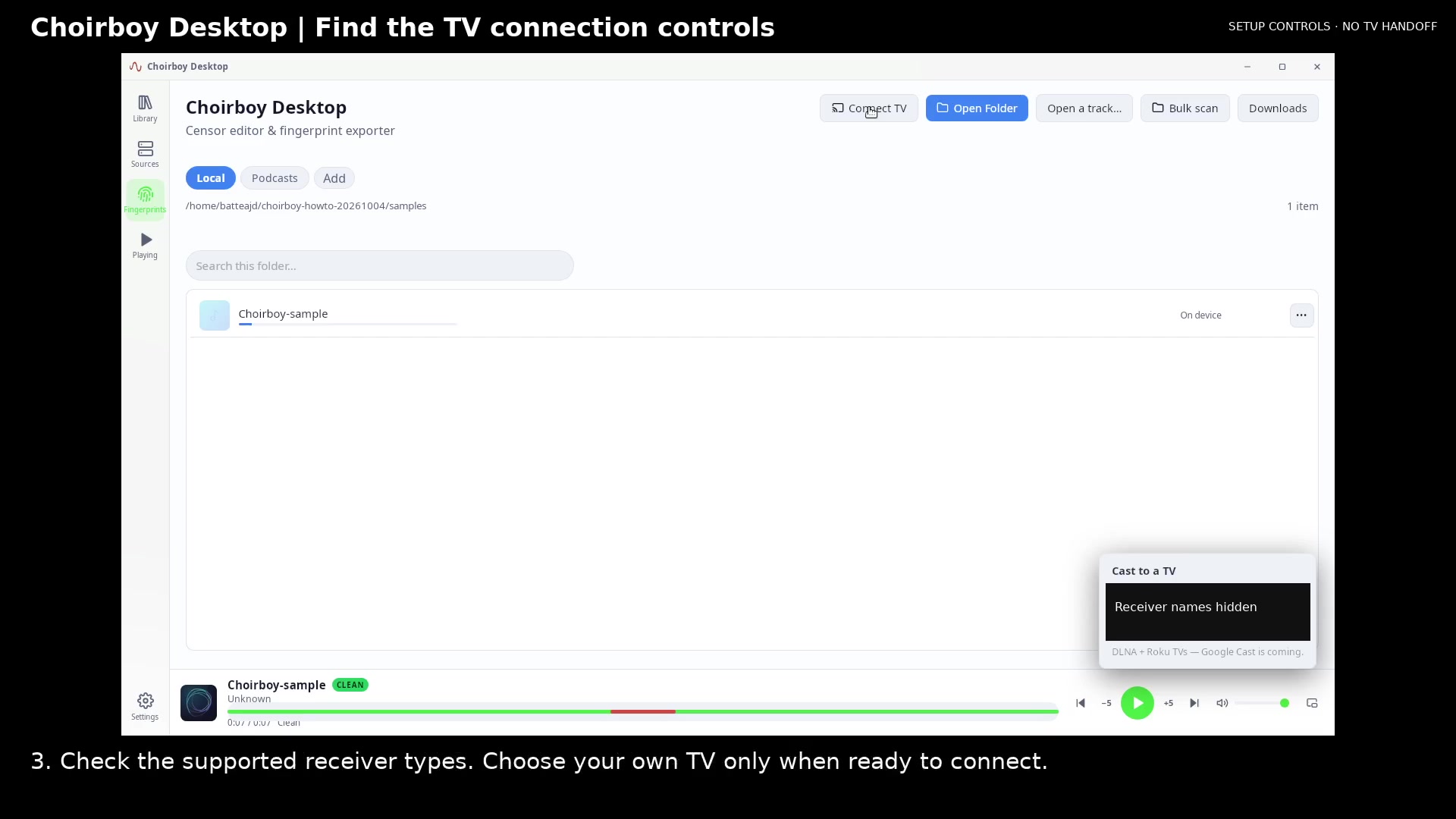
A compatible Choirboy Roku receiver can accept filtered playback from a phone or desktop on the same network. The host keeps supplying playback. Background operation, receiver compatibility and handoffs are still being tested.
Check the TV setup requirements →
For help with source setup, span editing, fingerprints, transcripts and license management, search the Choirboy how-tos. Each walkthrough combines a short video, captions and illustrated steps.
Reusable fingerprints
Less processing for smaller devices.
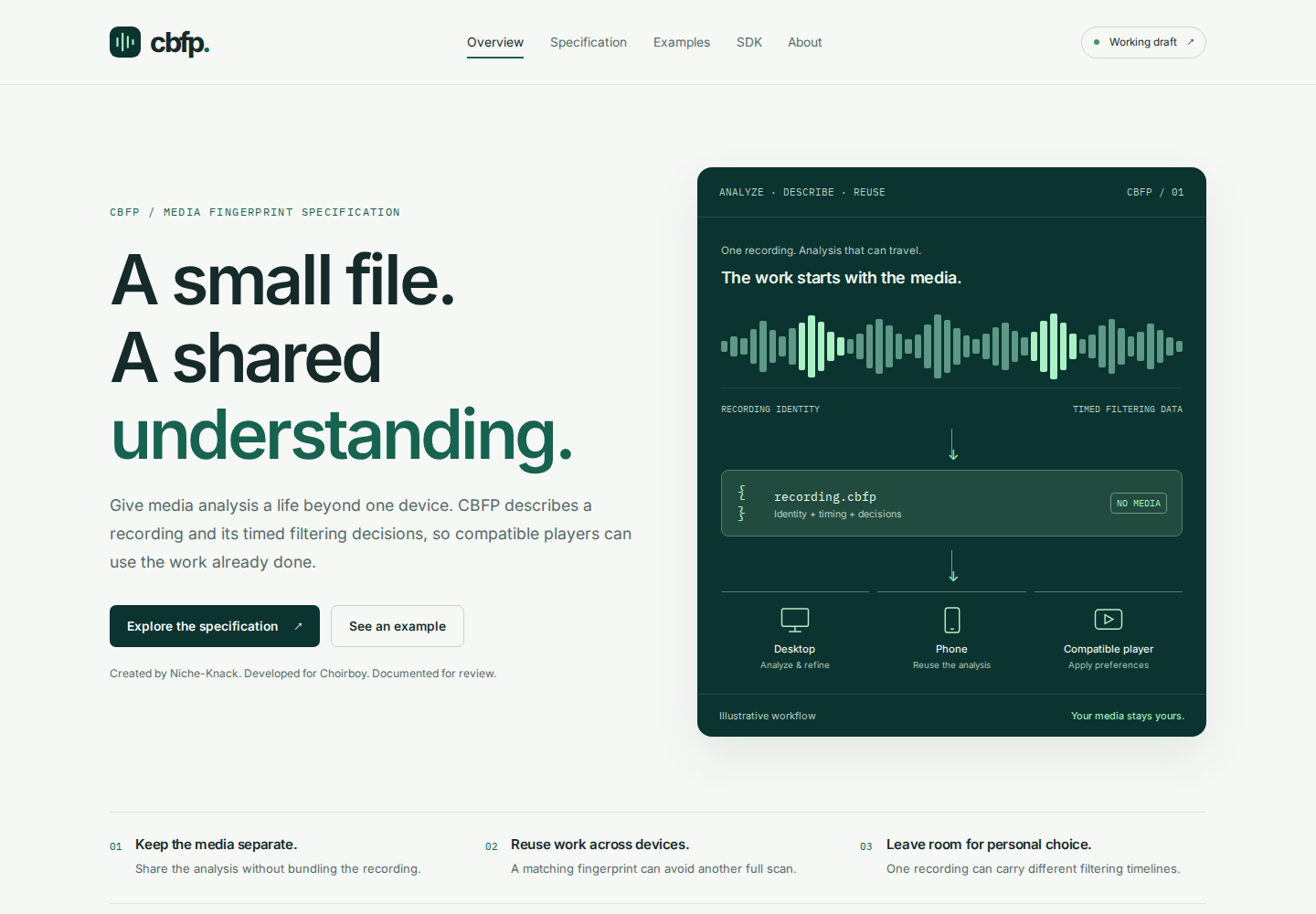
You shouldn’t need a powerful device to benefit from personal filtering. Choirboy can save its analysis in a compact fingerprint, separate from your media. When a complete fingerprint matches the recording and its timing checks out, a supported device can skip another speech-recognition pass and apply your own filtering preferences.
Turn on automatic sharing and Choirboy uploads prepared fingerprints and their timed transcripts to its servers for eligible reuse. Another device can benefit from work already done. Your original recording stays with you, and your personal word list stays private.
Niche-Knack created CBFP to describe that reusable information. Explore the working specification, defined schemas and examples. A Python SDK is in development.
Explore the CBFP specification ↗
Cloud or Complete adds access to other contributors’ fingerprints; your own contributions remain available without Cloud. A missing, incomplete or incompatible match still needs preparation. How fingerprint reuse works →
Try Choirboy
Help test Choirboy.
Want to try it? Send a request and I’ll email you when you can join.
Choirboy beta
Your request is saved.
I’ll email you when you can join. You can reply to your confirmation email to add details.
Open support dashboard