
Rabbit Trail · Android · Linux · Windows
Follow the clue.
Keep the source.
Rabbit Trail turns a pile of documents, scans, links and recordings into a research workspace. Capture a lead on your phone. Lay it out on the desktop. Follow the names and connections without losing the passage that started it.
- Keep the original source
- Your corrections take priority
- On-device research
- Android + desktop
An archive with a thinking surface
Keep the source behind the card.
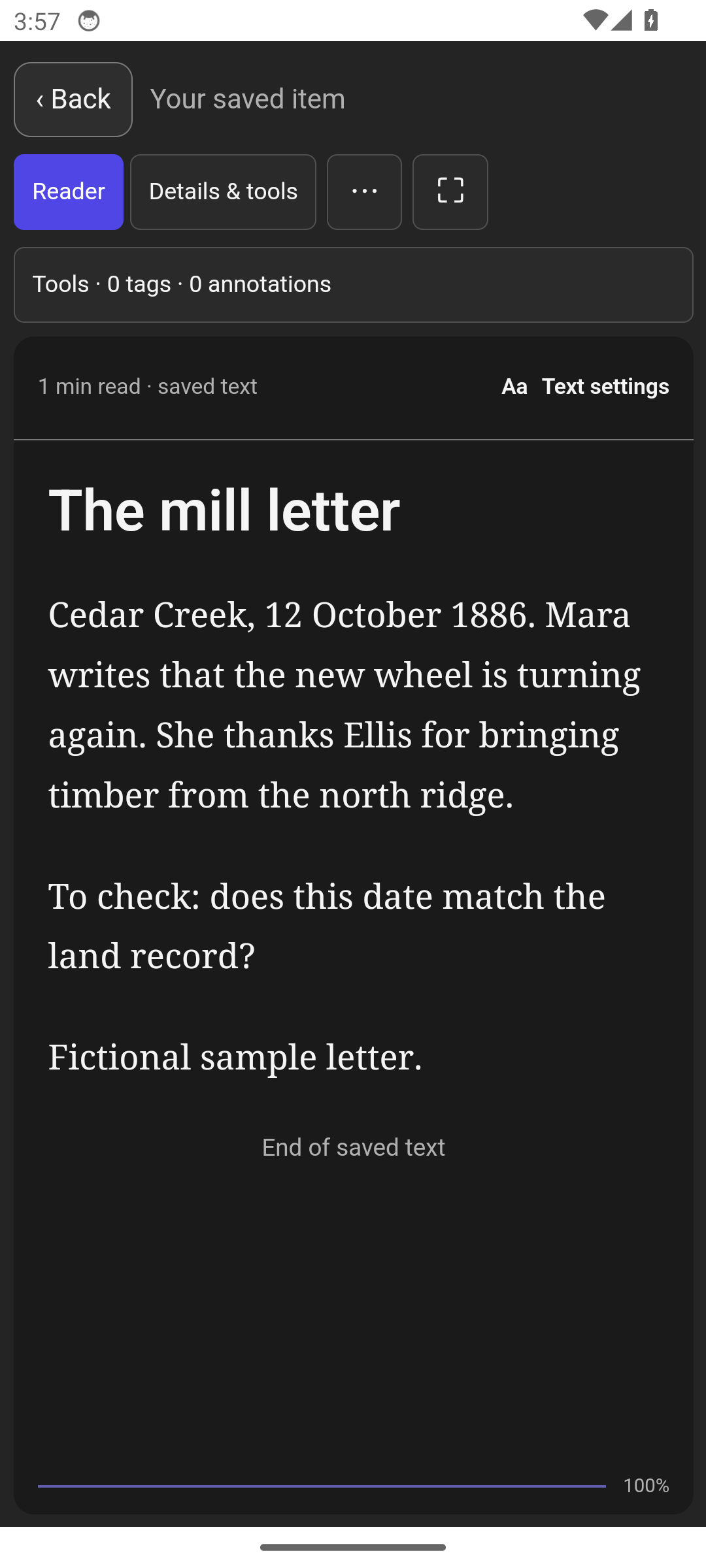
A pin board lets you arrange the pieces. Rabbit Trail also keeps the material behind them: the source document, its text, your notes and the connections you draw. Switch from the overview to a close reading when a detail needs a second look.
Use it for the family name that appears in three records, the claim you need to check, or the thread you almost forgot to follow.
Capture where the clue finds you
A phone belongs in the research process.
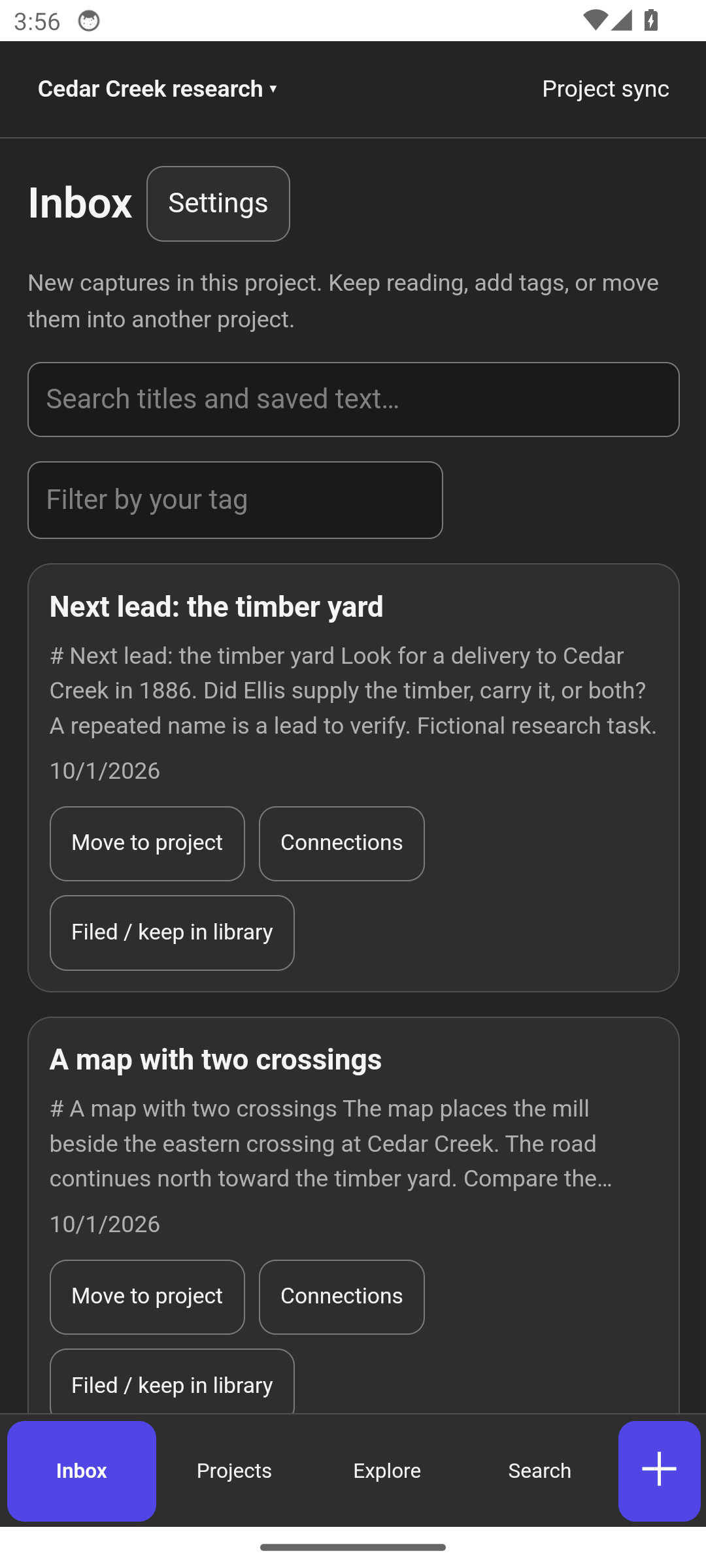
Share a link, take a note, photograph a document or record a thought. The Inbox gives that material a place to land without making you organize the entire project first. Read it on the phone, then bring it into the larger investigation.
Connections with reasons
See why two sources belong together.
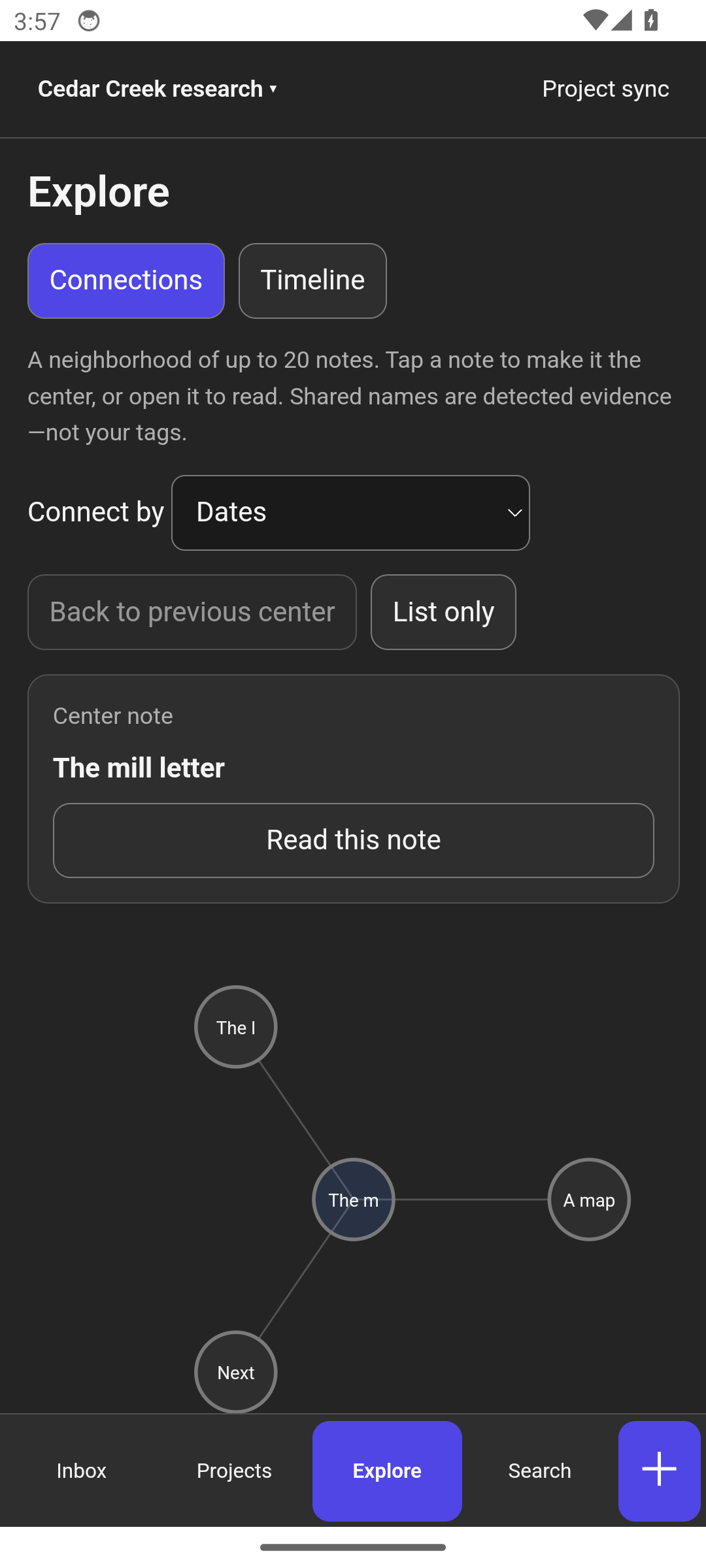
Explore connections through shared names and places, dates, source sites or the kind of material you collected. A useful connection tells you what the two sources share. Open the evidence and decide what it means.
Text extraction, transcription and entity detection help make your material searchable. They support your reading; your corrections remain the authority.
Room to investigate
Spread it out on the desktop.
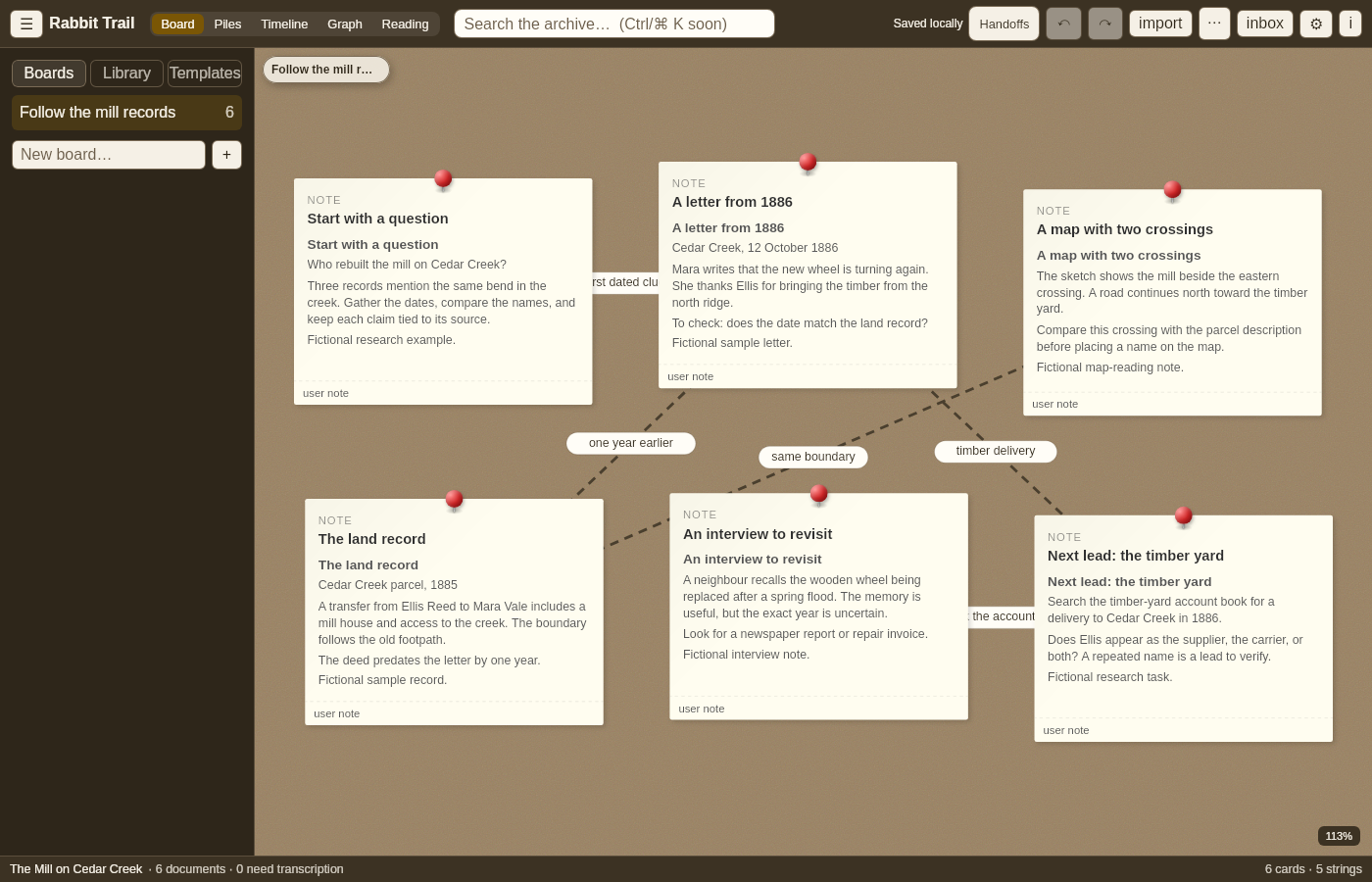
Arrange cards, label connections and move between the board, the library and the reading workspace. Keep several lines of inquiry without losing the original material. The result is a trail you can retrace when you return to the project.
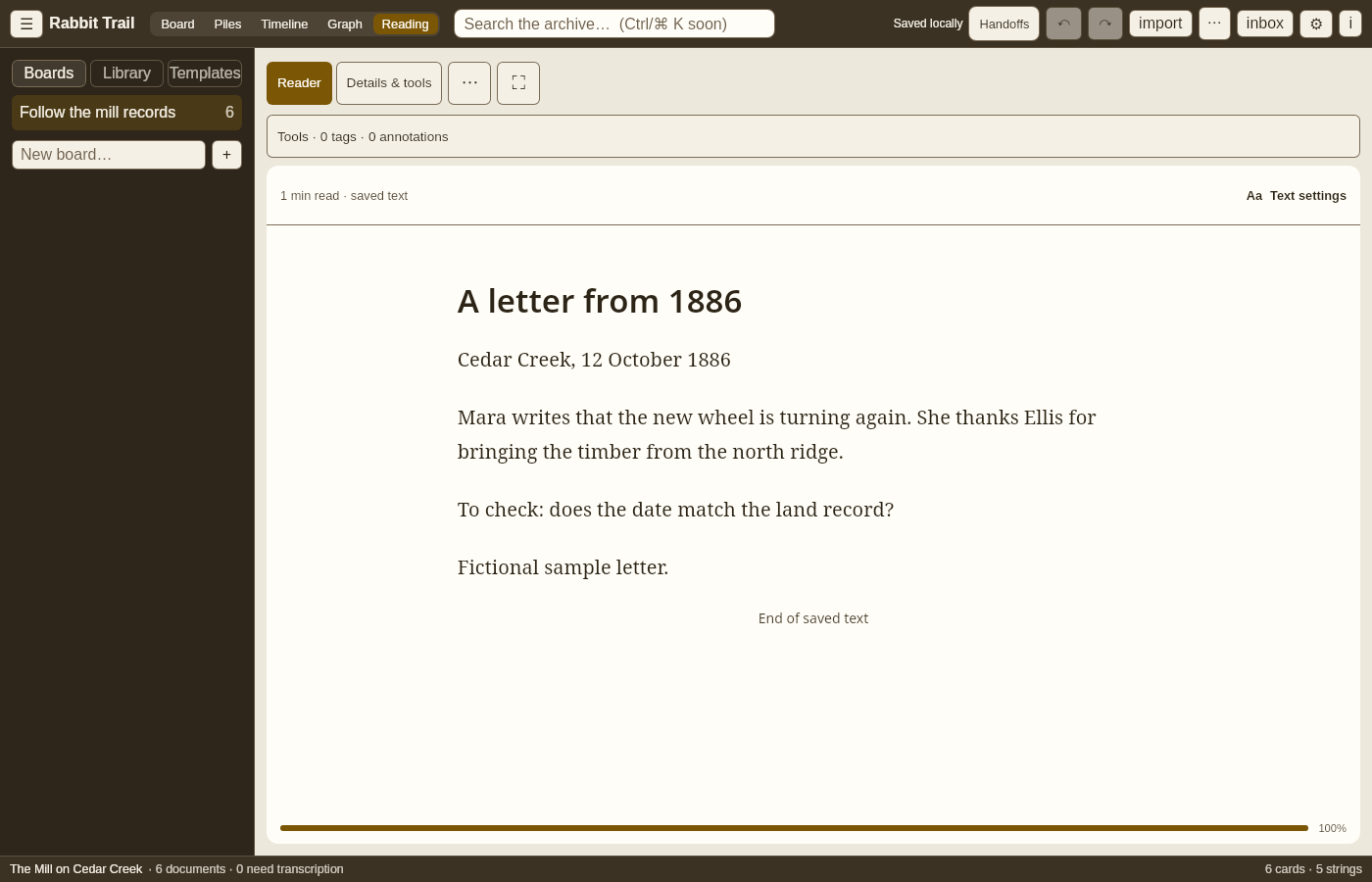
Scroll sideways. Tap an image for full size.
Questions
What is Rabbit Trail for?
Research that grows beyond a folder of bookmarks: family history, an investigation, source material for a book, or a question you keep coming back to. Keep the documents, your interpretation and the connections in one workspace.
What makes it different from a mind map?
A card can point to evidence. The archive keeps source material and extracted text; names, dates and relationships help you find connections across it. You can follow a lead back to its source instead of trusting a disconnected summary.
Does automatic extraction decide what is true?
No. Extracted names and suggested connections are things to review. A shared name is a clue, not proof that two people are the same person. Your corrections take priority over machine-generated text.
What does the phone do?
Capture notes, links, photos and recordings, review sources, and explore their connections. Pair with the desktop for a larger board and deeper research. Some on-device analysis needs model files installed first.
Where is my research stored?
In a local archive. Document processing runs on your device. Fetching a web source, downloading analysis models and syncing with another device need a connection; reading material already in your archive does not.
When can I buy it?
Rabbit Trail follows Clip Dr. in the catalog. Launch pricing will be published here before sales open. Download links and trial terms will appear here when the release is ready.