
LedgerKeep · Android · Linux · Windows · macOS
Your books. Your files. Your call.
Double-entry books that live in plain-text files on your own devices. App edits are recorded in Git history. Nothing in it can move a dollar. And if you'd rather fight your debts than read about them, there's a theme for that.
- Plain-text files you keep
- App edits recorded in Git
- Never touches your bank
- Statement reconciliation
- Files Pocket Nerd entries
- Four themes, one set of books
In your hand
Your books, in your hand.
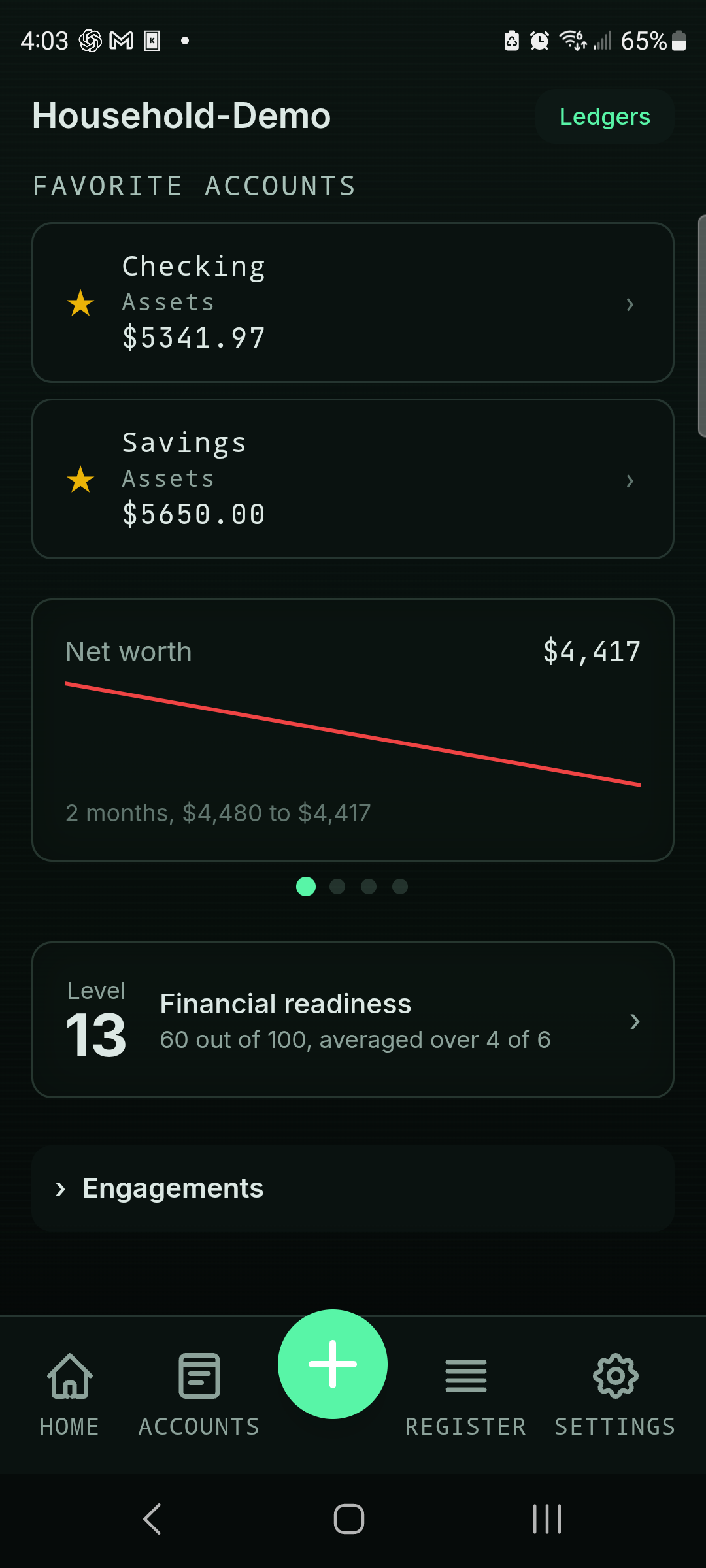
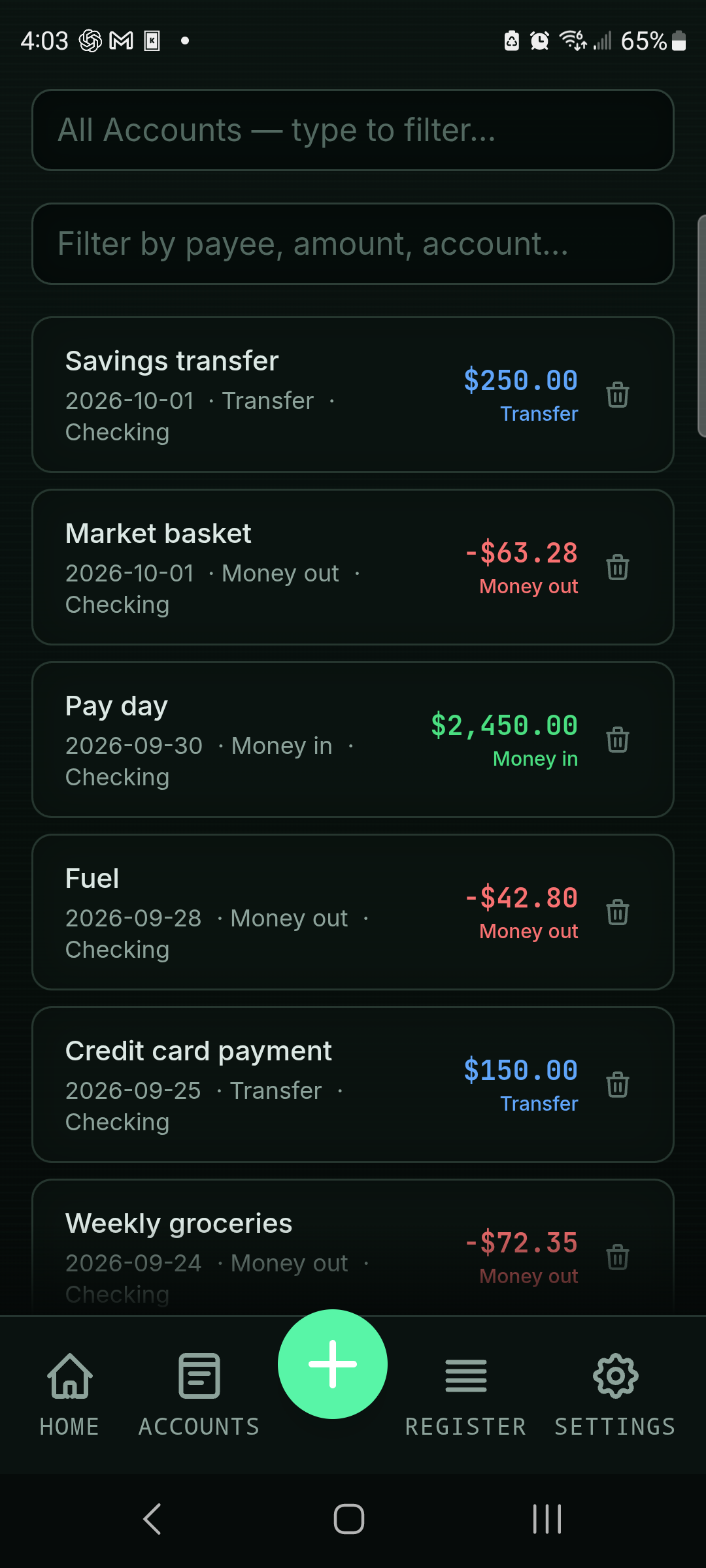
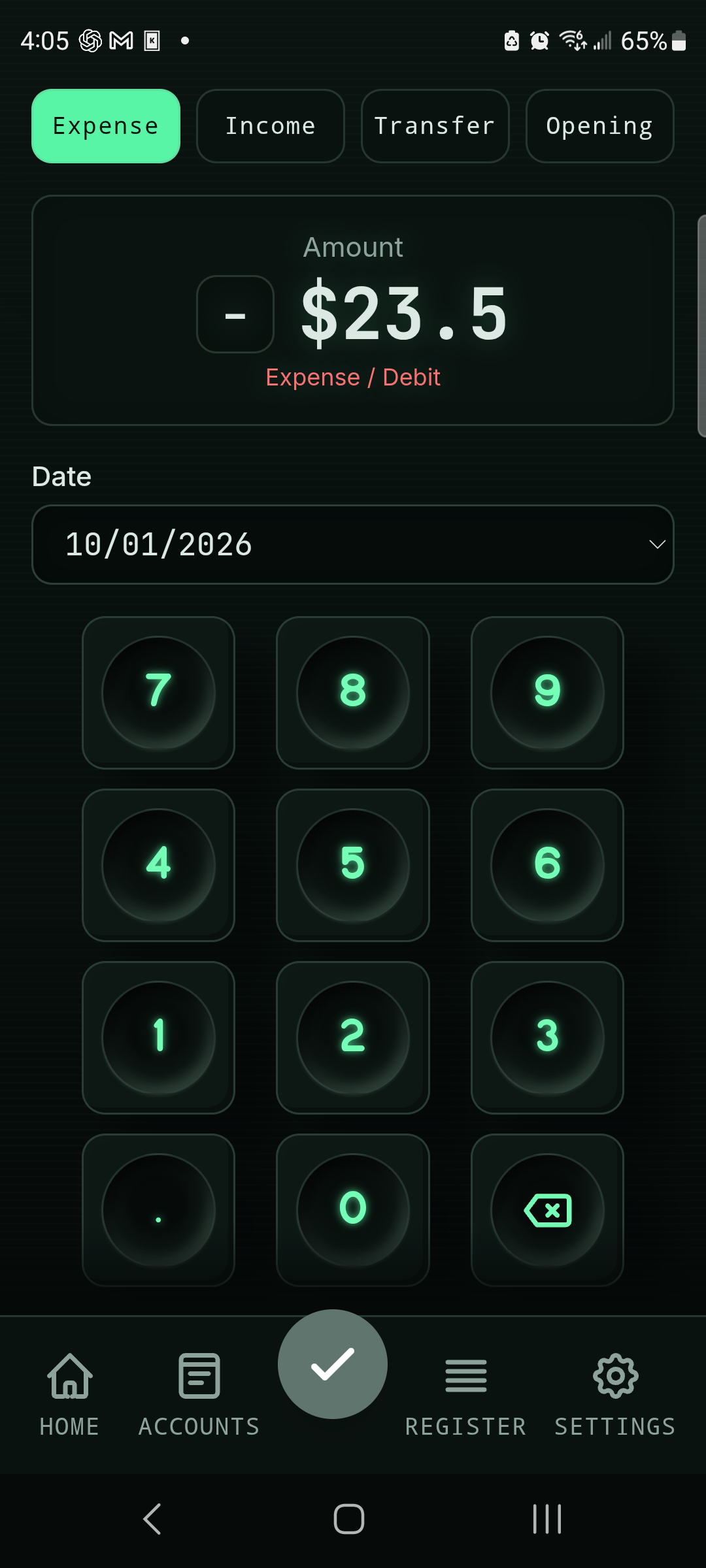
Star an account and it sits at the top of Home with its balance. Tap it for the register; Quick Add starts from it. The phone keeps several books, imports a ledger, and records on a keypad made for a thumb.
Scroll sideways. Tap an image for full size.
No money moves
Nothing here can pay anyone.
There is no bank login and no payment rail. Recording a bill writes a transaction to your books; it does not send money. Skip one, record the wrong amount, fix it later. The worst case is an edit.
No button in this app can drain an account.
Between paydays
Pocket Nerd in the checkout line. The books here.
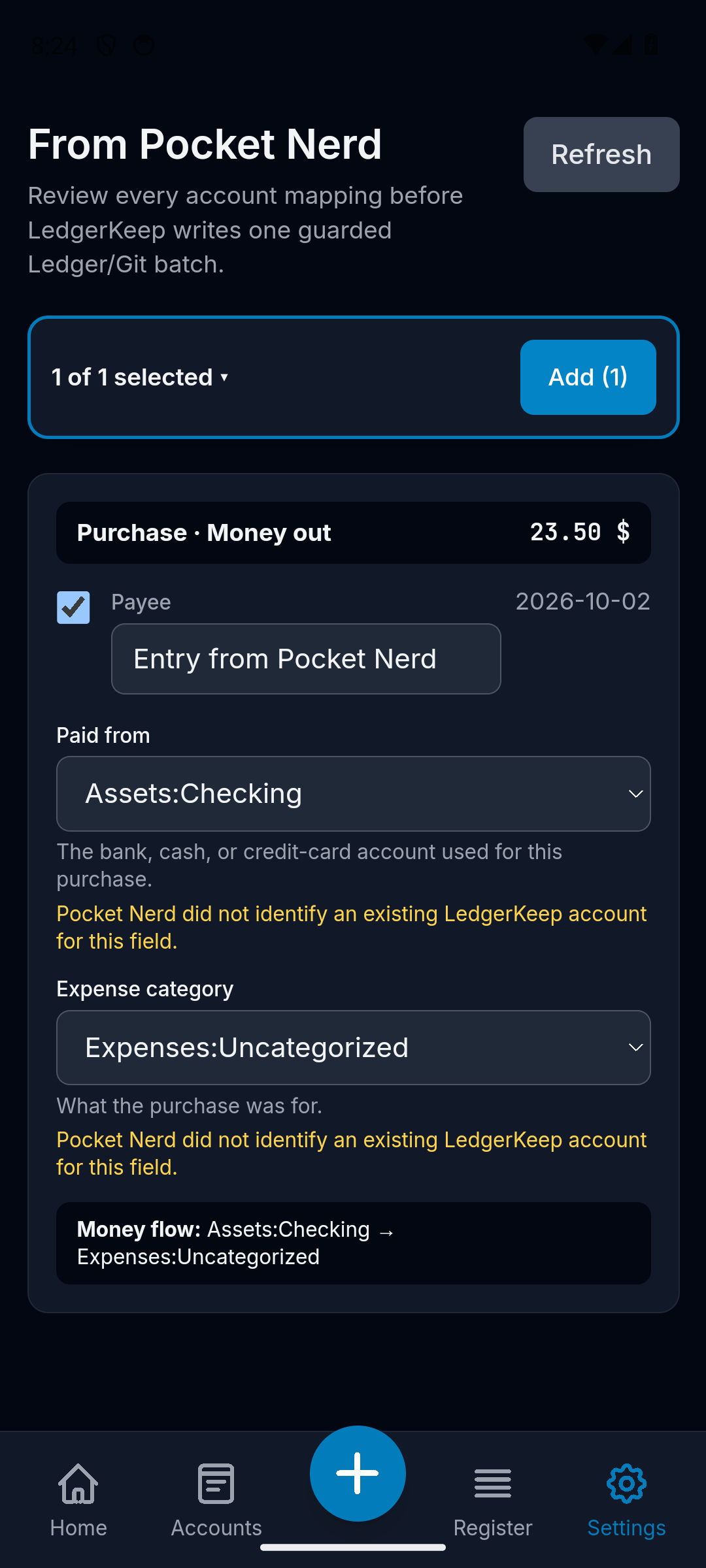
Pocket Nerd is where you type the number while you're standing there. When you want it in the books, send it. It lands in LedgerKeep's inbox; you pick the account and file it.
Change it on the phone later and send again, and the same transaction updates here. Delete it there and it's flagged for removal here. Nothing is typed twice, and the books stay the record.
Four themes. Original pixel art.
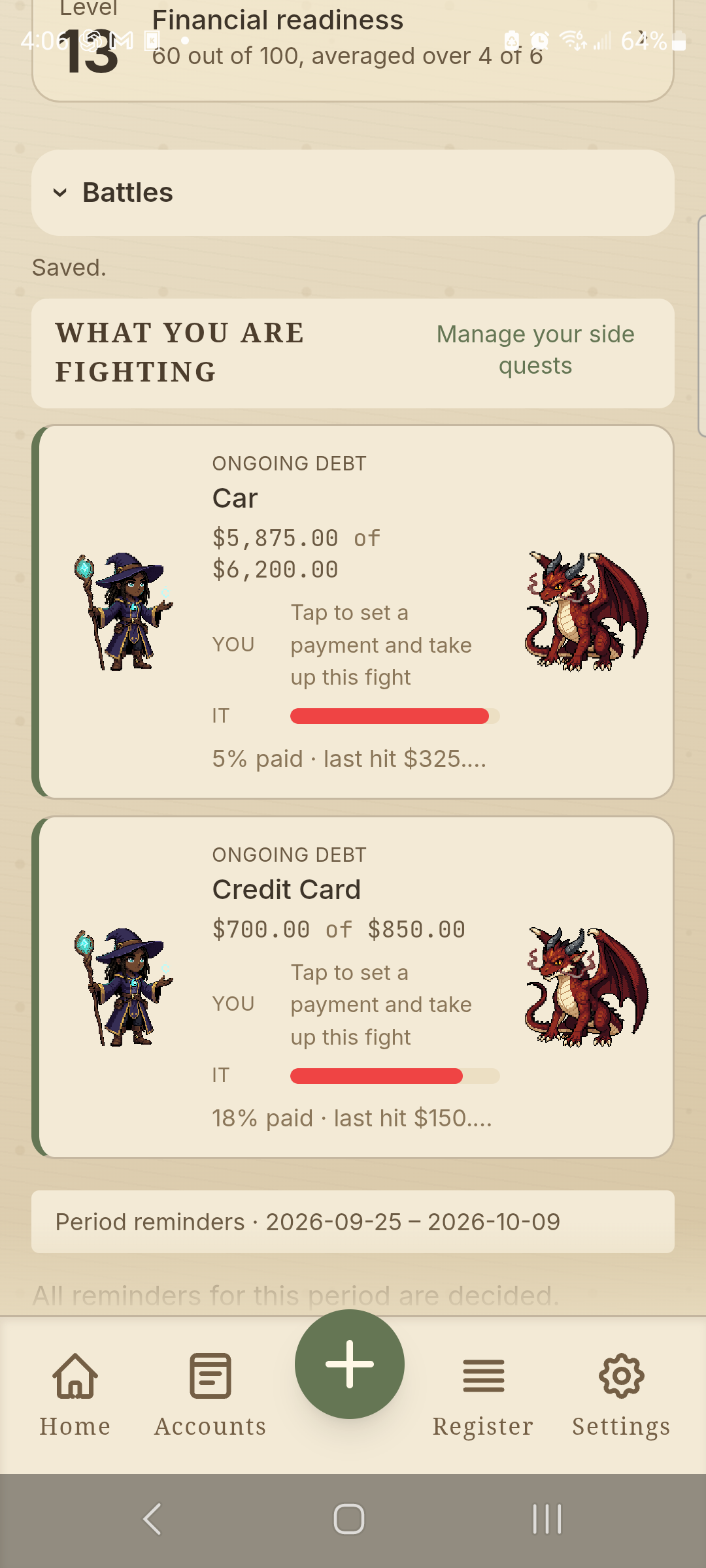
A debt is a boss.
Money doesn't have to be boring. In Campaign, each debt is an enemy that turns up every period until it's gone; each payment lands a hit, and the fourth chart keeps score. HUD makes them dogfights. Tranquil makes them plants to tend. Simple is a reminder list and numbers.
The theme is paint. The books underneath never change, and each device picks its own.
The pay period, up front
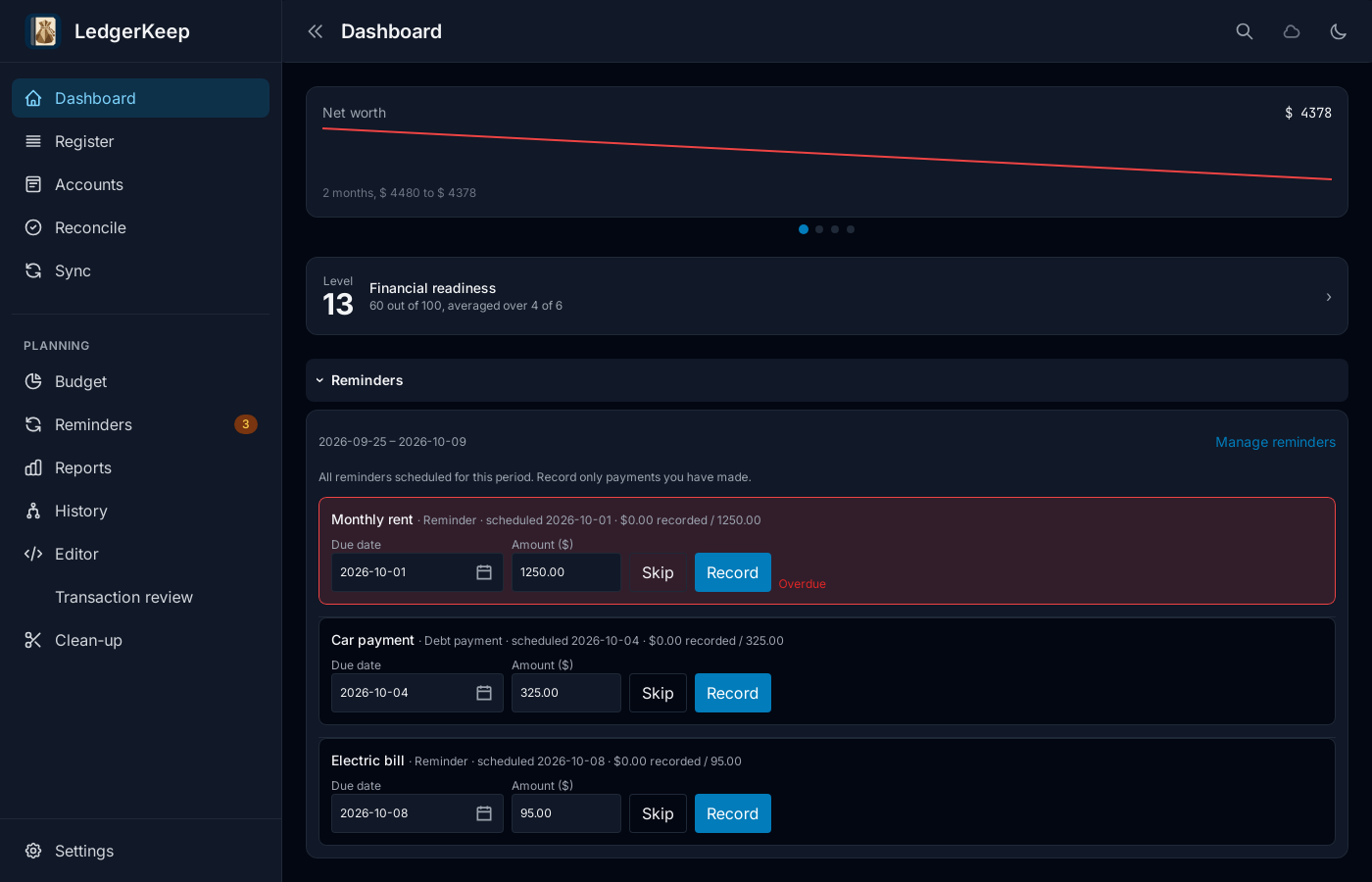
Every bill, from day one.
Every bill due this pay period is on Home from its first day. Change the date or the amount, then Record or Skip. Overdue ones turn red; a partial payment keeps the rest in view.
The files are yours
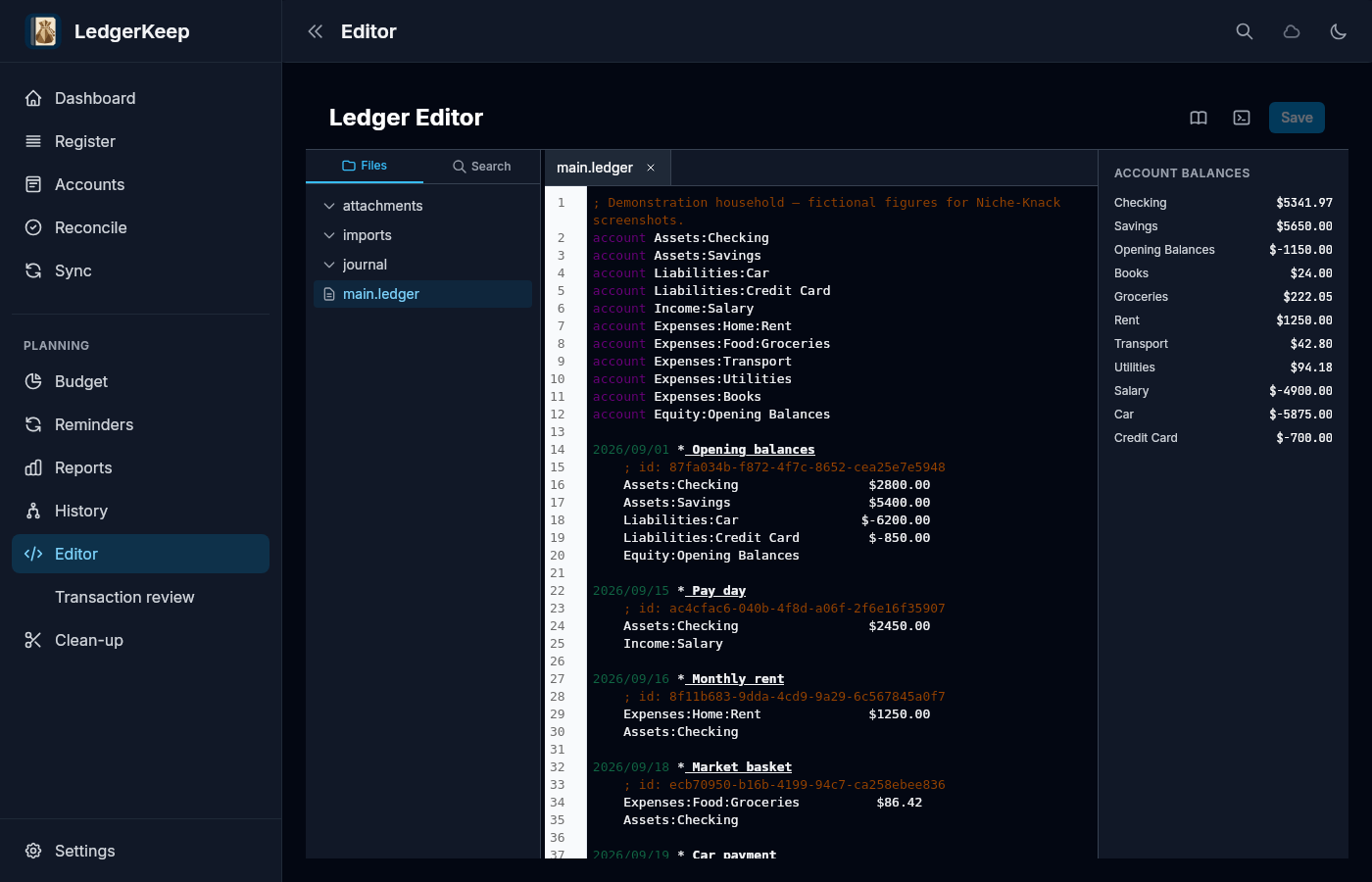
It's a folder of text files.
Your books are Ledger files: plain text, in a folder you choose. Open them in any editor. Copy them to another machine. Read them with the ledger command-line tool.
LedgerKeep is one way of looking at them. It is not the only way, and it never will be.
Because the books are plain text, you can hand them to an AI assistant, a script, or a spreadsheet and ask a question. There is no proprietary database to pry open. Review external edits, commit changes you want to keep, and keep a separate backup.
History you can read
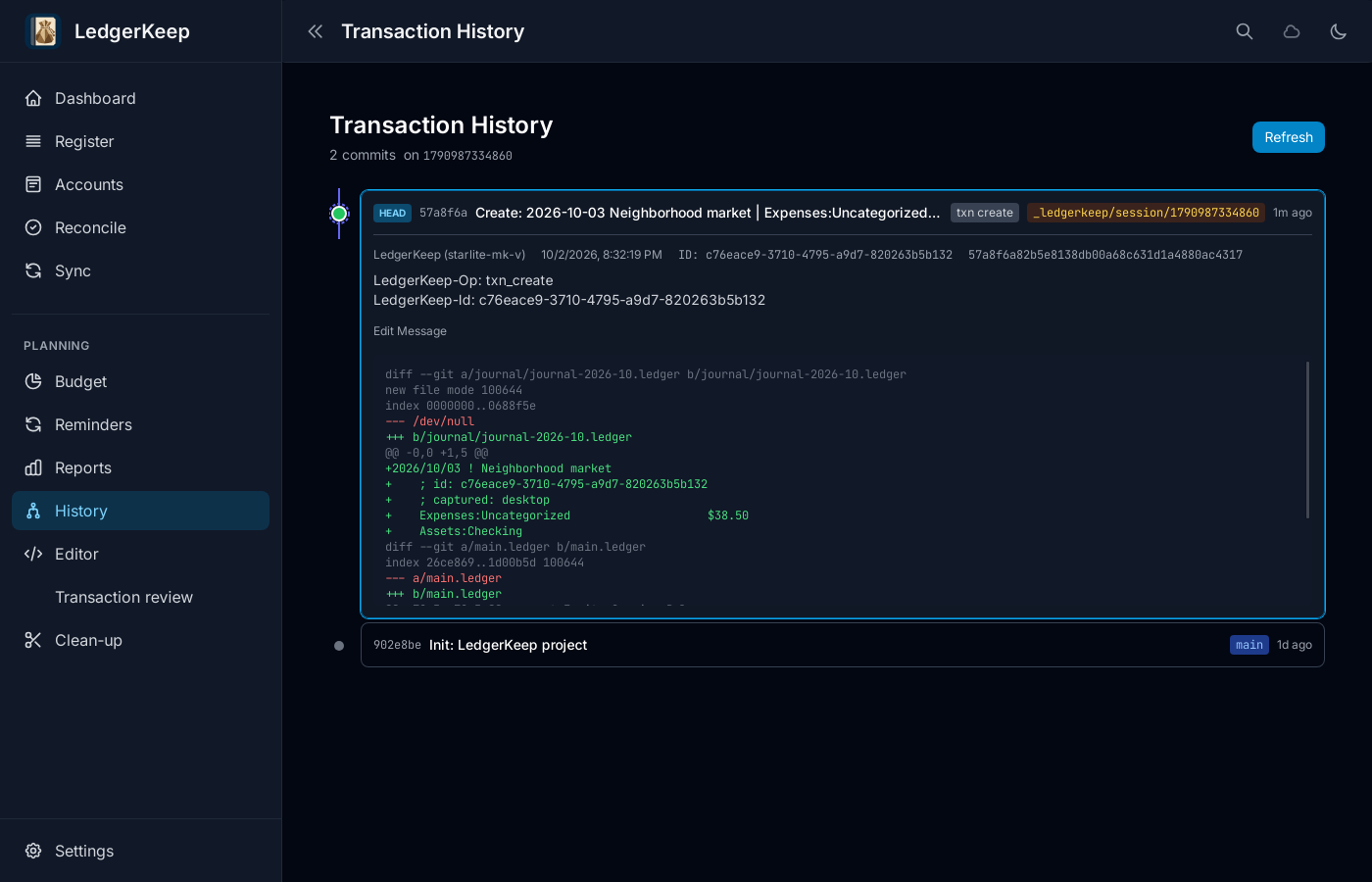
Every save is a commit.
Under the folder is a Git repository. Changes saved through LedgerKeep are recorded with what changed and when. Read the log. Diff any two points. Restore a backup, or check out an earlier state with Git itself.
Sync between phone and desktop over your own Wi-Fi, or through a Git remote you run. Either way, what arrives is a commit you can inspect.
Check the statement
Bring the statement. Check the books.
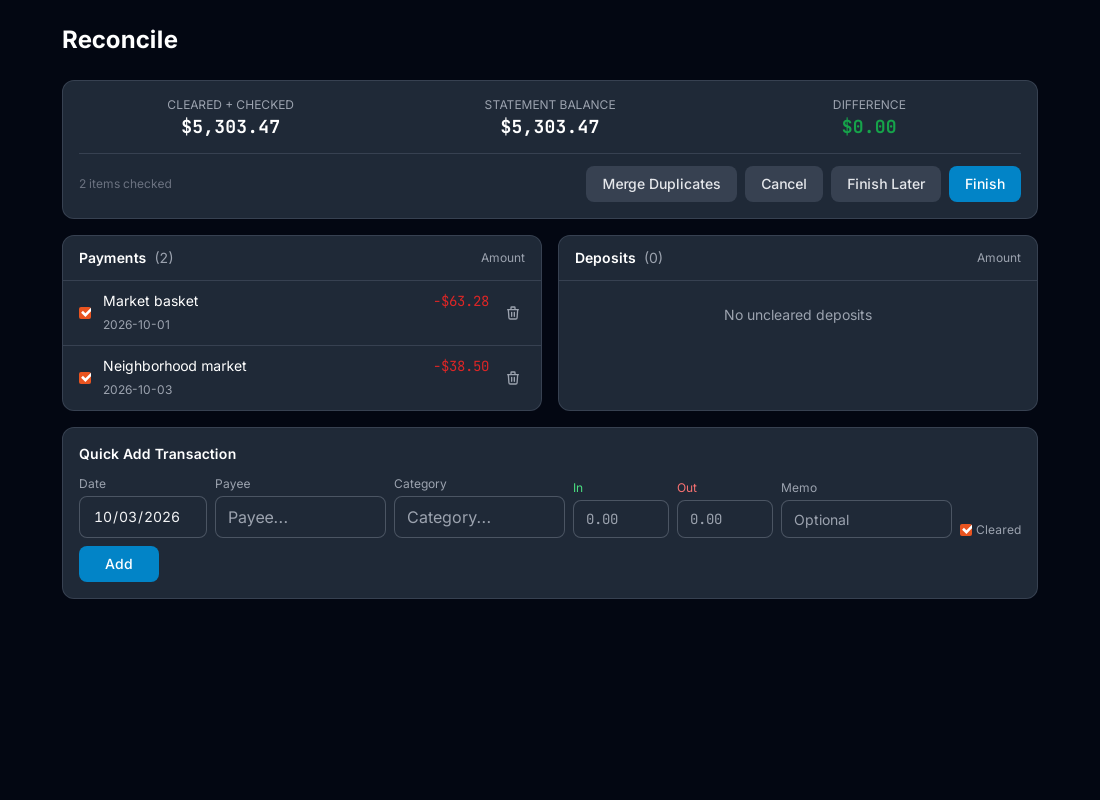
Choose the account and enter the closing balance from your statement. Mark the transactions that appear there, review the running difference, and confirm what should be cleared.
If the bank and the books still disagree, accept the bank's balance and the difference is booked as an adjustment, the standard Ledger way, where you can see it.
The desktop, where it differs
Budget, reconciliation, reports, the editor.
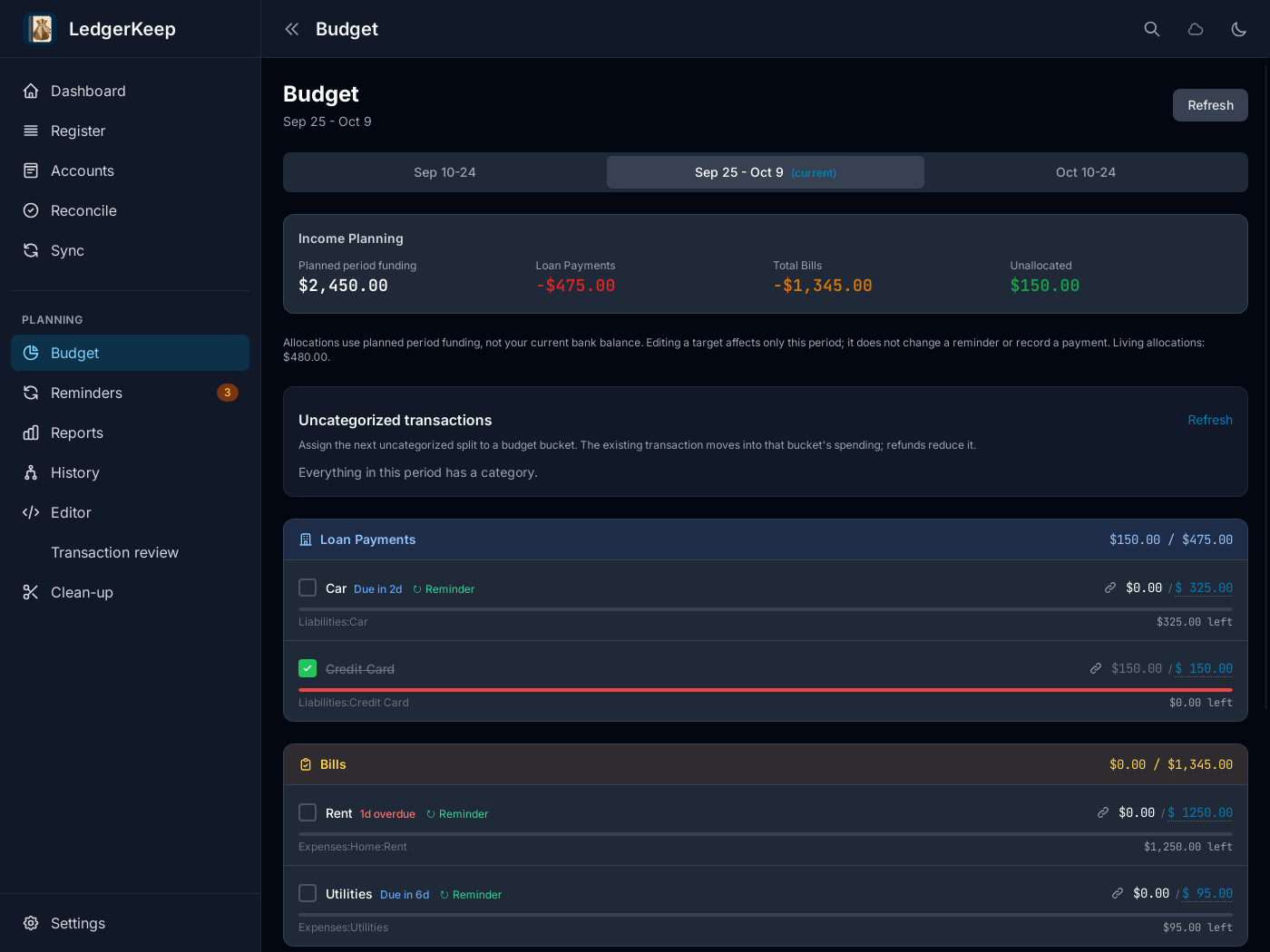
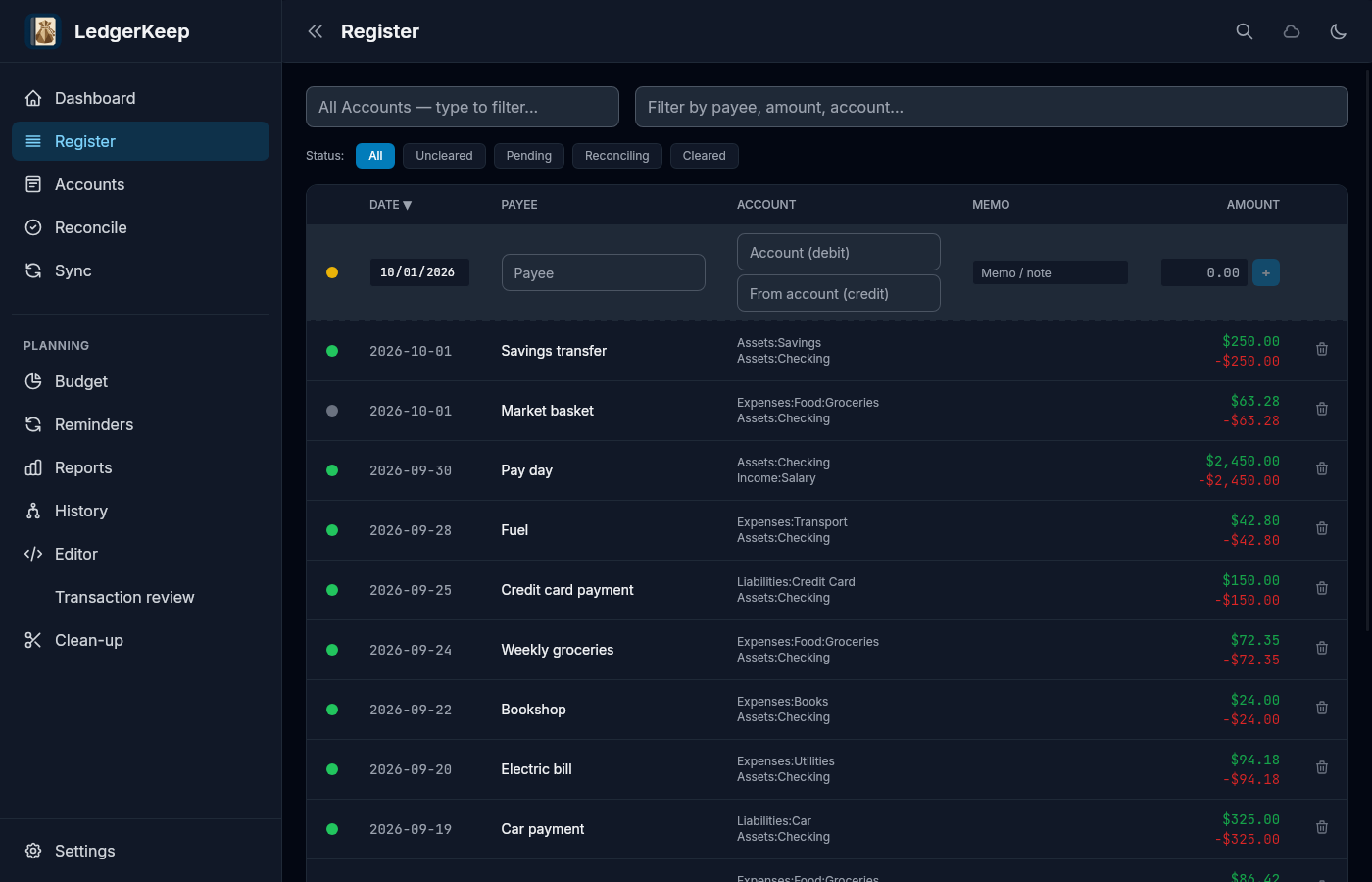
The phone is the full set of books. The desktop adds the budget for the pay period, statement reconciliation, the reports and cash-flow readings, a text editor for the files themselves, and the change history: every commit, with its diff.
Scroll sideways. Tap an image for full size.
Questions
What file format does it use?
Plain-text Ledger files, in a folder you choose, with a Git repository underneath. Open them in any editor. The ledger command-line tool reads them without LedgerKeep.
What if I stop using LedgerKeep?
Keep the folder. Your books are complete without the app, and so is their history.
Can it move money?
No. There is no bank login and no payment of any kind. Recording a bill writes a transaction to your books. Nothing in the app can send money anywhere.
Will a reminder pay something by itself?
No. A reminder waits for you to Record or Skip it. Once decided, it stays decided.
How does reconciliation work?
Choose the account, enter the statement closing balance, and mark the transactions that appear on the statement. LedgerKeep shows the difference as you review. If the two still disagree, accept the bank's balance and it books the difference as an adjustment, the standard Ledger way, where you can see it.
Can an AI assistant work with my books?
If you want one to. The books are text files, so anything that can read a file can read them. There is no proprietary database to open, and you can review and commit external edits with Git. Keep a backup before handing the files to another tool.
How do devices sync?
Pair phone and desktop with a QR code for Wi-Fi sync, or use a Git remote you control. Every change arrives as a commit. Keep backups anyway.
Can the phone work without the desktop?
Yes. The phone keeps books, imports ledgers, and records expenses, income and transfers. The desktop adds the budget, reconciliation, reports, the editor and the change history.
Do I have to use the battles?
No. Simple is a reminder list and payment figures. Campaign, HUD and Tranquil dress the same records up. Switching themes never touches your books.
How does Pocket Nerd fit?
Pocket Nerd sends its entries here. You pick the accounts and file them. Change an entry there afterwards and send again, and the same transaction updates here.
What does it cost?
$39.99 for desktop, $5.99 for Android. Pay once. Try it free for 14 days first, nothing held back. A desktop license covers up to three of your own devices.
What happens after the 14 days?
You can still read and export your books. Adding and editing waits for a license. Nothing is deleted.