
Pocket Nerd · Android
Open. Enter. Done.
Most people don't track what they spend. They leave it to the bank and find out afterwards — because every other way of tracking it asks too much. This one asks for a number, and tells you what that number does to tomorrow.
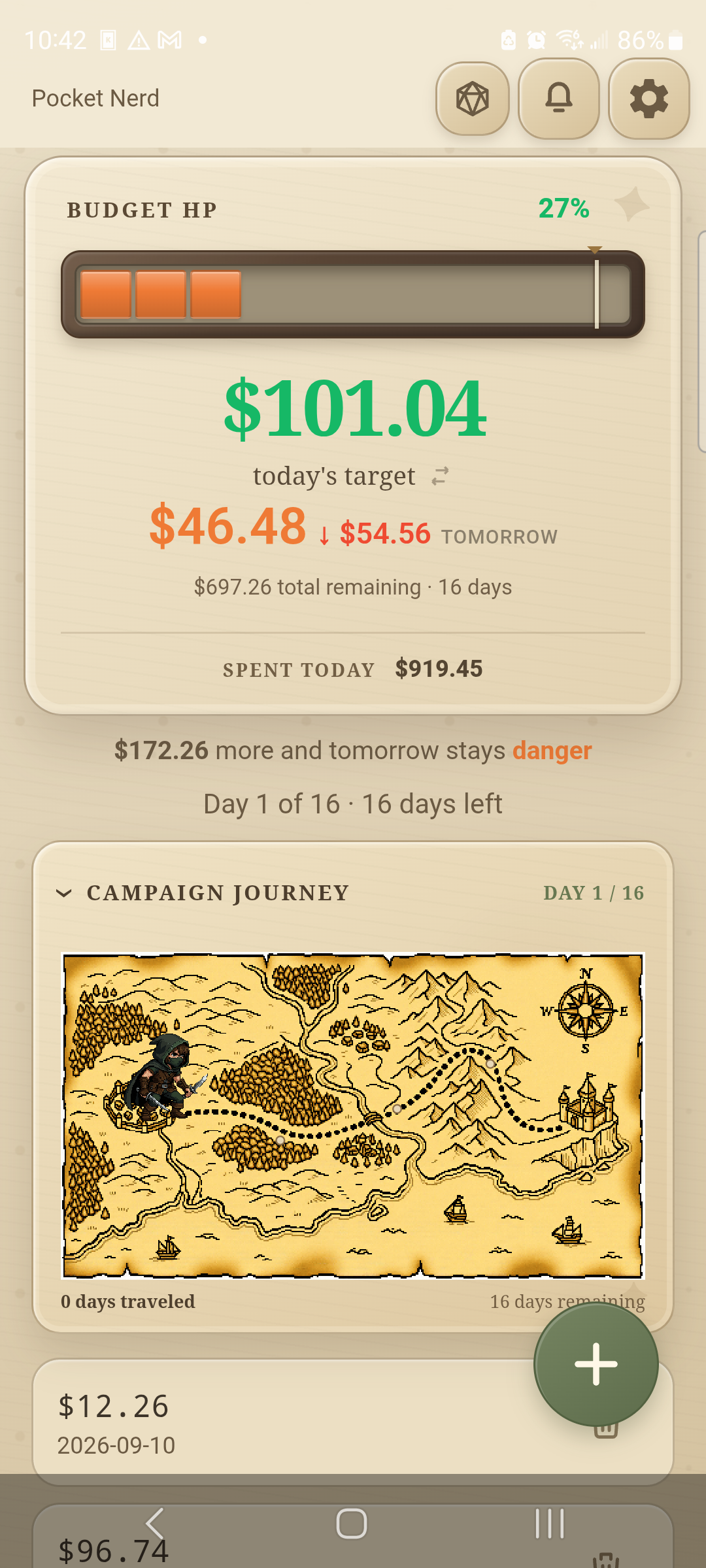
- Open, enter, done
- Nothing tied to a bank
- Change anything, any time
- Four themes
- Warns, never blocks
- Share the pot
- Sends to LedgerKeep
Fast on purpose
Seconds, not a session.
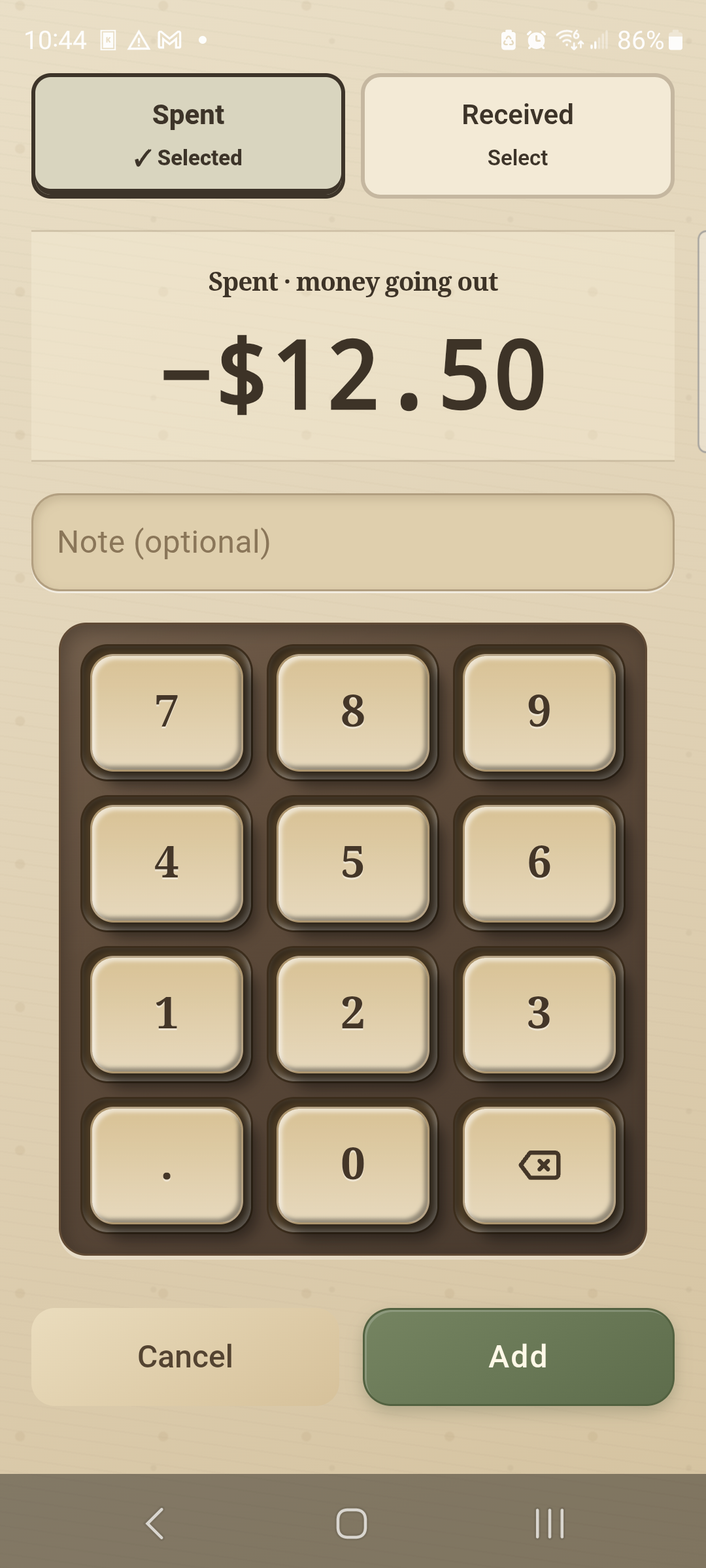
Open it, tap the amount, hit Add. A note if you want one. No categories to pick before you can write a number down, no accounts to reconcile, nothing to set up first.
If logging a purchase takes longer than the purchase did, you'll stop doing it. So it doesn't.
A scratchpad in your pocket
Nothing here is wired to a bank.
No bank login, no card, no real money moving anywhere. What you type is a note to yourself — so edit an amount, move a date, delete an entry or start the period over as often as you like. Nothing downstream breaks.
That freedom is the point. It's somewhere safe to see what spending this much would do to your tomorrow, before you spend it.
Plain, not dull
Four themes. Pick the one that sounds like you.
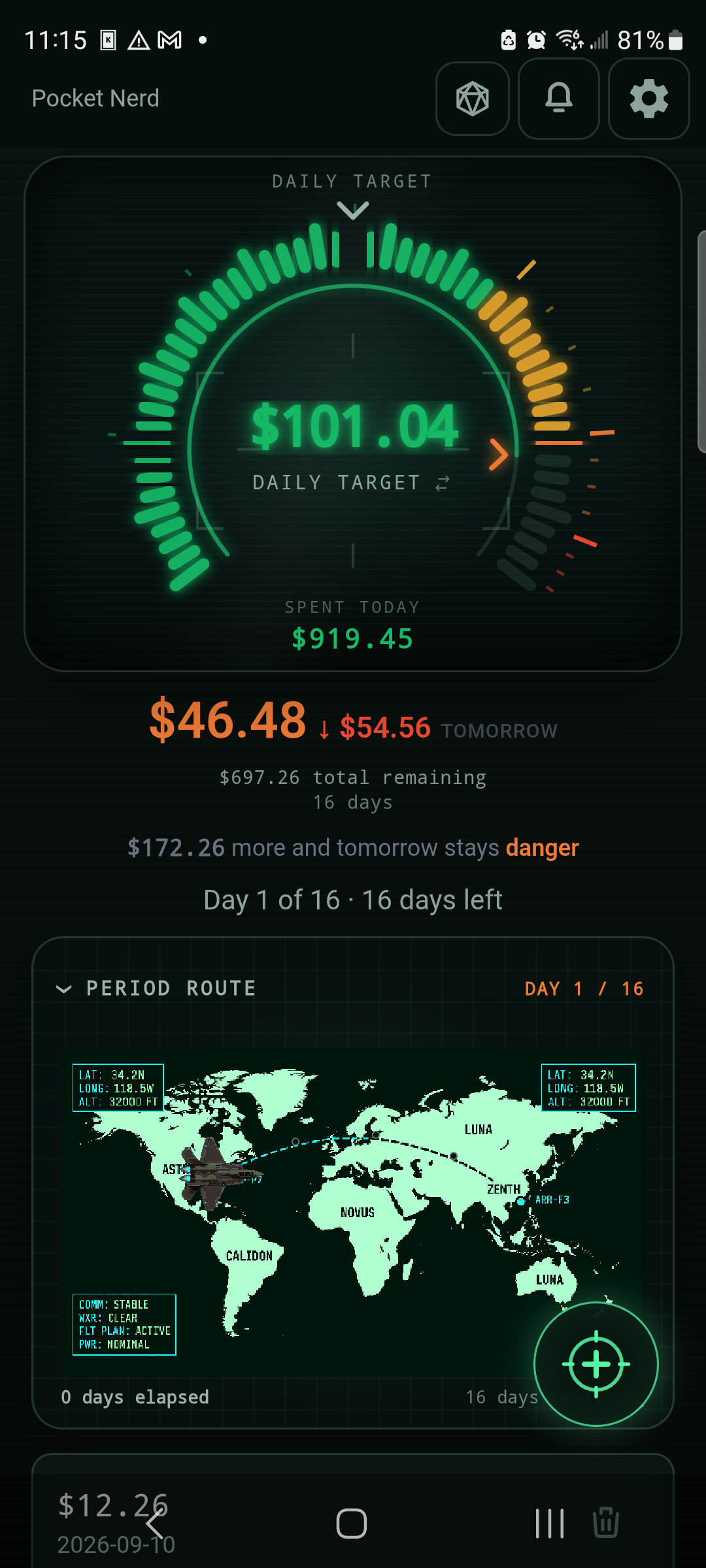
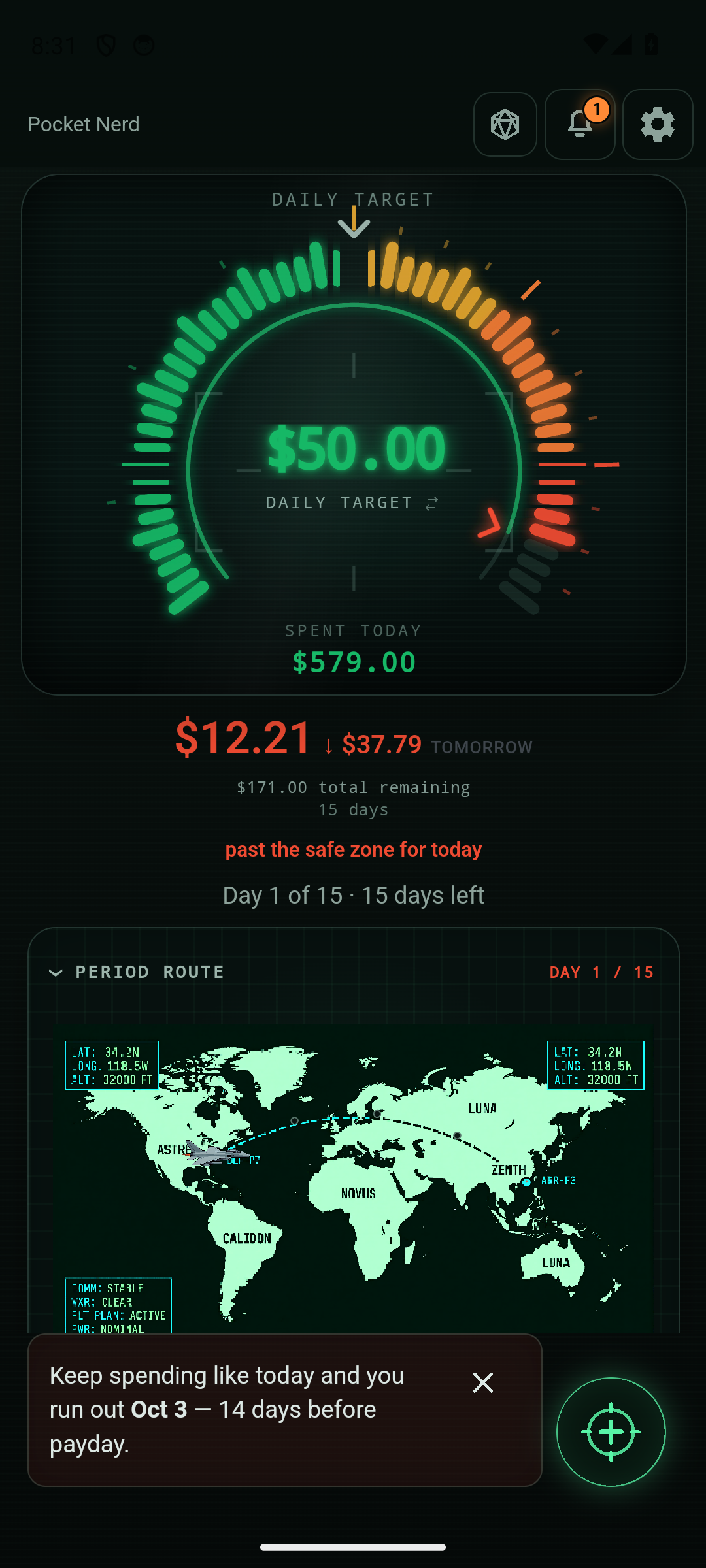
Simple, HUD, Tranquil and Campaign — same numbers, four moods. A scratchpad doesn't have to be boring: fly the cockpit, walk a quiet garden path, or fight your way to payday. Your pick changes your phone only.
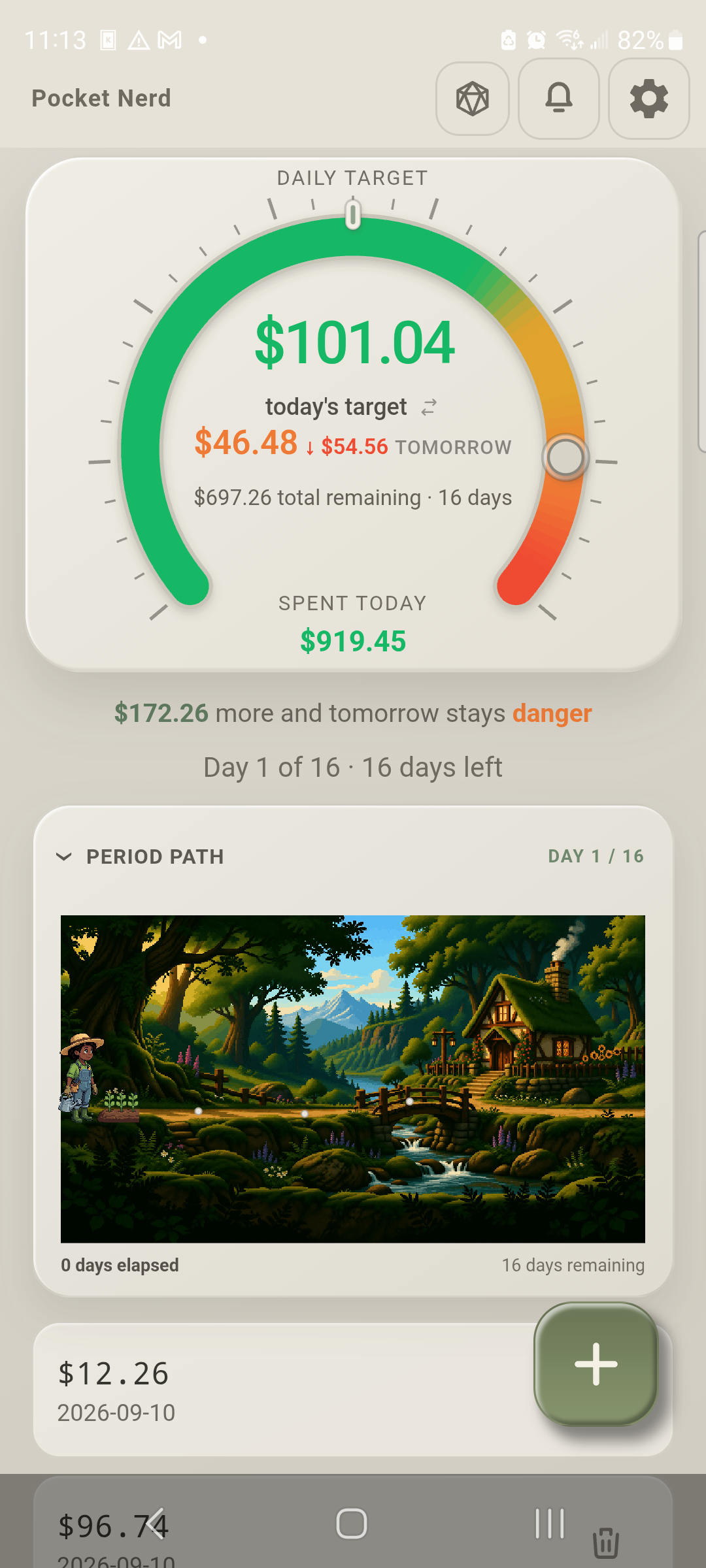
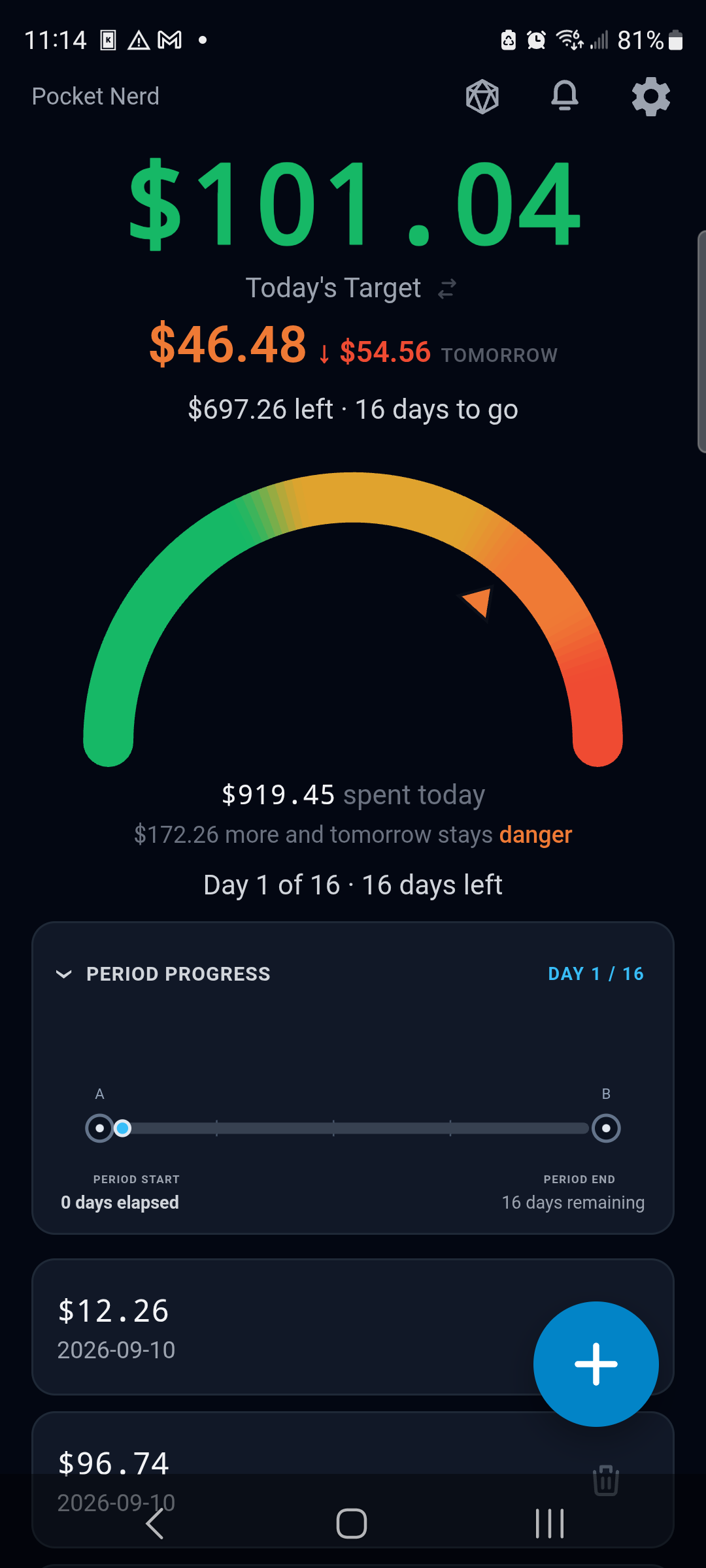
Scroll sideways. Tap an image for full size.
Make it yours
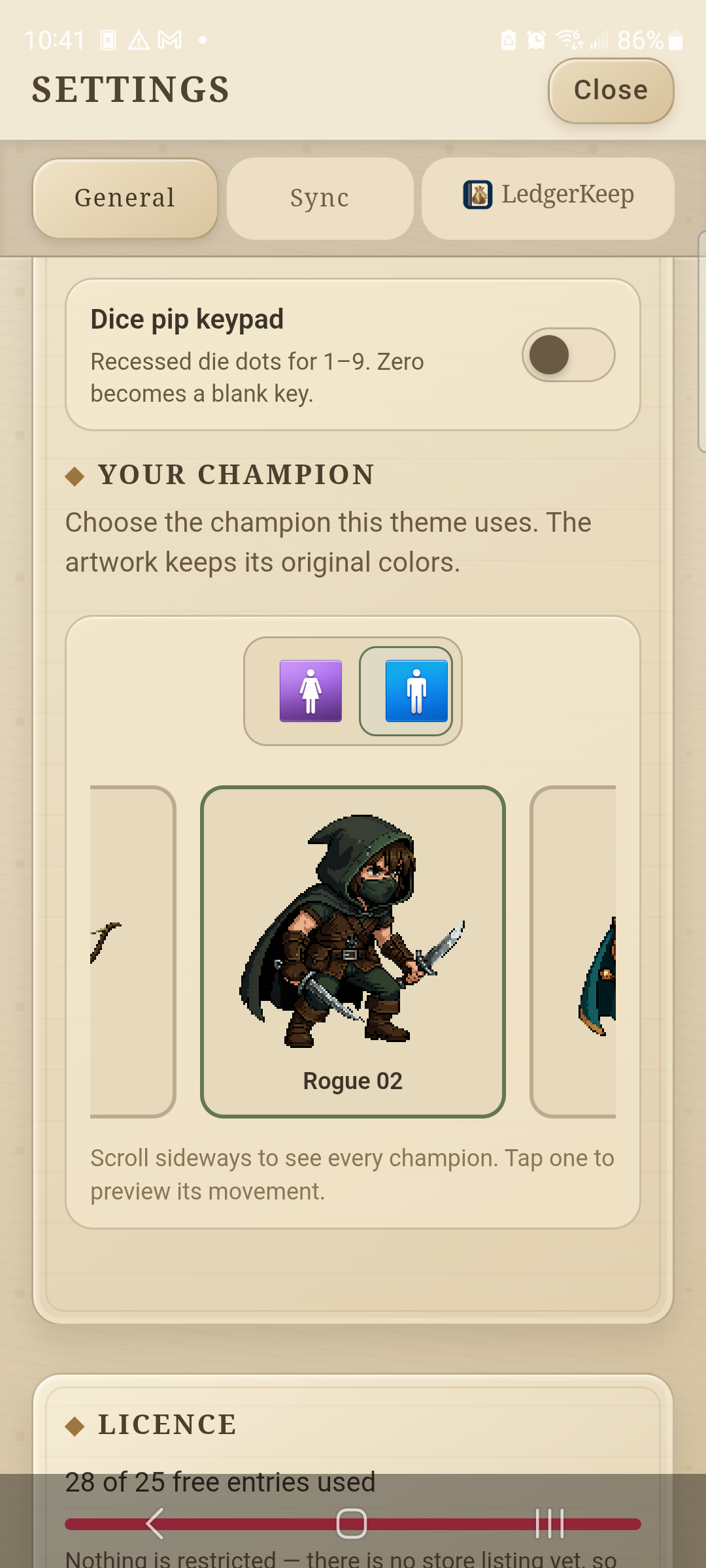
Choose who walks the period.
In the illustrated themes you pick a character and a path, and they move as the days go by. Fold the map away when you'd rather just see the list.
Your money, your call
It can warn you. It won't stop you.
Today's target holds still, so a purchase shows up as what it does to tomorrow instead of quietly shrinking the target until it looks fine. Set your own warning and danger lines and Pocket Nerd will say — loudly — when the rest of the period is looking thin.
Then it stops talking. No blocks, no lectures, no locked entries. It's your money, and you know things the app doesn't.
When it's a coin toss
Let a game break the tie.
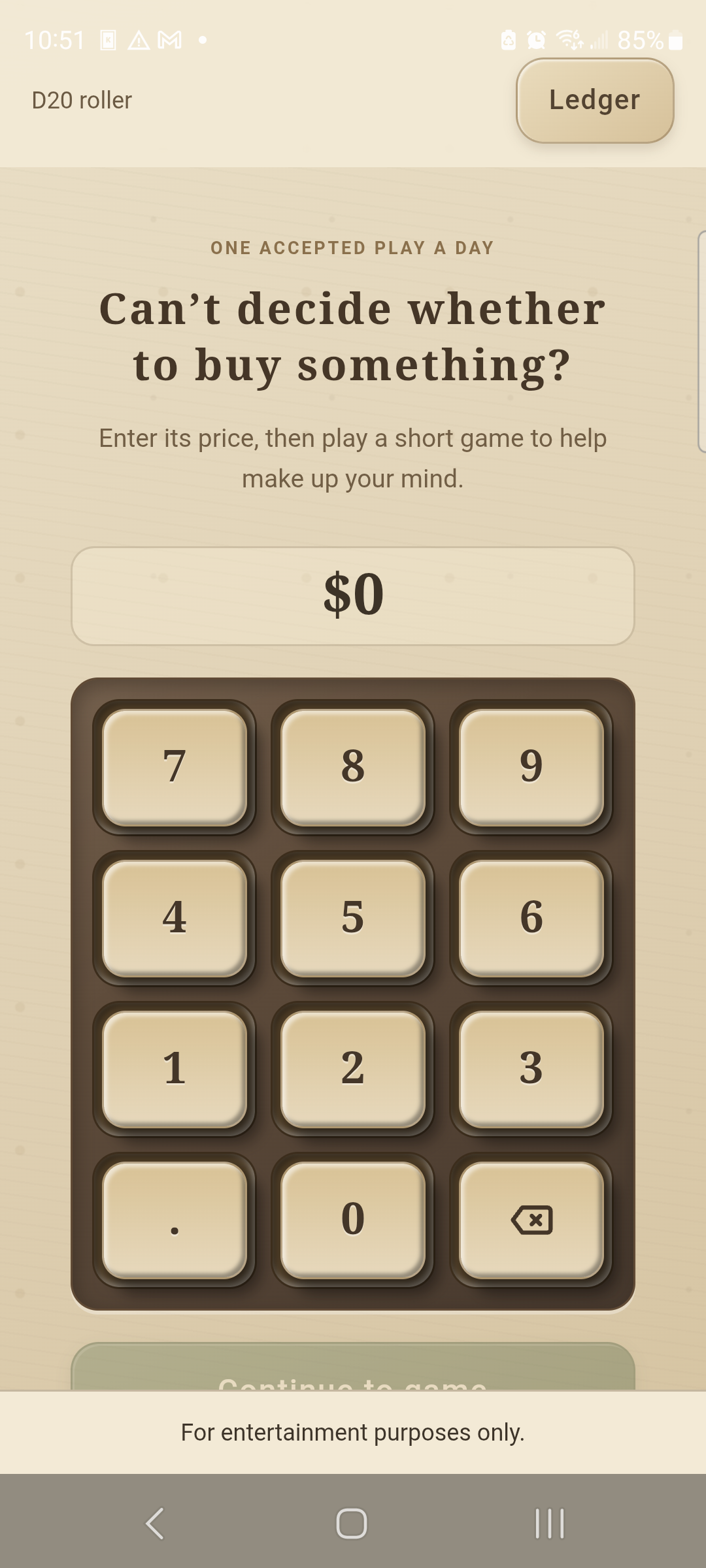
Stuck on a purchase? Flip a coin, hit the target, roll a d20 or ask the daisy. The price and your thresholds set the odds, and the deeper a purchase cuts into your chances of reaching payday without going into the red, the harder the game gets.
Nothing is bought and nothing is logged. You still decide.
Rarely a solo sport
One pot, both phones, real numbers.
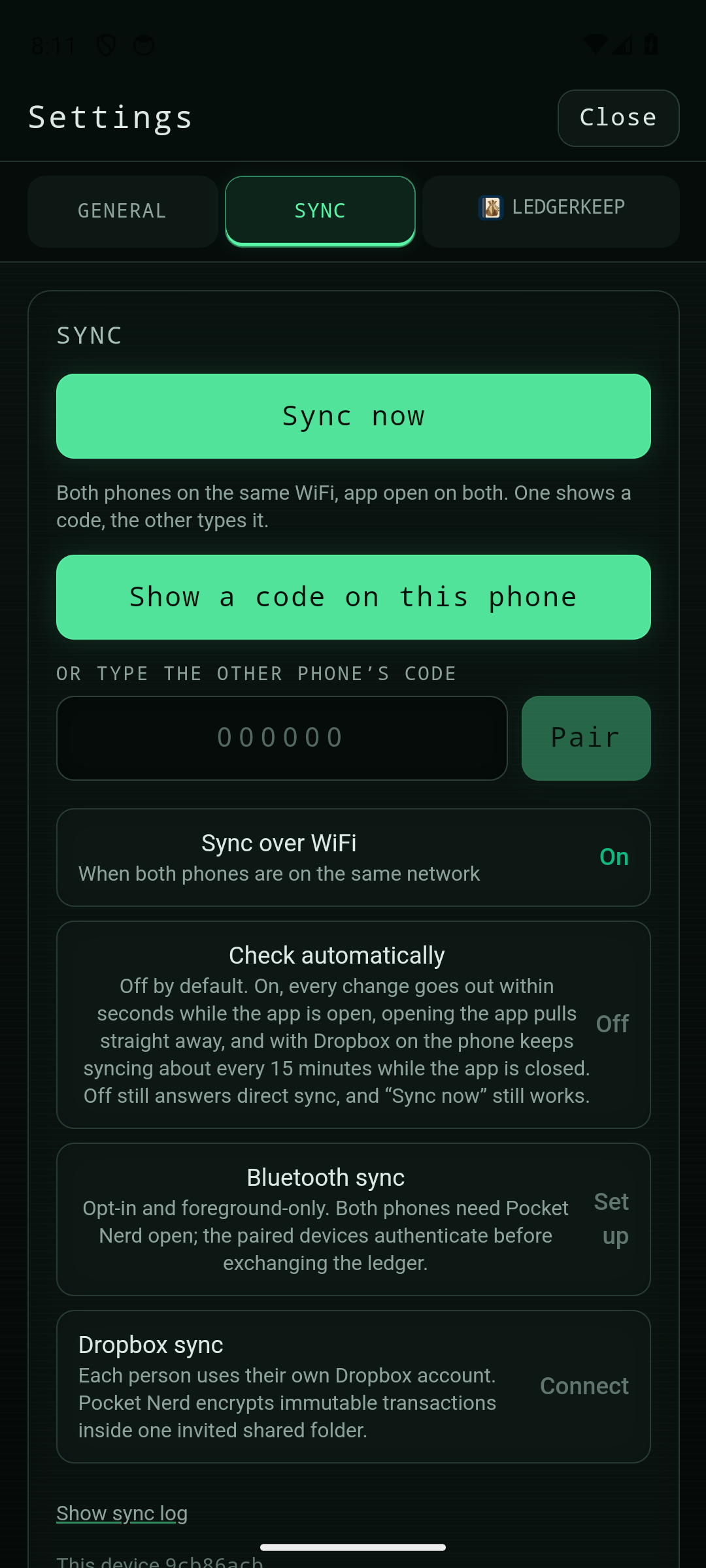
In a relationship, money is a joint decision — and a joint decision needs a current number, not last Tuesday's. Pair over Wi-Fi at home, use Bluetooth with both apps open, or connect an encrypted shared Dropbox folder when you're apart. Turn on automatic checks to send changes as you enter them. With Dropbox enabled, Android also checks about every 15 minutes while the app is closed.
The pot is shared. What counts as a comfortable day isn't — everyone keeps their own thresholds and their own theme.
Books optional
Already have an accounting system? Keep it.
Pocket Nerd is for the one-off stretch: a fixed amount that has to get you from A to B. It isn't trying to replace your books.
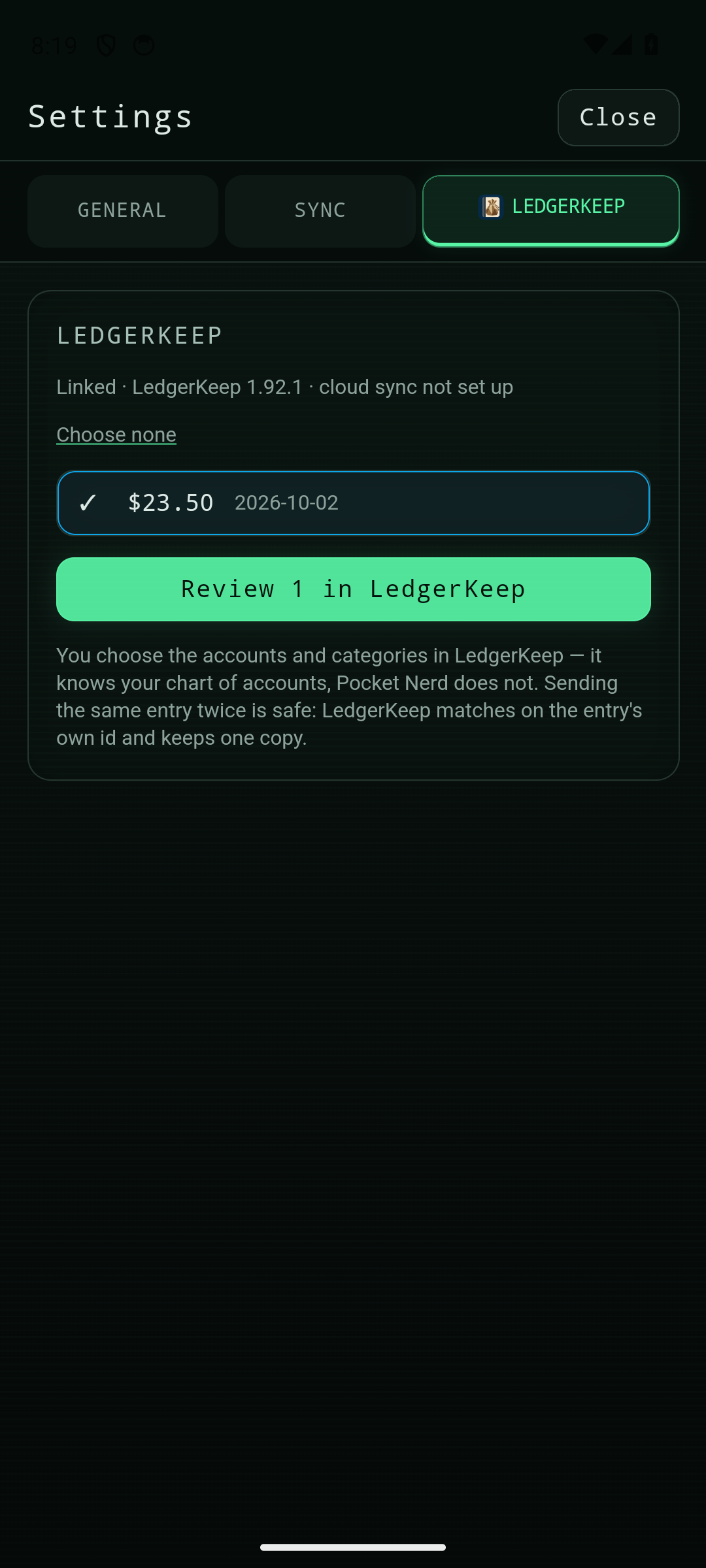
Haven't got books? Its companion, LedgerKeep, keeps real ones — and nothing gets typed twice. Send an entry over, pick the account, file it. Change it here afterwards and send again, and the same transaction updates there.
Questions
Is it a phone app?
Yes, phone only. Android now, iOS planned. There is no desktop version.
What does it cost?
The first 25 entries are free. After that, $3.99 gets you unlimited entries, once, no subscription. Each phone needs its own license, even when two phones share a pot.
Does it connect to my bank?
No. There is no bank login and no card to link. You type what you spent. That is why you can edit an amount, move a date or delete an entry whenever you like — nothing downstream breaks.
Will it stop me spending?
No. It will tell you plainly what a purchase does to tomorrow, and it will say so loudly when the rest of the period looks thin. Then it gets out of the way. It is your money.
Do I need a second person?
No. One phone is the whole thing. Sharing a pot is optional, and everyone keeps their own thresholds and theme.
How do phones stay in sync?
Pair over Wi-Fi, opt into Bluetooth with both apps open, or connect an encrypted shared Dropbox folder. Optional automatic checks send changes while the app is open; with Dropbox enabled, Android also checks about every 15 minutes while it is closed.
What are the games for?
Breaking a tie. Coin Flip, Target, D20 and Daisy Oracle take the price and your thresholds and set the odds — the deeper a purchase cuts into your chances of reaching payday in the black, the harder the game gets. A lucky roll doesn't make anything affordable, and the warnings still show. Entertainment only.
Does playing a game add an entry?
No. A game never buys or records anything. One accepted result a day.
Is it a full accounting system?
No. No bank connections, no categories, no registers. That is LedgerKeep. Pocket Nerd is the between-paydays number.
I already have an accounting system. Is this still for me?
Yes — this is the one-off case: a fixed amount that has to get you from A to B. Keep your books wherever they are.
What happens when I send to LedgerKeep?
LedgerKeep shows the entries for review; you pick the accounts and file them. Nothing gets typed twice. Change an entry here after it went over, send again, and the same transaction updates there.