
Install the Pocket Nerd beta on Android
Download your approved Pocket Nerd beta, install it on Android and open it for the first time.
Learn by doing
Log spending, check your daily target, and find your way around Pocket Nerd.
About Pocket Nerd and beta access
17 guides
No guide matches those filters. Try fewer words or .
Download your approved Pocket Nerd beta, install it on Android and open it for the first time.
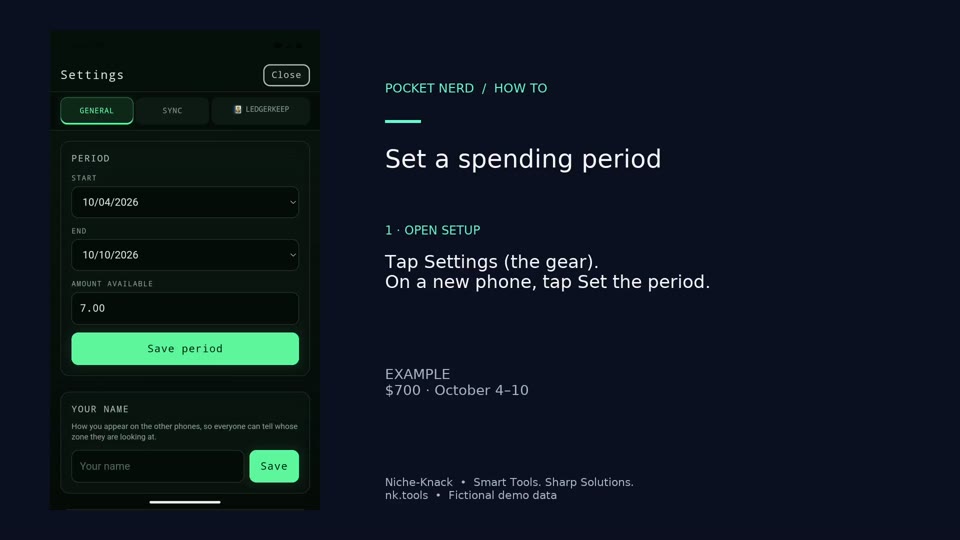
Set the dates and amount for one spending period. This example starts with $700 over seven days.
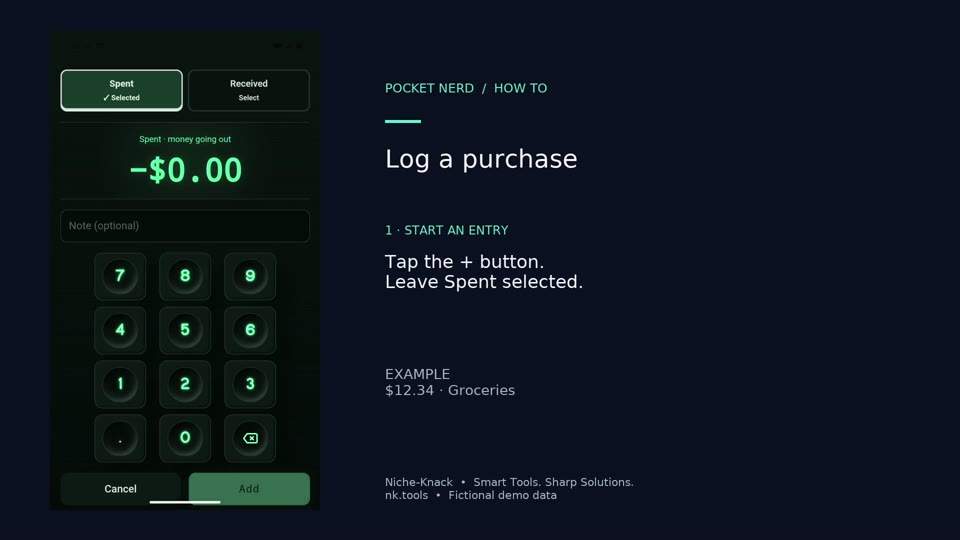
Subtract a real purchase from your spending pot. The example is $12.34 for groceries.
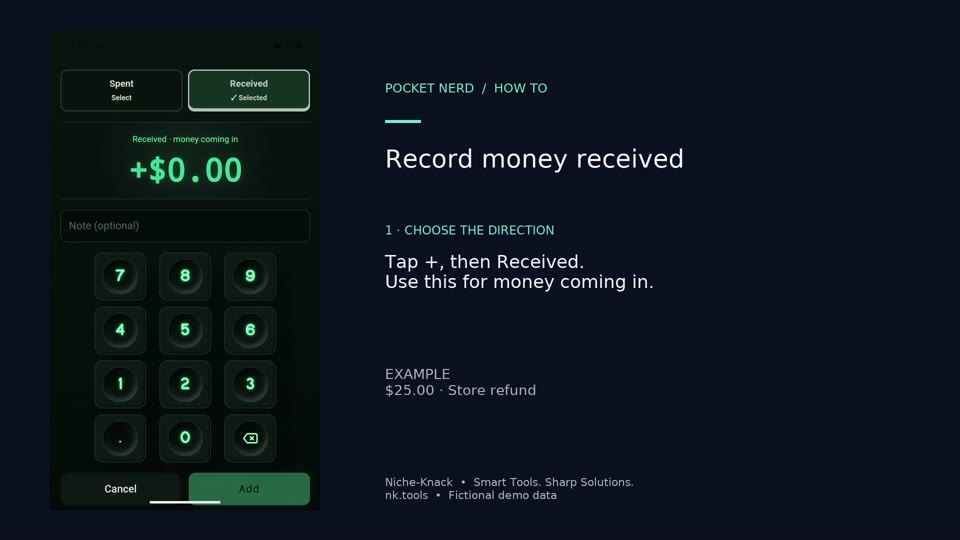
Add money back to the pot when you receive a refund or other money. This example records a $25 store refund.
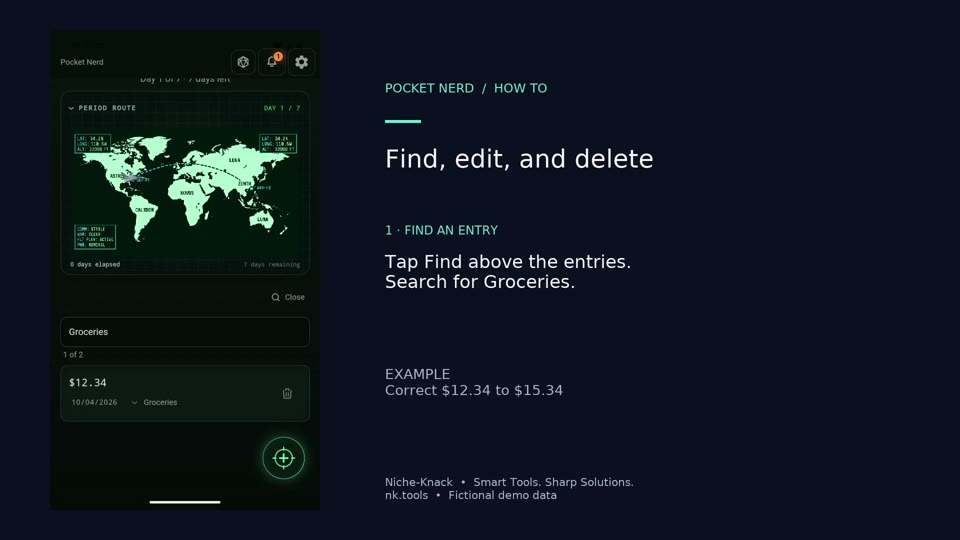
Find an entry, correct its amount, and remove it when it no longer belongs in the pot. This example changes Groceries from $12.34 to $15.34 before deleting it.
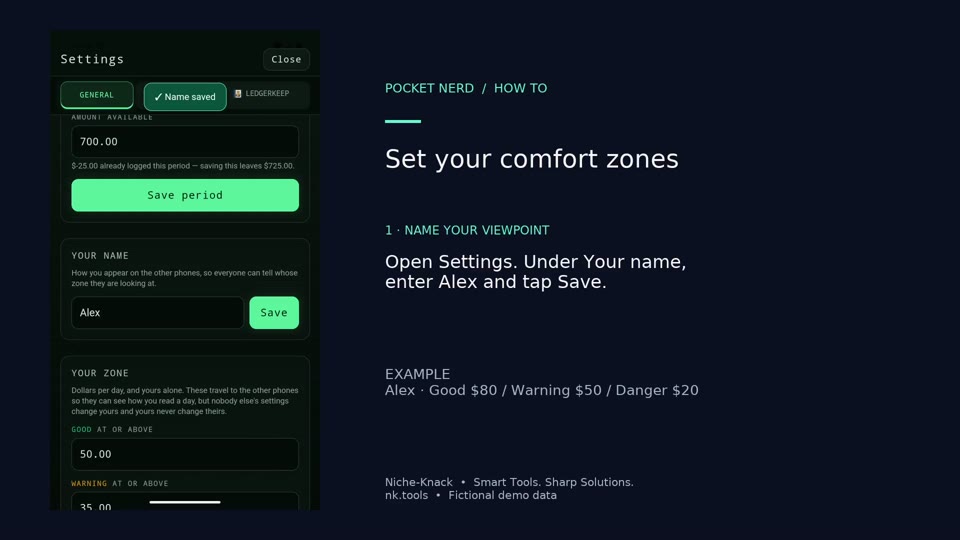
Personalize the greeting and choose the gauge thresholds that suit your own spending plan. This example uses Alex and thresholds of 80, 50, and 20.
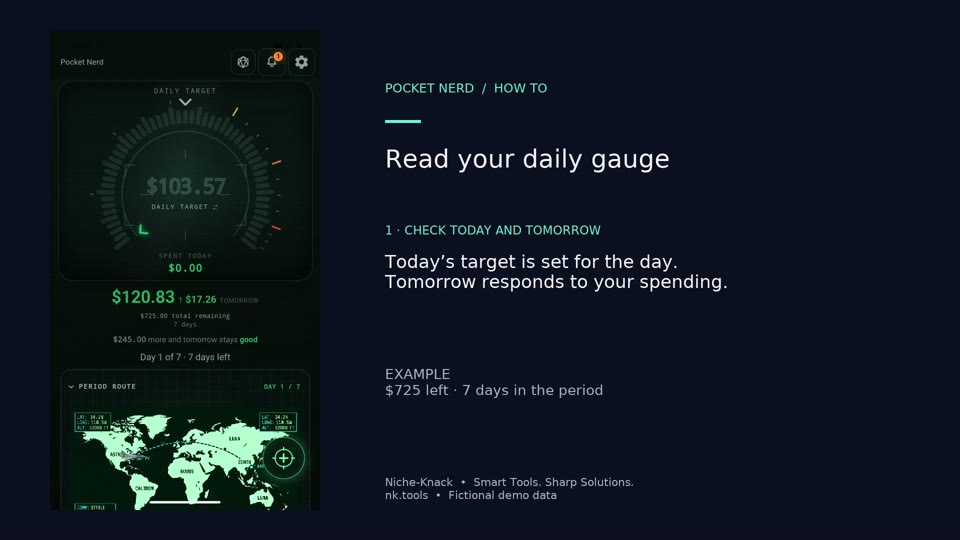
Switch between the daily target and the total remaining, and expand or collapse the period progress.
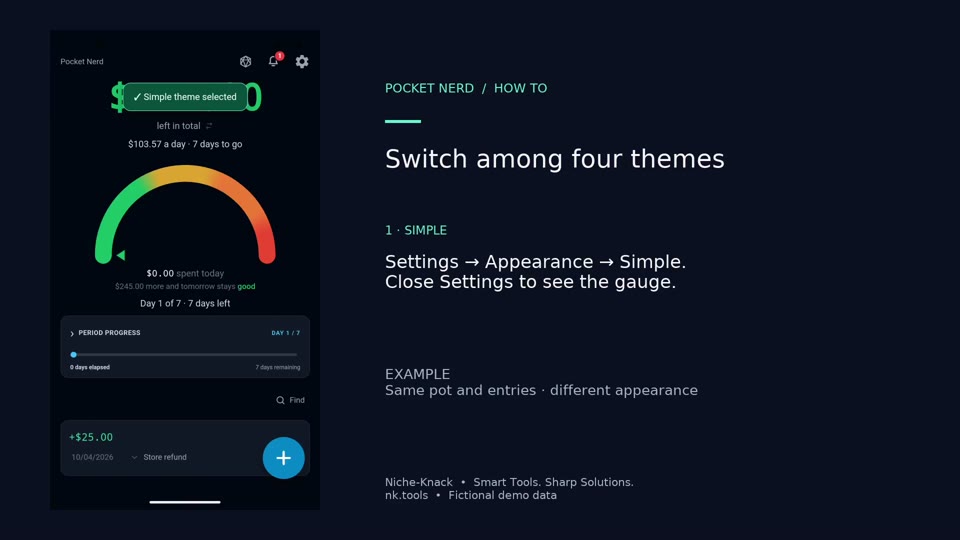
Preview Simple, HUD, Tranquil, and Campaign using the same spending pot.
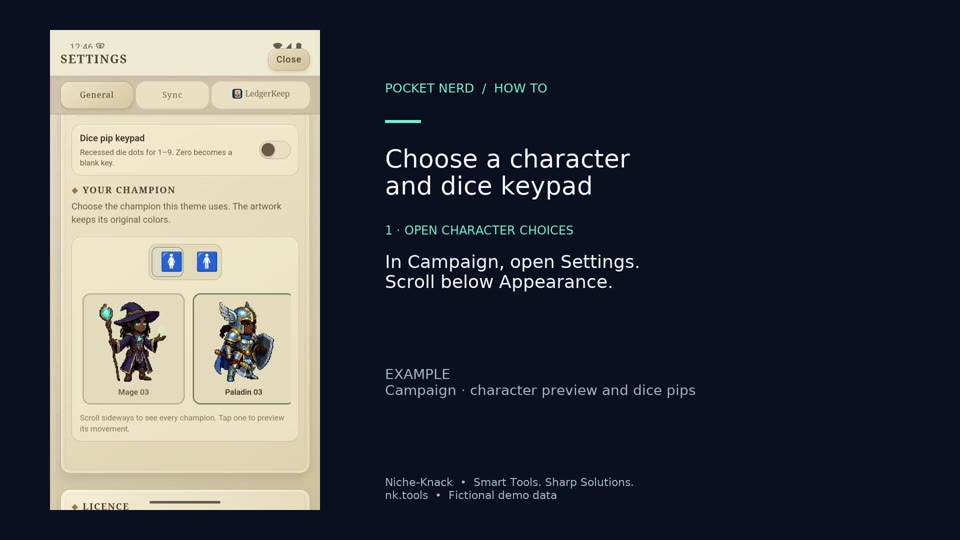
Pick a Campaign character and try the optional dice-pip keypad. Dice pips still enter ordinary digits.
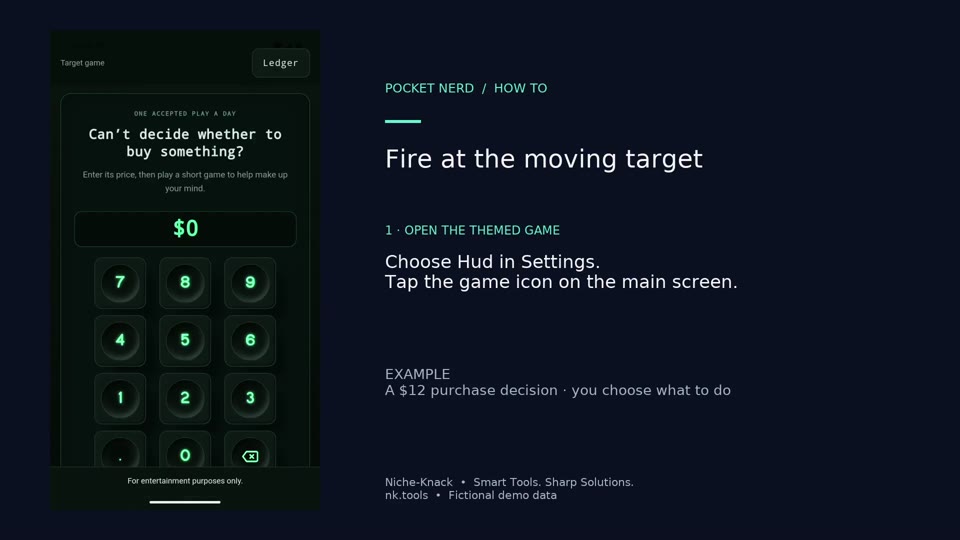
Use HUD's target game for a $12 example purchase and watch the firing animation.
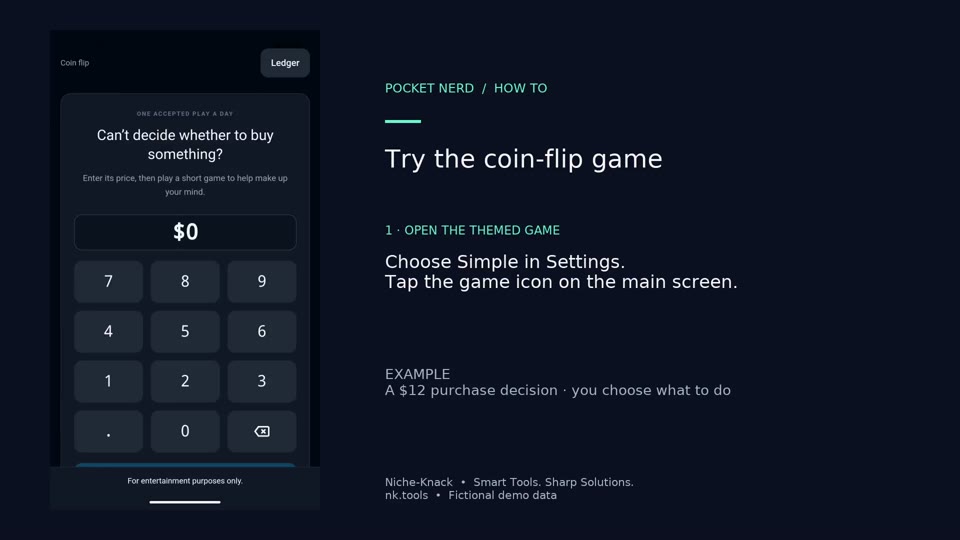
Use Simple's coin flip for a $12 example purchase.
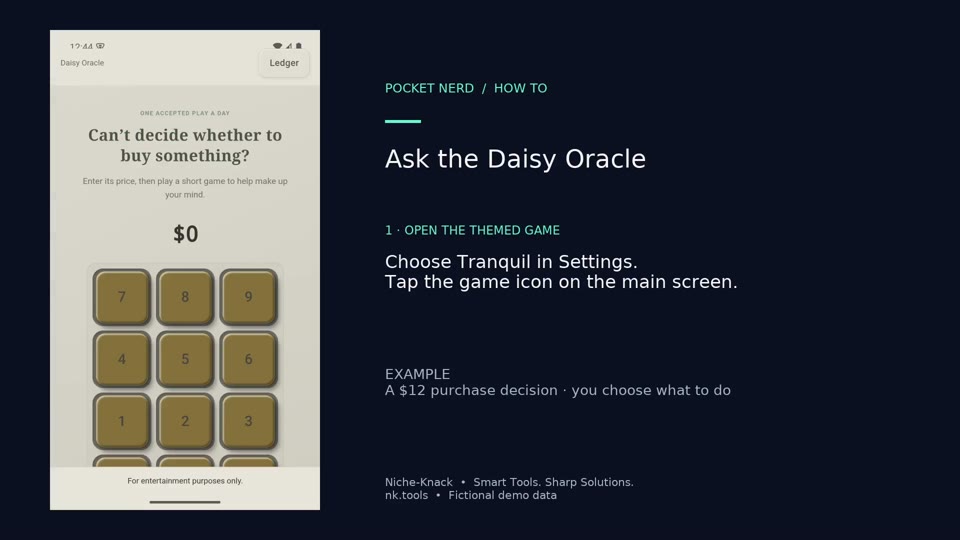
Use Tranquil's Daisy oracle and wait for the petals to finish.
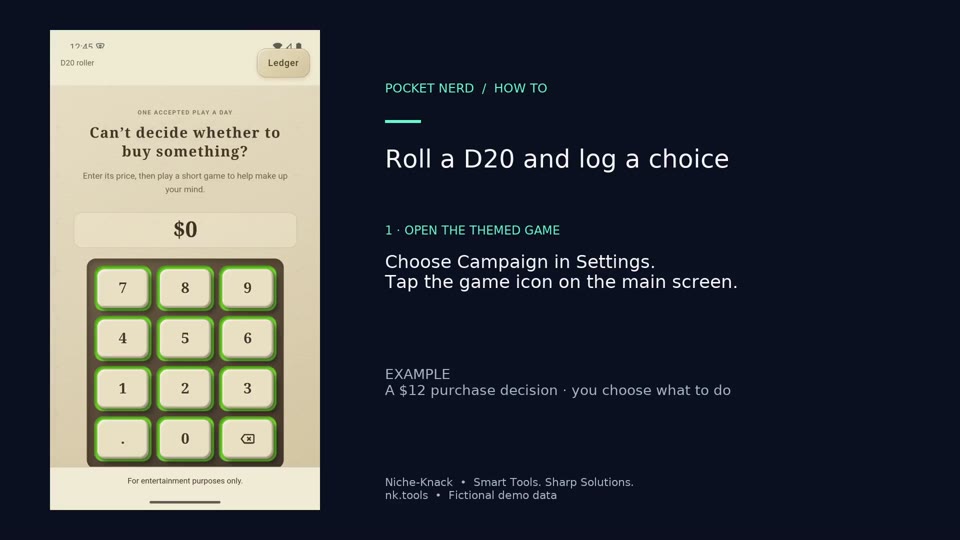
Roll Campaign's D20 for a $12 example purchase, accept the result, and explicitly log the purchase.
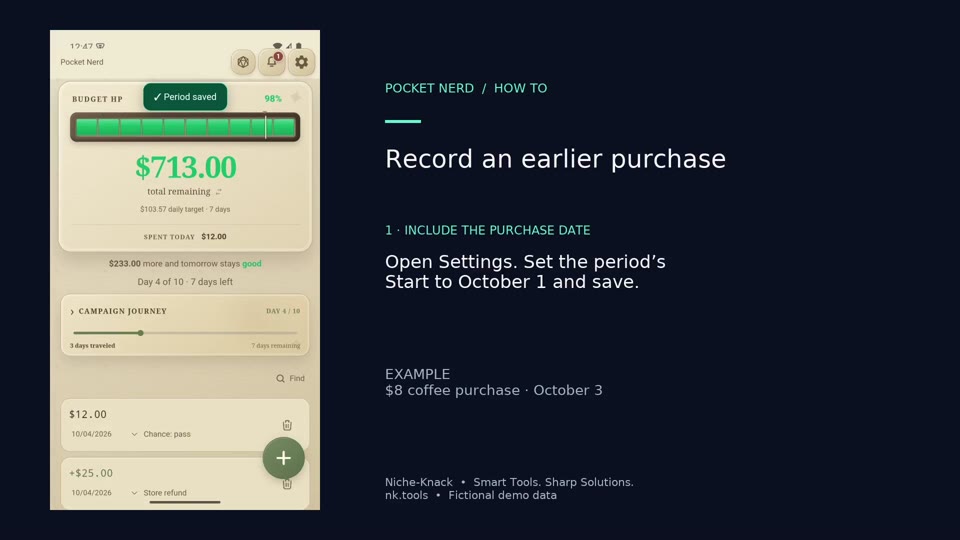
Record an $8 coffee purchase and change its date to an earlier day in the active period.
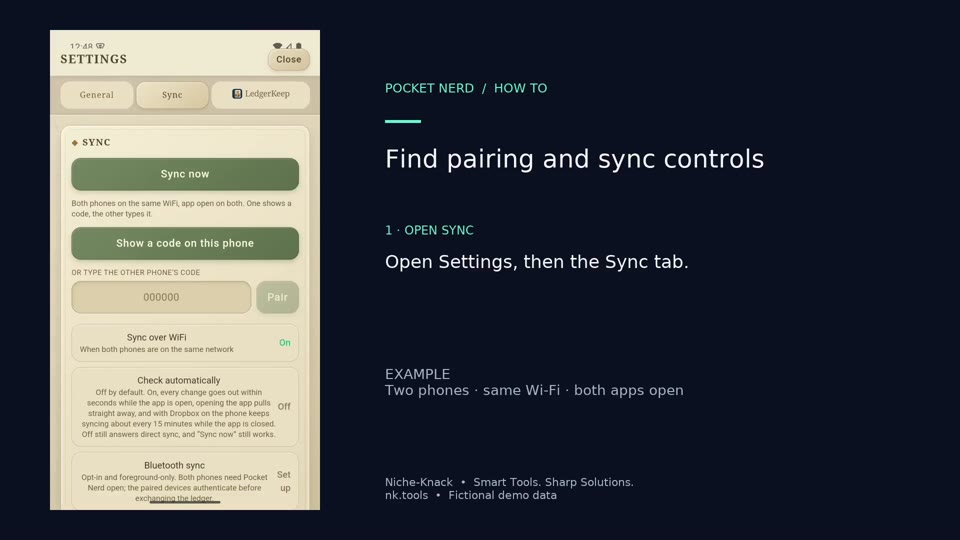
Find the code-pairing, automatic-checking, Wi-Fi, Bluetooth, and Dropbox controls.
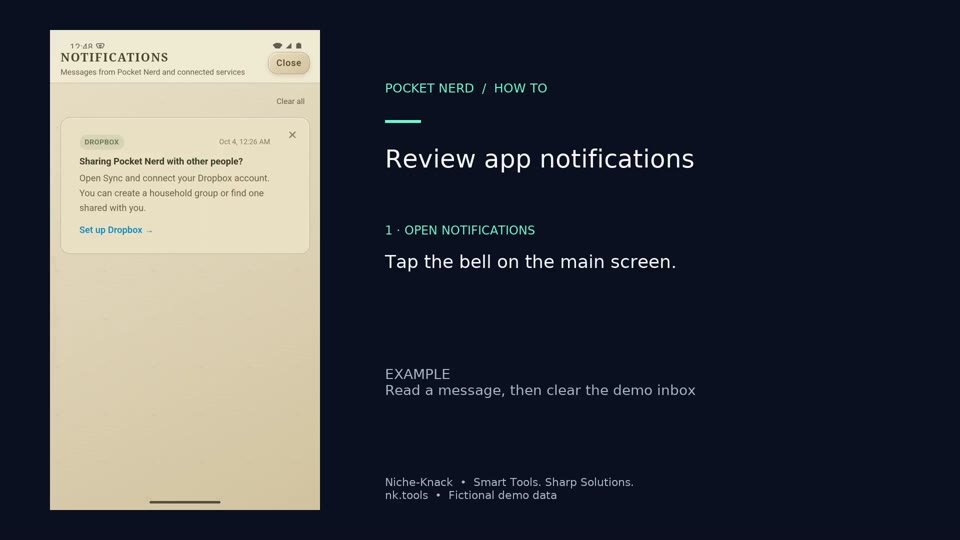
Read app messages and clear the demo inbox after reviewing them.
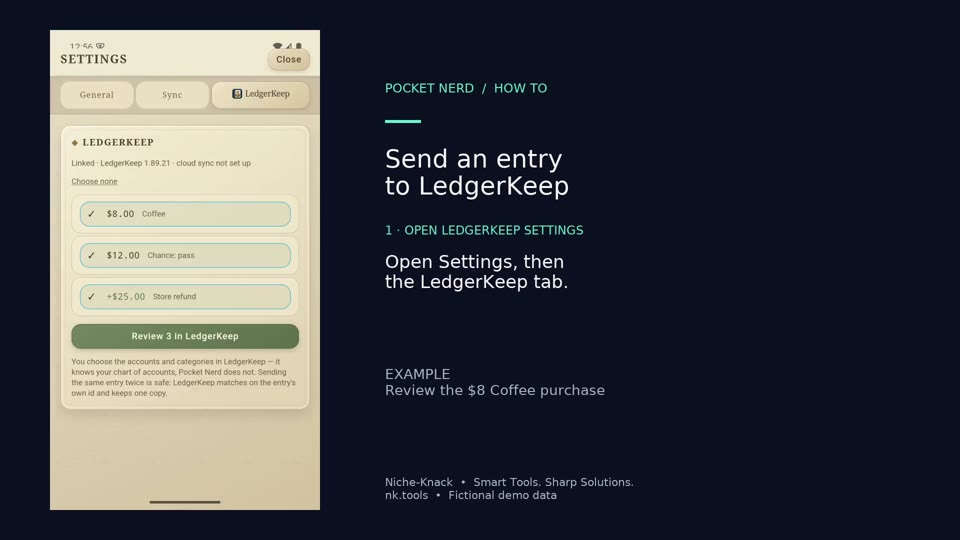
Send the $8 Coffee entry from Pocket Nerd to LedgerKeep on the same Android phone.