
Android · 0:22 video

Log a purchase

Subtract a real purchase from your spending pot. The example is $12.34 for groceries.

Download videoDownload captions

1Start an entry

Tap the + button. Leave Spent selected.
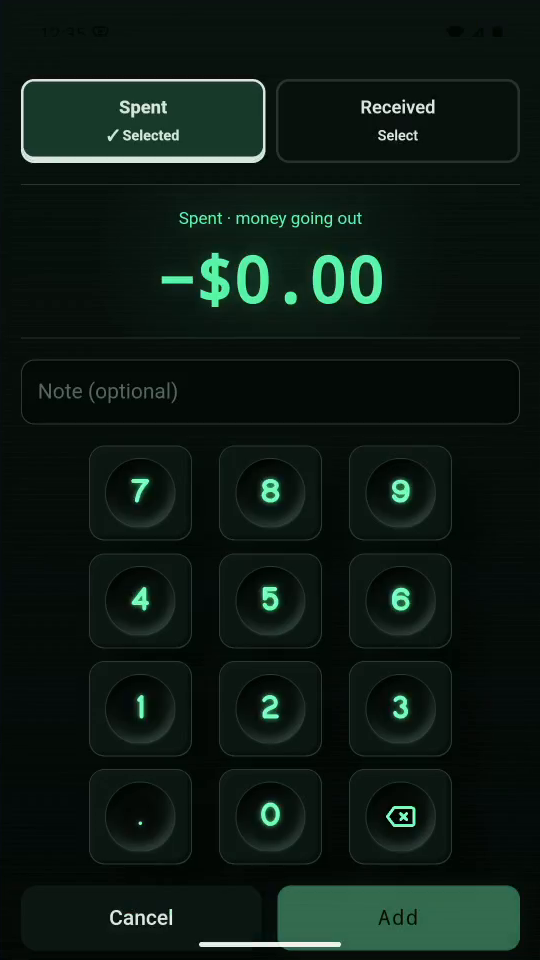
1 · Start an entry. Tap the + button. Leave Spent selected.Log a purchase — step 11
Spent. Select the image to enlarge it.

2Enter the amount

Tap 1, 2, 3, 4. The keypad displays $12.34.
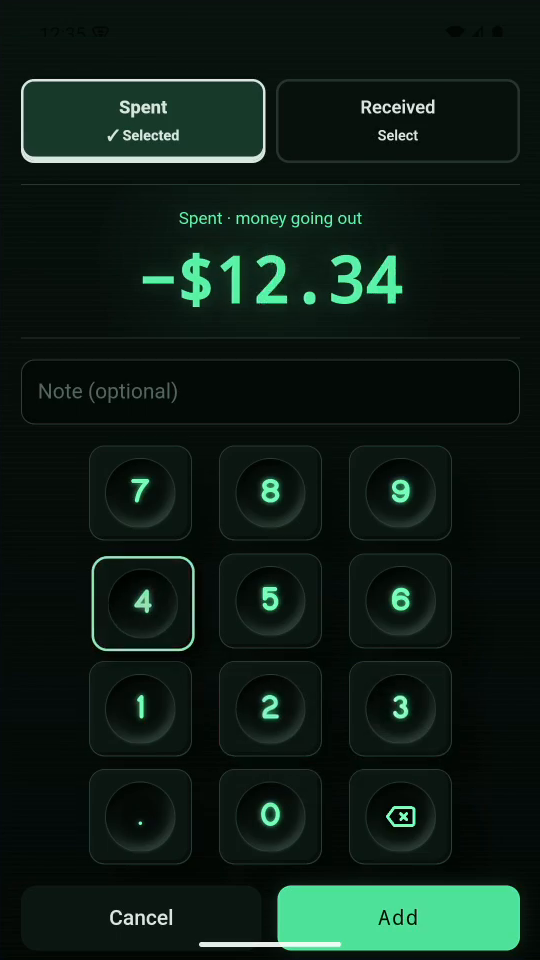
2 · Enter the amount. Tap 1, 2, 3, 4. The keypad displays $12.34.Log a purchase — step 22
Purchase amount. Select the image to enlarge it.

3Add a note

Enter Groceries in Note. Tap Add to save.
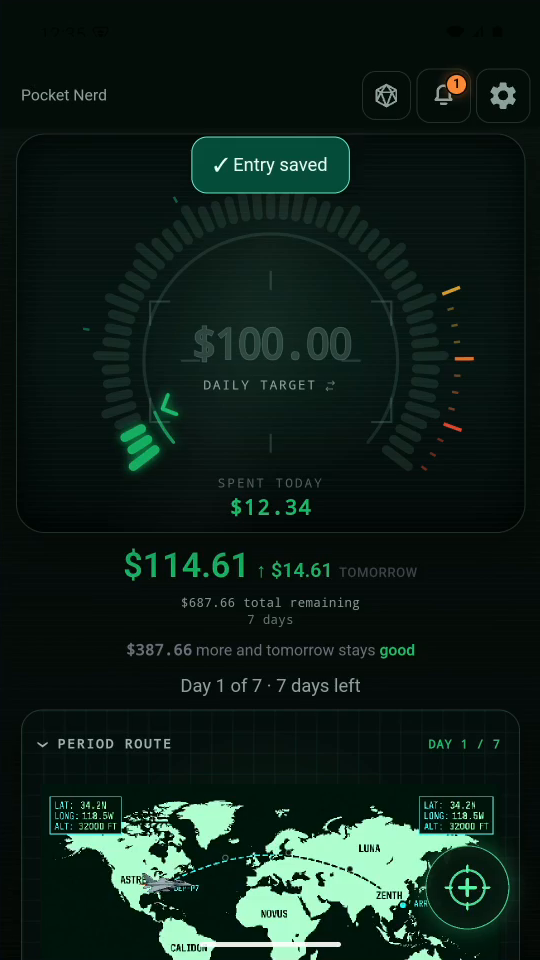
3 · Add a note. Enter Groceries in Note. Tap Add to save.Log a purchase — step 33
Updated total remaining. Select the image to enlarge it.

4Check the result

Your pot is now $687.66. The purchase appears in the list.
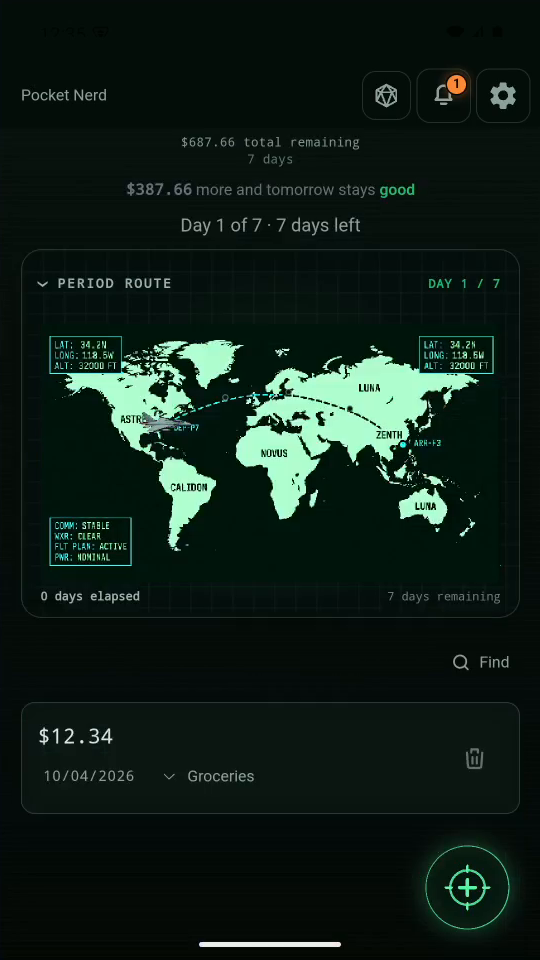
4 · Check the result. Your pot is now $687.66. The purchase appears in the list.Log a purchase — step 44
Groceries and amount. Select the image to enlarge it.

Result: The purchase appears in the activity list and reduces the remaining amount.