
Android · 0:19 video

Read your daily gauge

Switch between the daily target and the total remaining, and expand or collapse the period progress.

Download videoDownload captions

1Check today and tomorrow

Today’s target is set for the day. Tomorrow responds to your spending.
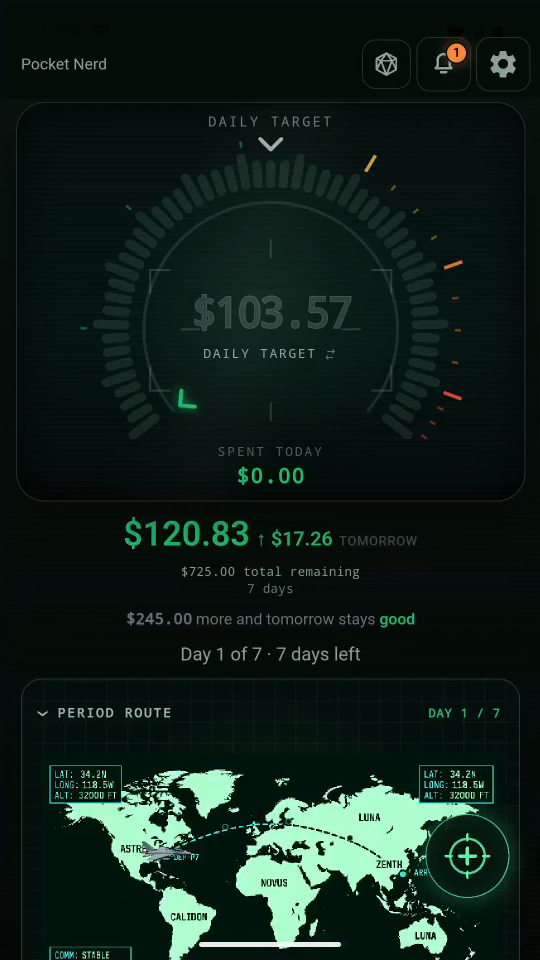
1 · Check today and tomorrow. Today’s target is set for the day. Tomorrow responds to your spending.Read your daily gauge — step 11
Gauge readout. Select the image to enlarge it.

2Switch the main readout

Tap the large amount to switch between daily and total views.
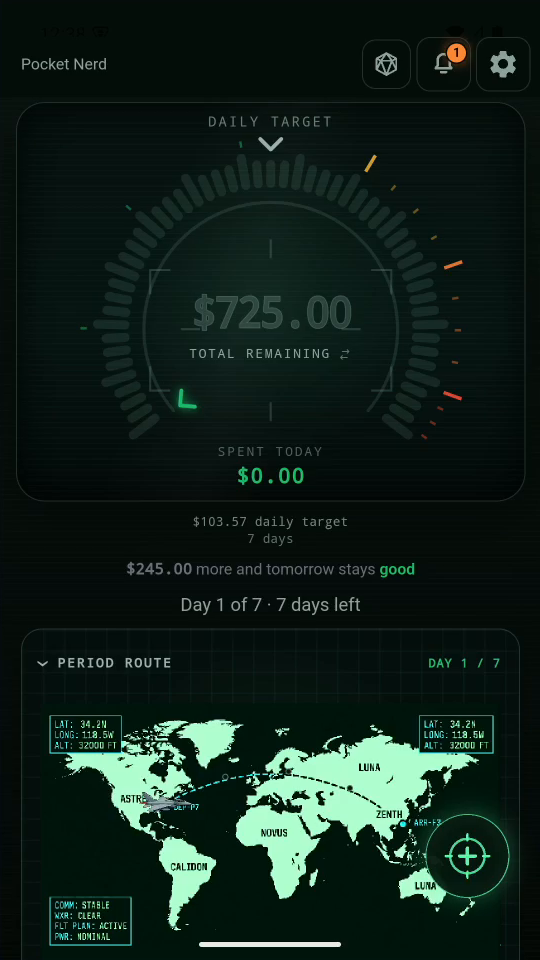
2 · Switch the main readout. Tap the large amount to switch between daily and total views.Read your daily gauge — step 22
Total and daily readout. Select the image to enlarge it.

3Follow the period

The route shows progress from the start date to the end date.
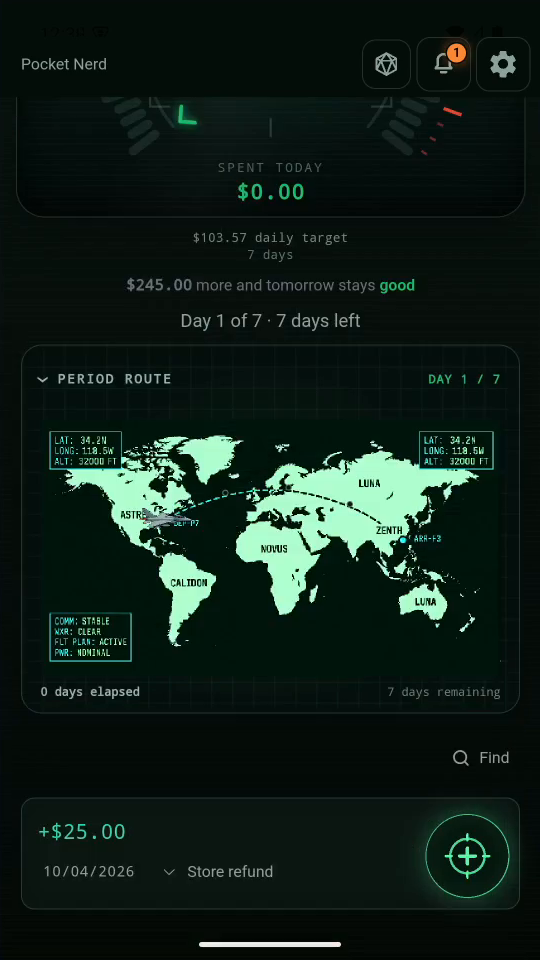
3 · Follow the period. The route shows progress from the start date to the end date.Read your daily gauge — step 33
Period route. Select the image to enlarge it.

4Make room for entries

Tap the route heading to collapse or expand the progress graphic.
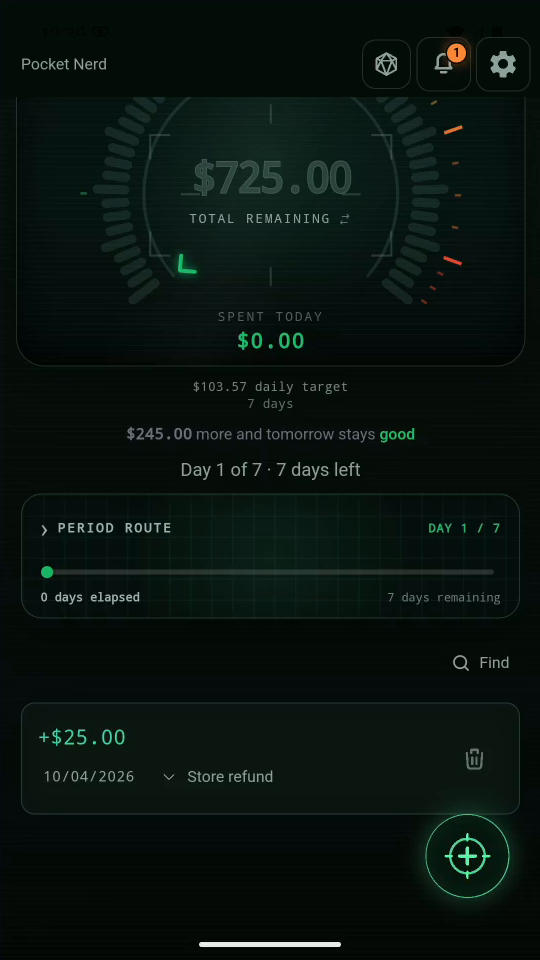
4 · Make room for entries. Tap the route heading to collapse or expand the progress graphic.Read your daily gauge — step 44
Route heading. Select the image to enlarge it.

Result: You can check both views without adding or changing a transaction.