
Android · 0:28 video

Switch among four themes

Preview Simple, HUD, Tranquil, and Campaign using the same spending pot.

Download videoDownload captions

1Simple

Settings → Appearance → Simple. Close Settings to see the gauge.
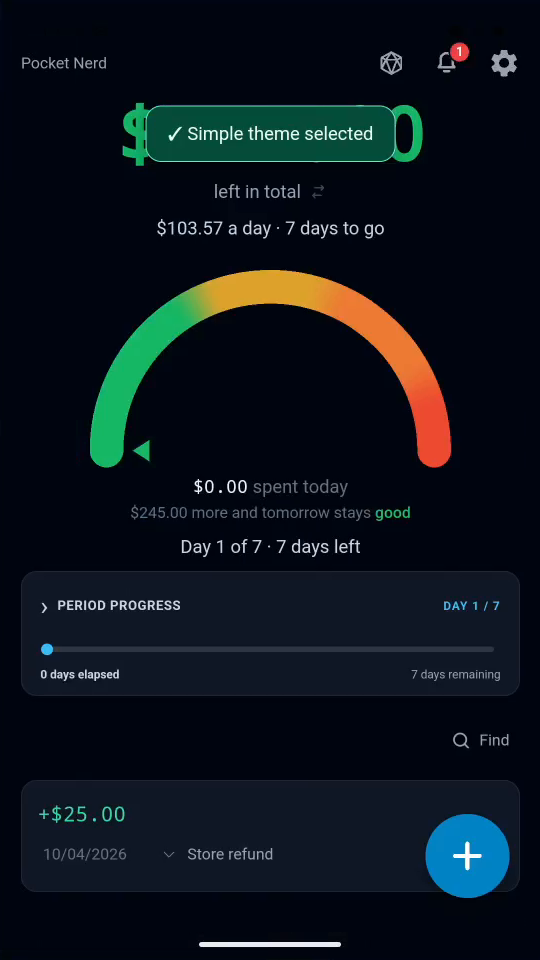
1 · Simple. Settings → Appearance → Simple. Close Settings to see the gauge.Switch among four themes — step 11
Simple gauge. Select the image to enlarge it.

2HUD

Choose HUD for the cockpit view.
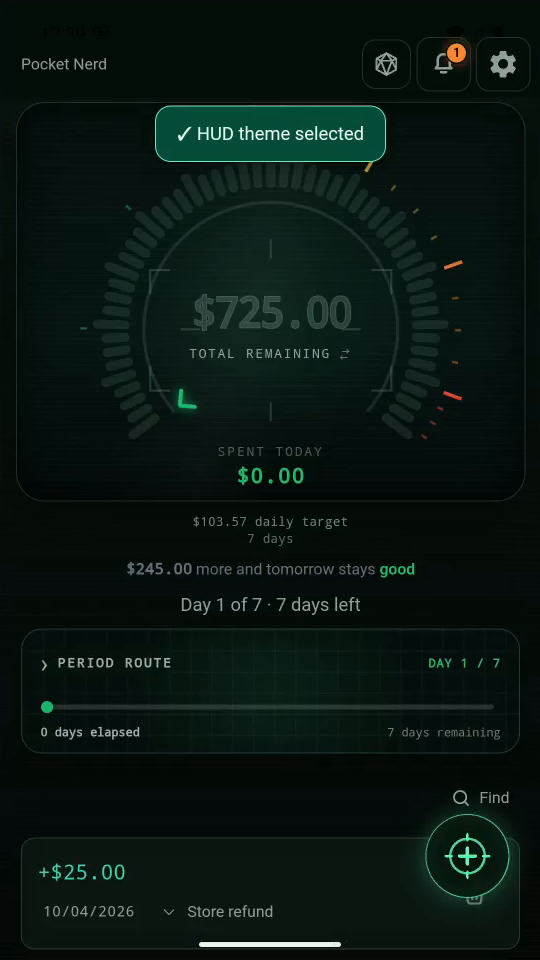
2 · HUD. Choose HUD for the cockpit view.Switch among four themes — step 22
HUD gauge. Select the image to enlarge it.

3Tranquil

Choose Tranquil for a calm, light-colored garden view.
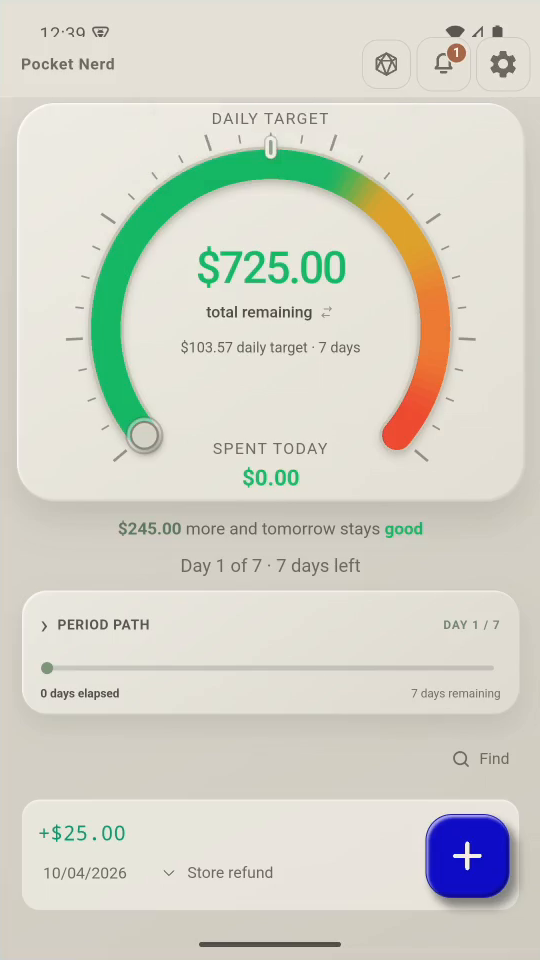
3 · Tranquil. Choose Tranquil for a calm, light-colored garden view.Switch among four themes — step 33
Tranquil gauge. Select the image to enlarge it.

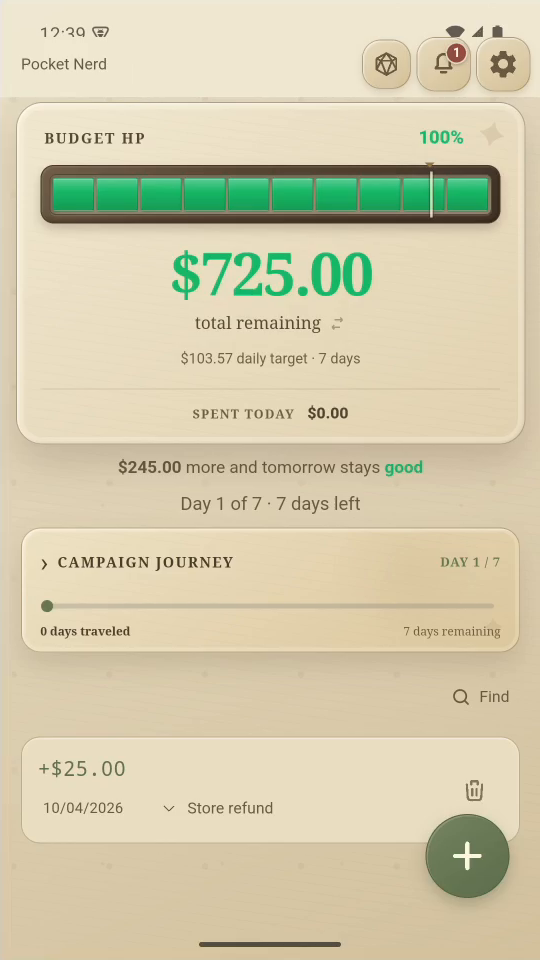
4Campaign

Choose Campaign for a character and a fantasy-style budget gauge.
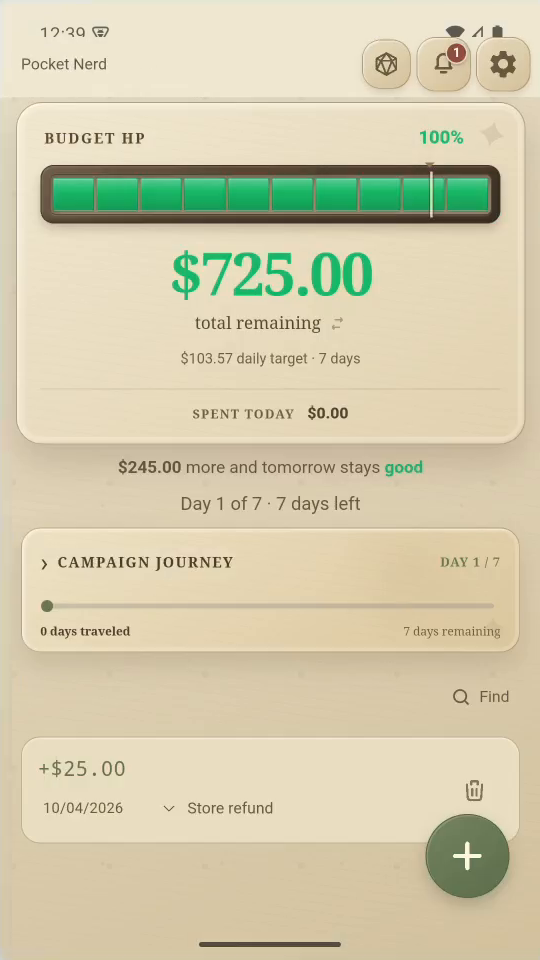
4 · Campaign. Choose Campaign for a character and a fantasy-style budget gauge.Switch among four themes — step 44
Campaign gauge. Select the image to enlarge it.

5Remember

Themes are chosen per device. Your money and entries stay the same.
Remember. Themes are chosen per device. Your money and entries stay the same.Switch among four themes — step 55
Same pot in Campaign. Select the image to enlarge it.

Result: The appearance changes while the underlying entries stay the same.