
Android · 0:28 video
Find pairing and sync controls
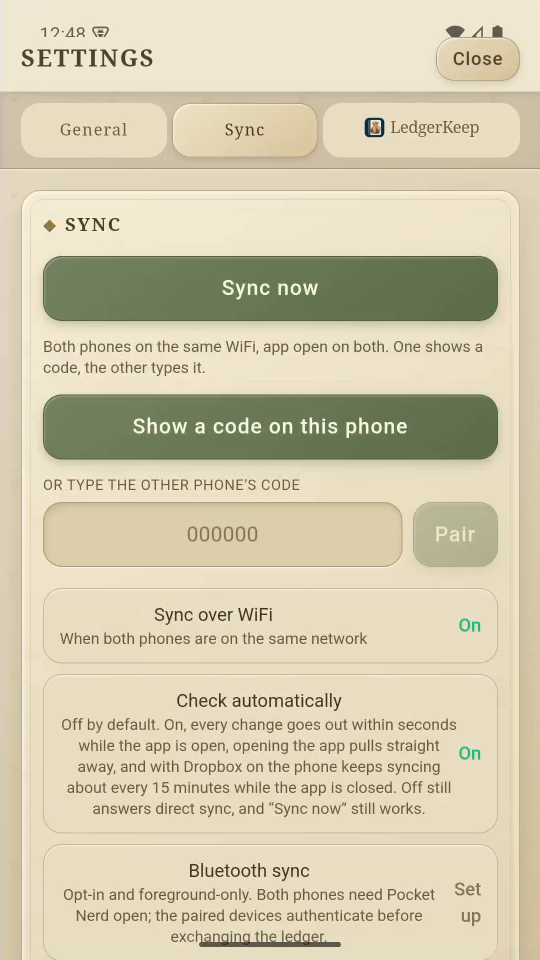
Find the code-pairing, automatic-checking, Wi-Fi, Bluetooth, and Dropbox controls.
Before you start: For actual pairing, have two compatible phones with Pocket Nerd open on the same network.
Download videoDownload captions
This clip demonstrates the controls only. It does not show a completed second-device pairing or Dropbox sign-in. Bluetooth requires prior pairing and both apps in the foreground.
1Open Sync
Open Settings, then the Sync tab.
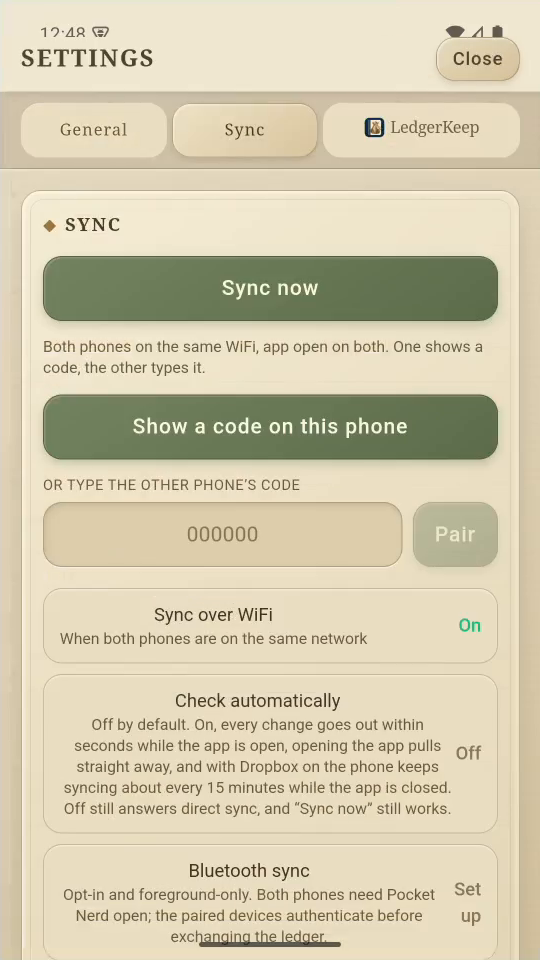
2Show a pairing code
On the first phone, tap Show a code on this phone.
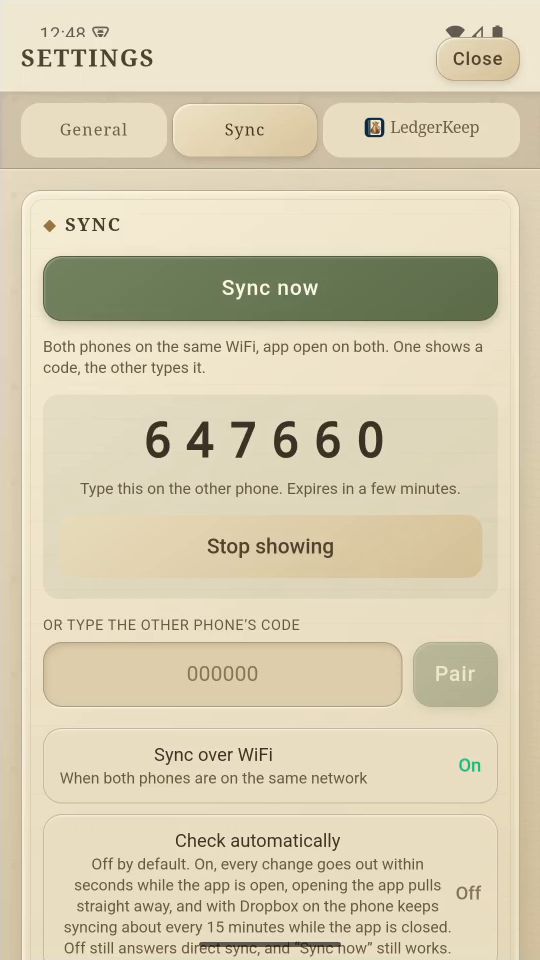
3Use the second phone
On phone two, enter that code and tap Pair. Codes expire.
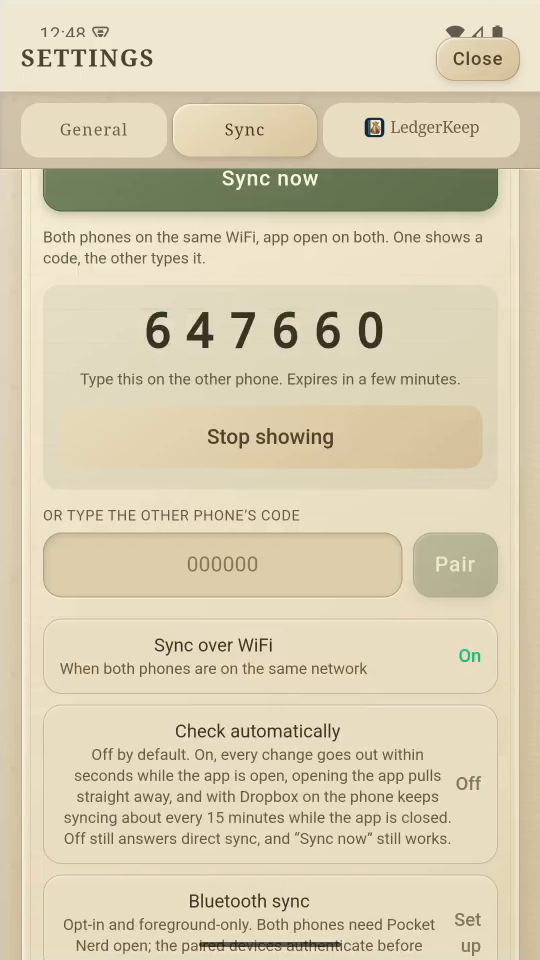
4Choose automatic checks
Check automatically is optional. Tap it to turn automatic checks on.
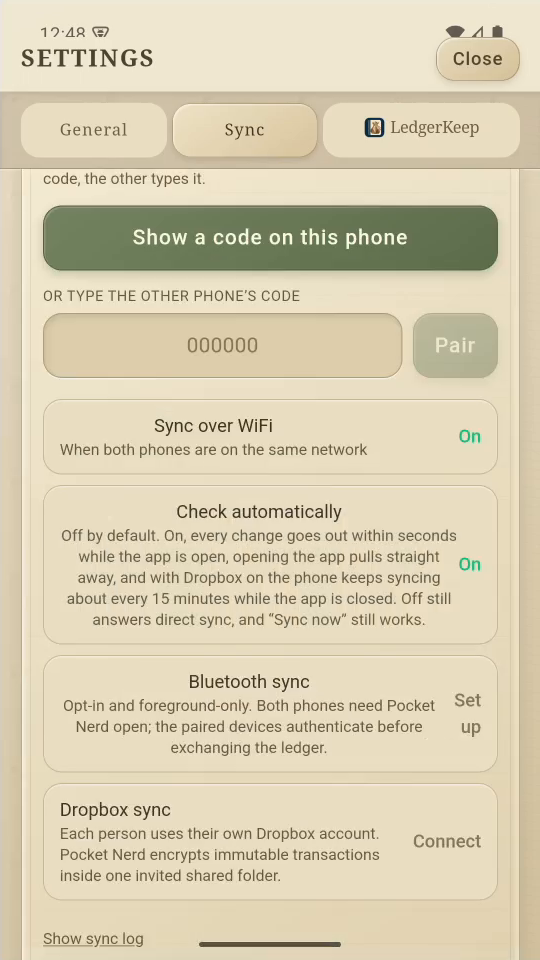
5Know the manual control
After pairing, tap Sync now when you want to request an update.
6More options
Below are Bluetooth and Dropbox. Bluetooth needs both apps open.
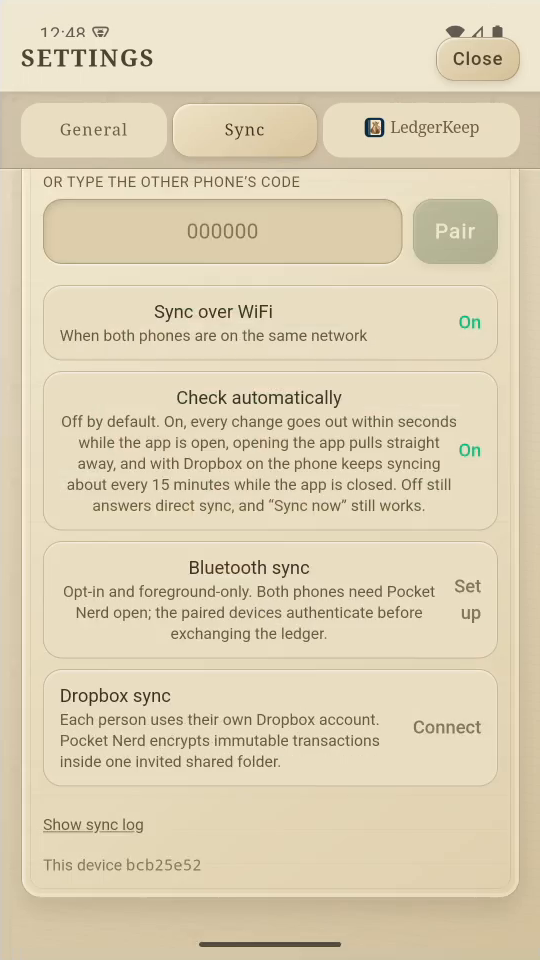
Result: You know where to start pairing and configure sync.