
Android · 0:23 video

Record an earlier purchase

Record an $8 coffee purchase and change its date to an earlier day in the active period.

Download videoDownload captions

Choose a date within your active period and no later than today.

1Include the purchase date

Open Settings. Set the period’s Start to October 1 and save.
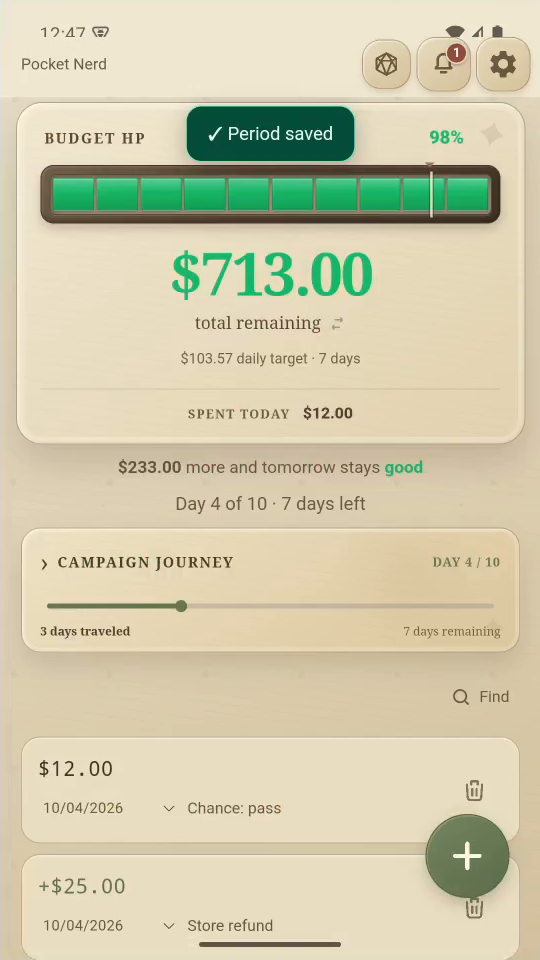
1 · Include the purchase date. Open Settings. Set the period’s Start to October 1 and save.Record an earlier purchase — step 1
Select the image to enlarge it.

2Log the purchase

Tap + and enter 800 for $8.00. Add the note Coffee, then tap Add.
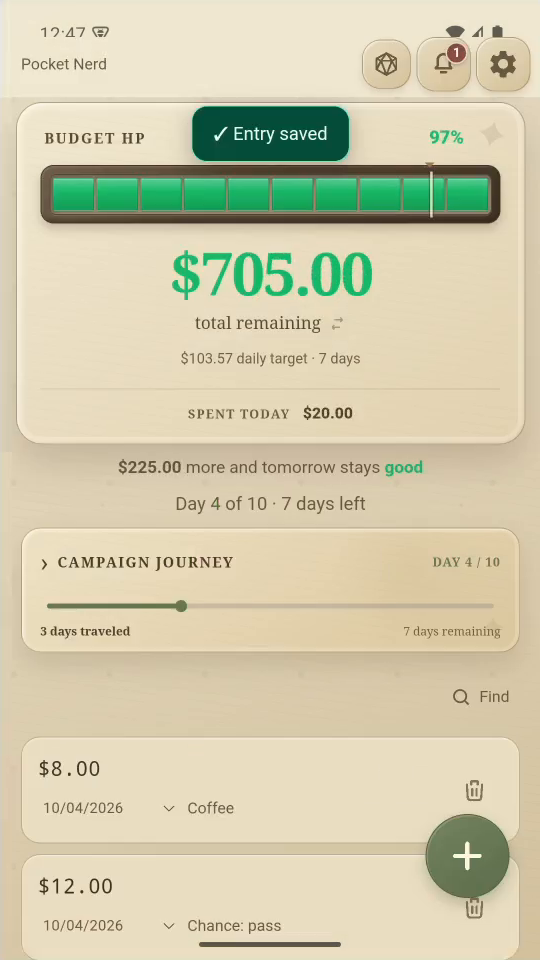
2 · Log the purchase. Tap + and enter 800 for $8.00. Add the note Coffee, then tap Add.Record an earlier purchase — step 22
New Coffee purchase. Select the image to enlarge it.

3Correct its date

In the Coffee row, change the date to October 3.
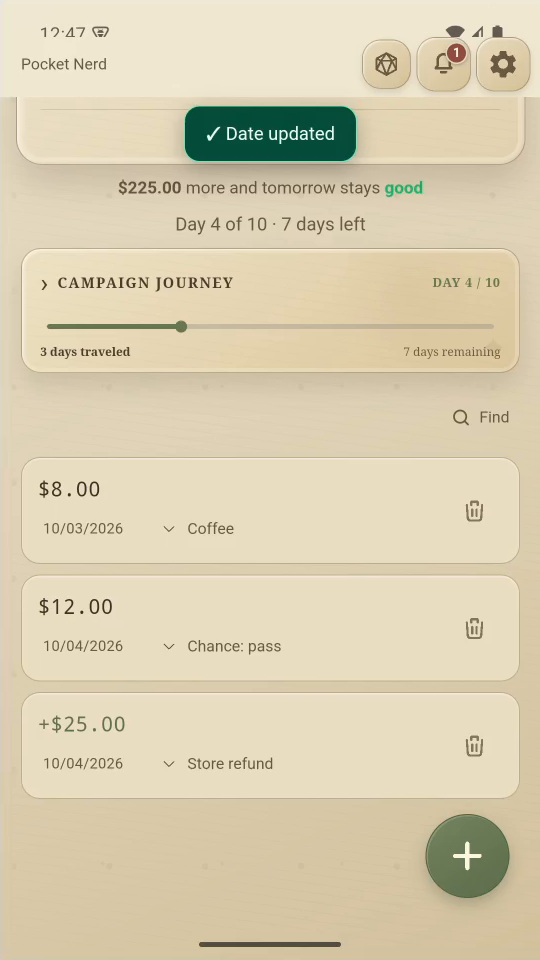
3 · Correct its date. In the Coffee row, change the date to October 3.Record an earlier purchase — step 33
Coffee purchase date. Select the image to enlarge it.

4Result

The date changes in the list. Use dates within the active period.
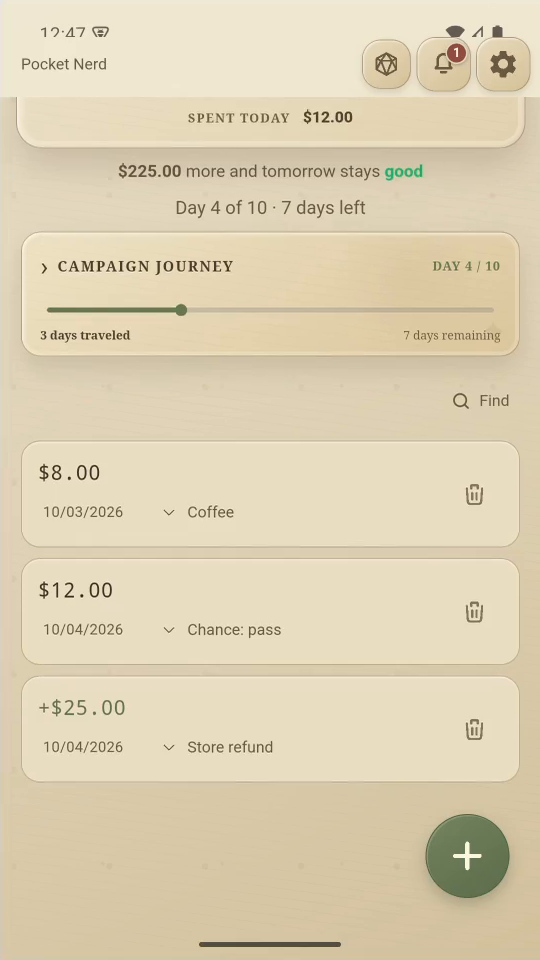
Result. The date changes in the list. Use dates within the active period.Record an earlier purchase — step 44
Coffee purchase date. Select the image to enlarge it.

Result: Coffee is dated October 3 in the example period.