
Android · 0:40 video

Ask the Daisy Oracle

Use Tranquil's Daisy oracle and wait for the petals to finish.

Download videoDownload captions

The animation takes a moment to finish. Your result may differ.

1Open the themed game

Choose Tranquil in Settings. Tap the game icon on the main screen.
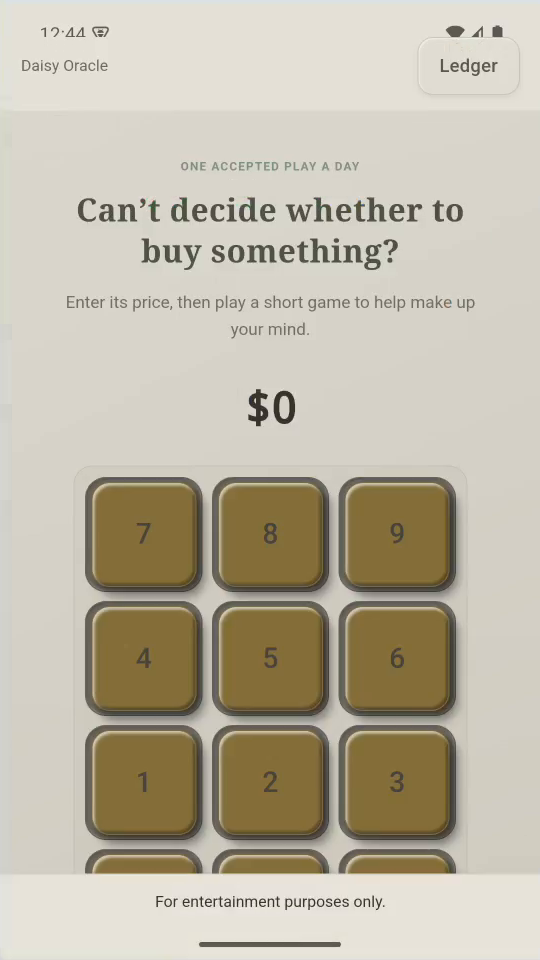
1 · Open the themed game. Choose Tranquil in Settings. Tap the game icon on the main screen.Ask the Daisy Oracle — step 1
Select the image to enlarge it.

2Enter a possible purchase

Enter 12 for a $12 purchase. Tap Continue to game.
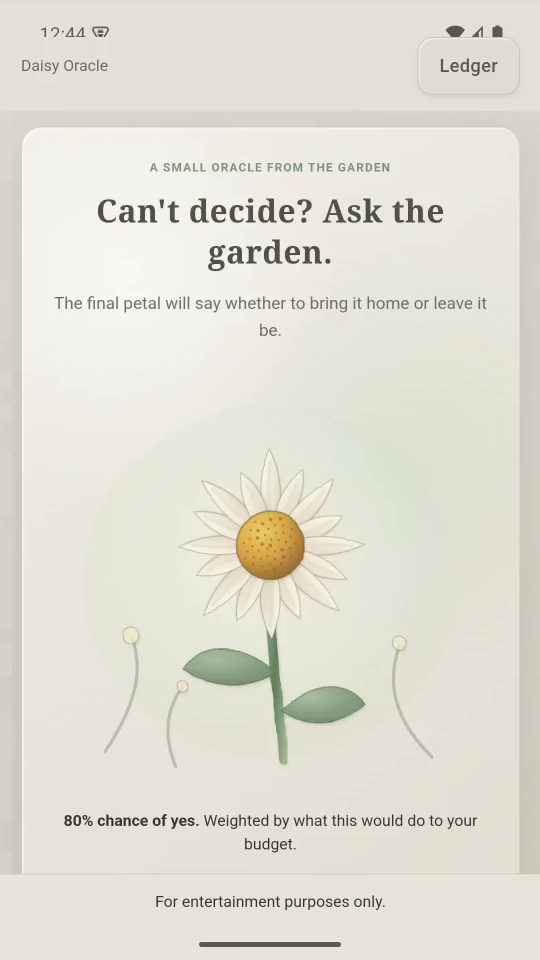
2 · Enter a possible purchase. Enter 12 for a $12 purchase. Tap Continue to game.Ask the Daisy Oracle — step 2
Select the image to enlarge it.

3Play

Tap ASK THE DAISY. Watch the petals reveal a result.
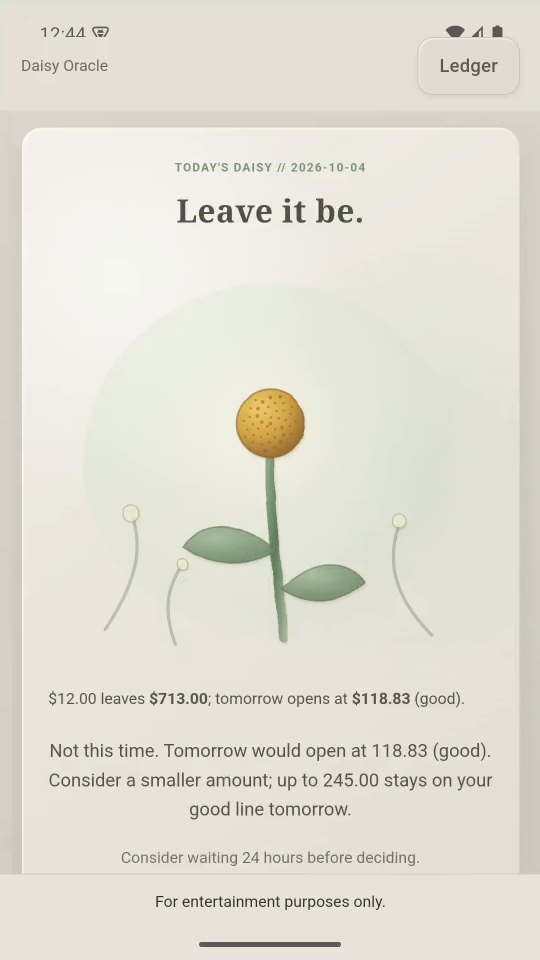
3 · Play. Tap ASK THE DAISY. Watch the petals reveal a result.Ask the Daisy Oracle — step 3
Select the image to enlarge it.

4Decide for yourself

Review the budget impact. No thanks leaves today’s games open.
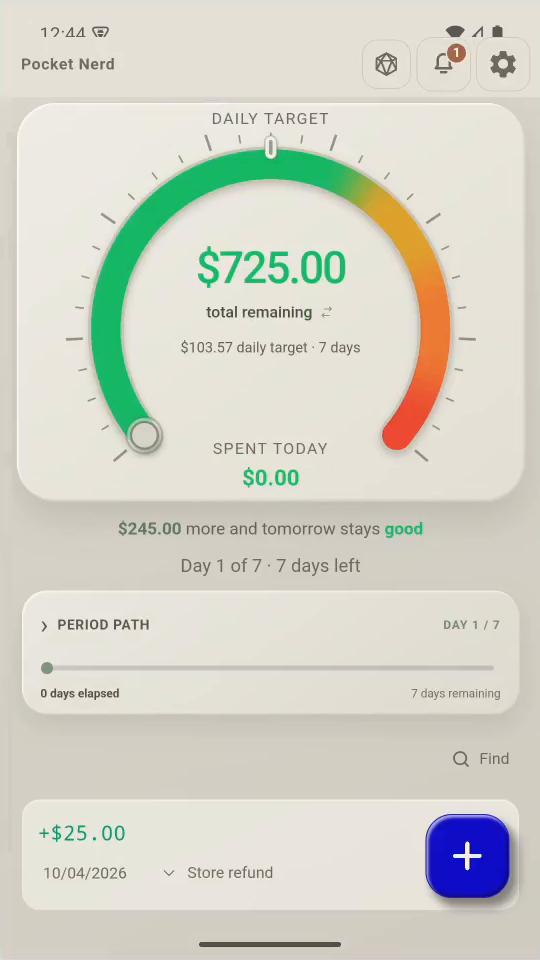
4 · Decide for yourself. Review the budget impact. No thanks leaves today’s games open.Ask the Daisy Oracle — step 44
Unchanged remaining pot. Select the image to enlarge it.

5Result

Nothing was bought or logged. One accepted result is allowed per day.
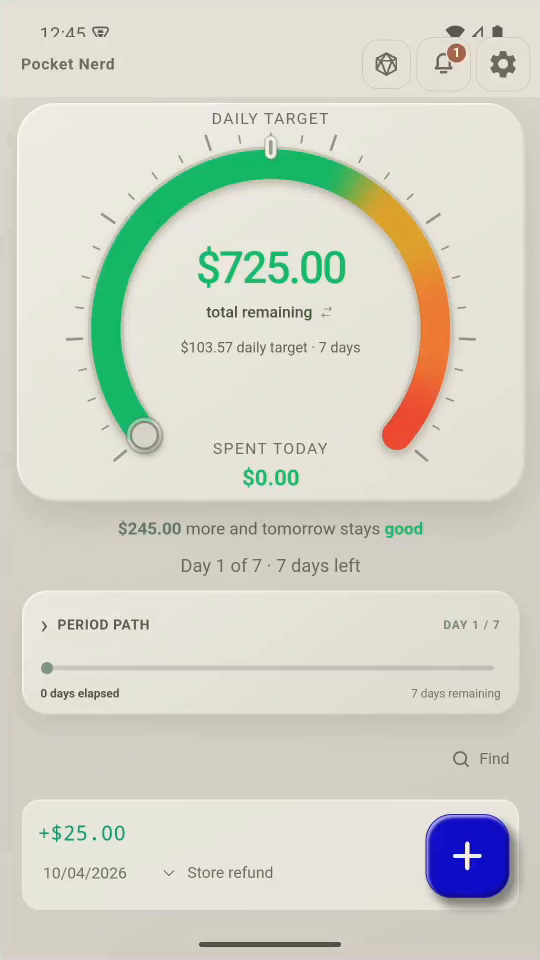
Result. Nothing was bought or logged. One accepted result is allowed per day.Ask the Daisy Oracle — step 55
Unchanged remaining pot. Select the image to enlarge it.

Result: Choosing No thanks returns to the pot without recording a purchase.