
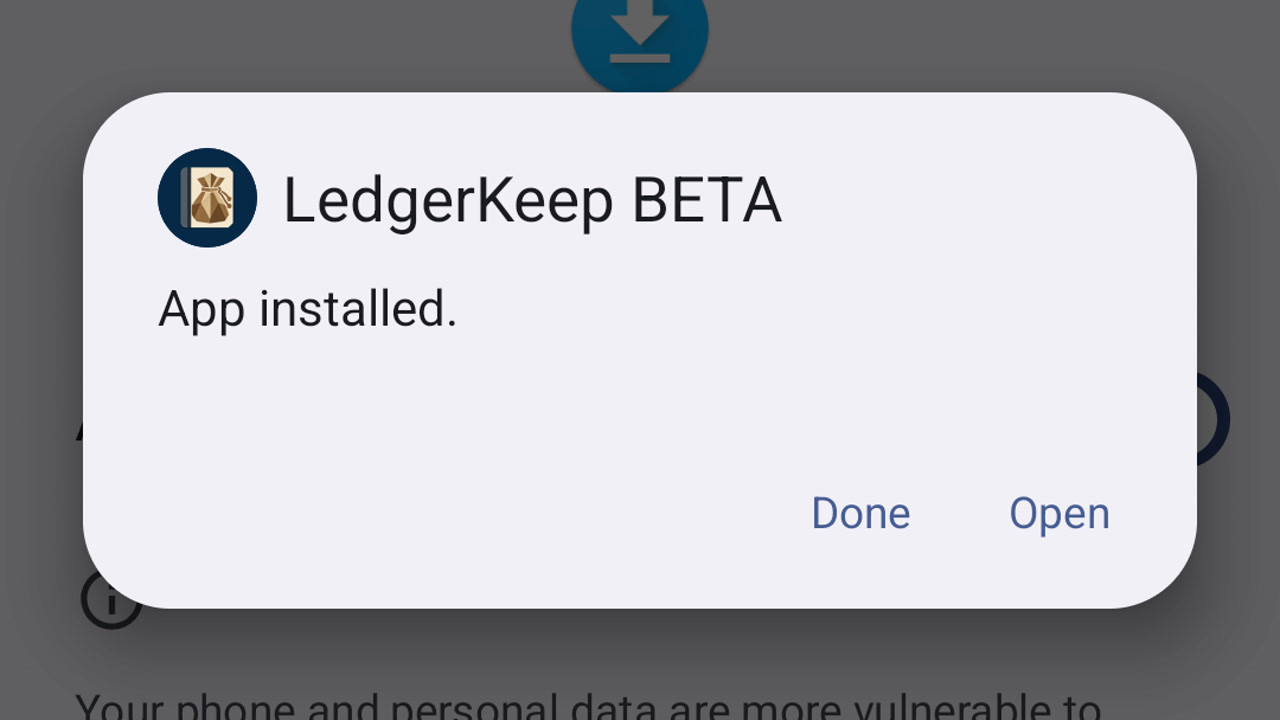
Install the LedgerKeep beta on Android
Download your approved LedgerKeep beta, install it on Android and open it for the first time.
Learn by doing
Set up your books, record transactions, reconcile accounts, and keep a backup.
About LedgerKeep and beta access
Download fictional practice books · View the example statement
34 guides
No guide matches those filters. Try fewer words or .
Download your approved LedgerKeep beta, install it on Android and open it for the first time.
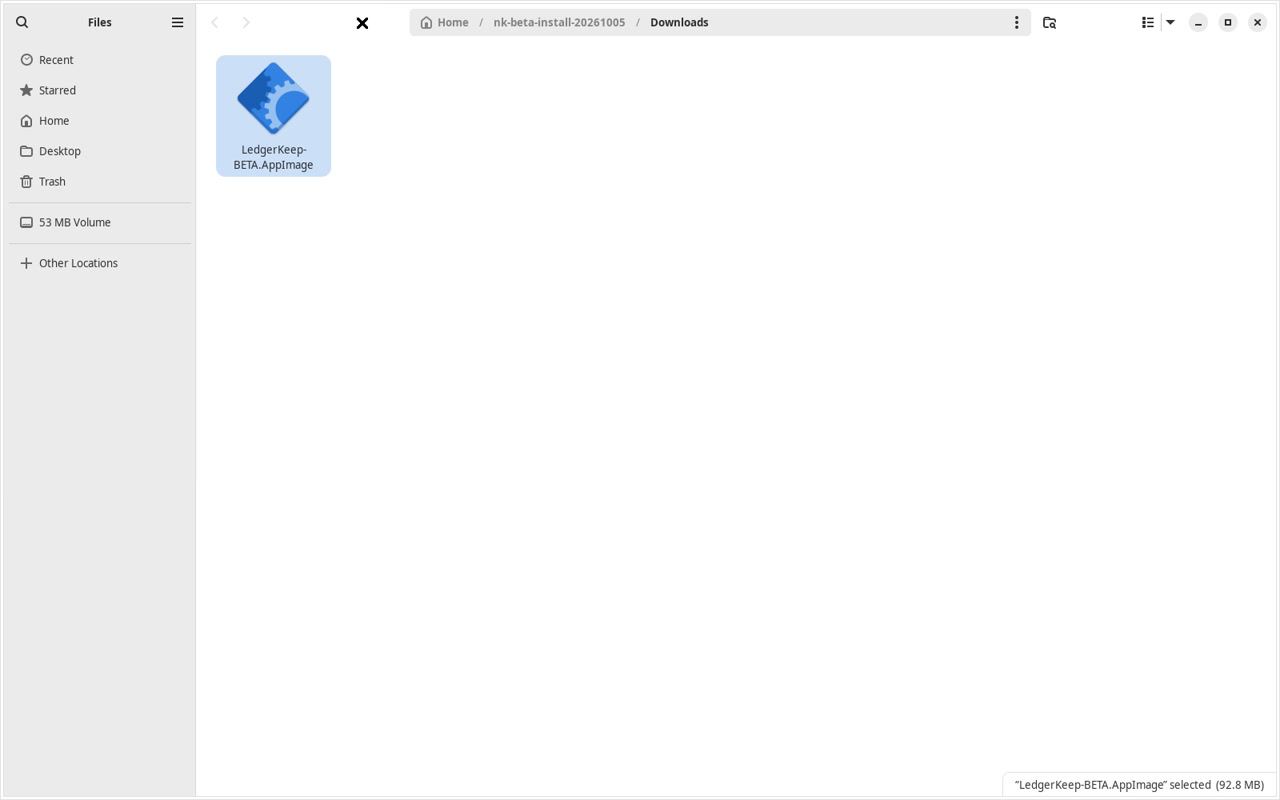
Download your approved LedgerKeep beta, install it on Linux and open it for the first time.
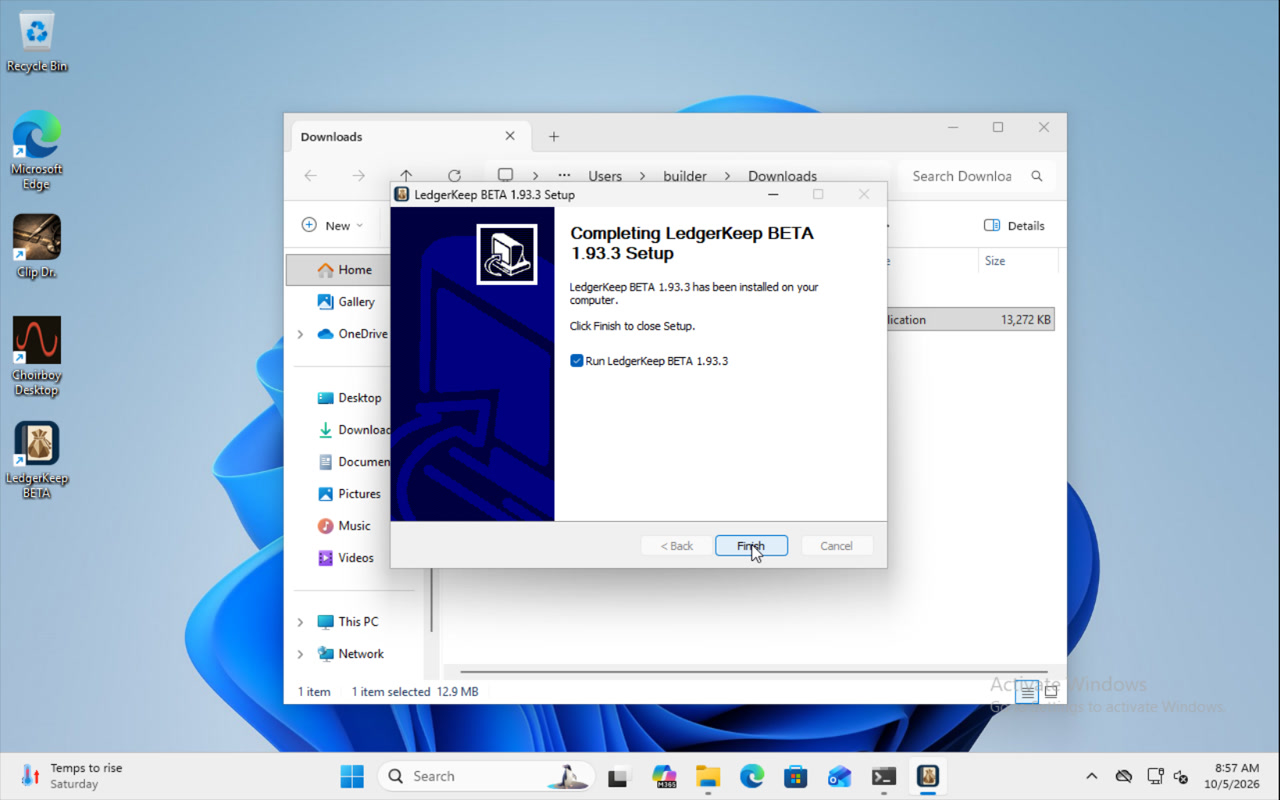
Download your approved LedgerKeep beta, install it on Windows and open it for the first time.
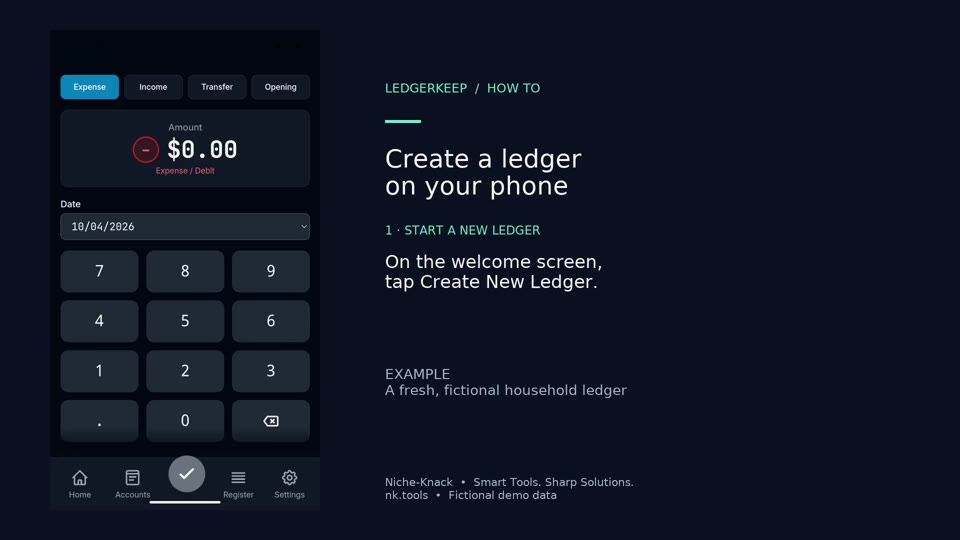
Create a fresh local ledger on Android and open Quick Entry.
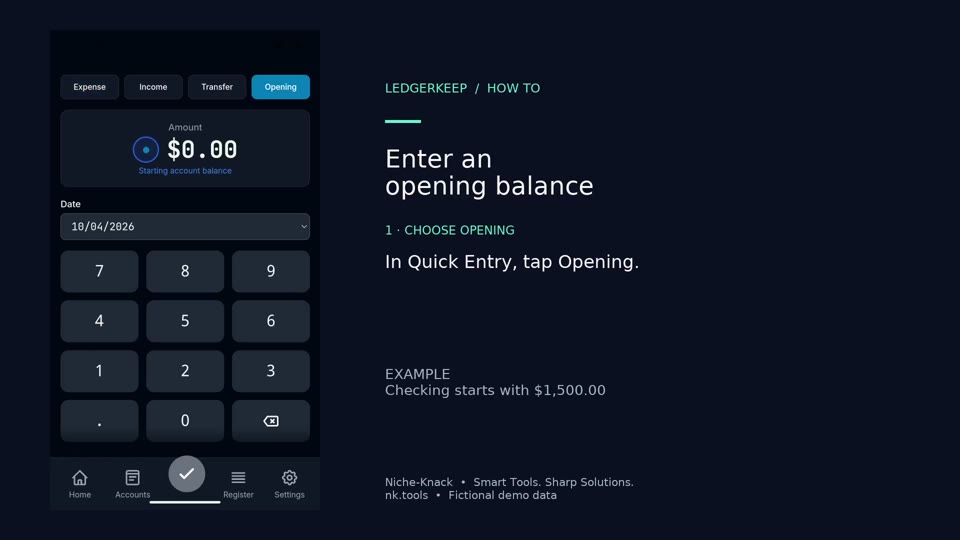
Record the balance that already exists in an account when you begin your books. The example starts Checking at $1,500.
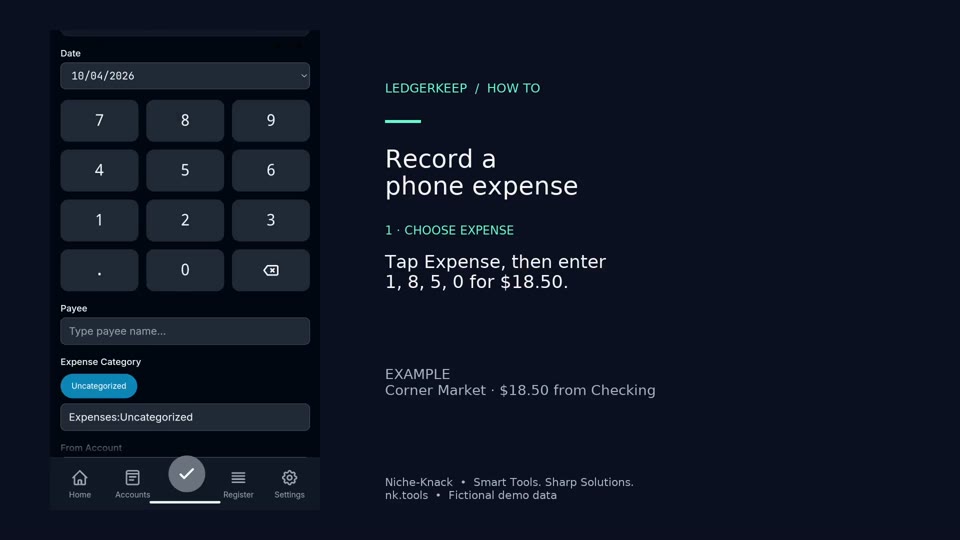
Record an $18.50 Corner Market purchase paid from Checking.
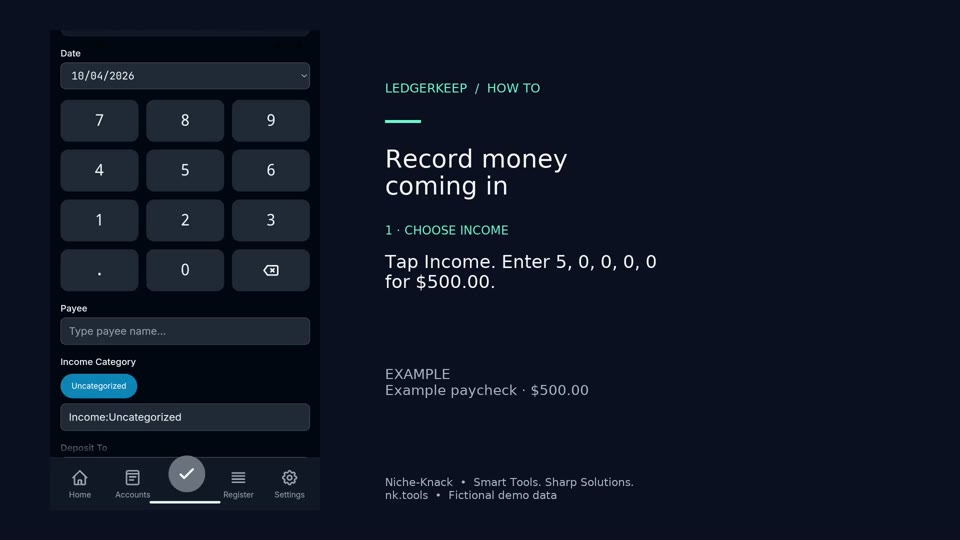
Record a $500 example paycheck deposited into Checking.
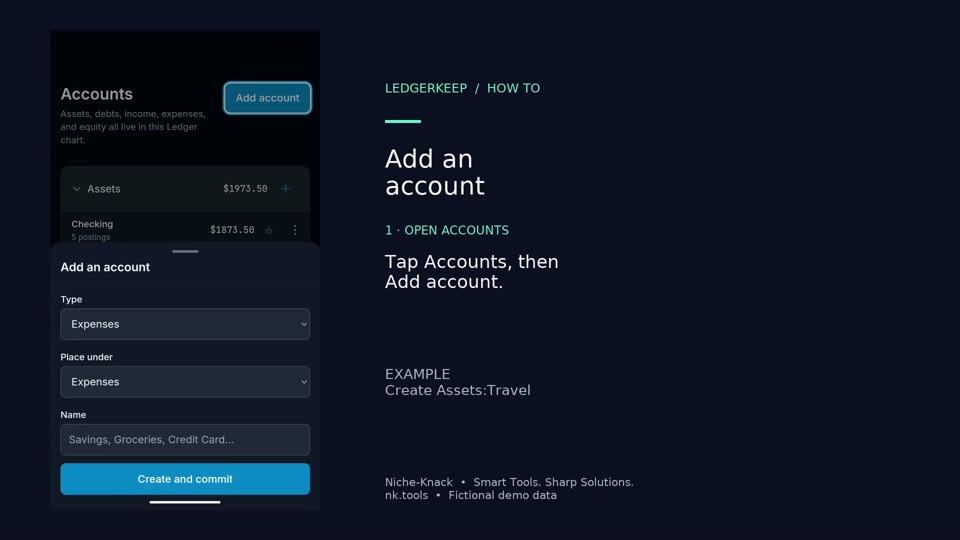
Create an asset account for a travel fund. Explicitly choose Assets in Type, then enter Travel.
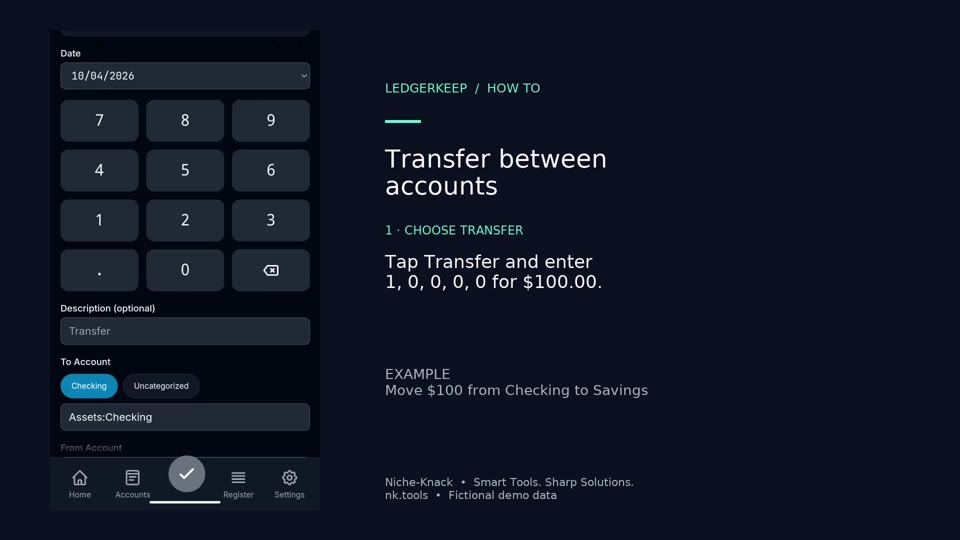
Move $100 from Checking to Savings without treating it as spending or income.
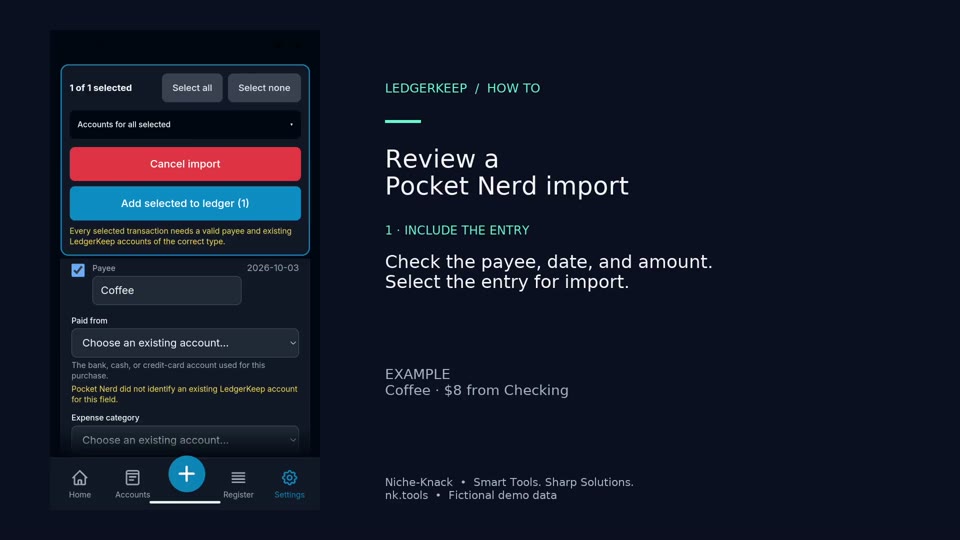
Review the $8 Coffee entry sent from Pocket Nerd, assign existing accounts, and approve it.
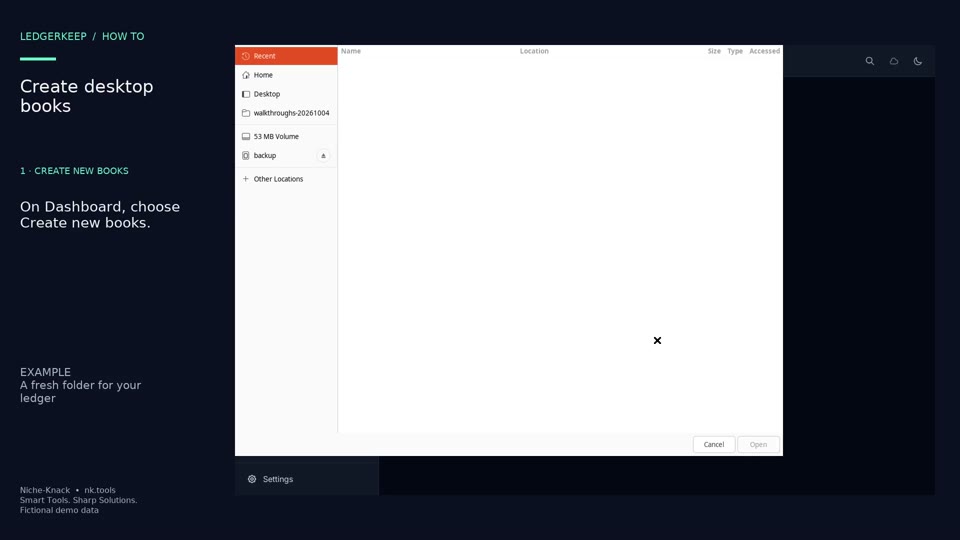
Create a new local set of books in an empty folder on Linux.
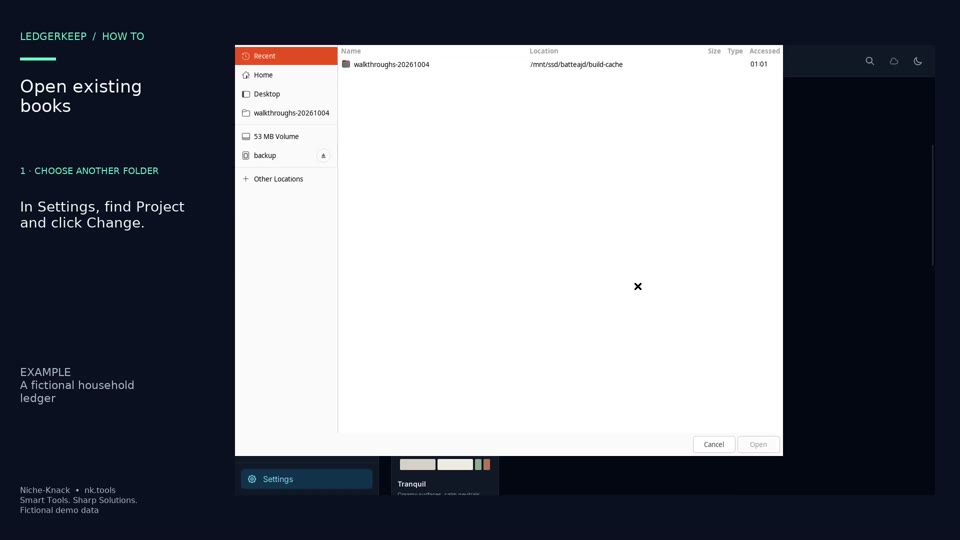
Switch LedgerKeep to a folder containing existing plain-text ledger books.
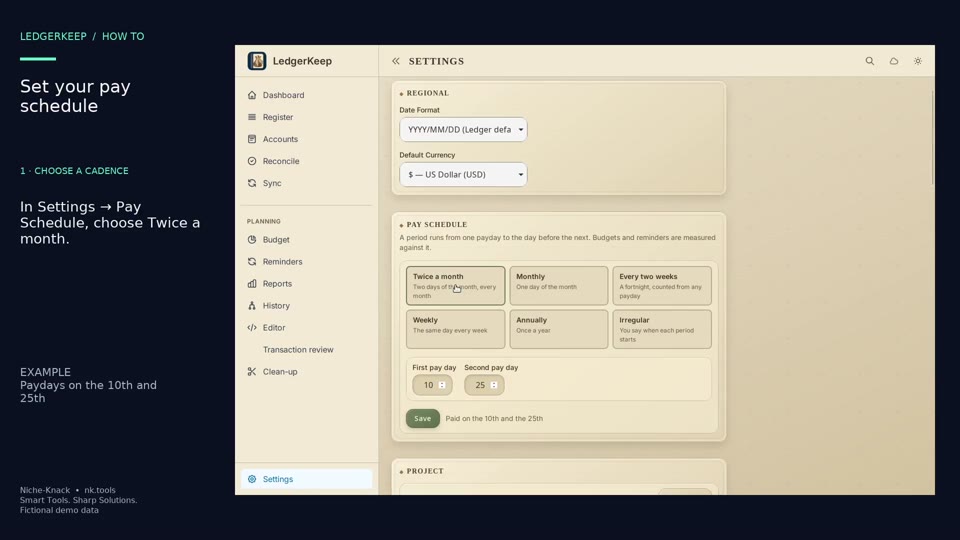
Set two monthly paydays. This example uses the 10th and 25th.
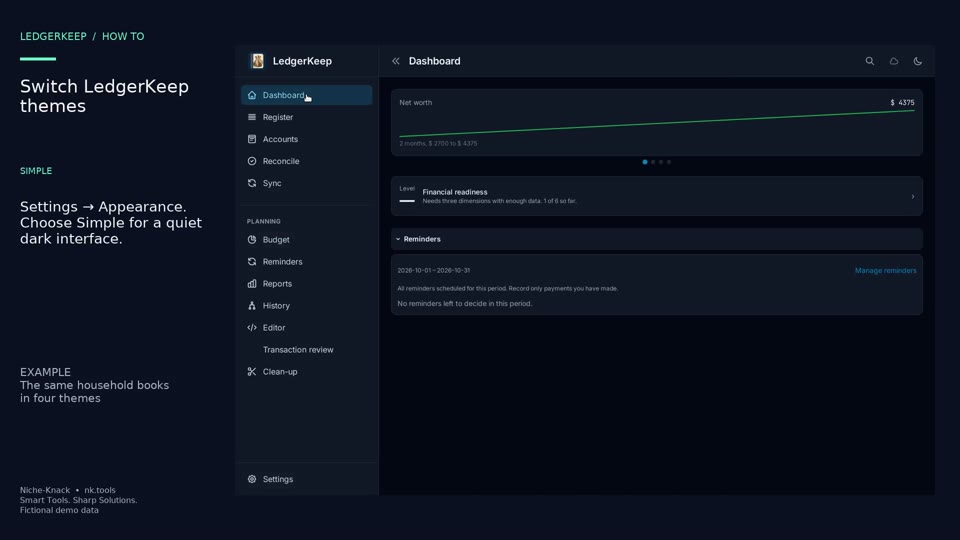
Preview Simple, HUD, Tranquil, and Campaign with the same accounts and transactions.
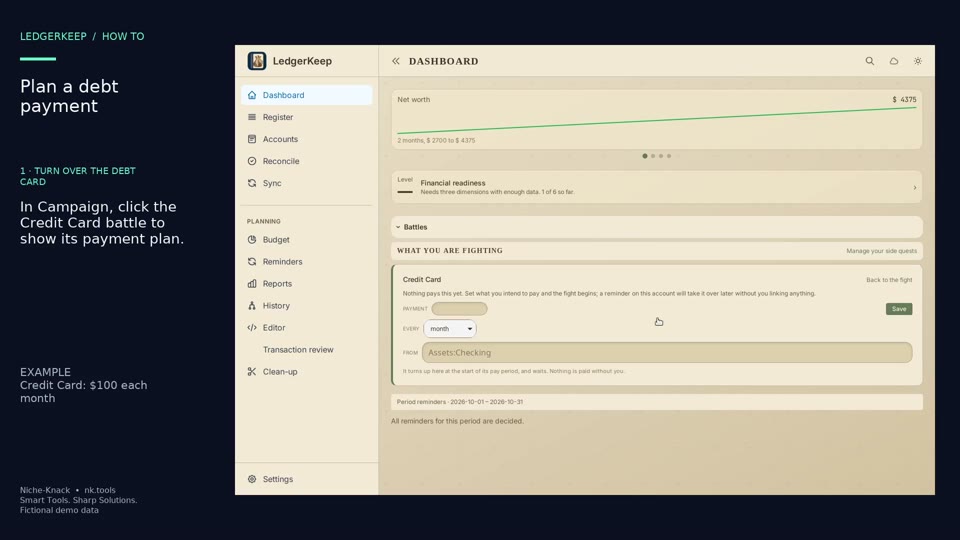
Turn over the Credit Card battle card and set a $100 monthly payment from Checking.
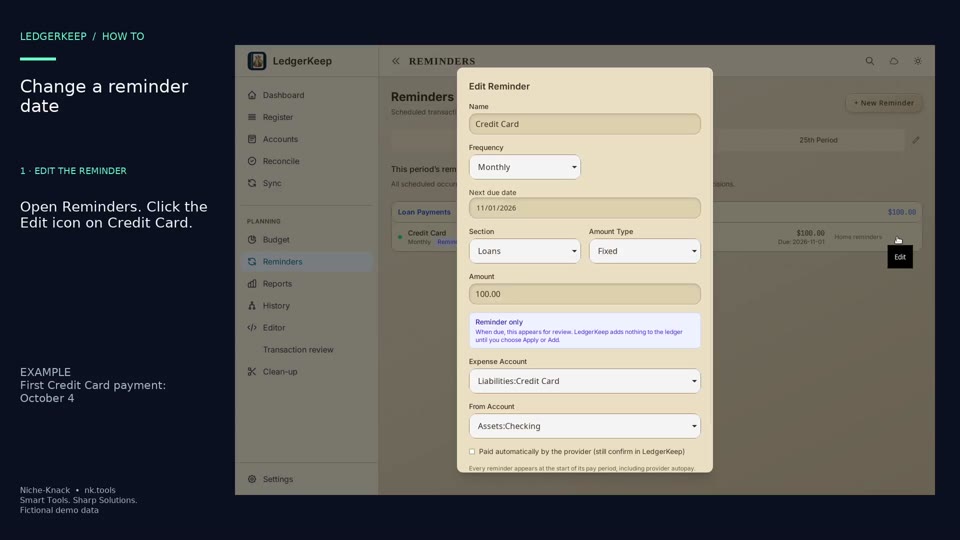
Edit the first due date of an existing reminder. The example moves Credit Card into the October pay period.
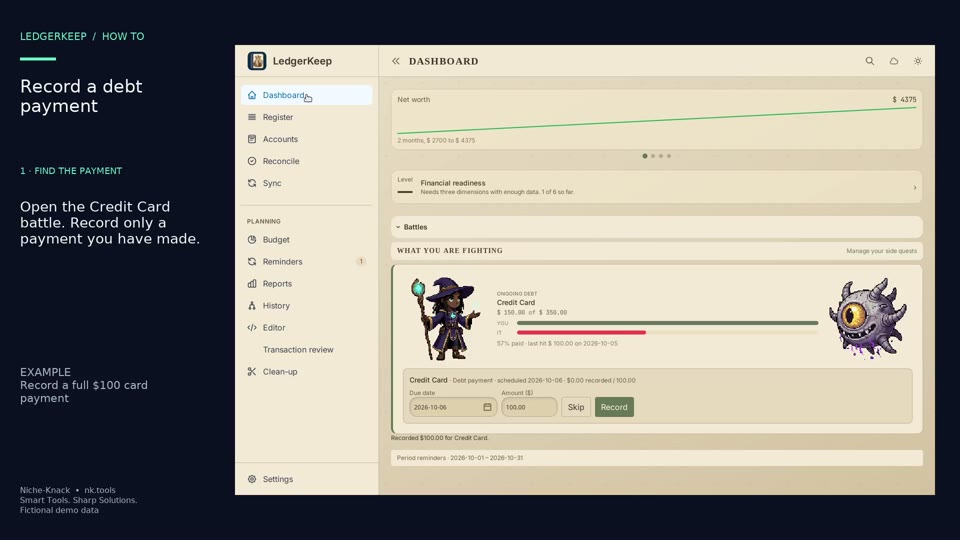
Record a full $100 credit-card payment and watch the Campaign attack animation.
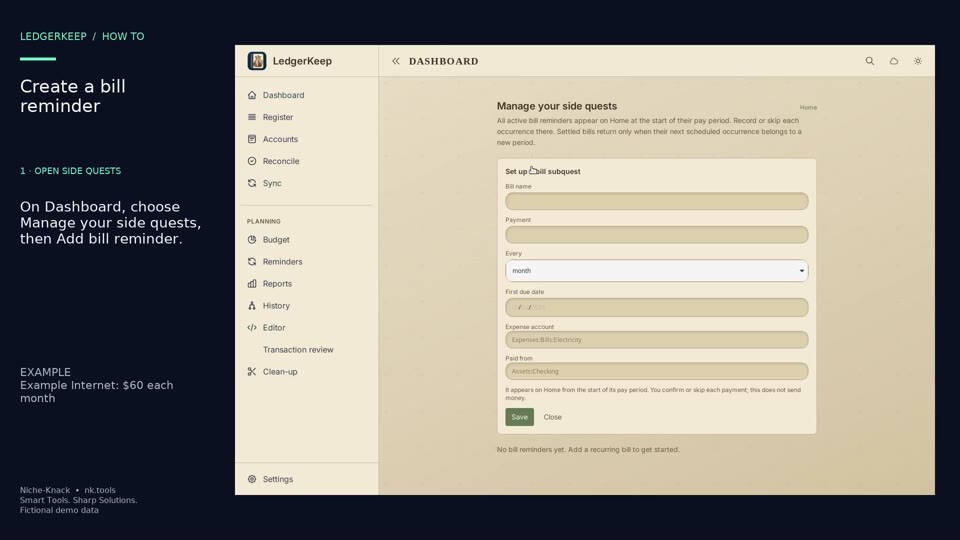
Create a $60 monthly Example Internet reminder as a Campaign side quest.
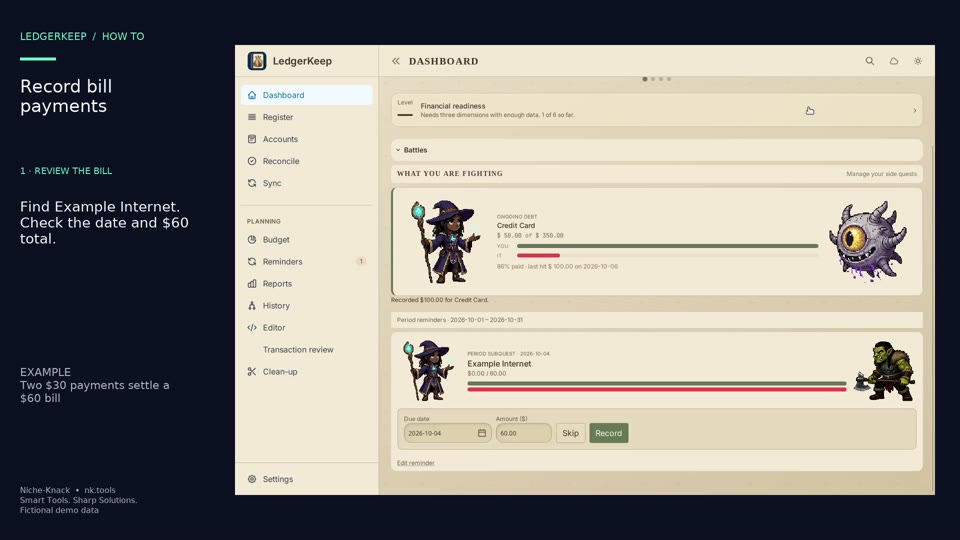
Record two $30 payments against the $60 Example Internet bill.
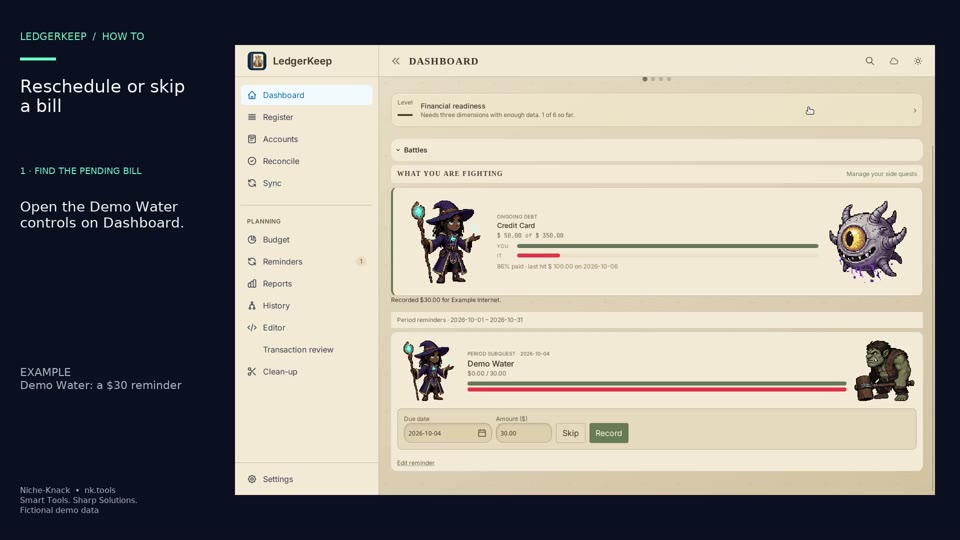
Move the $30 Demo Water reminder to October 8, then skip that occurrence.
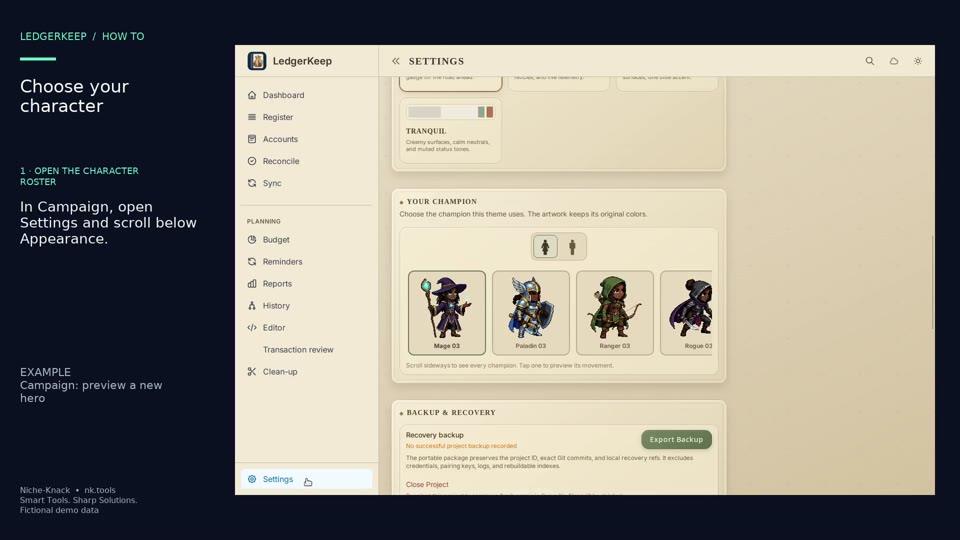
Choose a different Campaign hero and preview its animation.
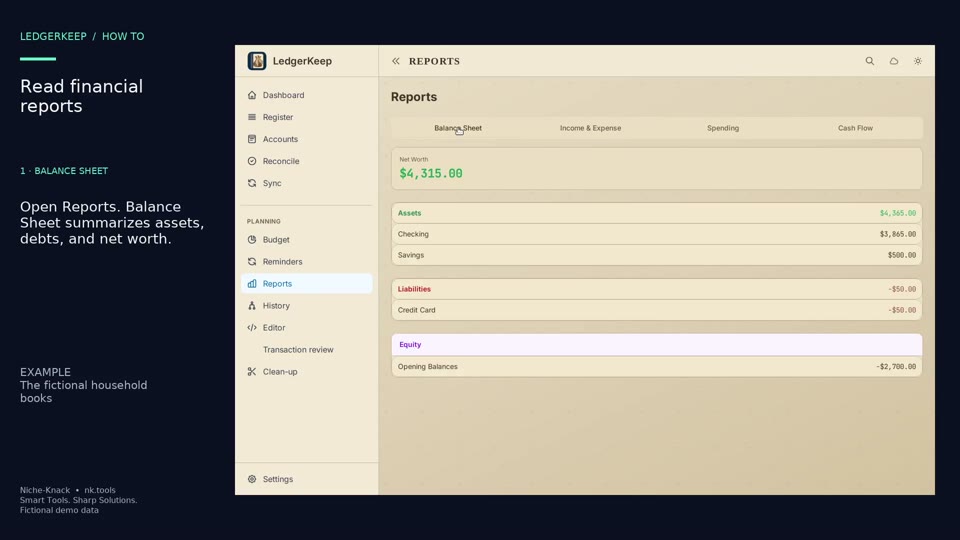
Read the balance sheet, income and expenses, spending categories, and cash flow for one sample ledger.
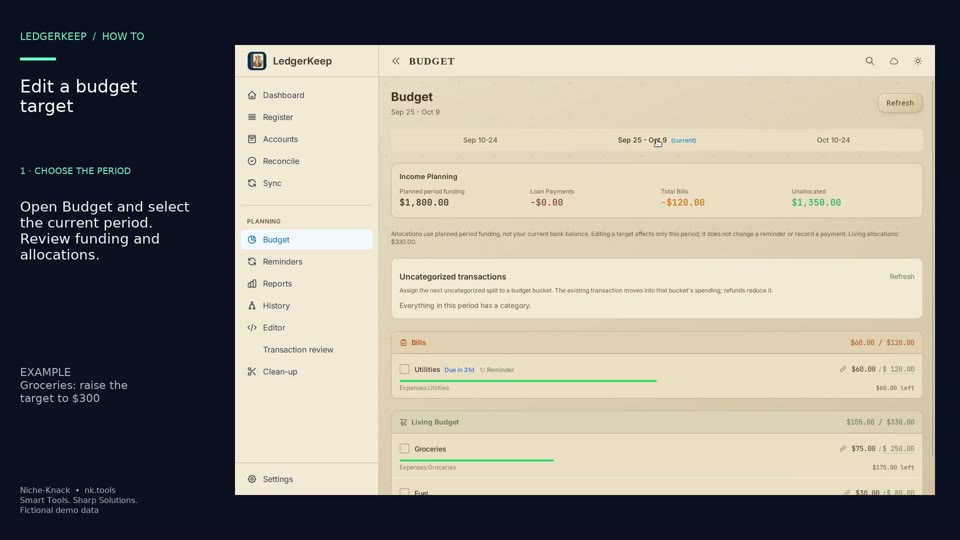
Change Groceries from a $250 target to $300 for one selected pay period.
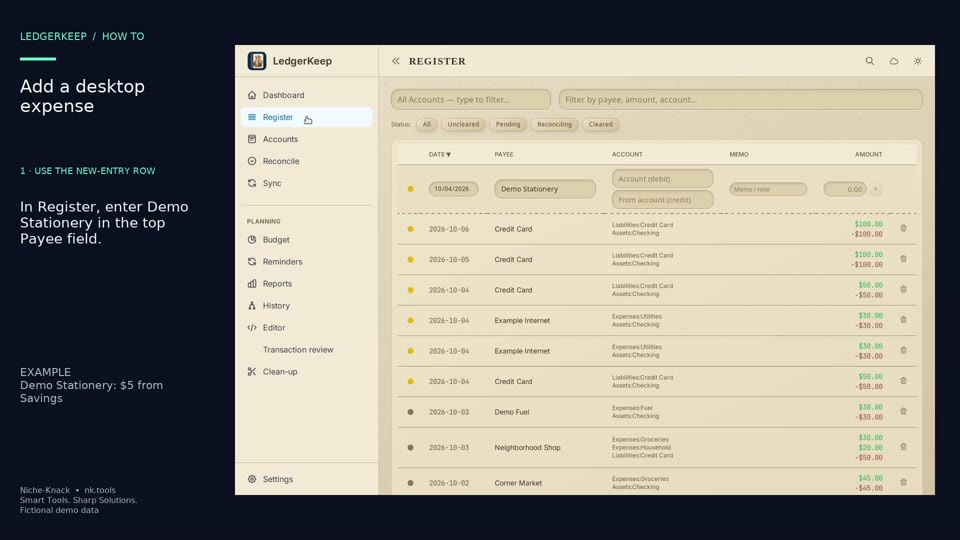
Use Register’s new-entry row to record a $5 Demo Stationery expense from Savings.
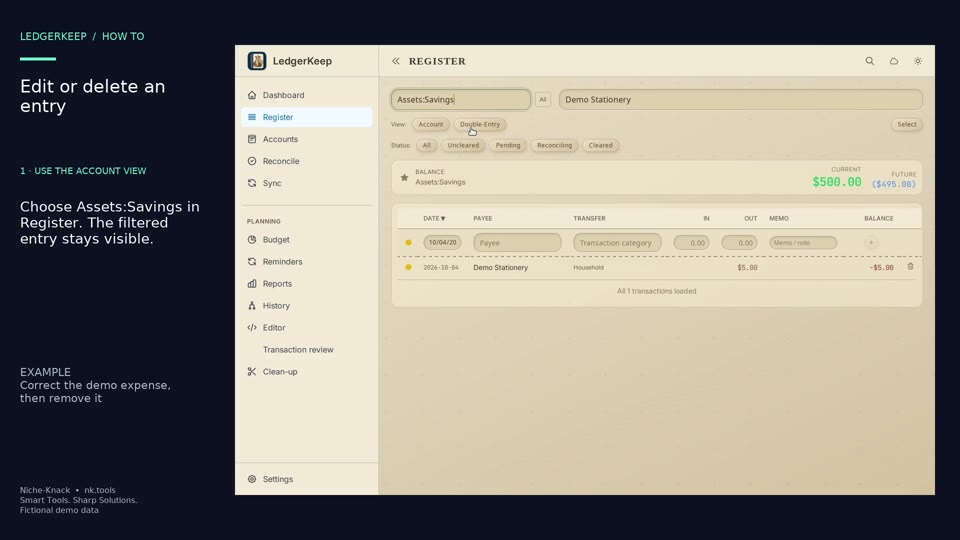
Correct the Demo Stationery amount from $5 to $6 in the account view, then delete that example.
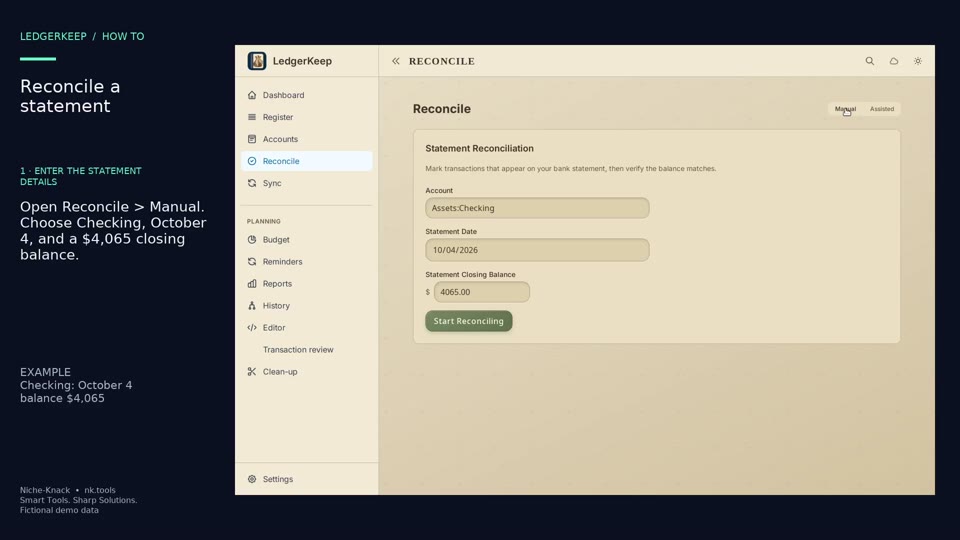
Match six Checking payments to a fictional October 4 statement with a $4,065 closing balance.
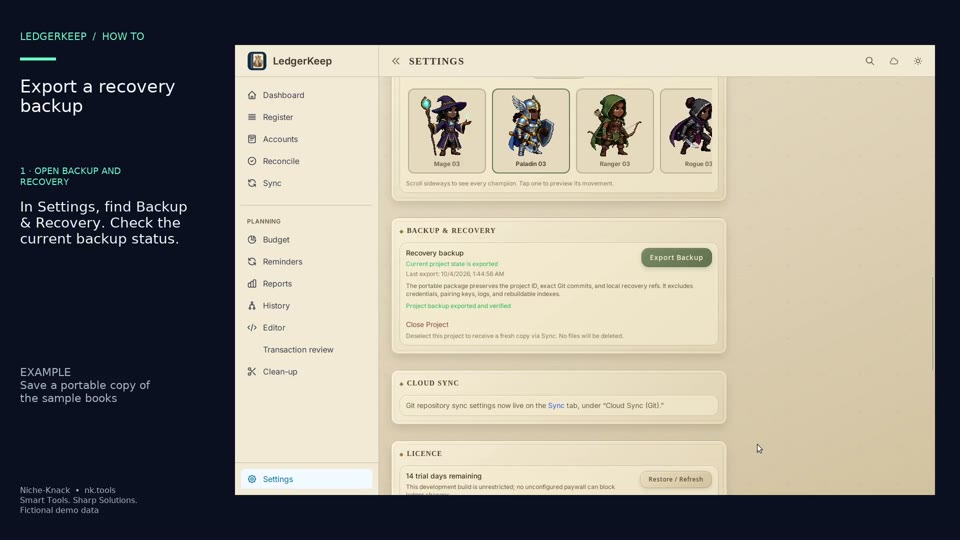
Export a portable recovery package of the open books and wait for LedgerKeep to verify it.
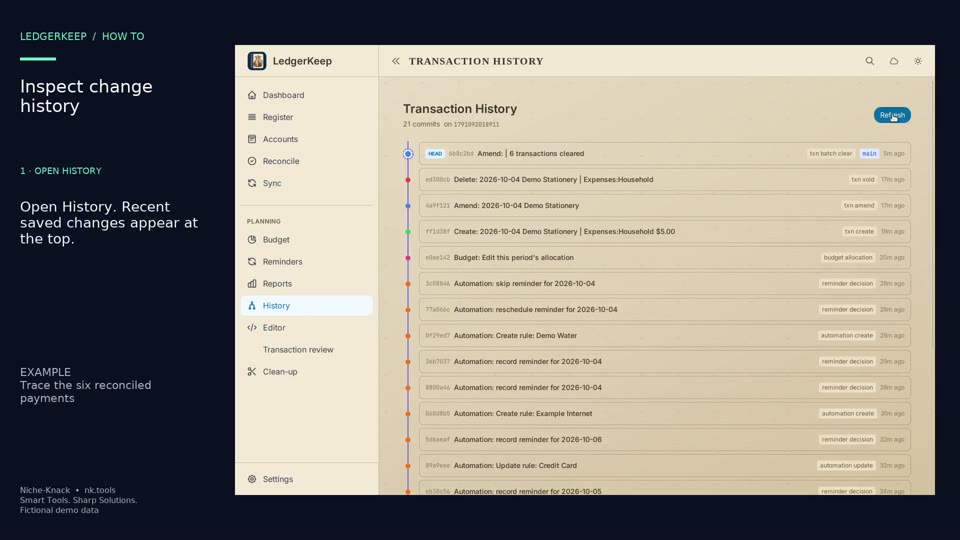
Open a saved change to see its timestamp and the exact ledger lines it changed.
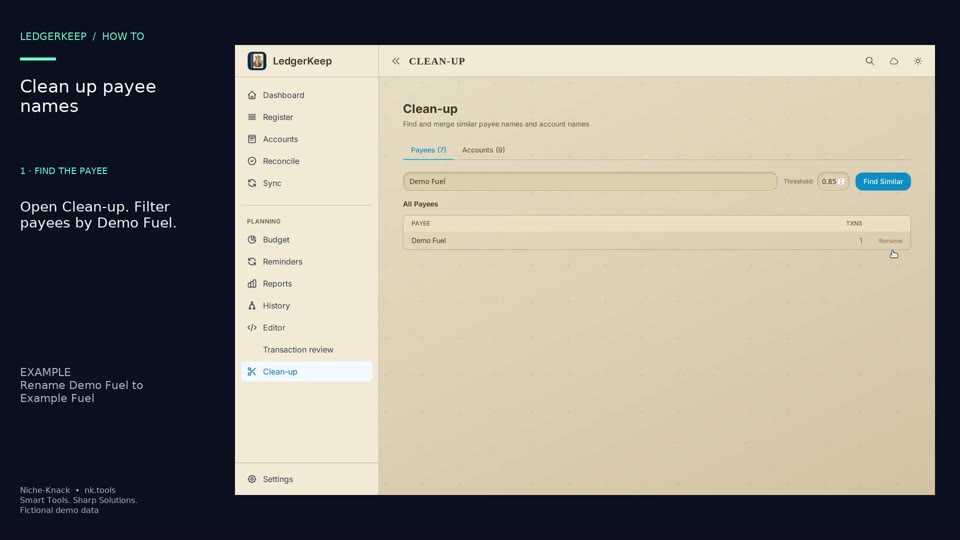
Rename Demo Fuel to Example Fuel across its matching transactions.
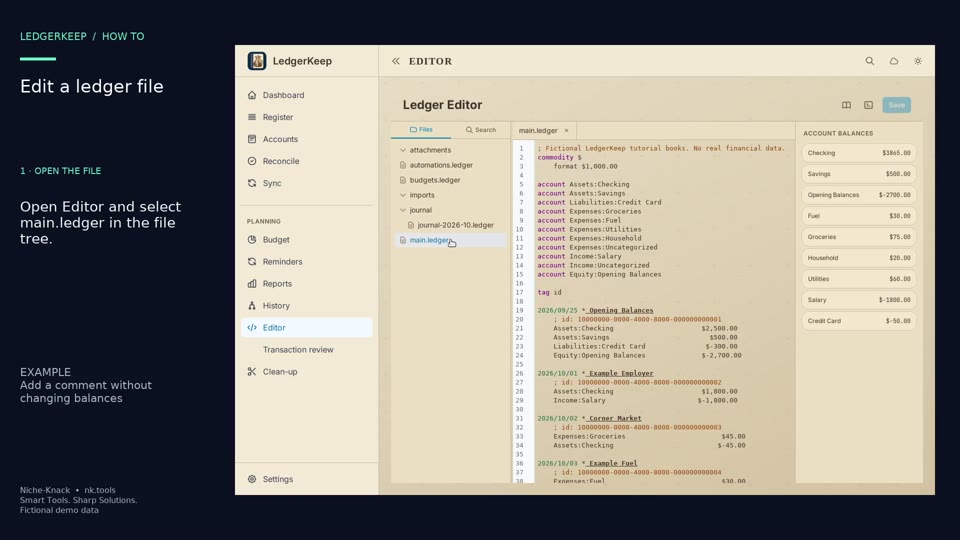
Open main.ledger, add a semicolon comment, and save it in the built-in editor.
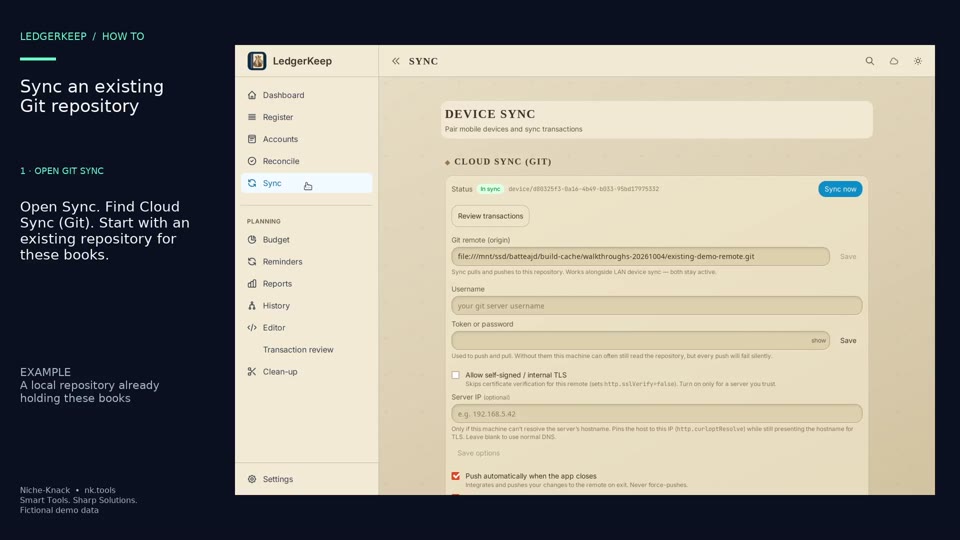
Connect these books to an existing Git repository and sync a saved change.
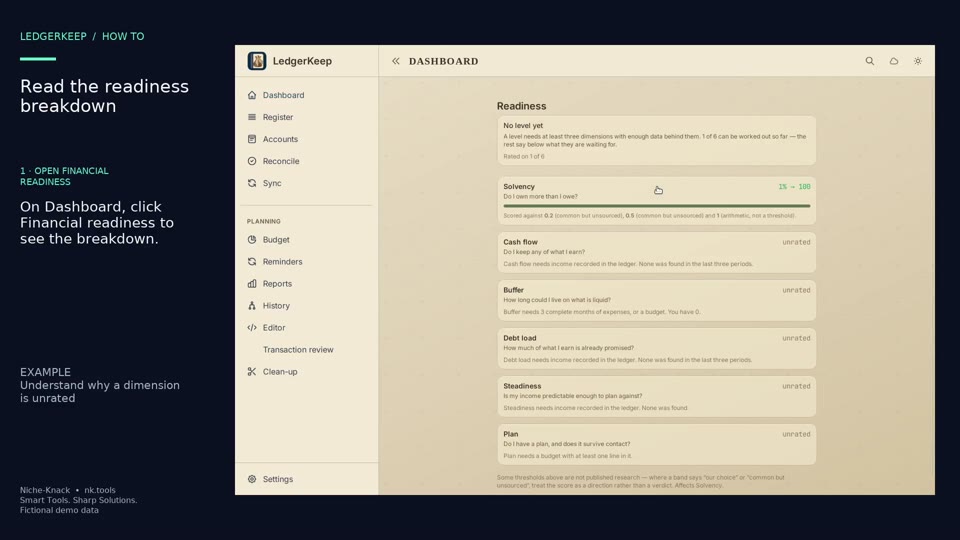
Open Financial readiness and read the explanation behind each rated or unrated dimension.
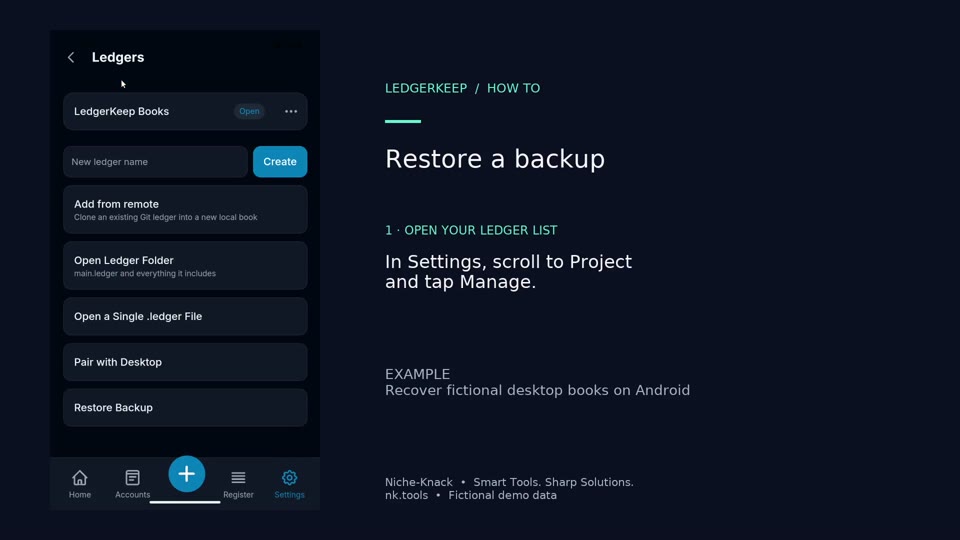
Restore the fictional desktop backup as a separate Android book named Recovered Household.
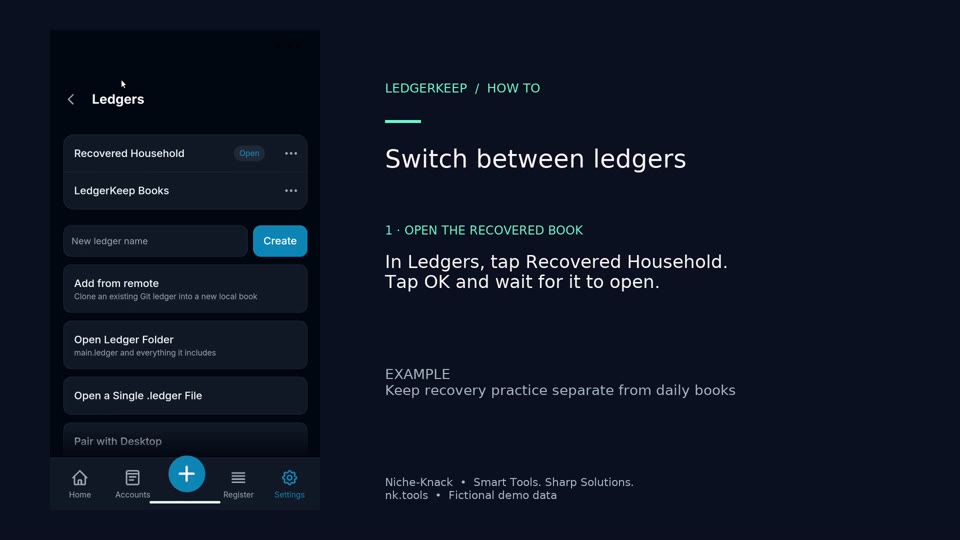
Open the recovered household book, inspect its entries, then return to the original mobile book.