
Linux · 0:24 video
Clean up payee names
Rename Demo Fuel to Example Fuel across its matching transactions.
Download fictional practice books · View the example statement
Download videoDownload captions
Check the transaction count first. Clean-up changes the payee name on all matching entries.
1Find the payee
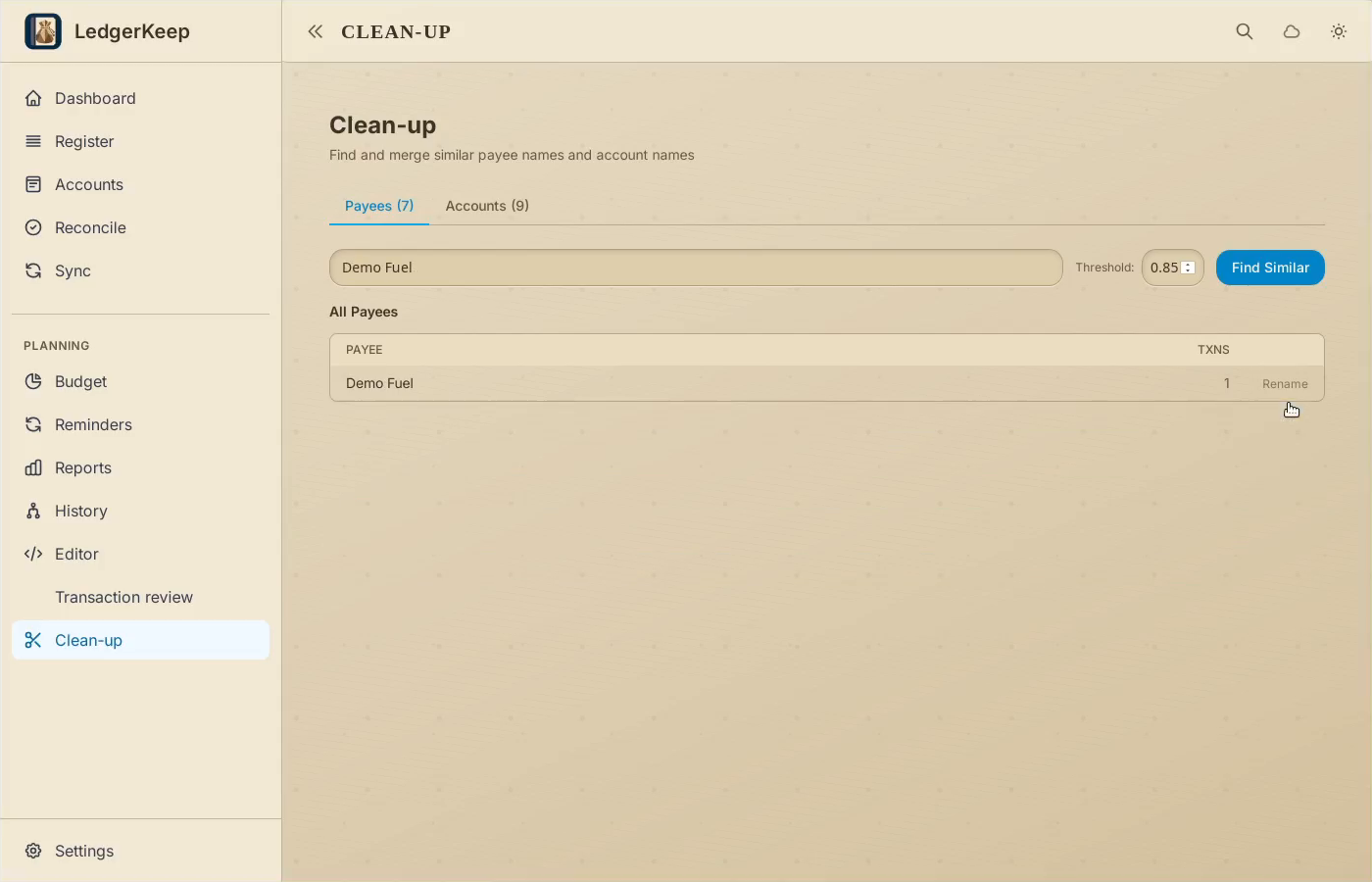
Open Clean-up. Filter payees by Demo Fuel.
2Rename it
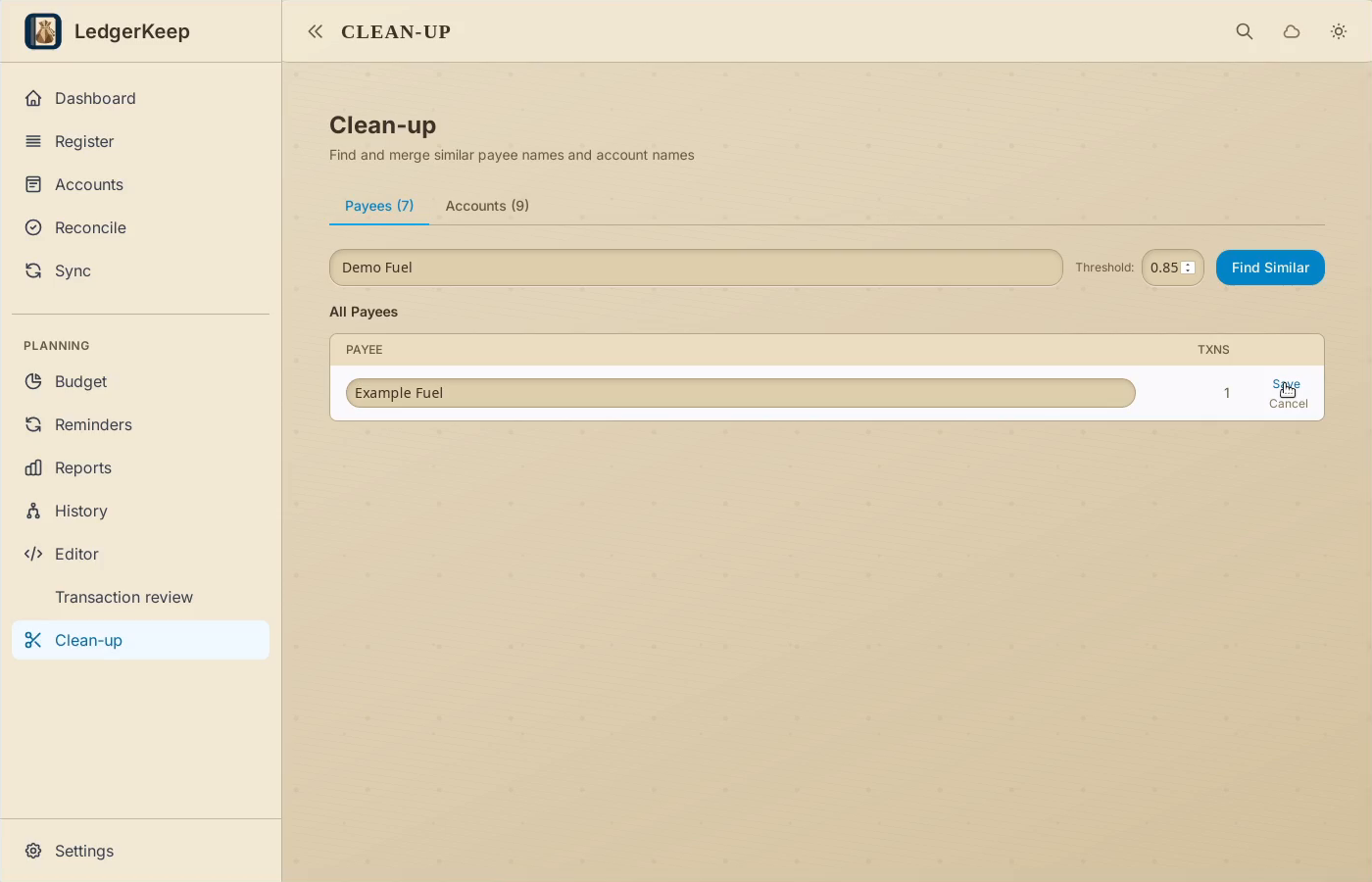
Click Rename and enter Example Fuel. Check the transaction count before saving.
3Save the corrected name
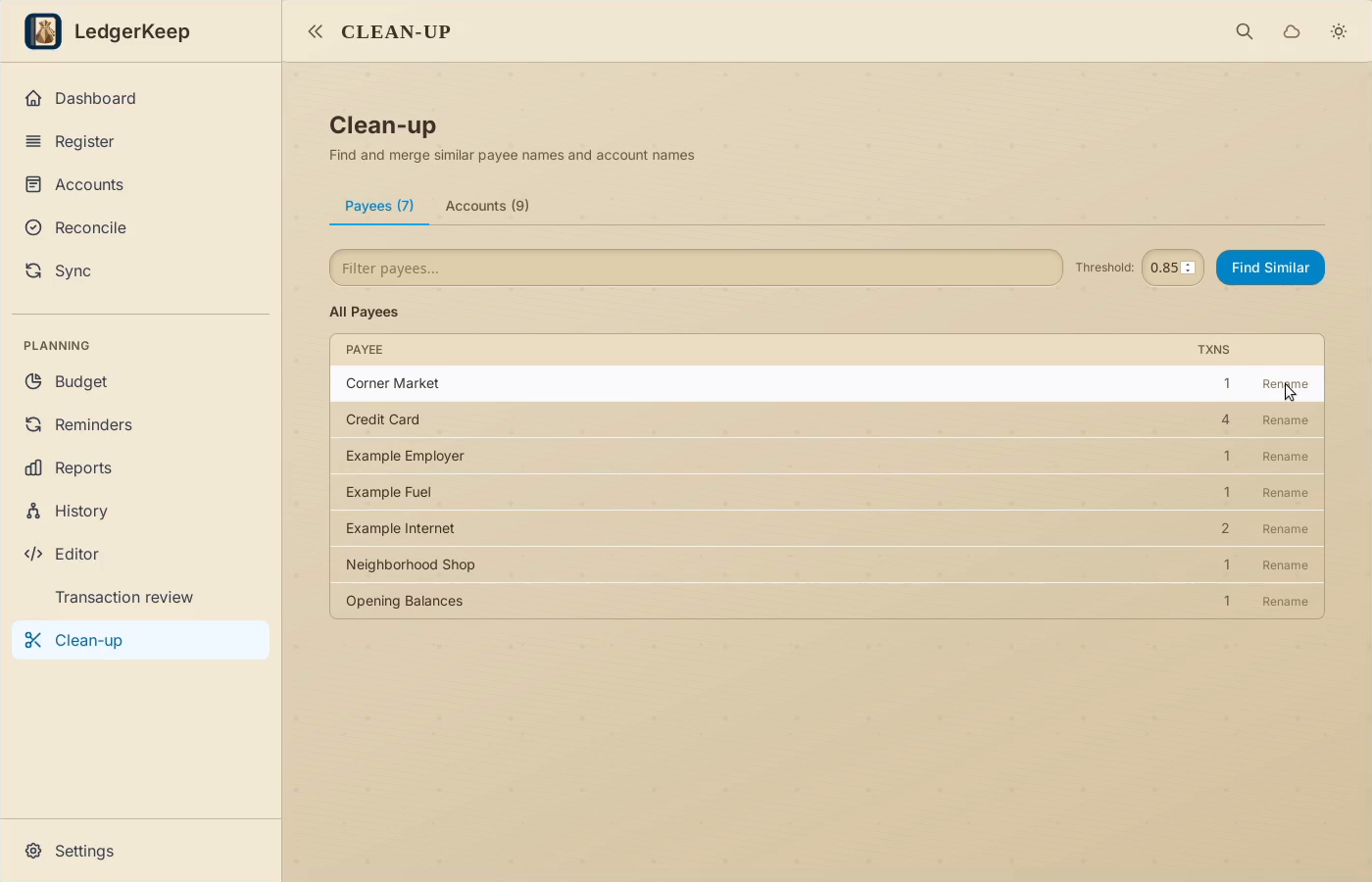
Click Save, then clear the filter. Example Fuel replaces the old name.
4Verify the transaction
Open Register and search Example Fuel. The amount is still $30.
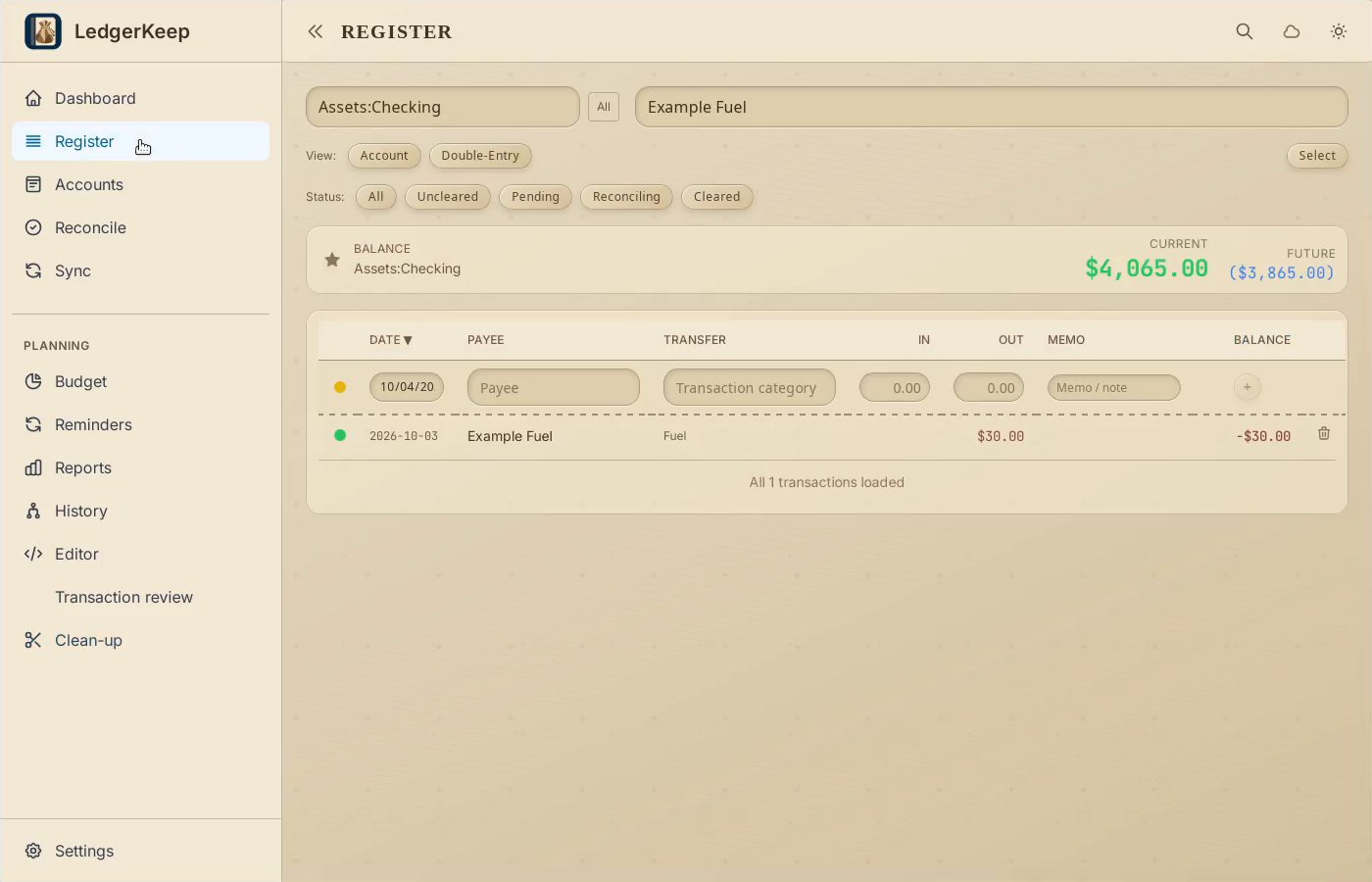
Result: Register shows the corrected payee, with the same $30 amount.