
Android · 0:27 video
Review a Pocket Nerd import
Review the $8 Coffee entry sent from Pocket Nerd, assign existing accounts, and approve it.
Download fictional practice books · View the example statement
Before you start: Send an entry from Pocket Nerd first. Both apps must be on the same Android phone.
Download videoDownload captions
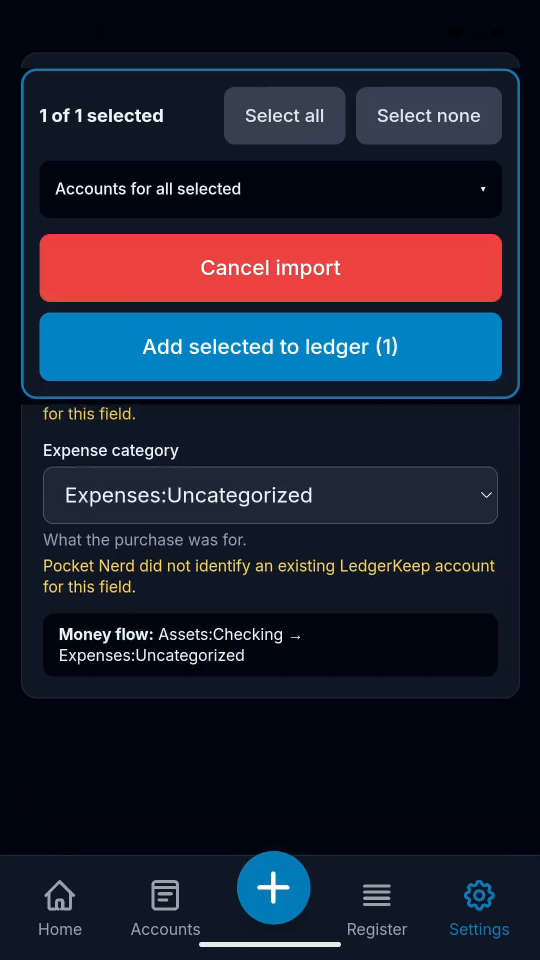
The example uses Expenses:Uncategorized. Choose the category that matches your real purchase.
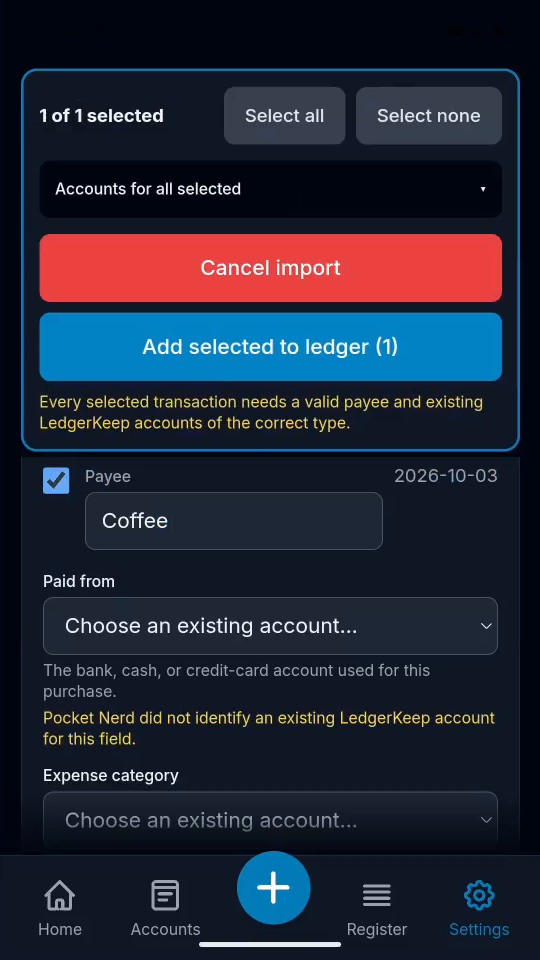
1Include the entry
Check the payee, date, and amount. Select the entry for import.
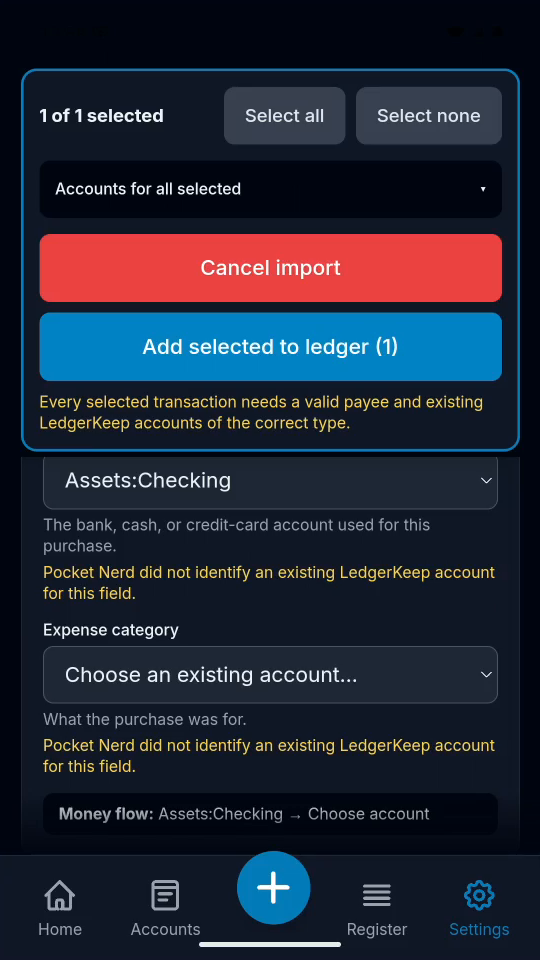
2Choose Paid from
Choose Assets:Checking for the Coffee purchase.
3Choose an expense category
Choose an existing expense account. This example uses Uncategorized.
4Approve the import
Tap Add selected to ledger (1). Then open Register.
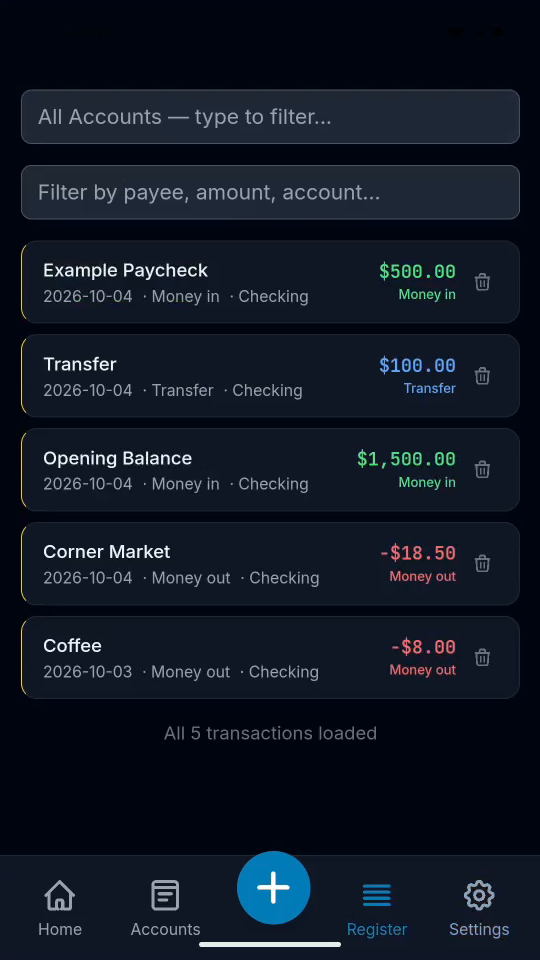
5Check the saved purchase
Coffee appears once in Register with its original date and amount.
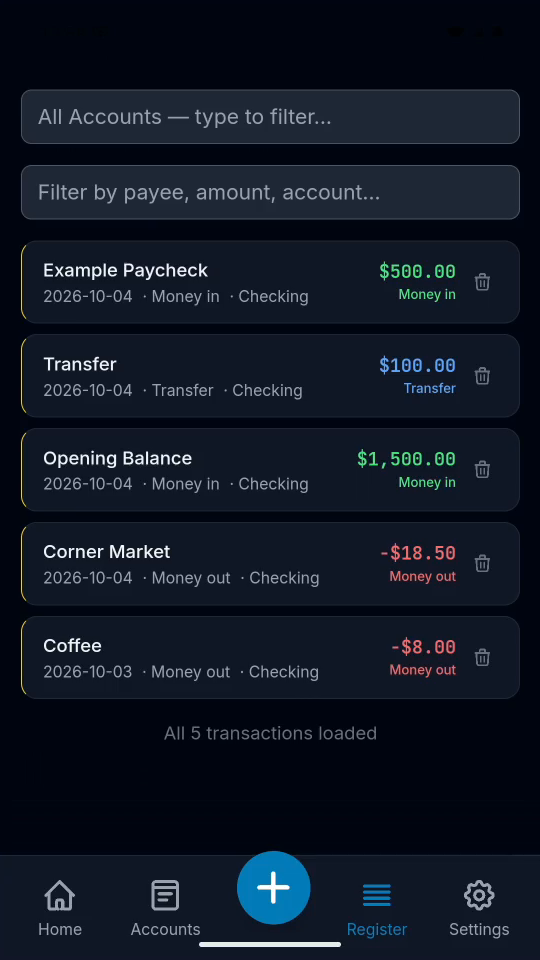
Result: Coffee appears once in Register, dated October 3.