
Linux · 0:17 video
Set your pay schedule
Set two monthly paydays. This example uses the 10th and 25th.
Download fictional practice books · View the example statement
Download videoDownload captions
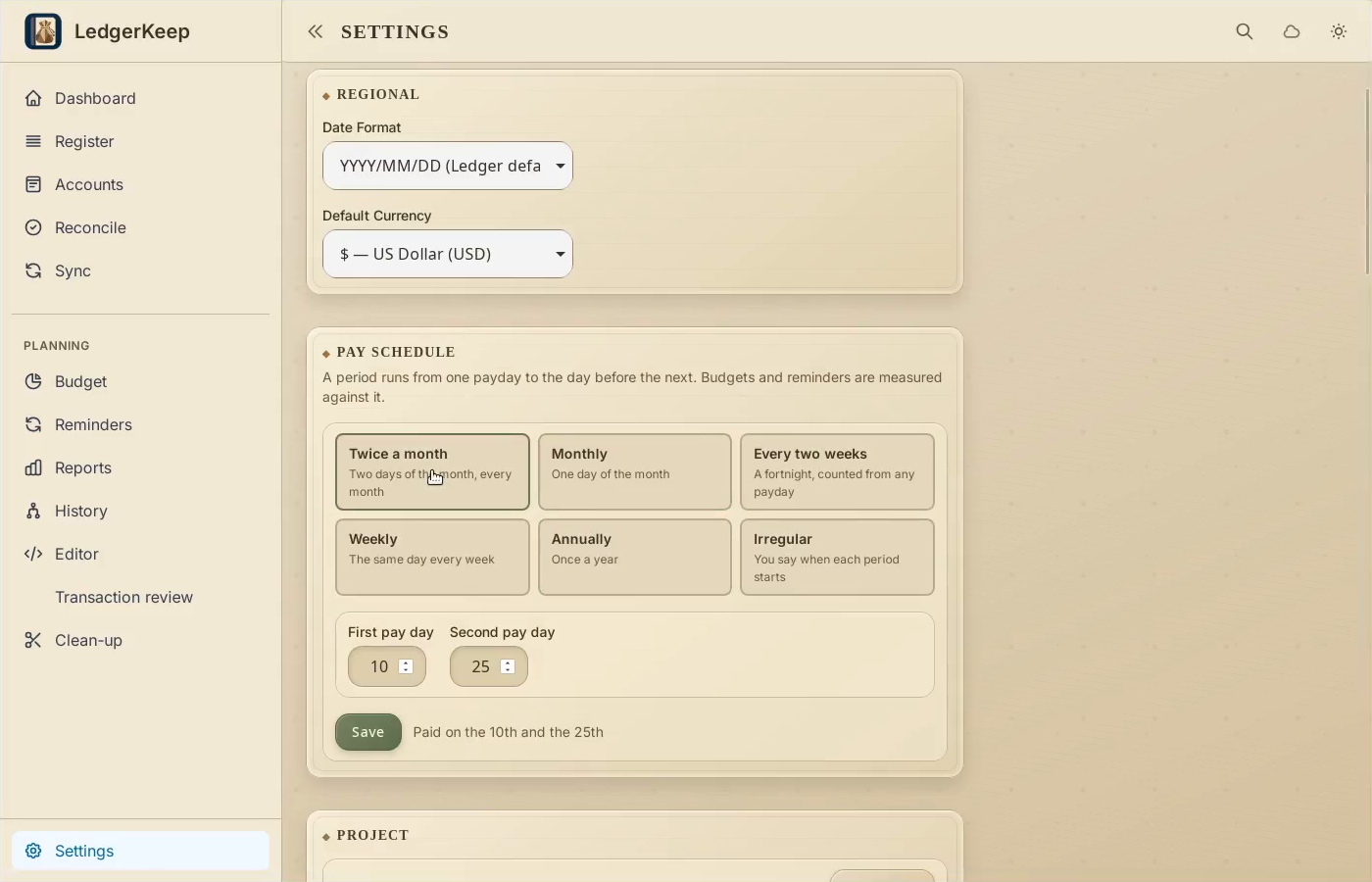
1Choose a cadence
In Settings → Pay Schedule, choose Twice a month.
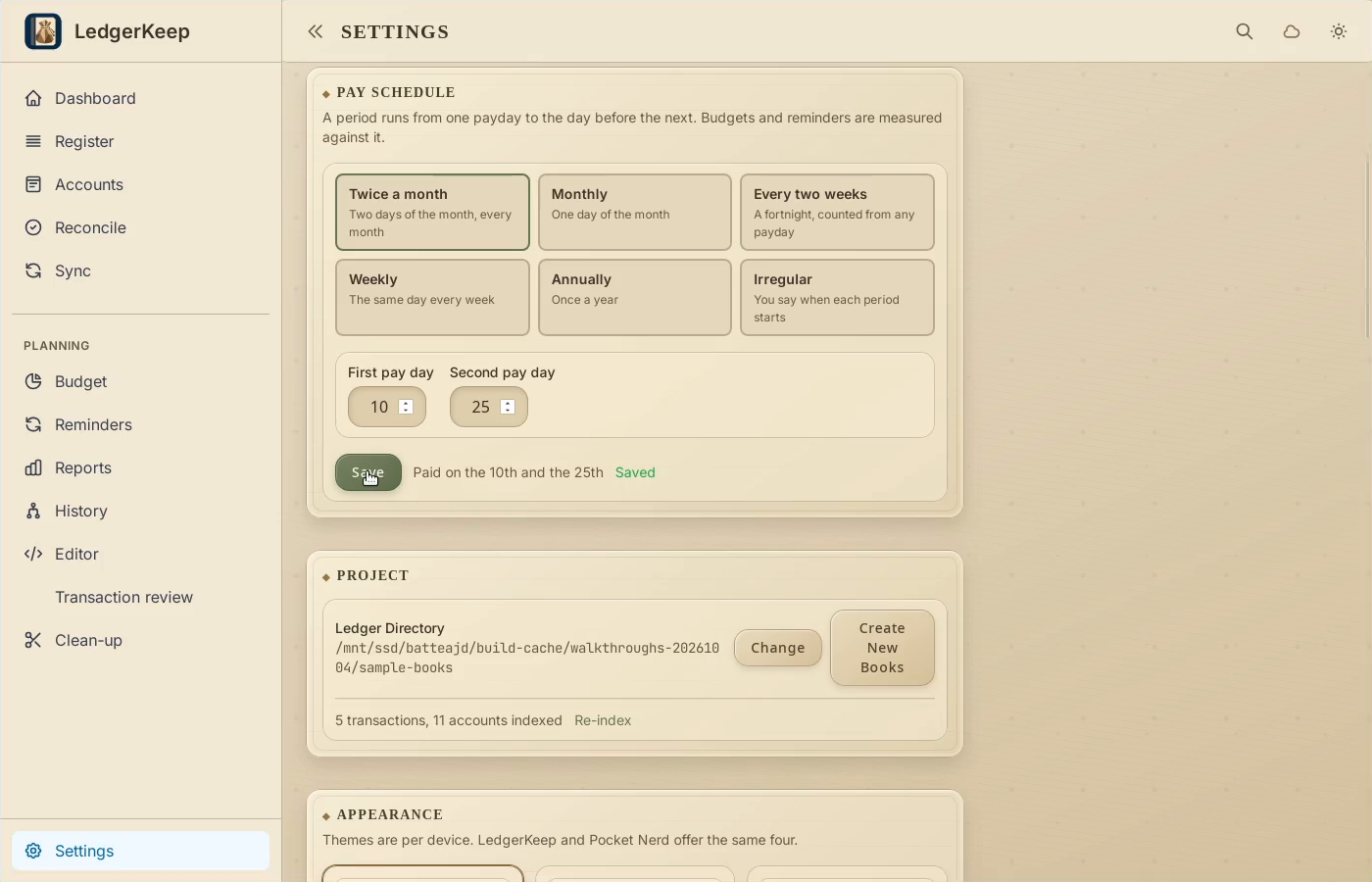
2Enter both paydays
Use 10 and 25, then click Save in Pay Schedule.
3Check the period
Open Budget. This example shows September 25 through October 9.
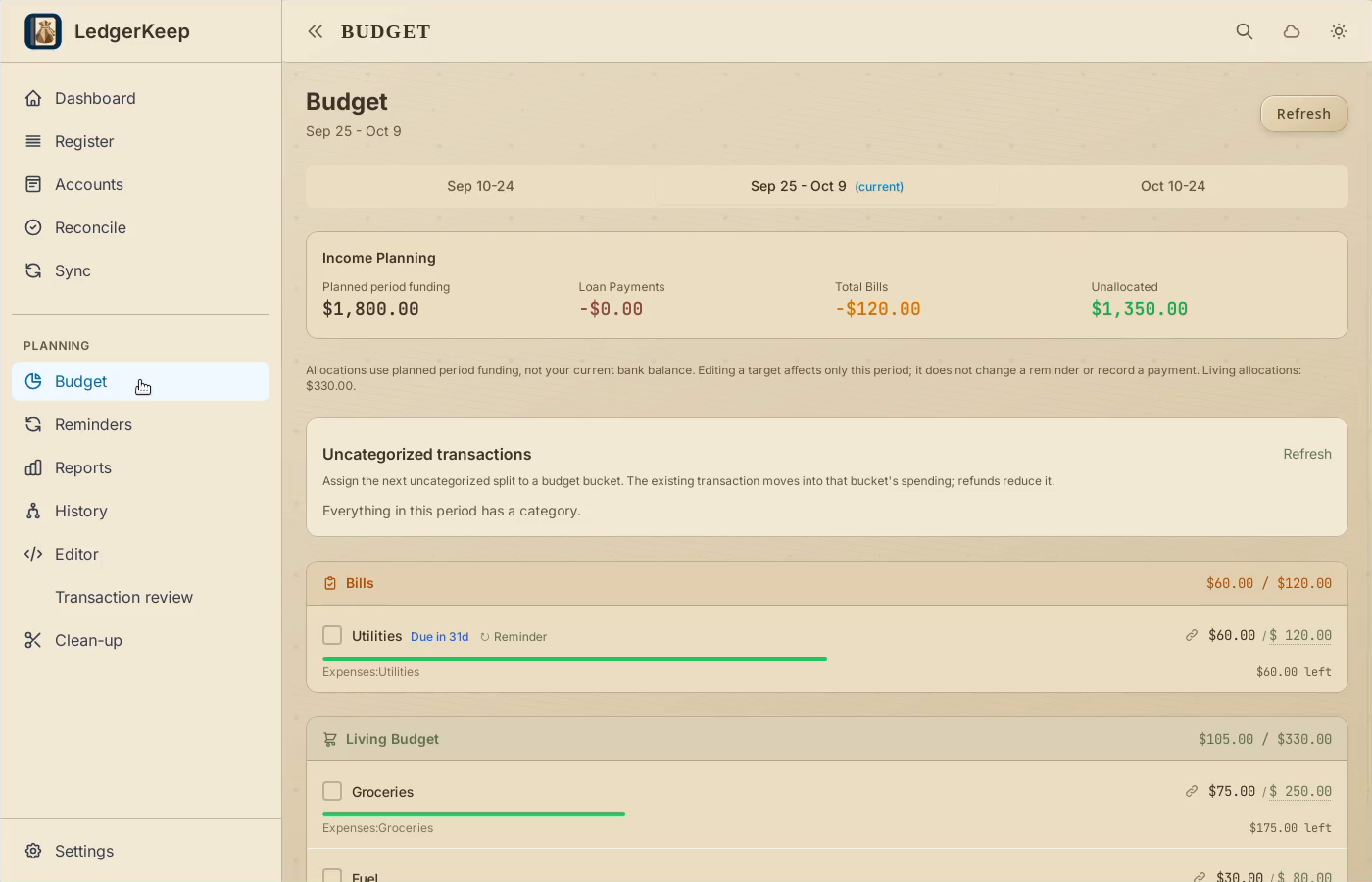
Result: The example Budget period is September 25 through October 9.