
Linux · 0:34 video

Switch LedgerKeep themes

Preview Simple, HUD, Tranquil, and Campaign with the same accounts and transactions.

Download fictional practice books · View the example statement

Download videoDownload captions

1Simple

Settings → Appearance. Choose Simple for a quiet dark interface.
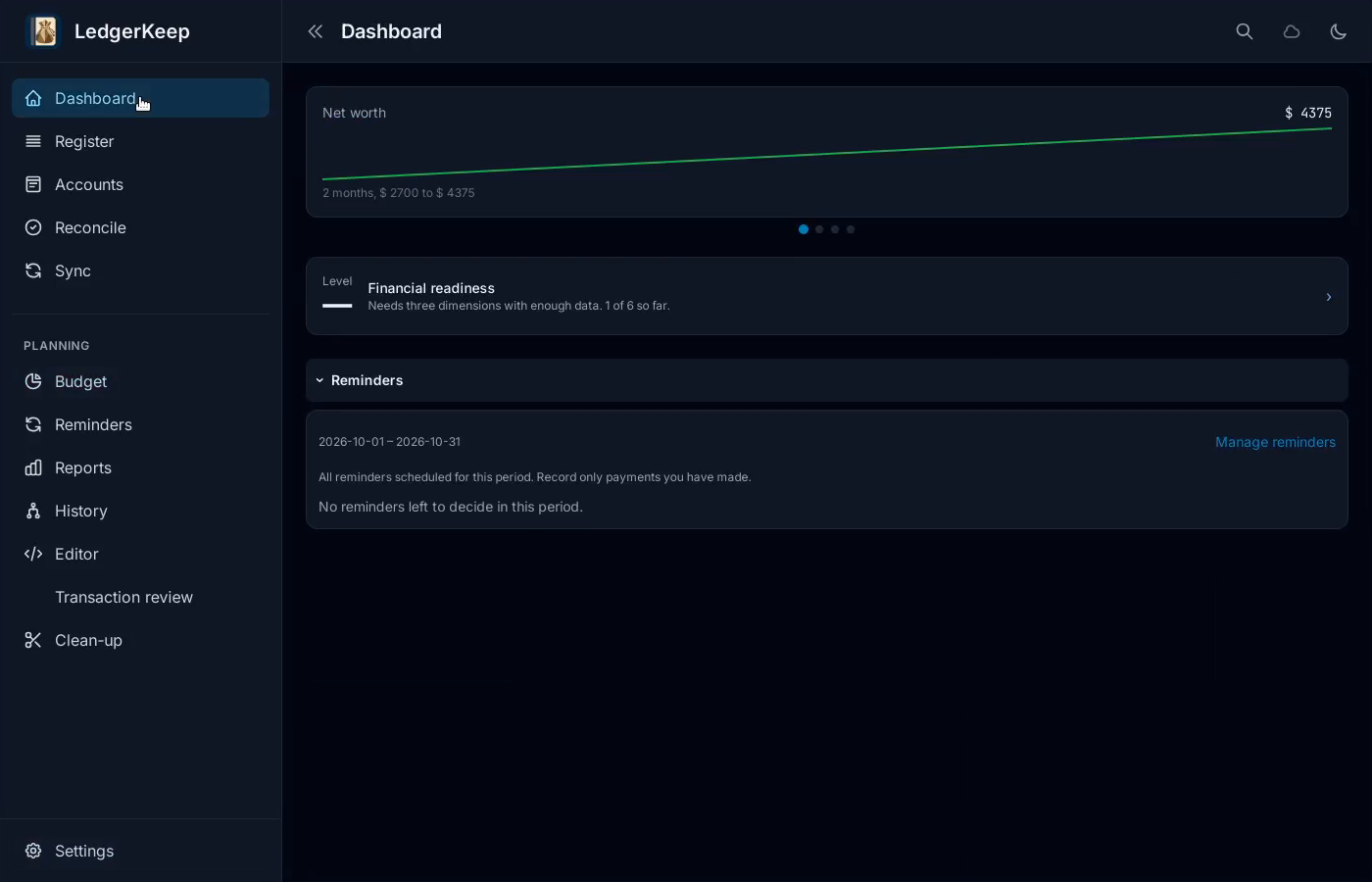
Simple. Settings → Appearance. Choose Simple for a quiet dark interface.Switch LedgerKeep themes — step 1
Select the image to enlarge it.

2HUD

Settings → Appearance. Choose HUD for the cockpit display.
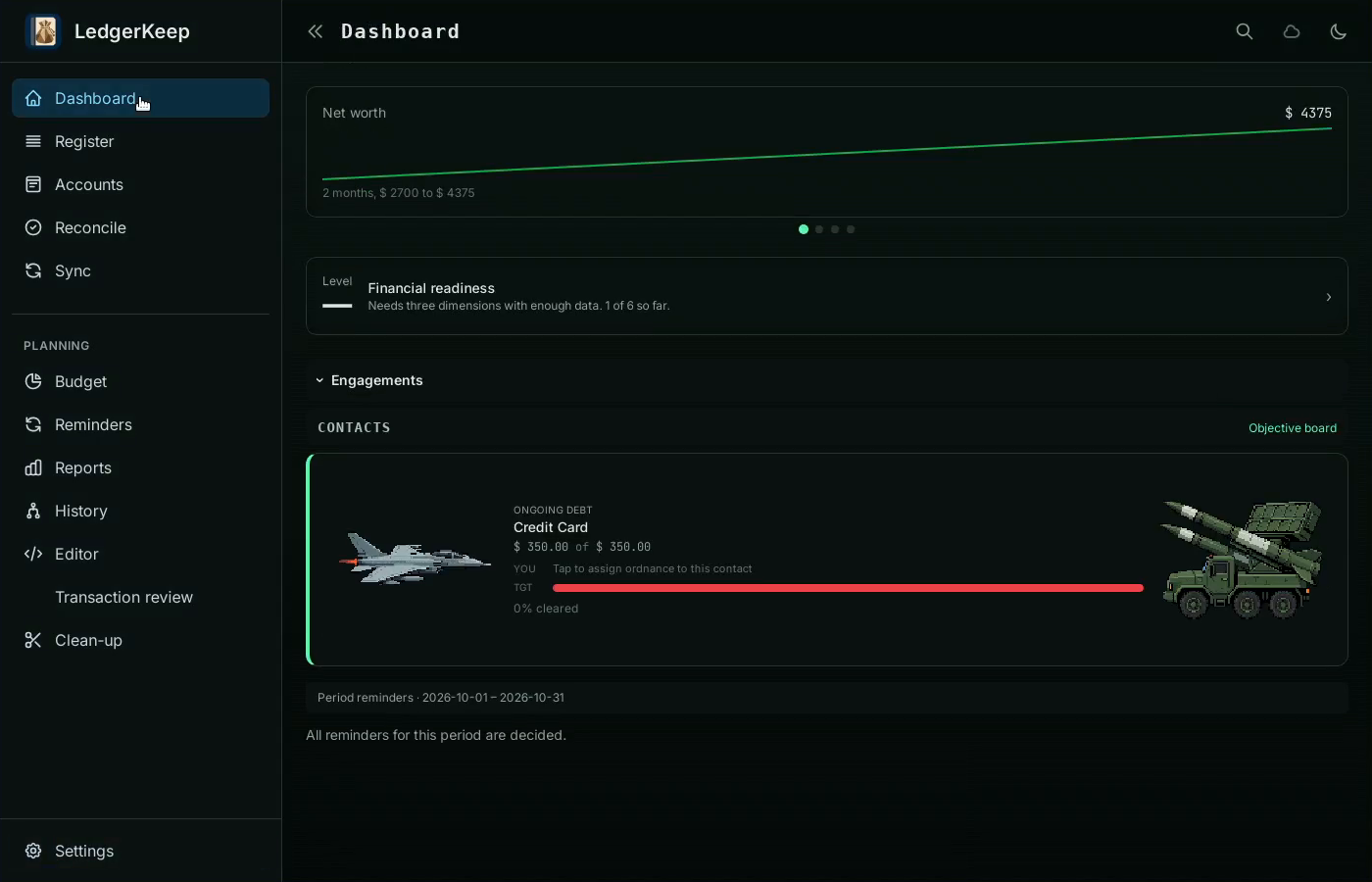
HUD. Settings → Appearance. Choose HUD for the cockpit display.Switch LedgerKeep themes — step 22
HUD debt battle. Select the image to enlarge it.

3Tranquil

Settings → Appearance. Choose Tranquil for a light garden display.
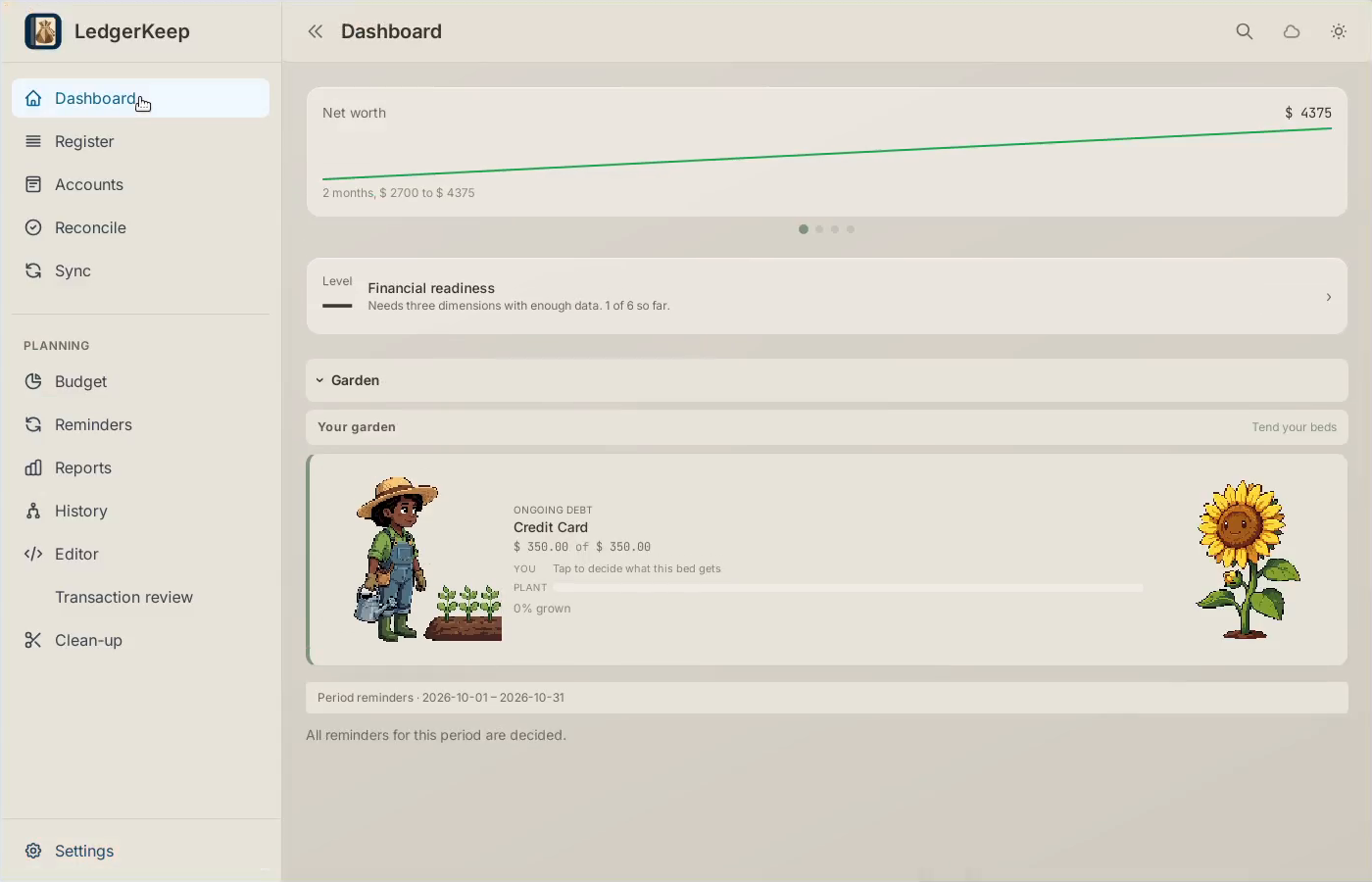
Tranquil. Settings → Appearance. Choose Tranquil for a light garden display.Switch LedgerKeep themes — step 3
Select the image to enlarge it.

4Campaign

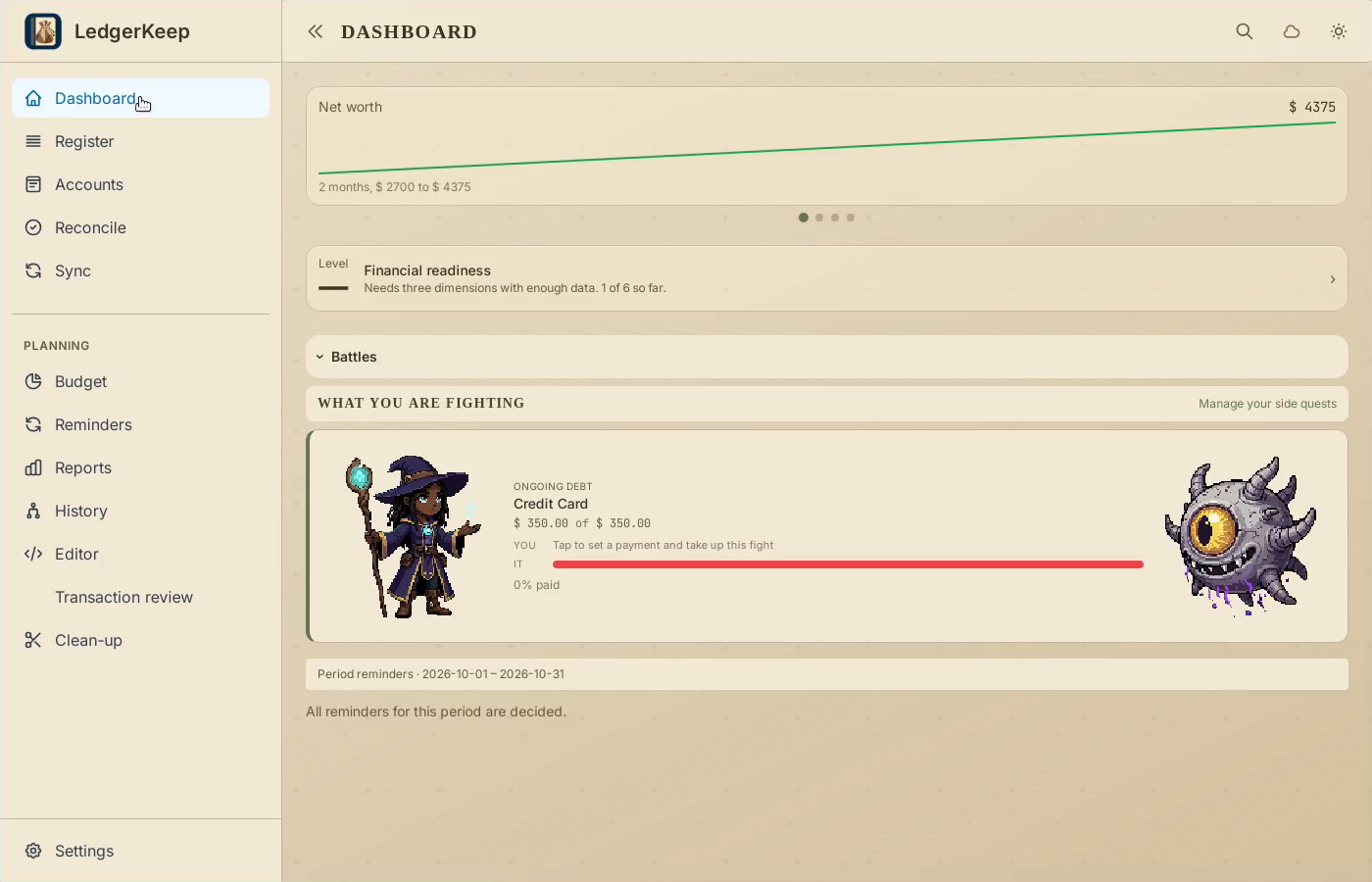
Settings → Appearance. Choose Campaign for characters and debt battles.
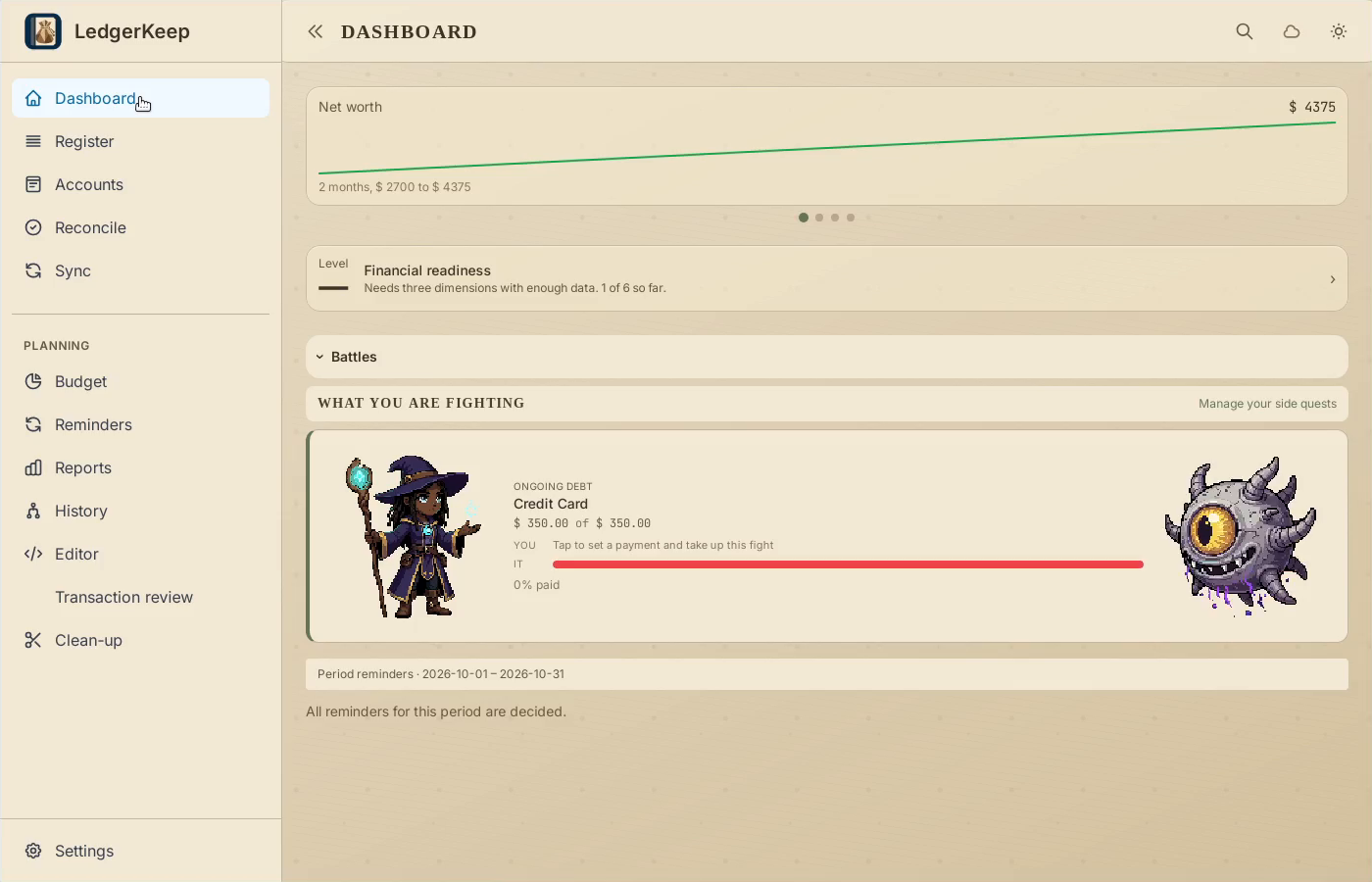
Campaign. Settings → Appearance. Choose Campaign for characters and debt battles.Switch LedgerKeep themes — step 4
Select the image to enlarge it.

5Same accounts

Themes change the presentation. Your transactions and balances are shared across the views.
Same accounts. Themes change the presentation. Your transactions and balances are shared across the views.Switch LedgerKeep themes — step 5
Select the image to enlarge it.

Result: Campaign shows the credit-card balance as an ongoing debt battle.