
Linux · 0:23 video
Reschedule or skip a bill
Move the $30 Demo Water reminder to October 8, then skip that occurrence.
Download fictional practice books · View the example statement
Download videoDownload captions
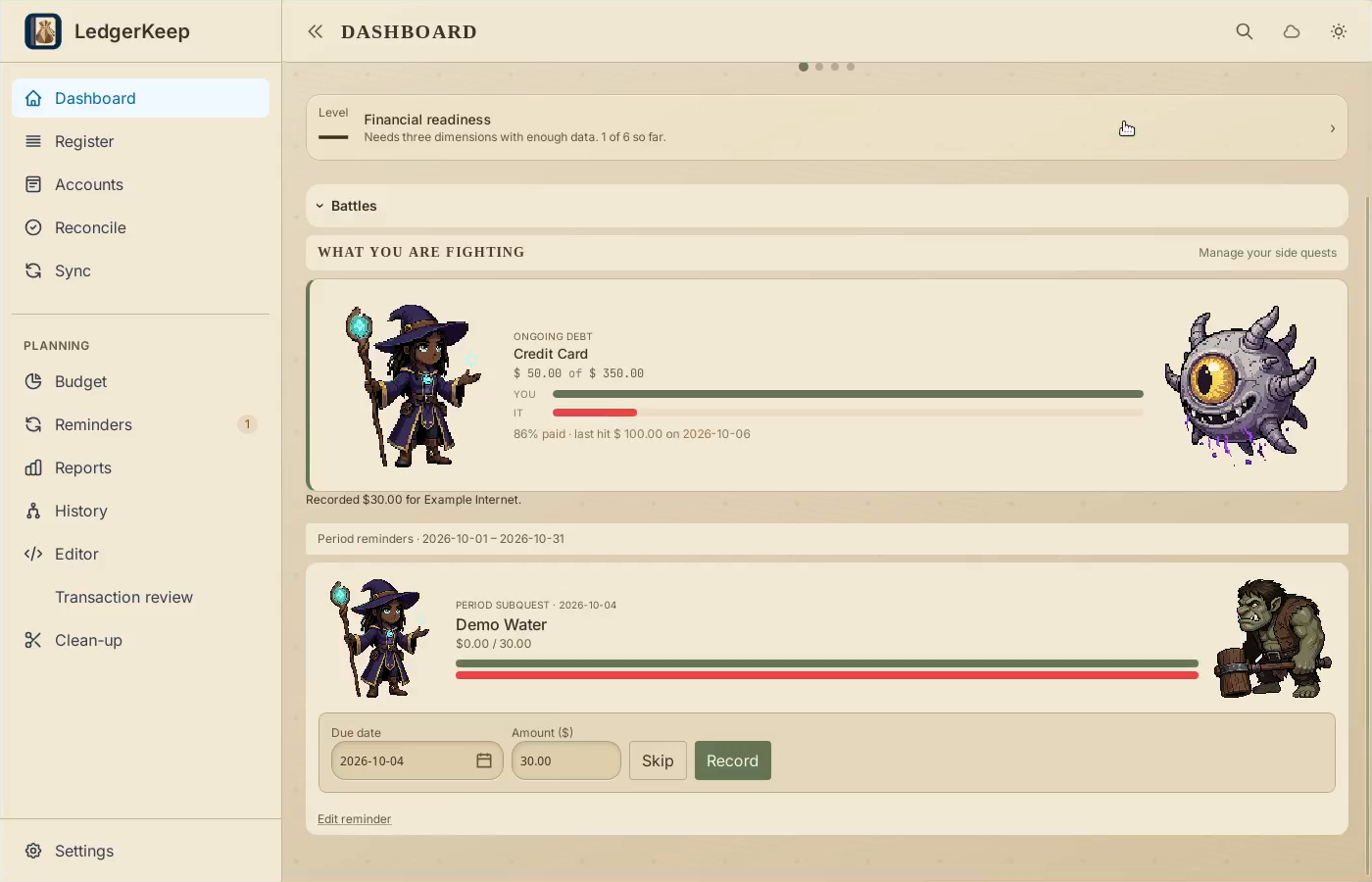
1Find the pending bill
Open the Demo Water controls on Dashboard.
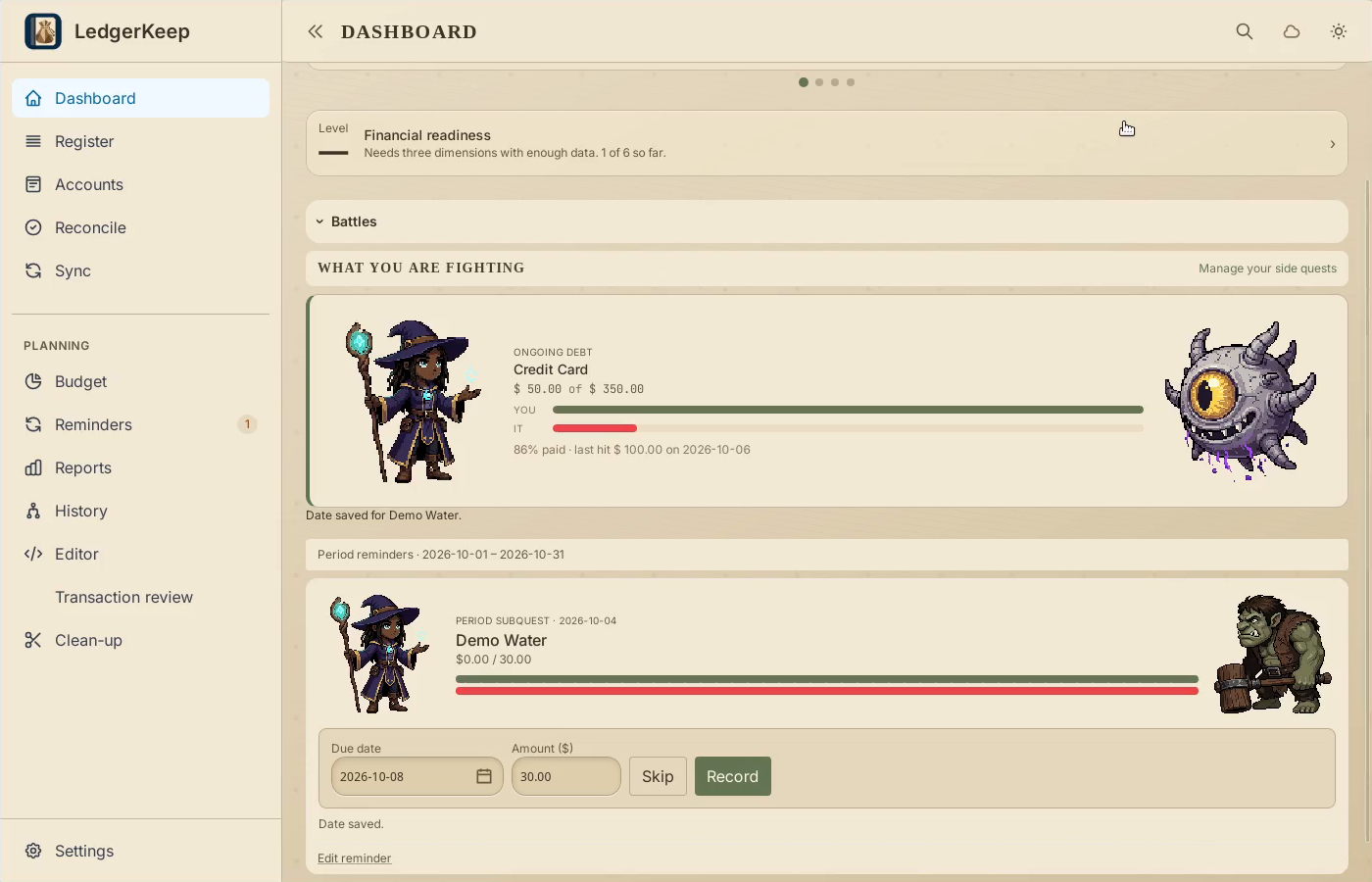
2Change its due date
Change Due date to October 8. The new date saves immediately.
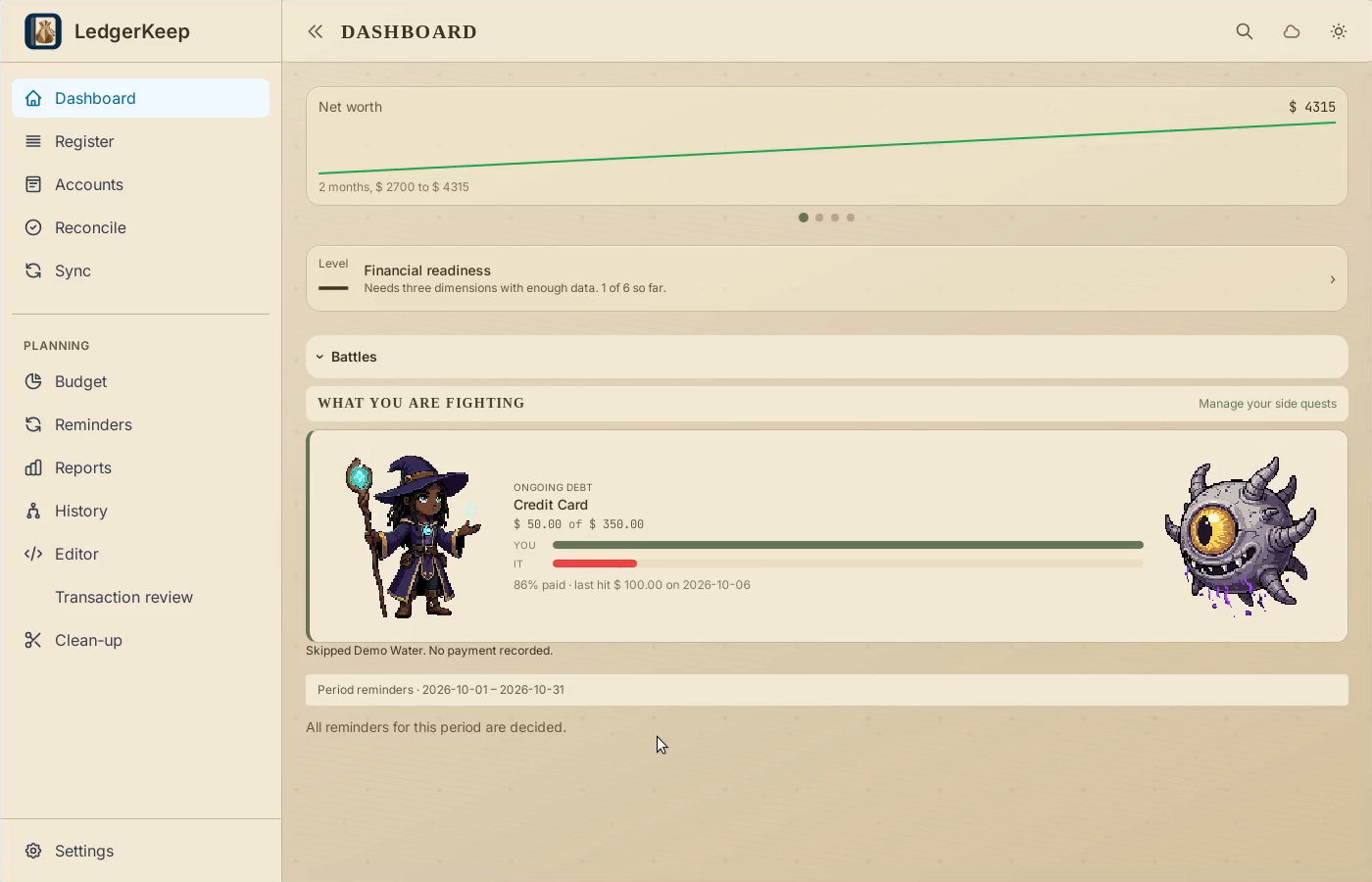
3Skip this occurrence
Click Skip if you are not recording this payment. Watch the opponent respond.
4Verify no payment was added
Open Register and search Demo Water. Skipping does not create a payment.
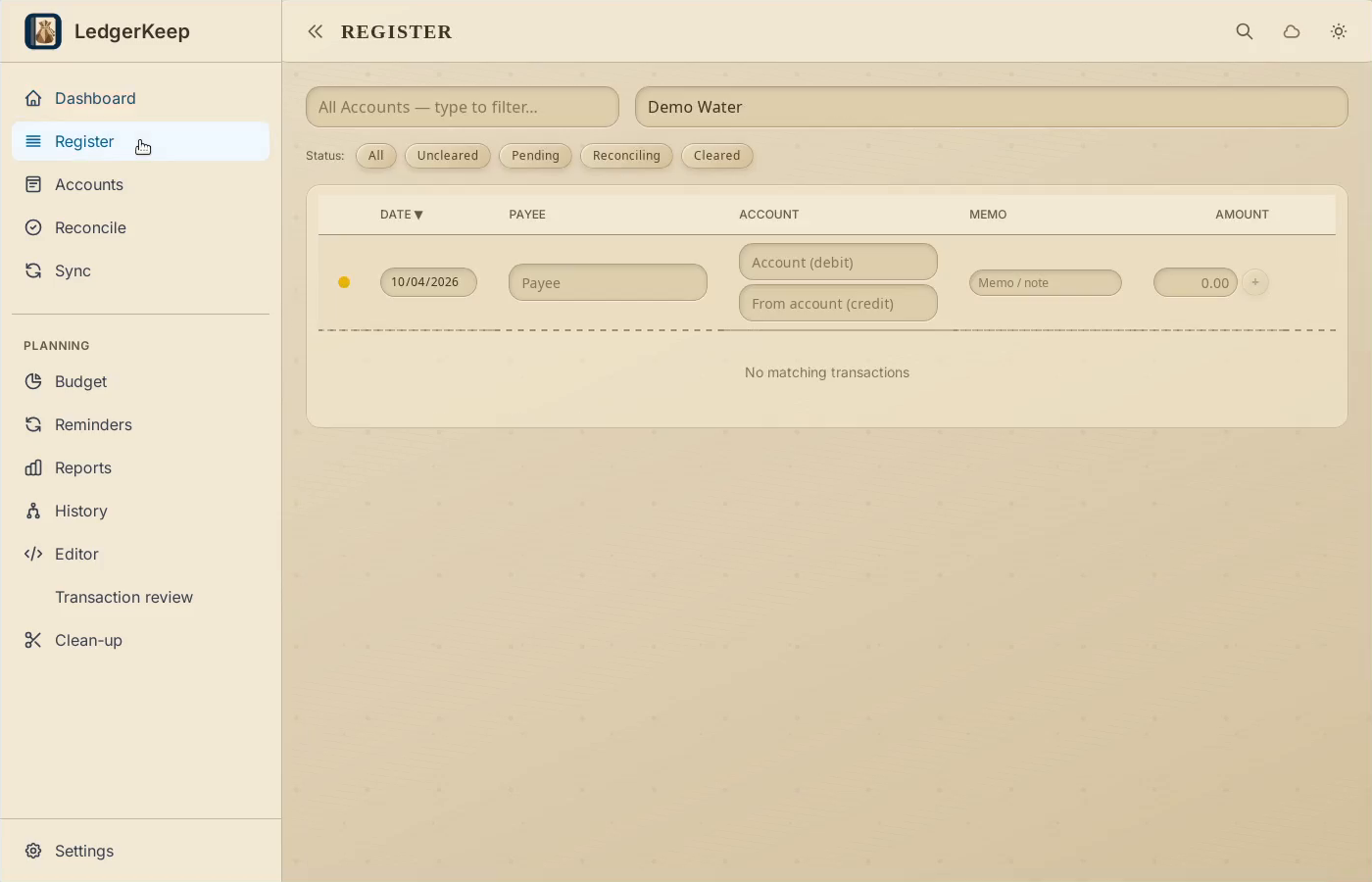
Result: The reminder is decided, and searching Register confirms that no Demo Water payment was created.