
Linux · 0:22 video
Change a reminder date
Edit the first due date of an existing reminder. The example moves Credit Card into the October pay period.
Download fictional practice books · View the example statement
Download videoDownload captions
The edit dialog labels this field First due date.
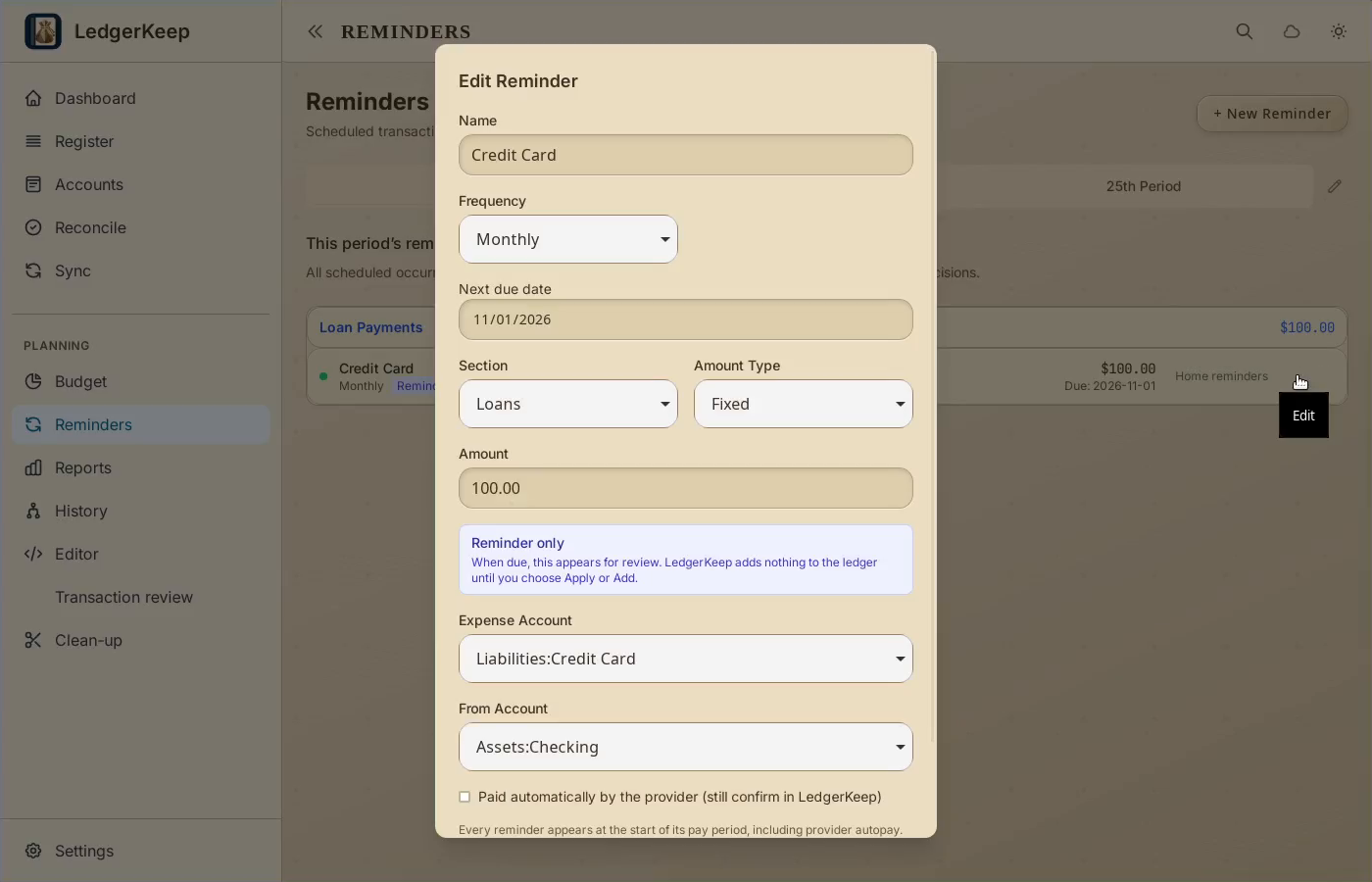
1Edit the reminder
Open Reminders. Click the Edit icon on Credit Card.
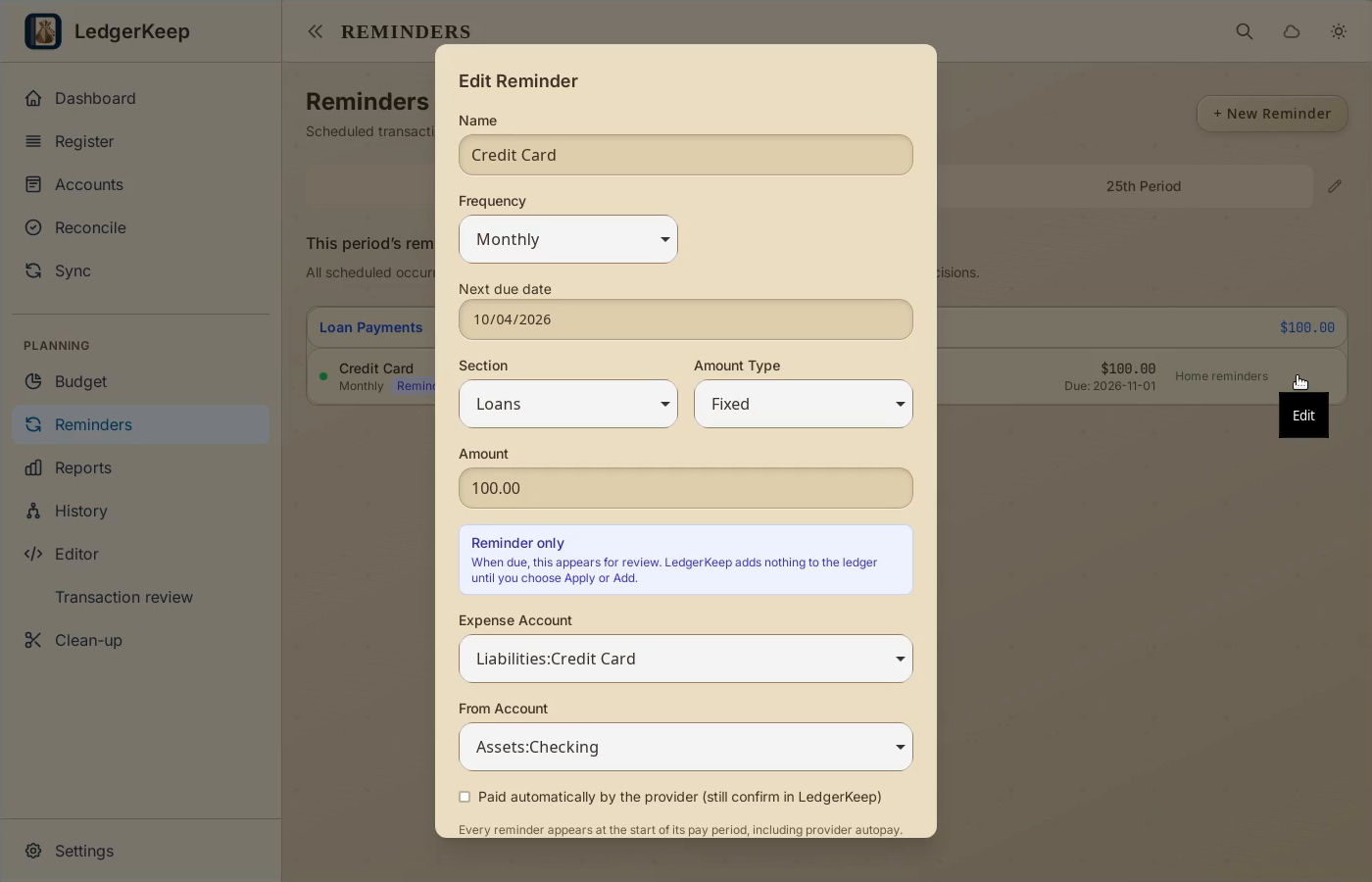
2Set Next due date
Set Next due date to October 4, 2026. Keep the saved payment accounts.
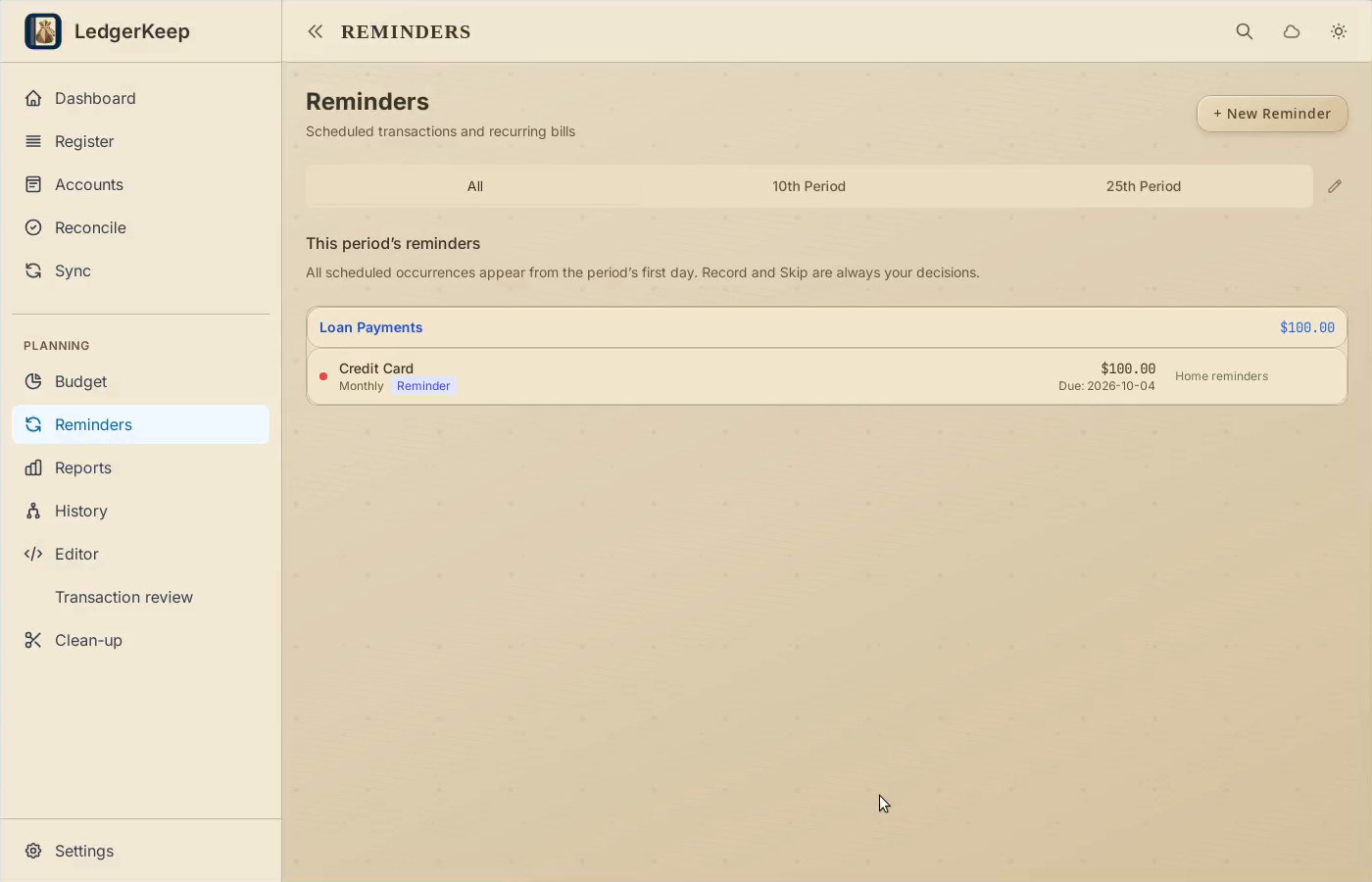
3Save the change
Click Save. The reminder now belongs to the October period.
4Return to the battle
Open Dashboard. The payment controls appear under Credit Card.
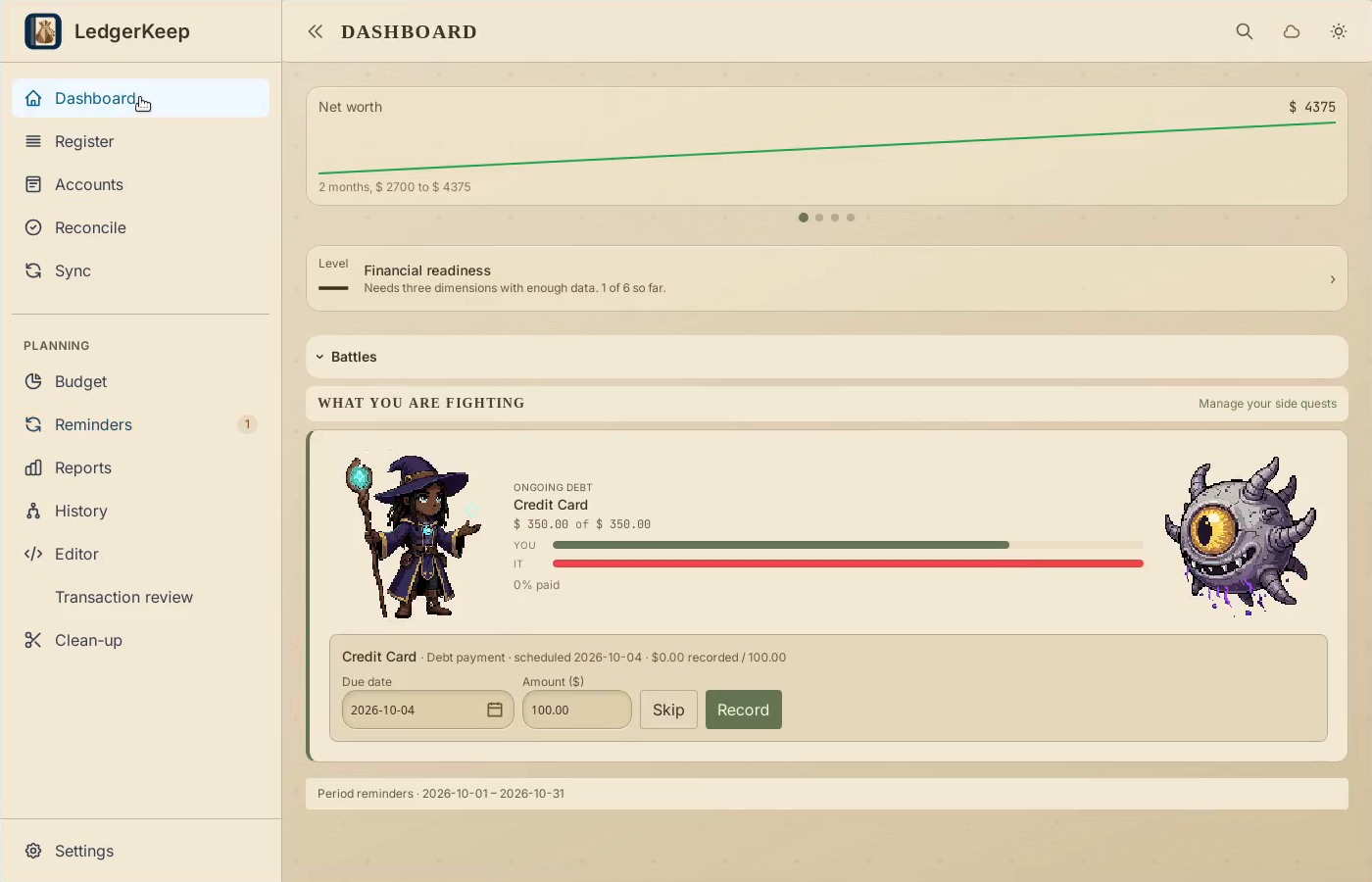
Result: The payment controls appear on Dashboard for the current period.