
Linux · 0:33 video
Record a debt payment
Record a full $100 credit-card payment and watch the Campaign attack animation.
Download fictional practice books · View the example statement
Before you start: A debt account with a balance and a due payment reminder.
Download videoDownload captions
Record payments you have actually made. The animation accompanies a ledger entry; it does not transfer money.
1Find the payment
Open the Credit Card battle. Record only a payment you have made.
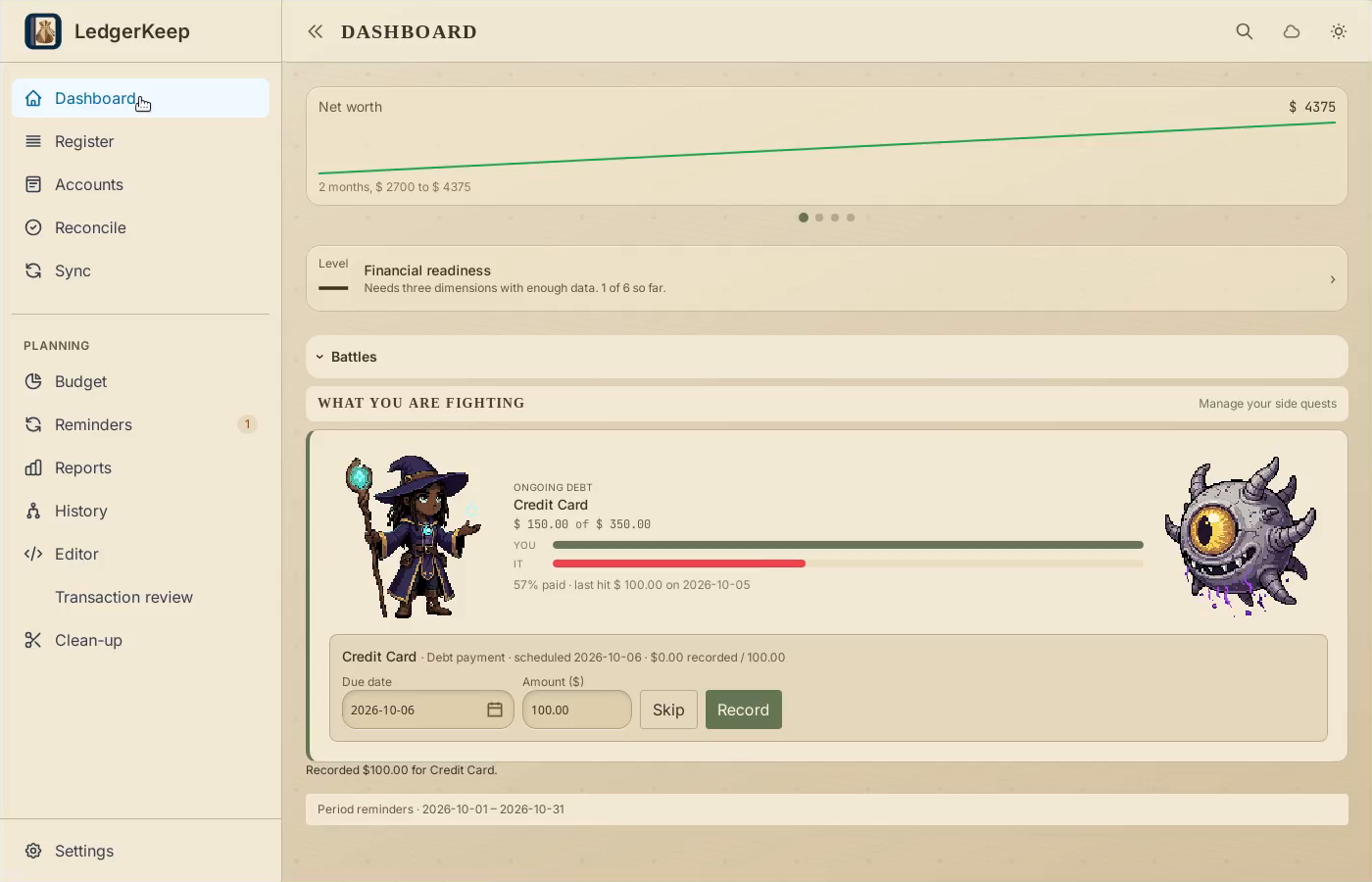
2Review date and amount
Check the due date and the $100 amount before recording.
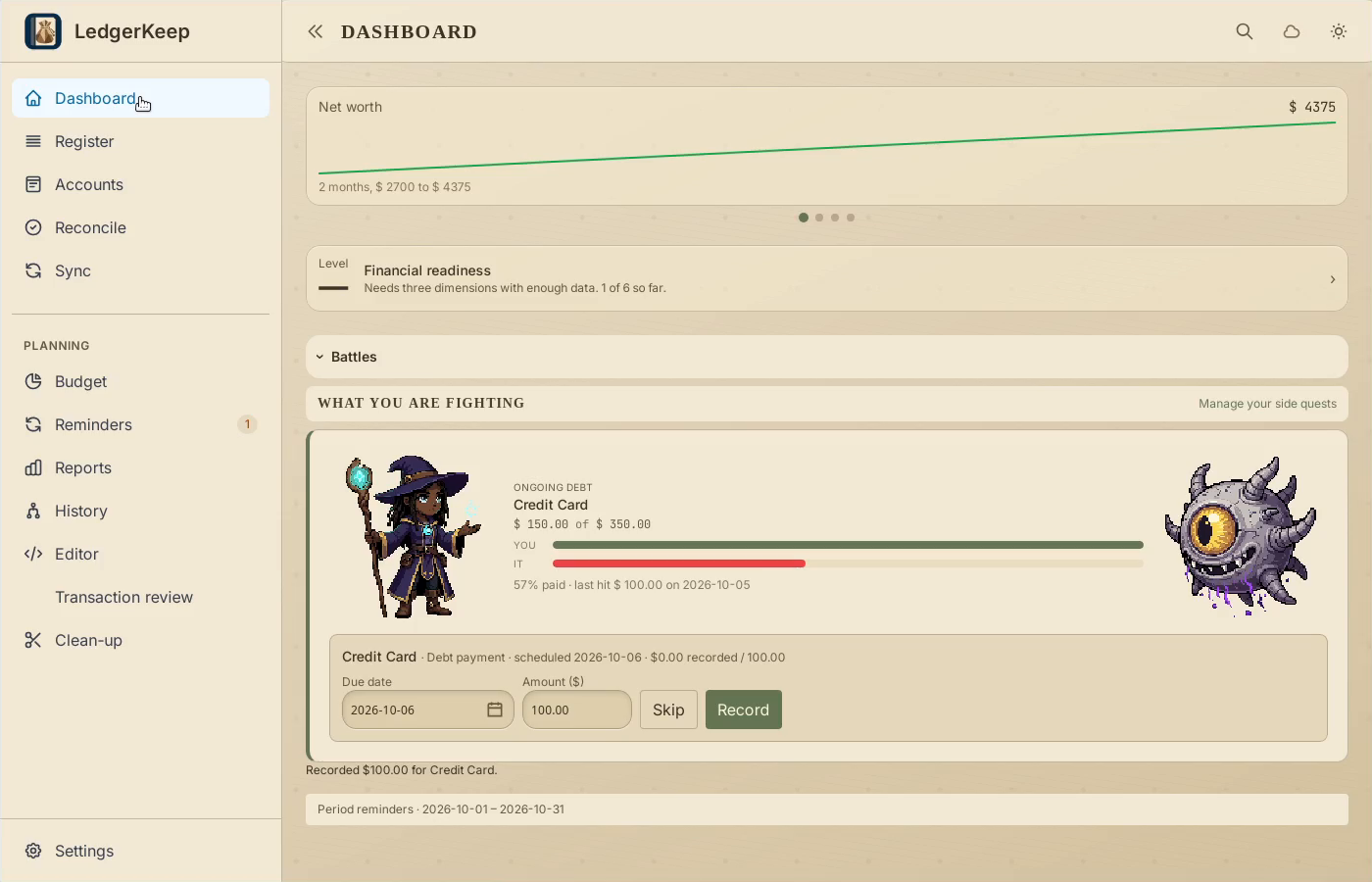
3Record and watch the attack
Click Record. The attack animation accompanies the ledger entry.
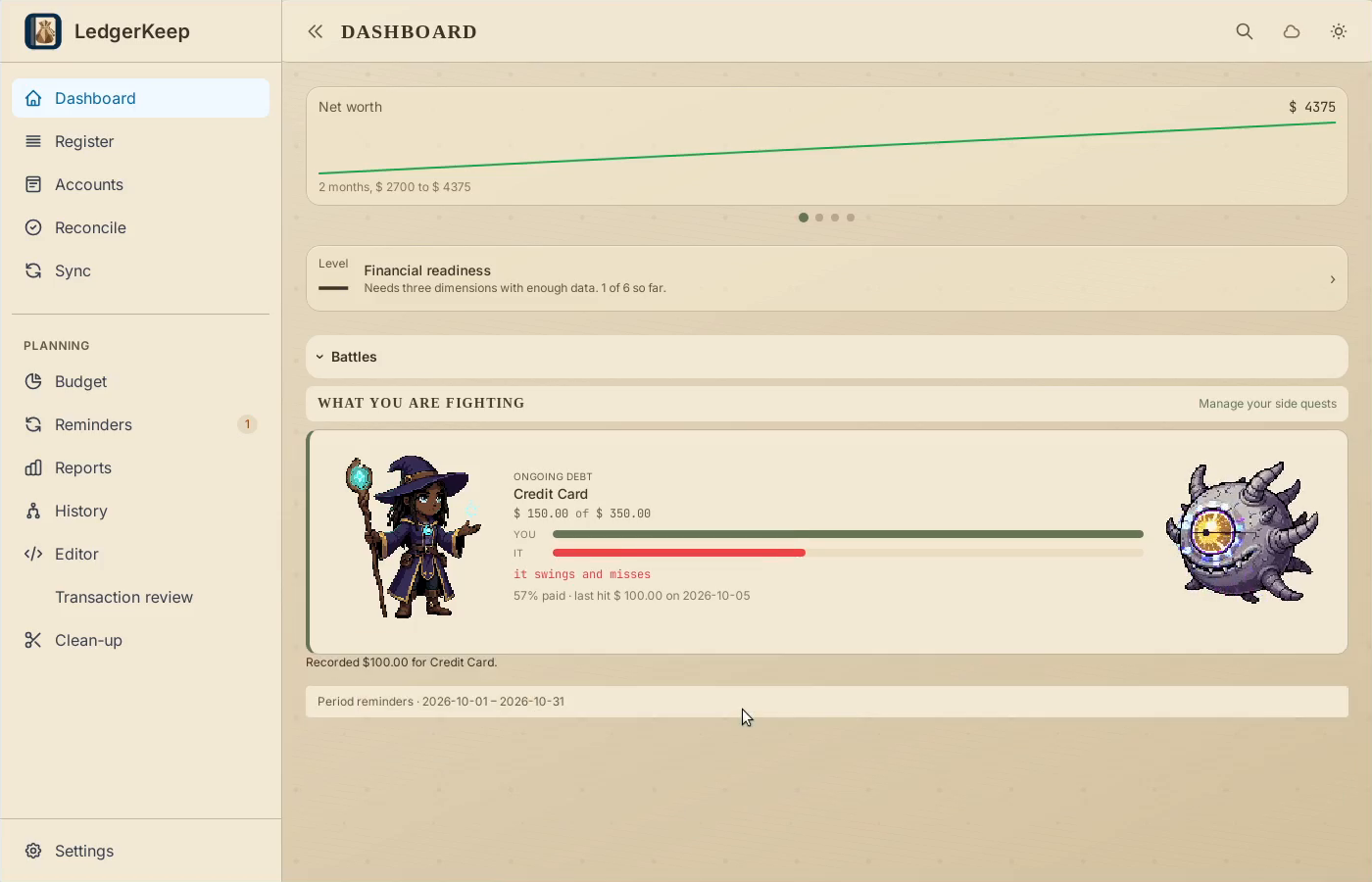
4Verify the saved payment
Open Register to check the $100 payment, then return to Dashboard.
5Check the refreshed balance
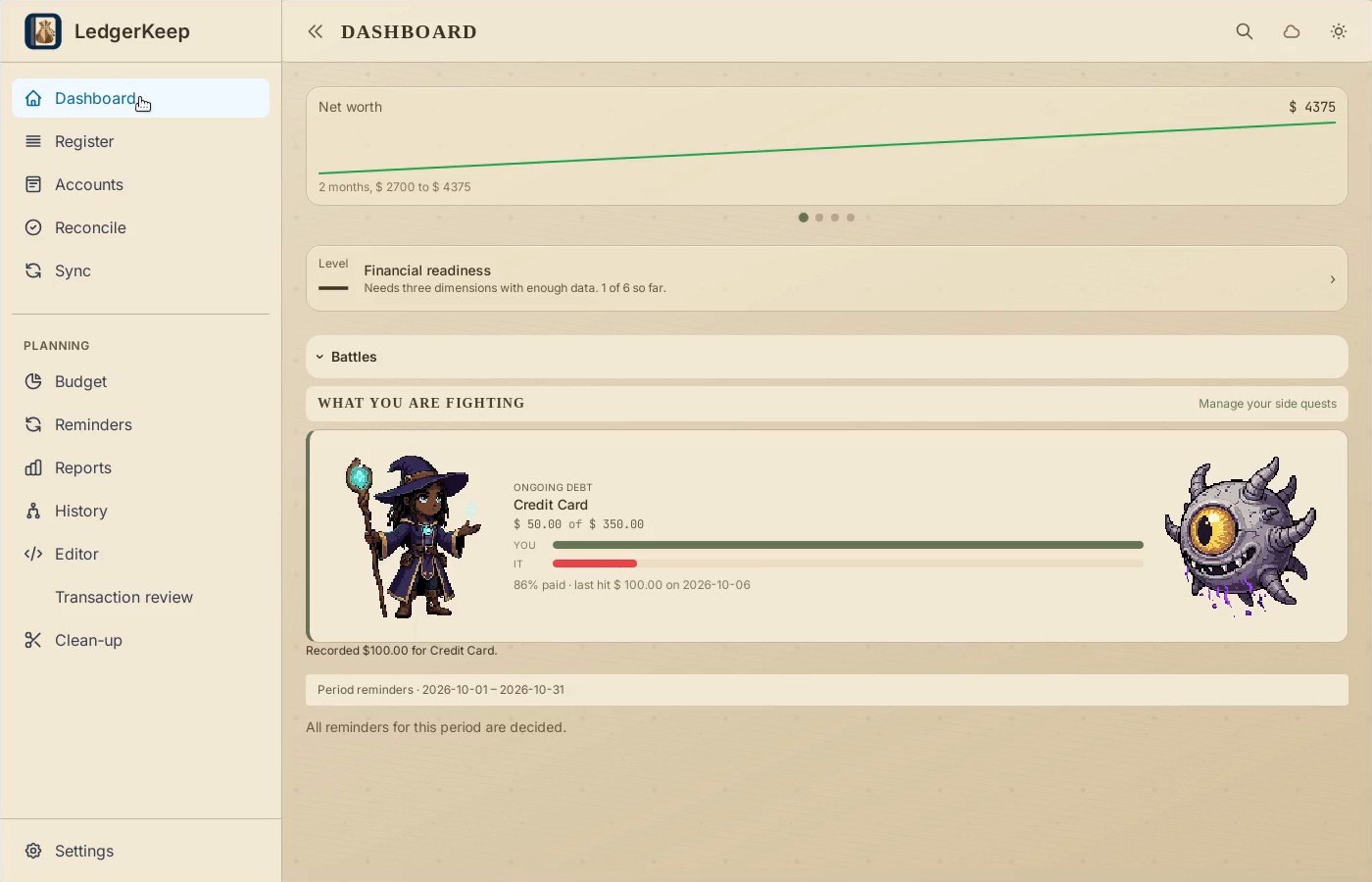
The debt falls from $150 to $50. This occurrence is complete.
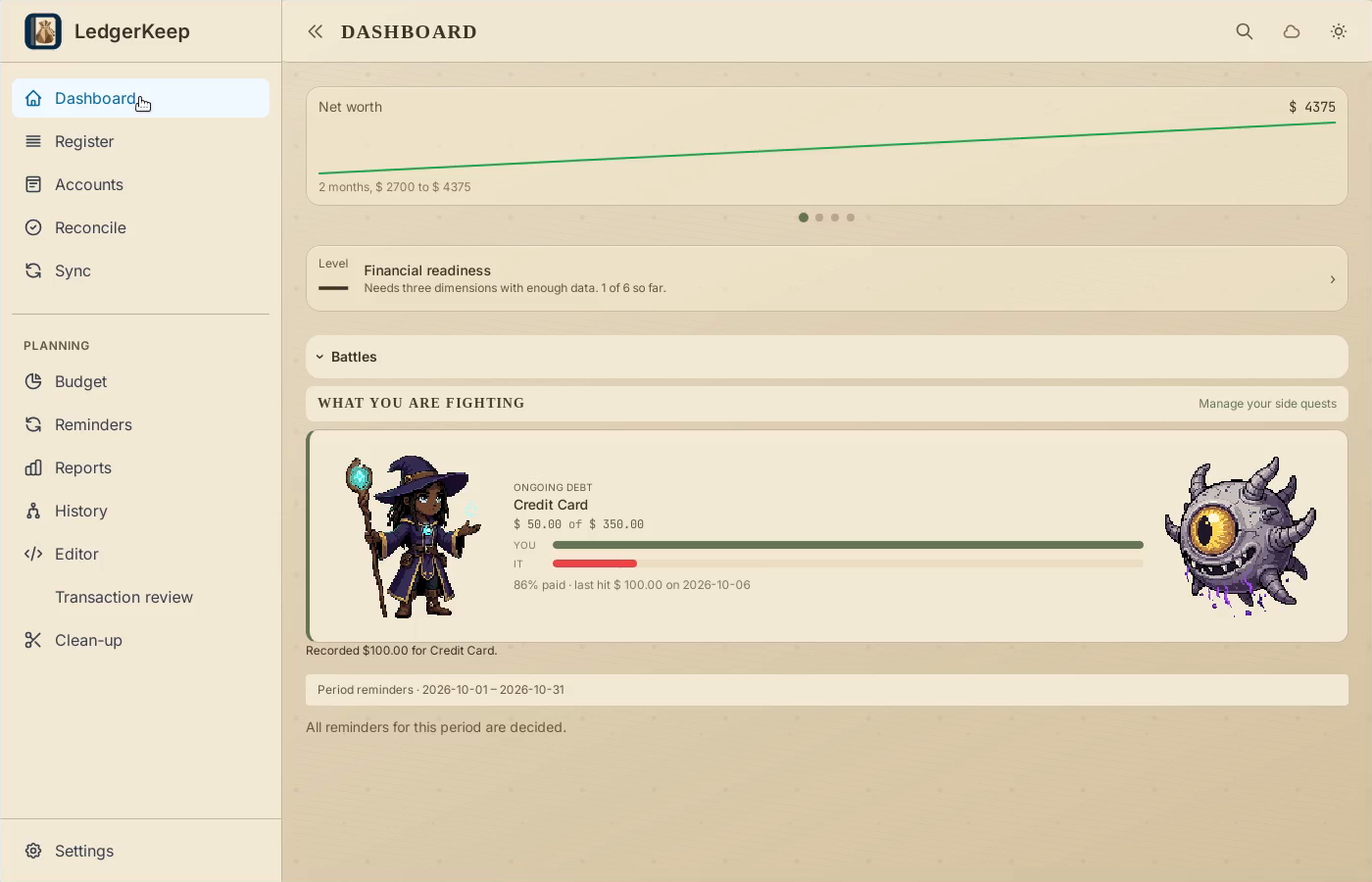
Result: The sample debt falls from $150 to $50 after the Dashboard refreshes, and the reminder occurrence is completed.