
Linux · 0:25 video
Read financial reports
Read the balance sheet, income and expenses, spending categories, and cash flow for one sample ledger.
Download fictional practice books · View the example statement
Download videoDownload captions
Report values come from the entries in the open books. Check your date range when comparing reports.
1Balance Sheet
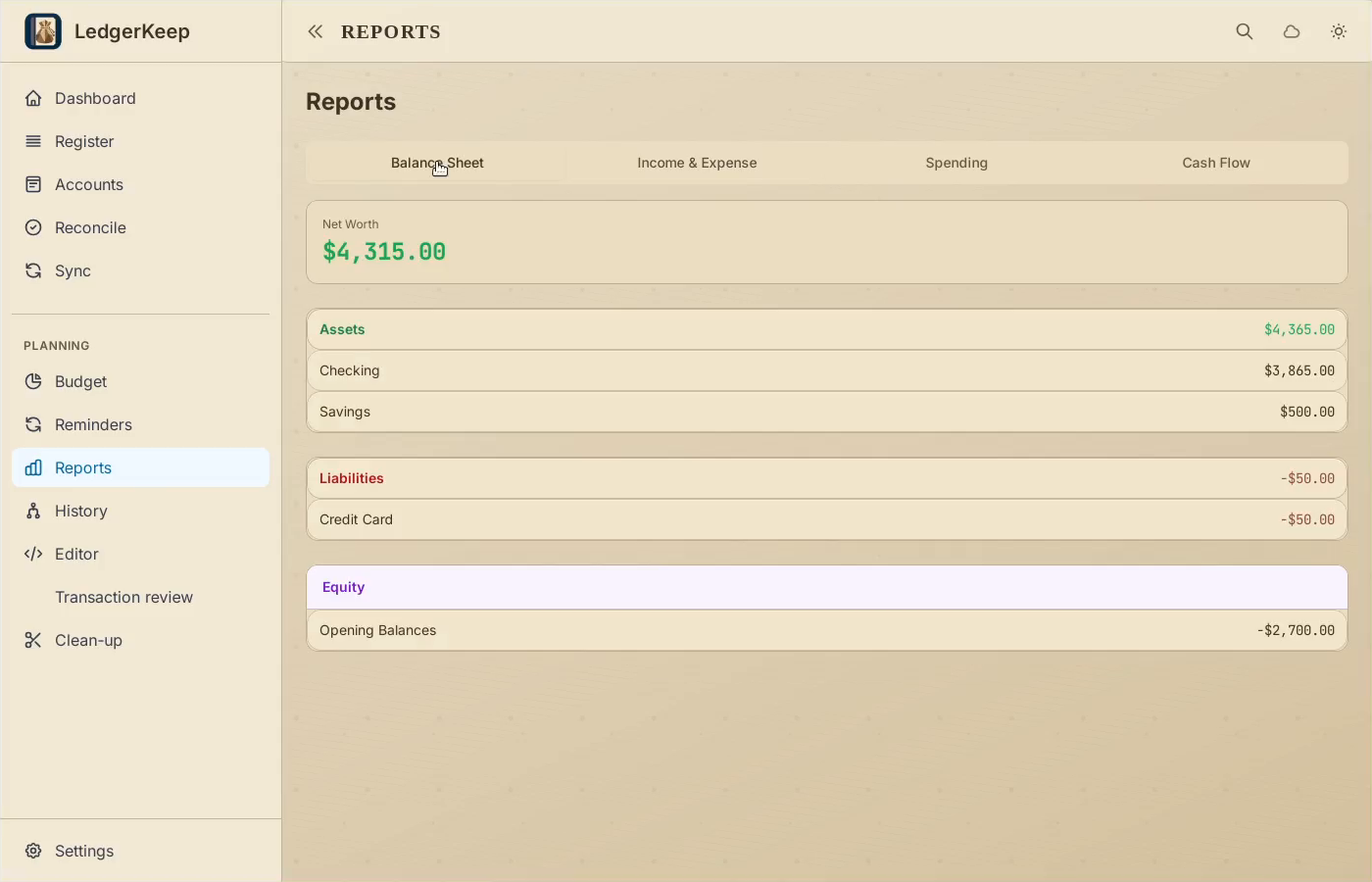
Open Reports. Balance Sheet summarizes assets, debts, and net worth.
2Income and expenses
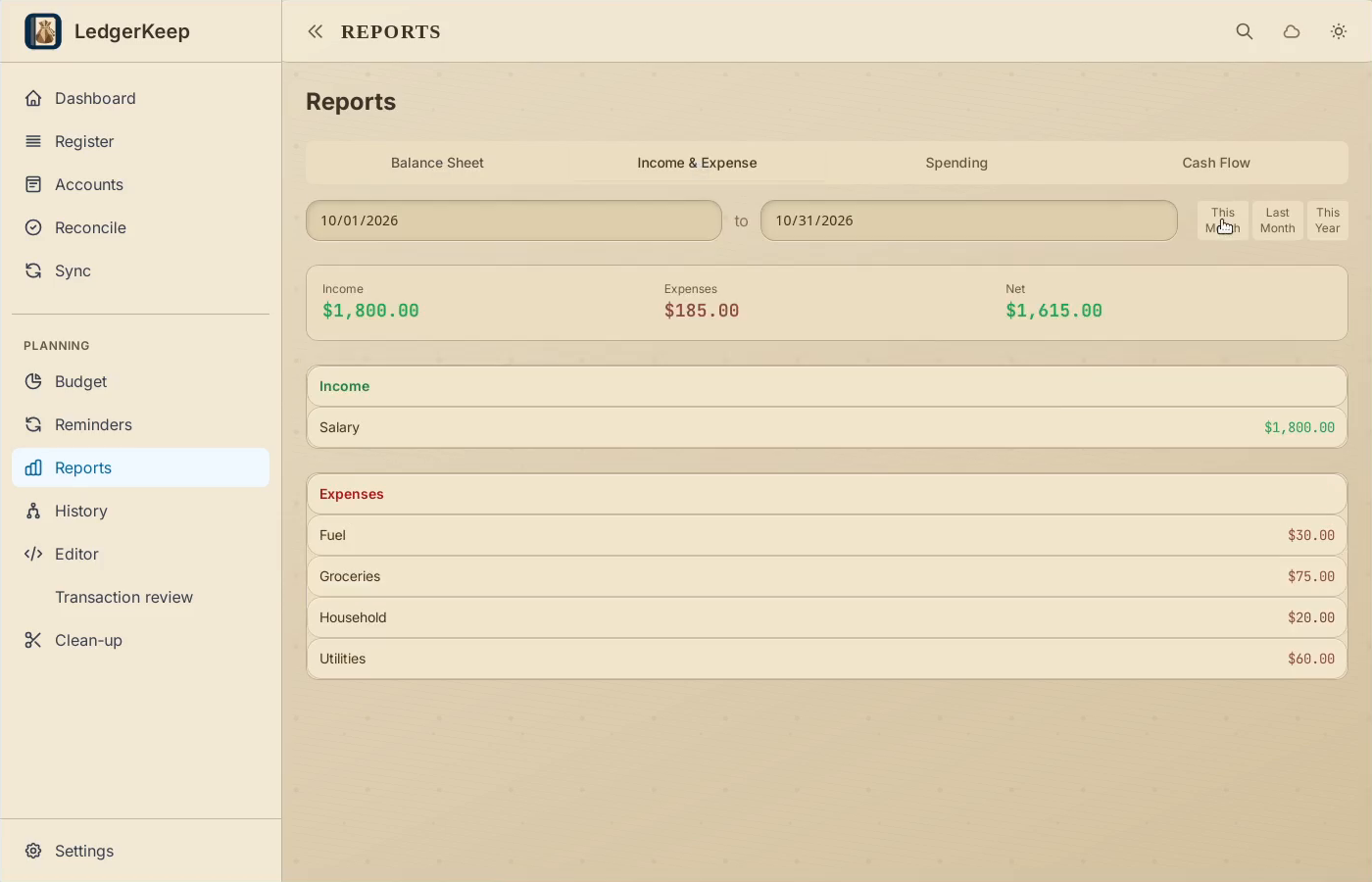
Choose Income & Expense, then This Month to limit the dates.
3Spending breakdown
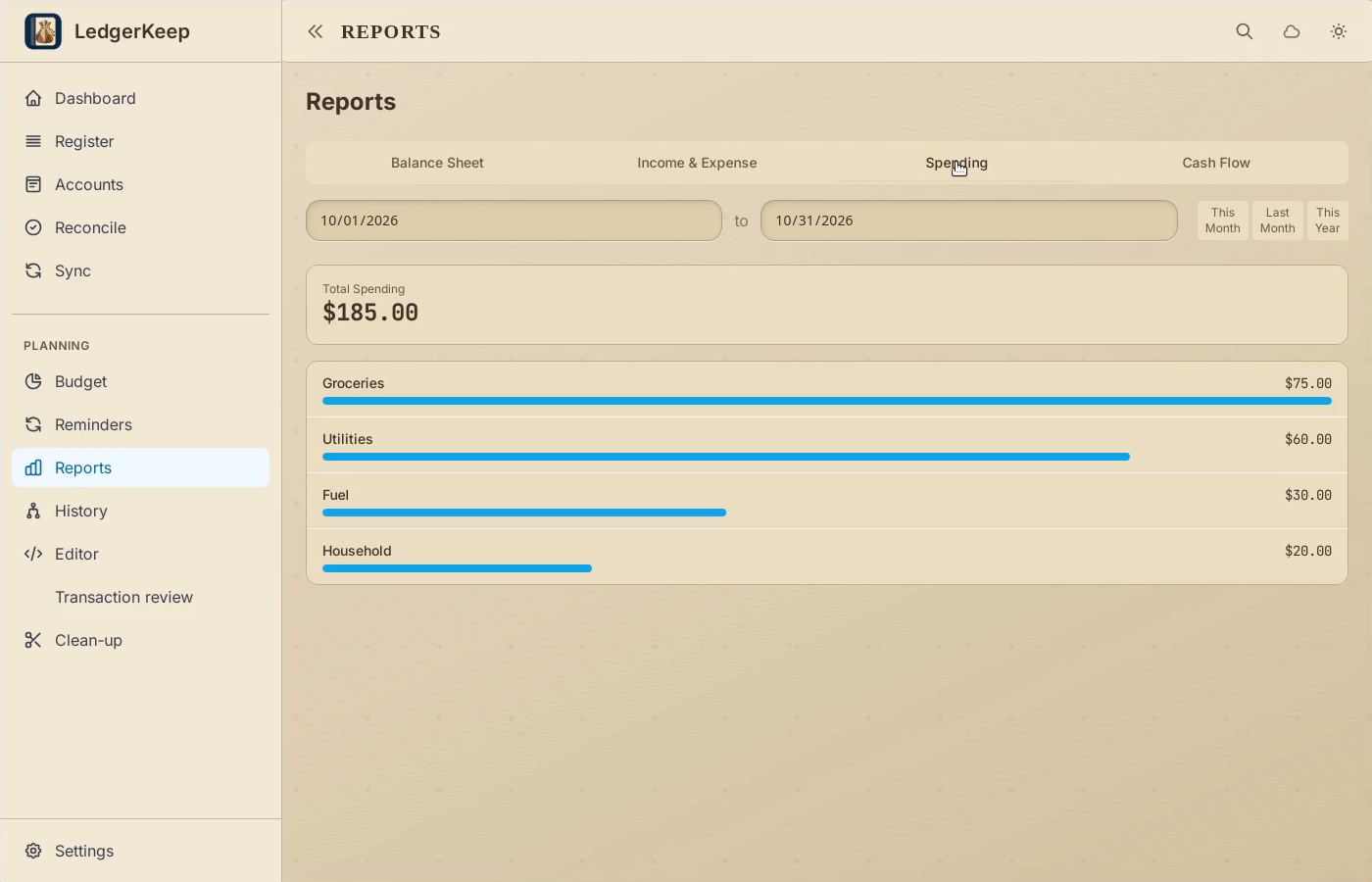
Choose Spending to compare expense categories.
4Cash flow
Choose Cash Flow to see how money moves between your accounts.
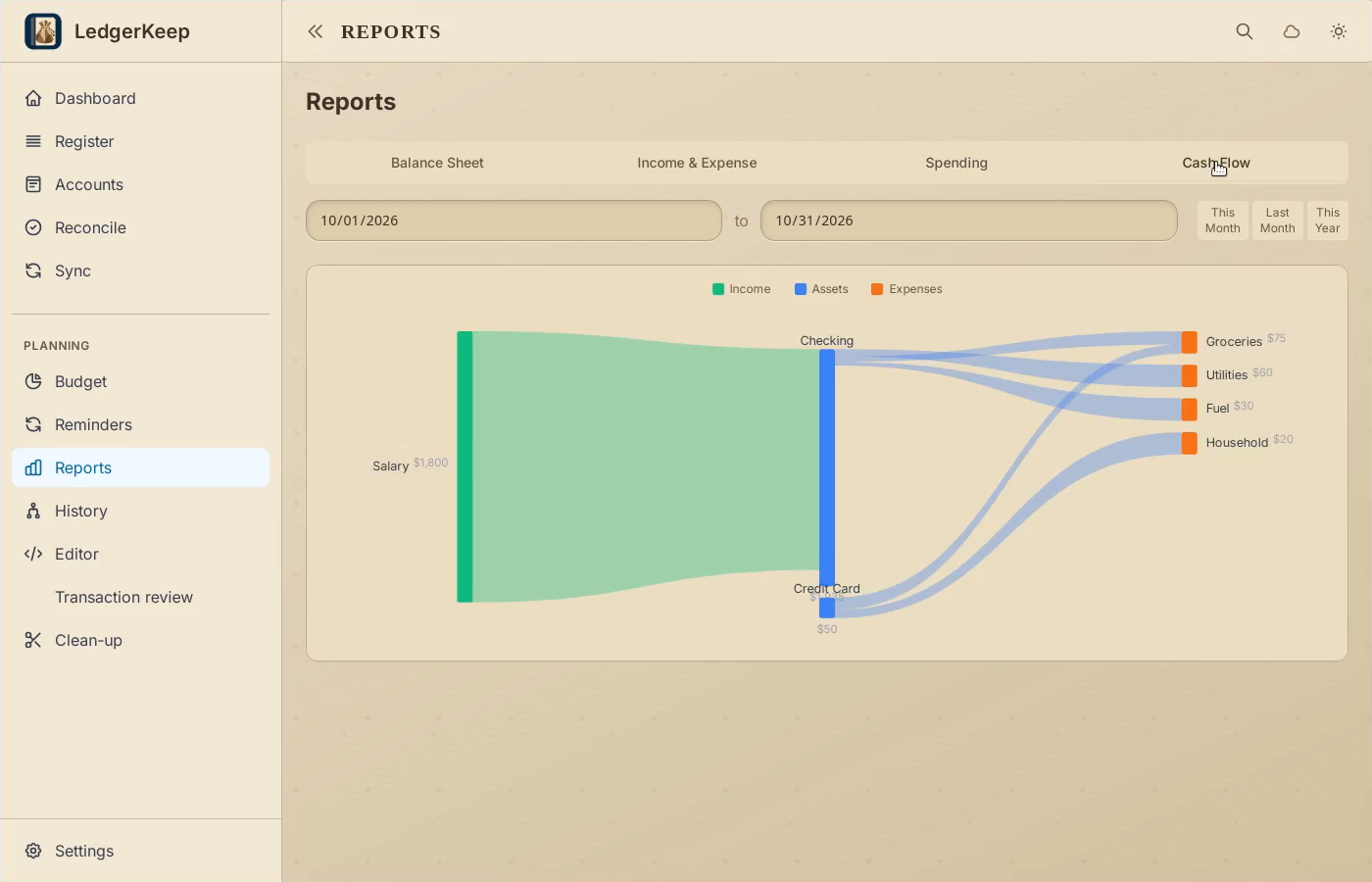
Result: You can compare the four report views and limit period-based reports to the selected dates.