
Linux · 0:35 video
Reconcile a statement
Match six Checking payments to a fictional October 4 statement with a $4,065 closing balance.
Download fictional practice books · View the example statement
Before you start: Open the statement-practice example books and the downloadable fictional statement.
Download videoDownload captions
Leave the October 5 and 6 payments unchecked: they are outside this statement. Investigate a difference before finishing; accepting the bank balance is a separate action.
1Enter the statement details
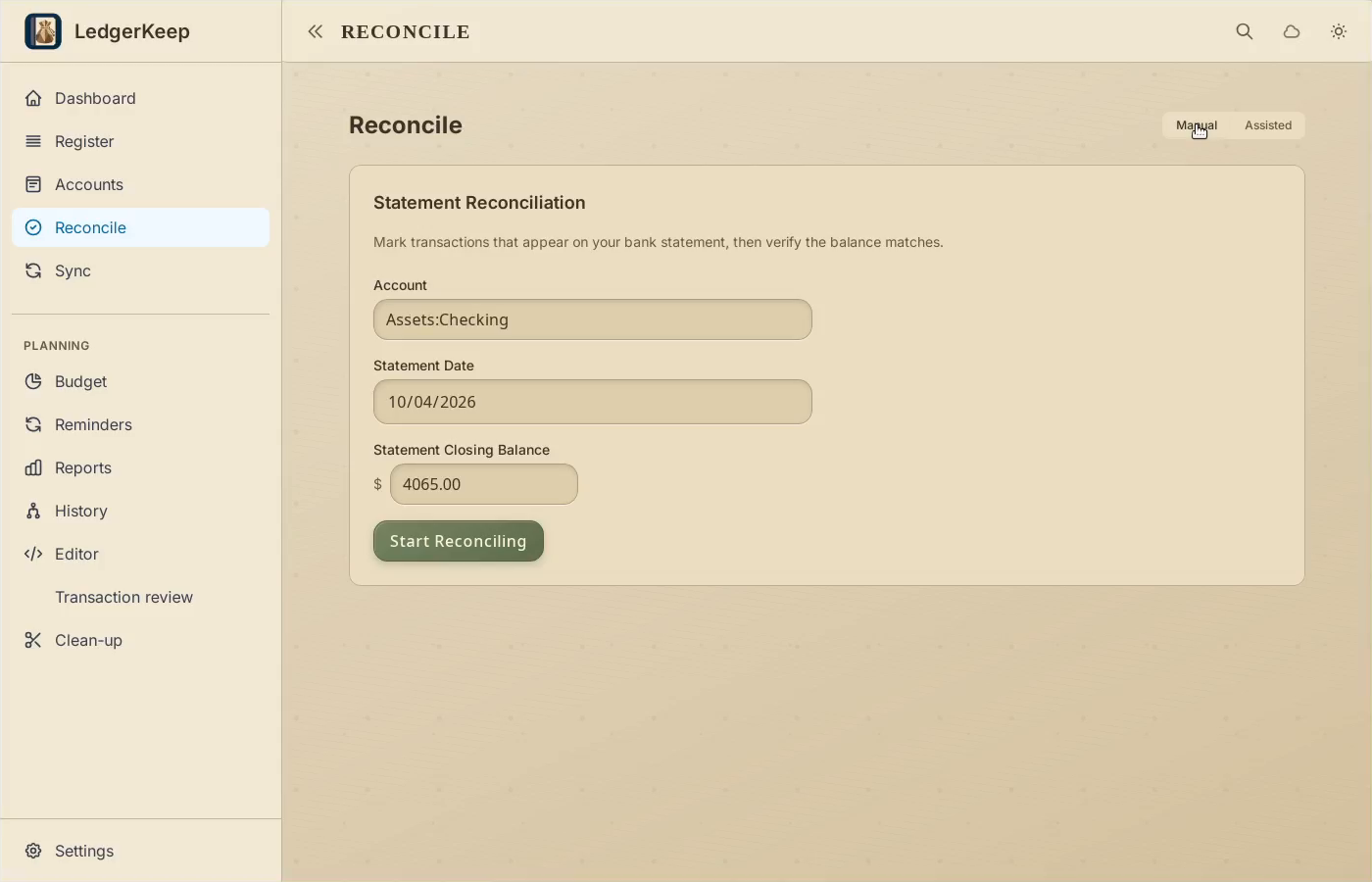
Open Reconcile > Manual. Choose Checking, October 4, and a $4,065 closing balance.
2Start reconciling
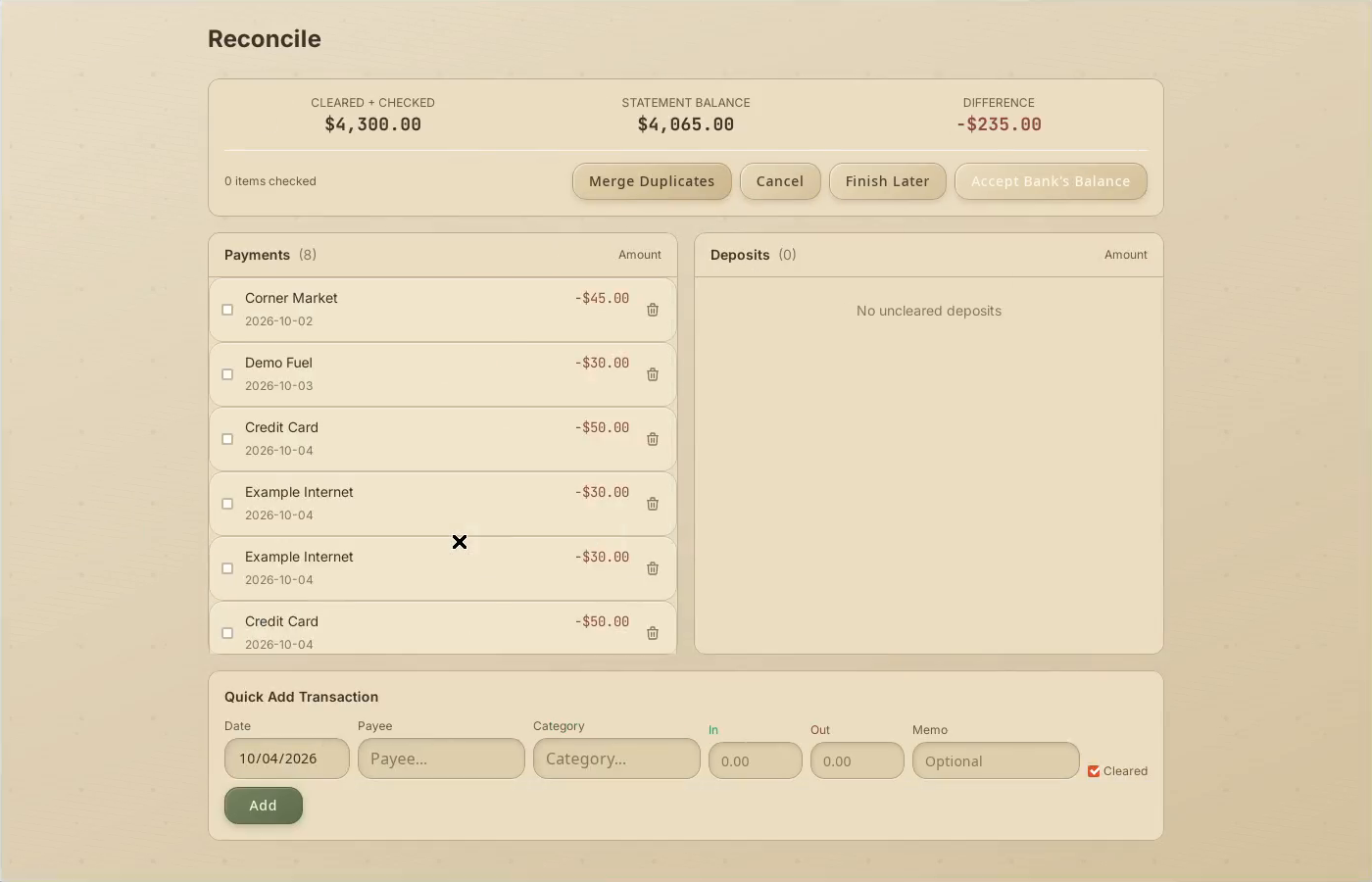
Click Start Reconciling. Compare the pending entries with your statement.
3Check matching entries
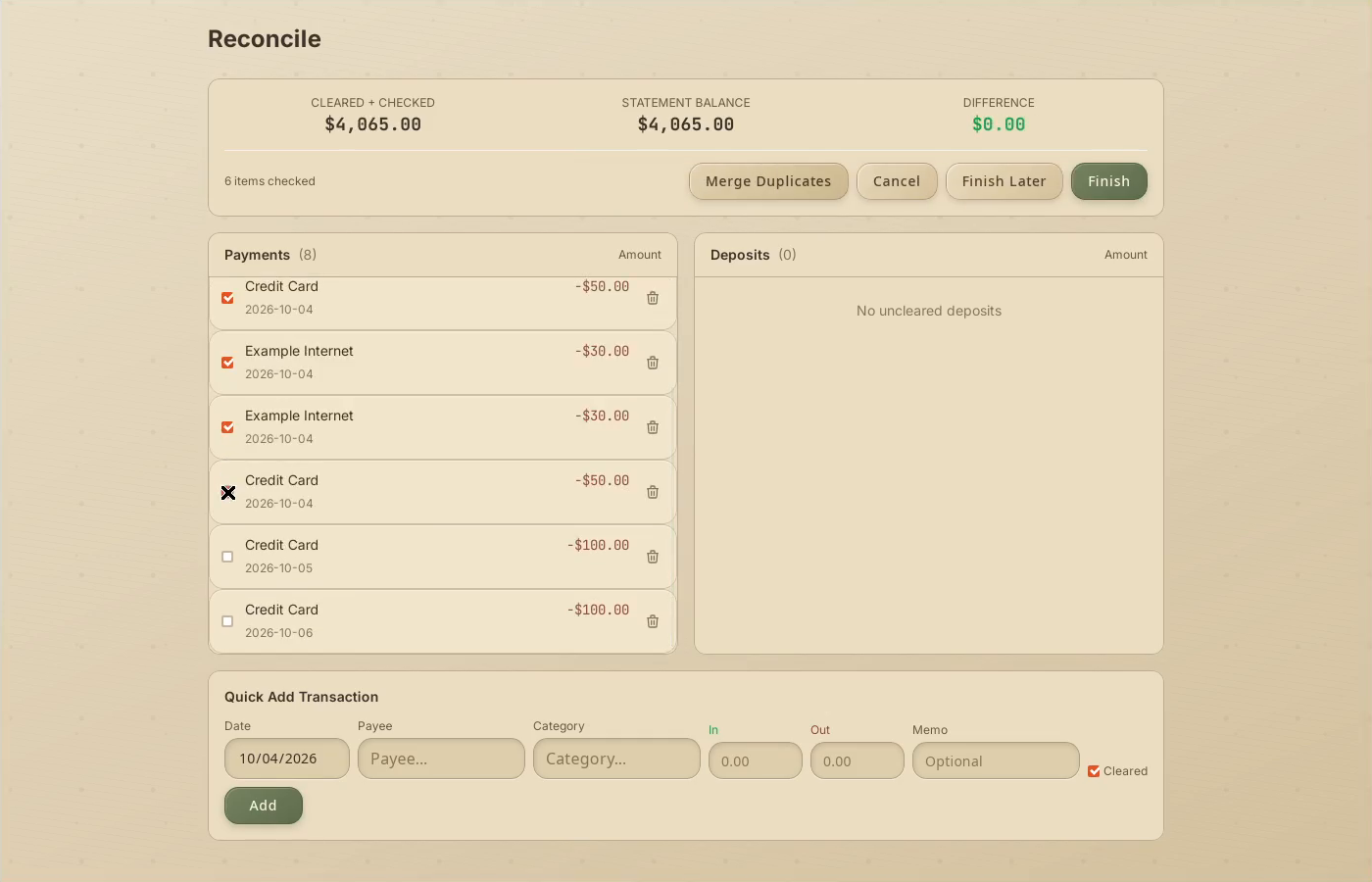
Check the six payments through October 4. Leave later payments unchecked.
4Confirm zero difference
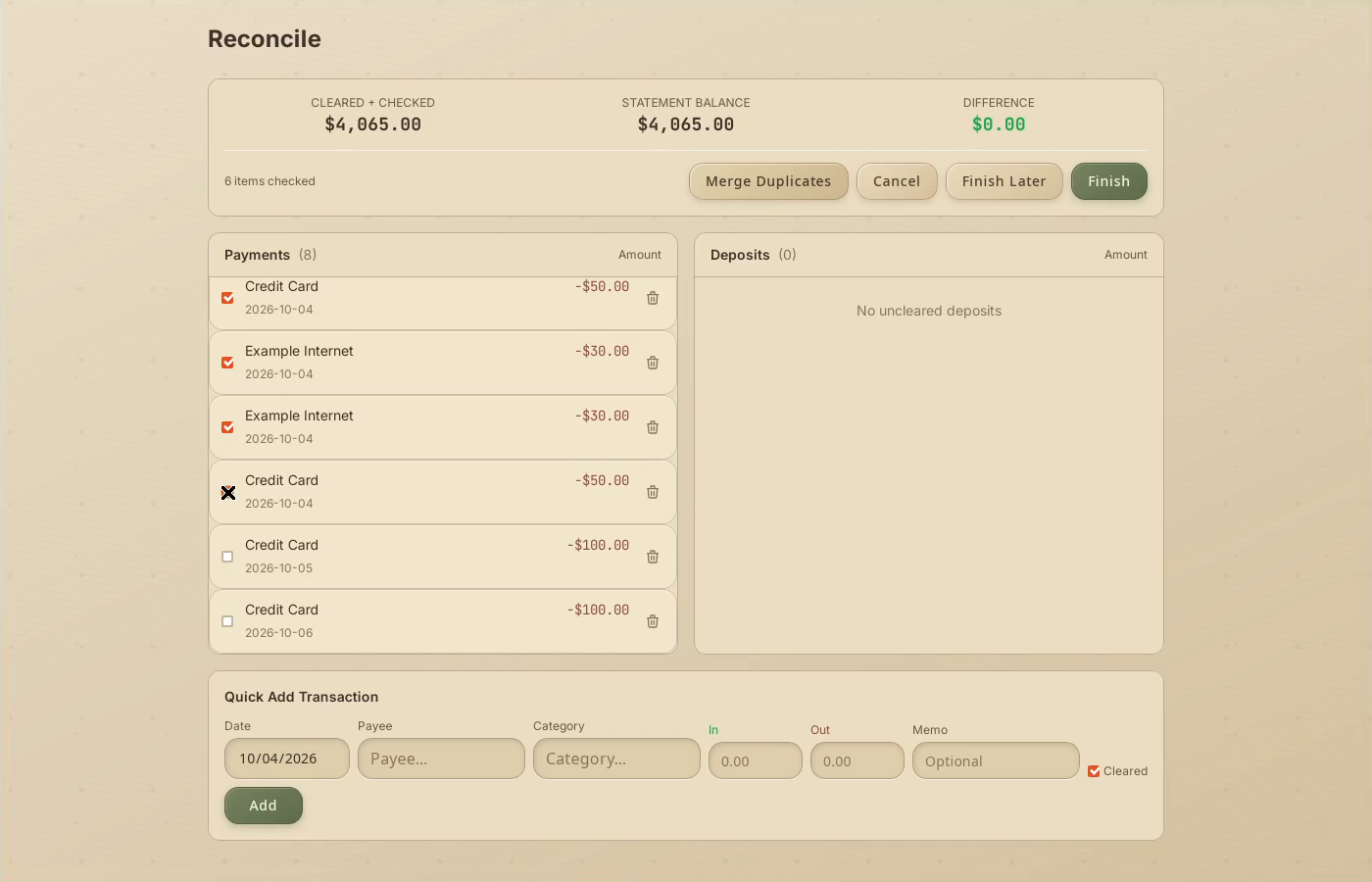
The difference is $0.00. Finish only after the statement entries and balance match.
5Finish and review
Click Finish. Register shows the reconciled entries as cleared.
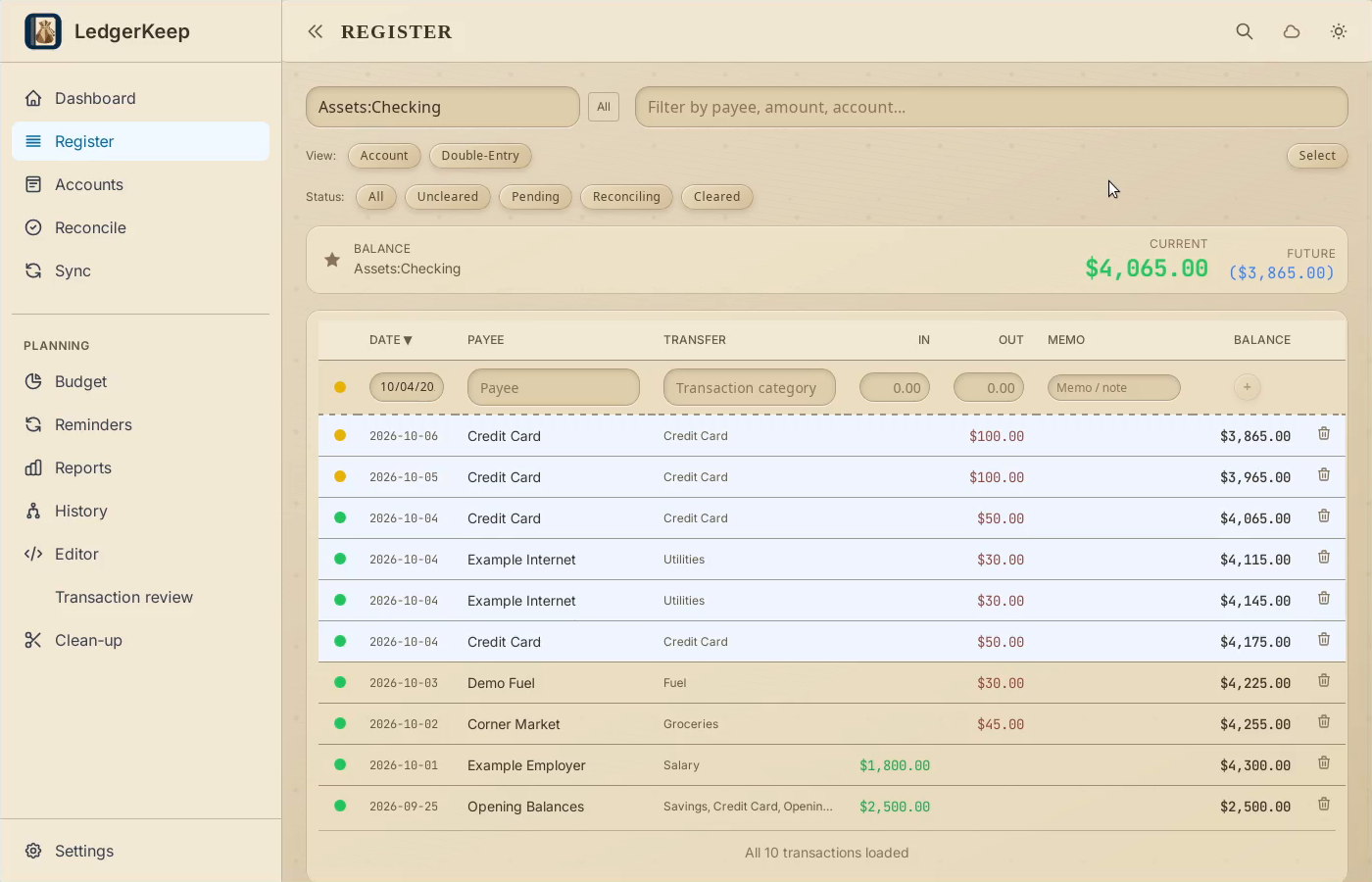
Result: The difference reaches $0.00, and Finish marks the six matching payments as cleared.