
Android · 0:24 video

Record money coming in

Record a $500 example paycheck deposited into Checking.

Download fictional practice books · View the example statement

Download videoDownload captions

1Choose Income

Tap Income. Enter 5, 0, 0, 0, 0 for $500.00.
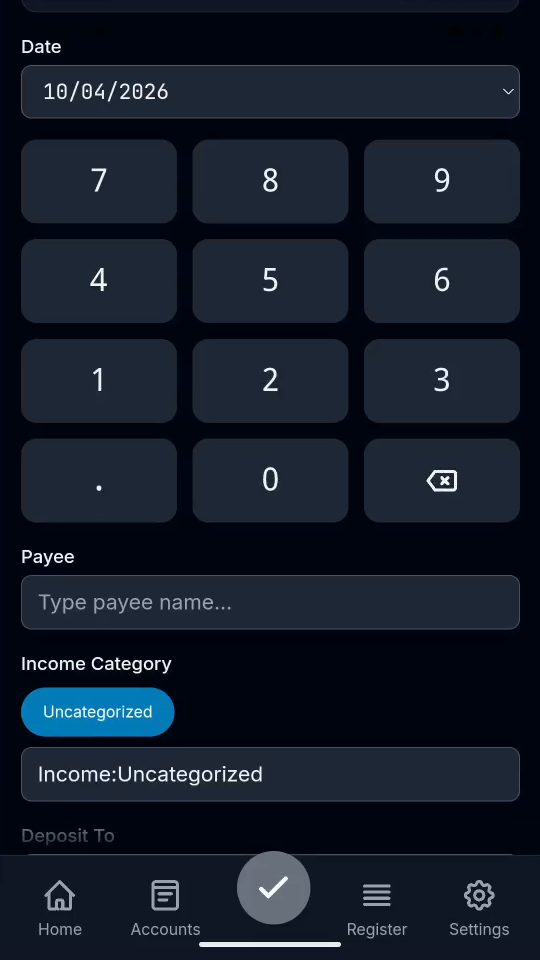
1 · Choose Income. Tap Income. Enter 5, 0, 0, 0, 0 for $500.00.Record money coming in — step 1
Select the image to enlarge it.

2Set payee and category

Enter Example Paycheck. Choose an income category.
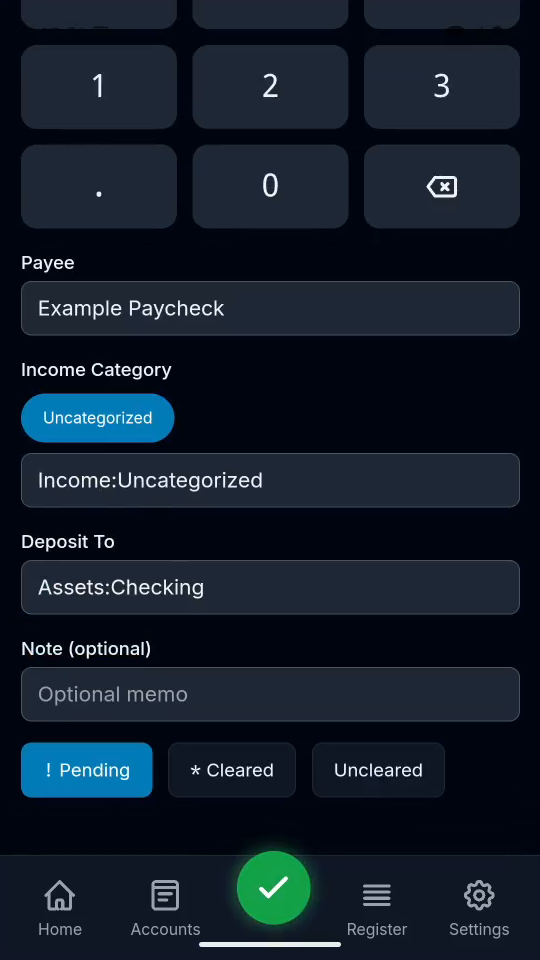
2 · Set payee and category. Enter Example Paycheck. Choose an income category.Record money coming in — step 22
Income category. Select the image to enlarge it.

3Choose the deposit account

Deposit to Assets:Checking, then tap the checkmark.

3 · Choose the deposit account. Deposit to Assets:Checking, then tap the checkmark.Record money coming in — step 3
Select the image to enlarge it.

4Verify in Register

Open Register and check the saved income.
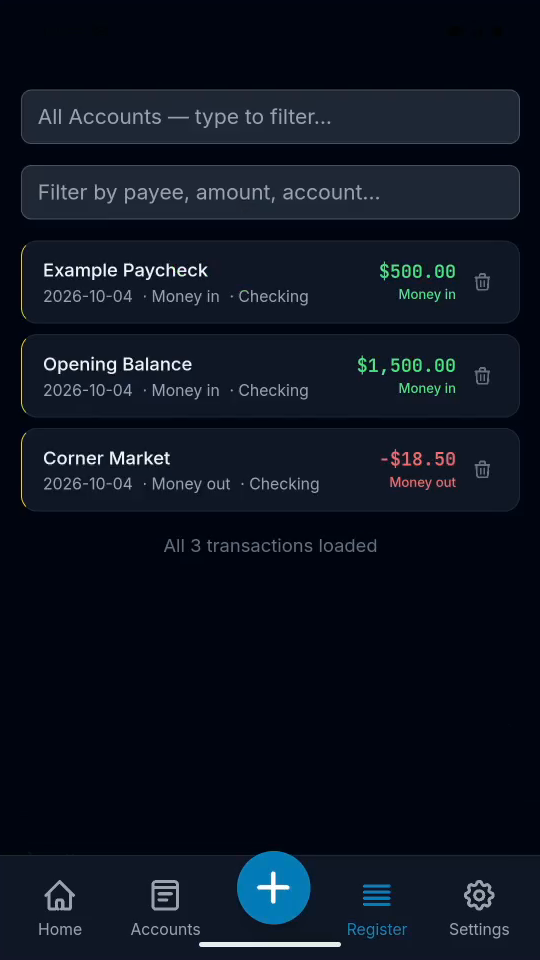
4 · Verify in Register. Open Register and check the saved income.Record money coming in — step 44
Saved transaction in Register. Select the image to enlarge it.

Result: The income appears in Register.