
Linux · 0:31 video
Sync an existing Git repository
Connect these books to an existing Git repository and sync a saved change.
Download fictional practice books · View the example statement
Before you start: An existing repository containing a copy of these books. A cloud host additionally requires its clone URL and suitable account credentials.
Download videoDownload captions
Cloud authentication, first-time initialization of an empty repository, and conflict resolution are not demonstrated in this clip. Save your edits before syncing. Keep unrelated CSV or other untracked files outside the ledger repository.
1Open Git sync
Open Sync. Find Cloud Sync (Git). Start with an existing repository for these books.
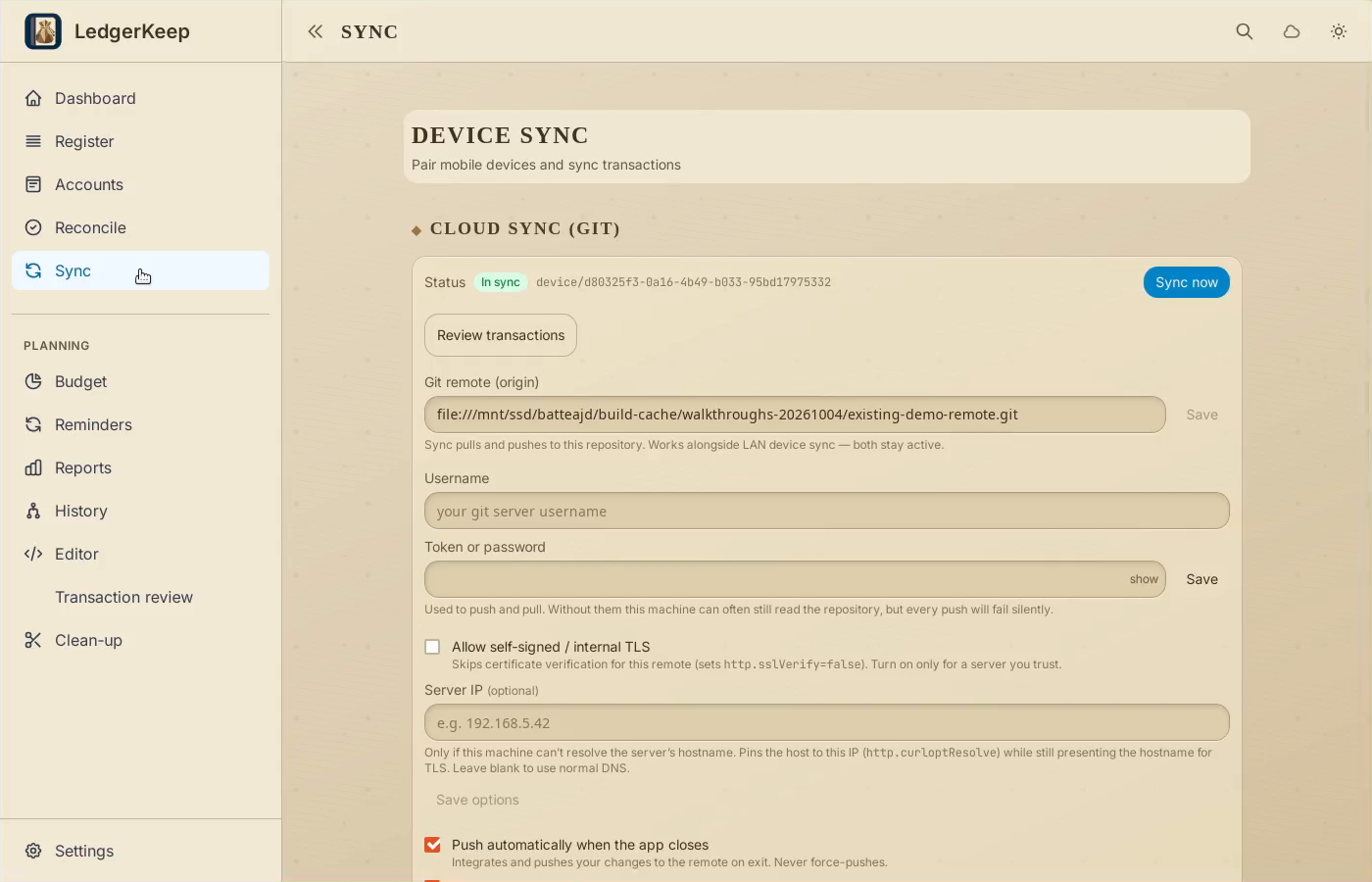
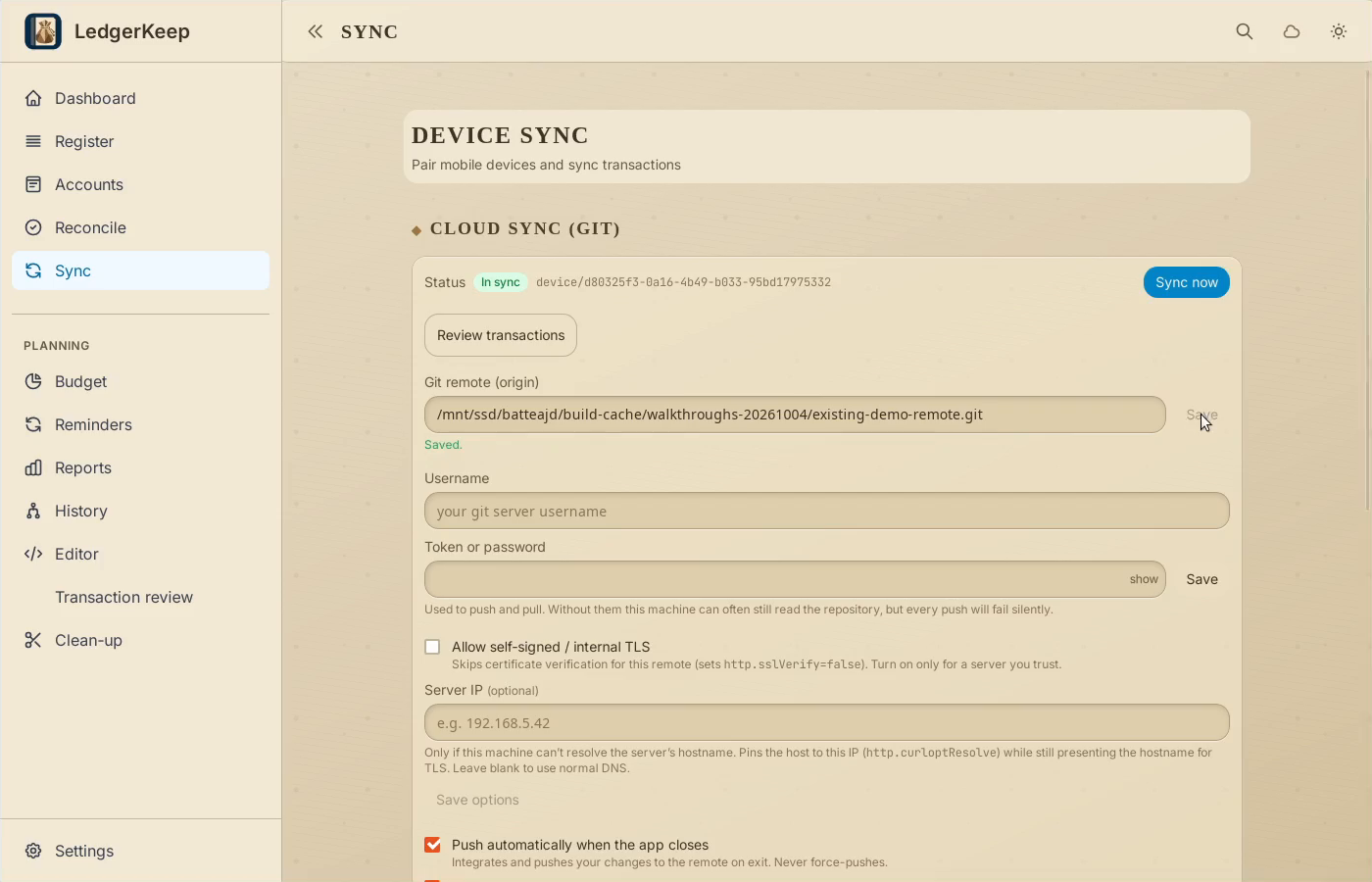
2Set the repository URL
Enter the repository URL and click Save. This example uses a local test copy.
3Check authentication
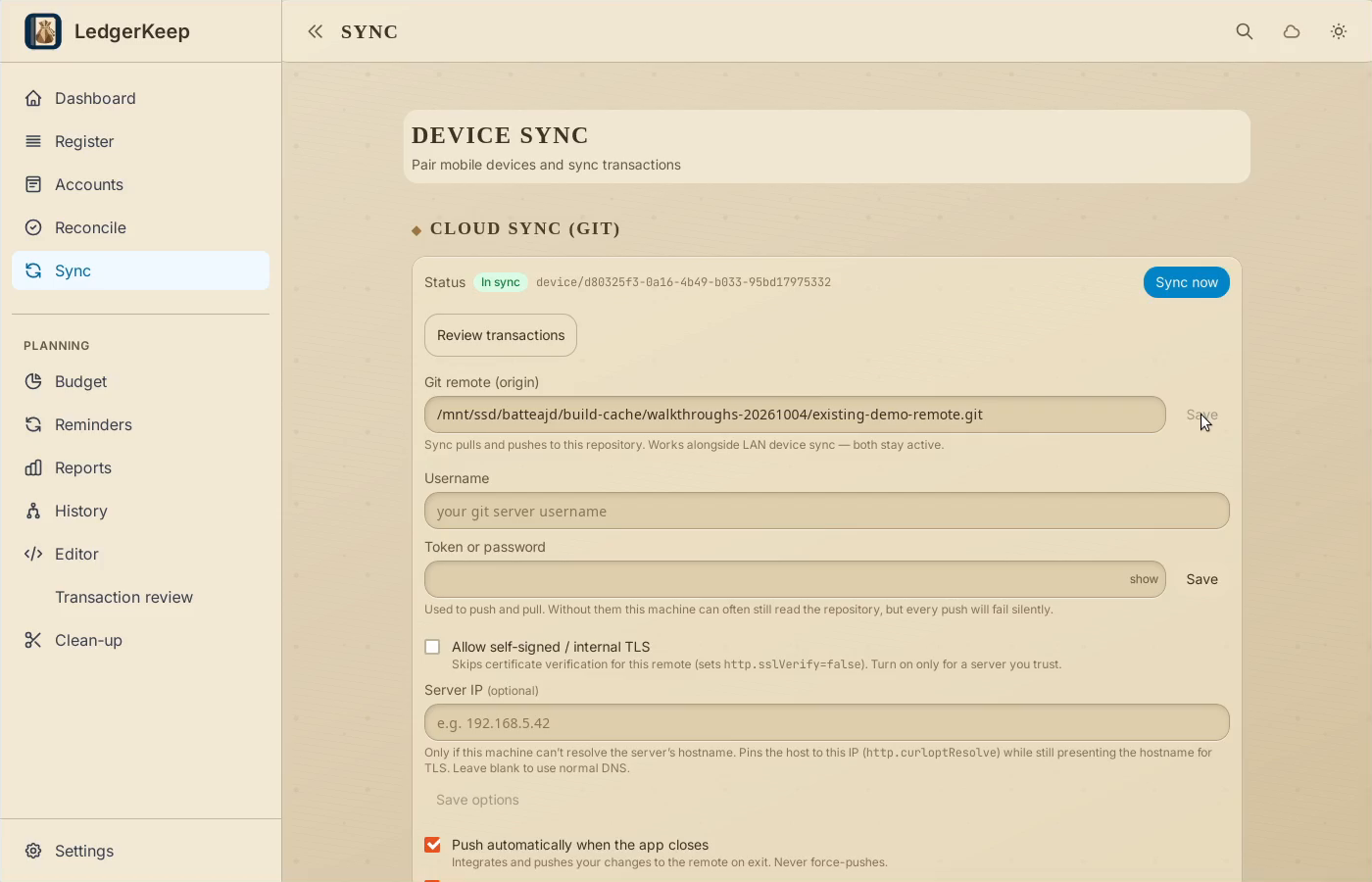
A cloud host may need a username and token. The local test repository needs neither.
4Sync the change
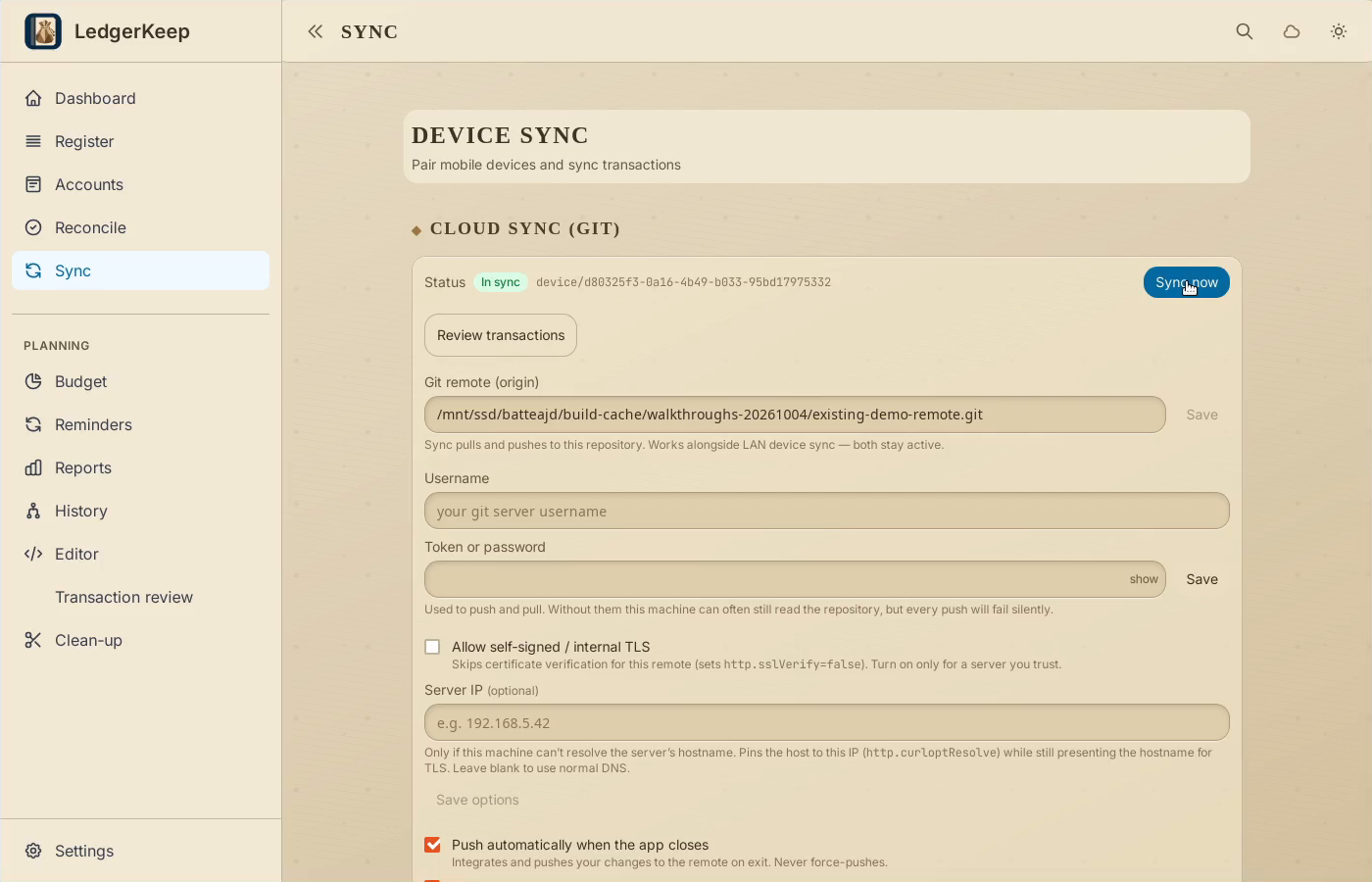
Click Sync now. Wait while LedgerKeep integrates and pushes the saved change.
5Verify the result
In sync confirms completion. Review the automatic pull and push options for this device.
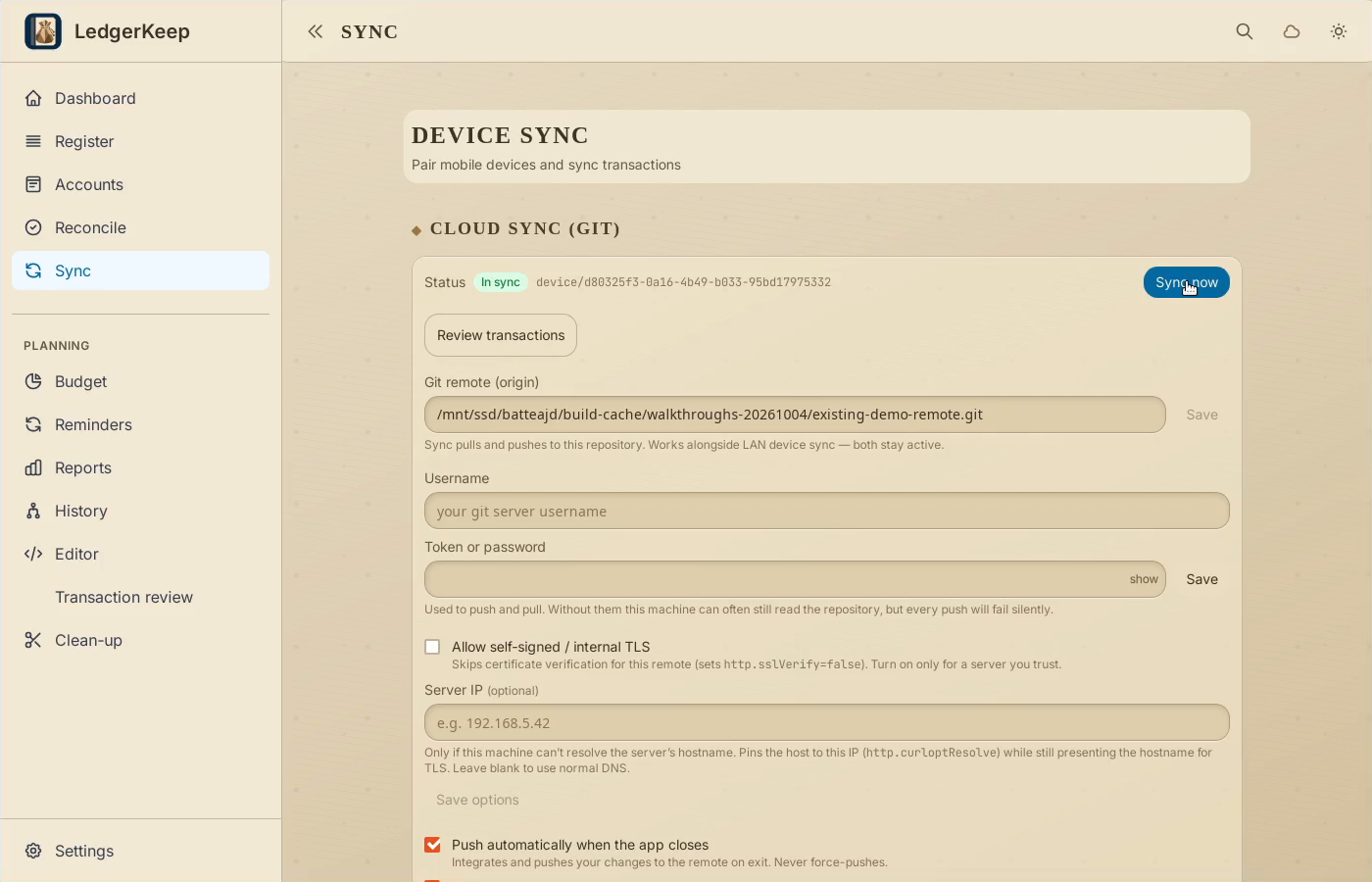
Result: The app reports In sync; the local and remote main commits were independently checked and match.