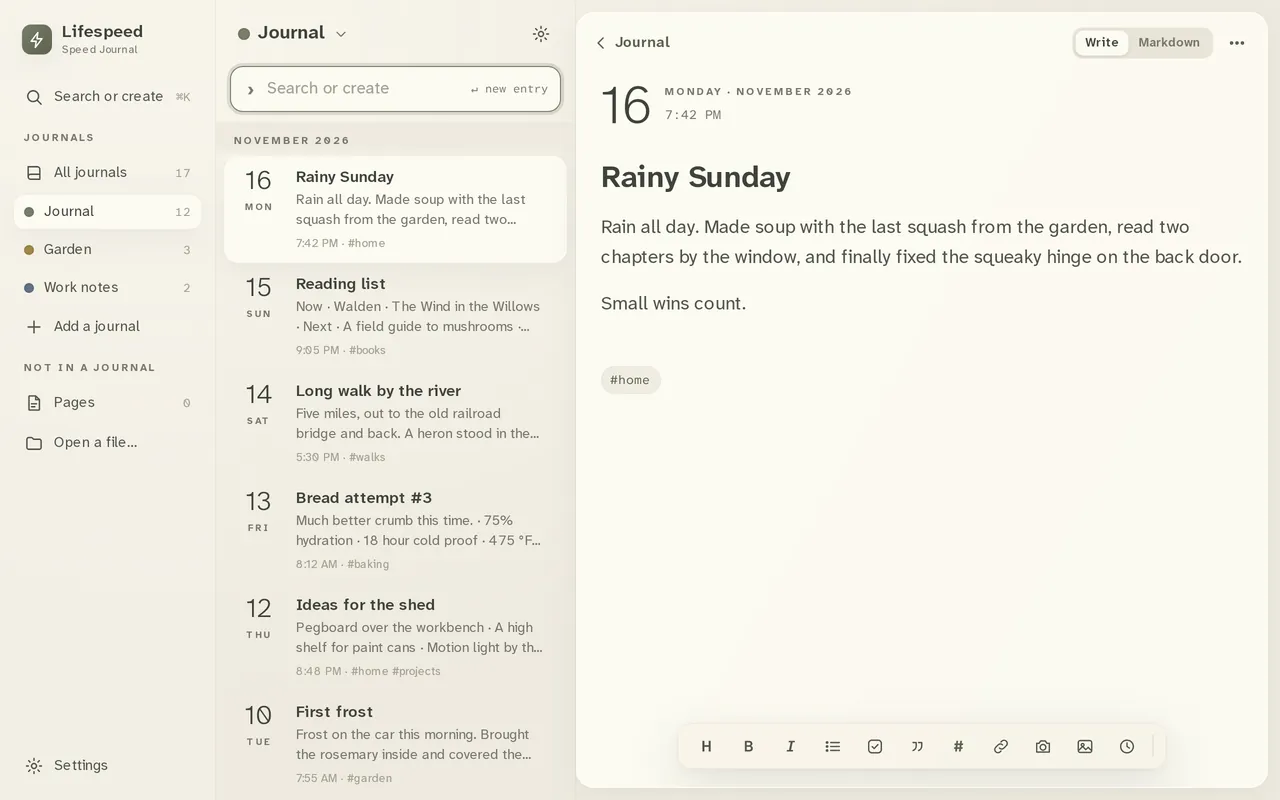
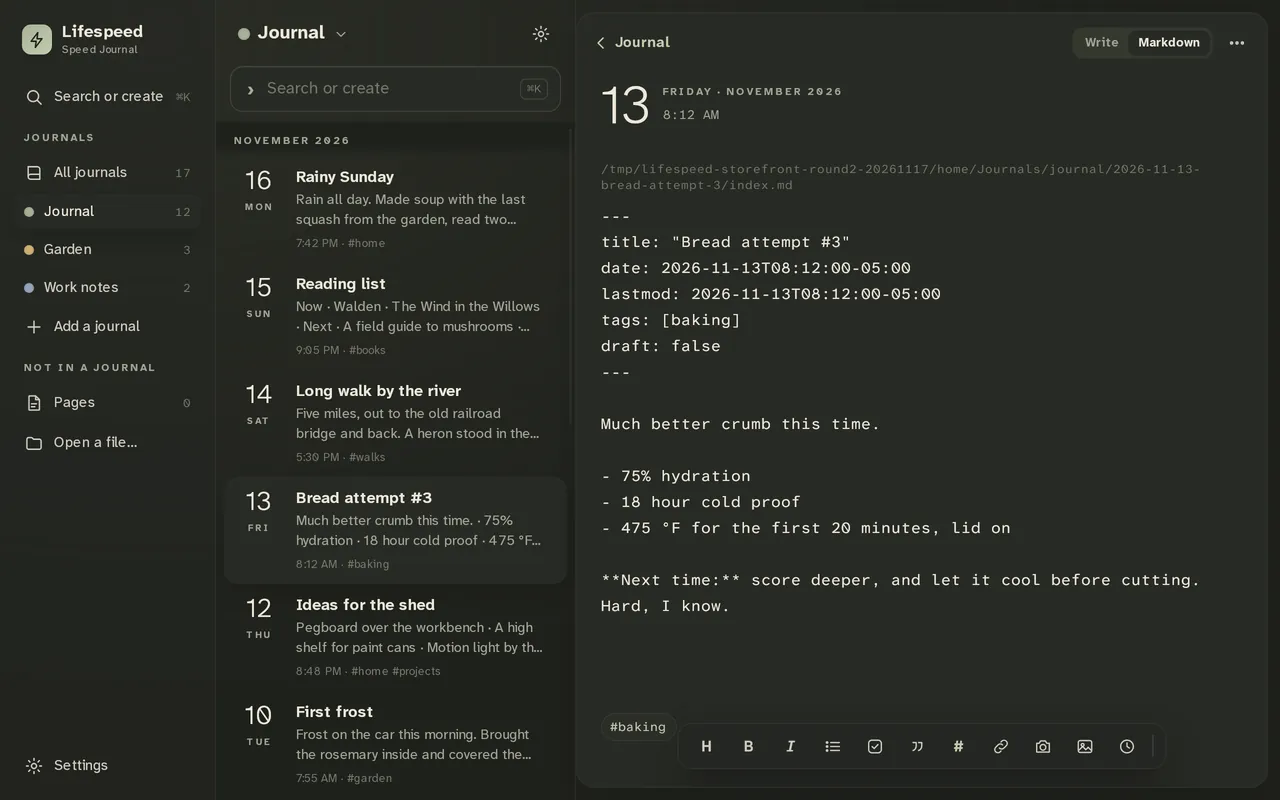
Lifespeed Journal · 30-day demo · Android · Linux · Windows, macOS and iPhone coming soon

Open your journal.
Start typing.

A new entry is ready, keyboard up, the moment it opens. A few letters find an old one.

30-day demo, then $5.99 for desktop and mobile. Pay once.
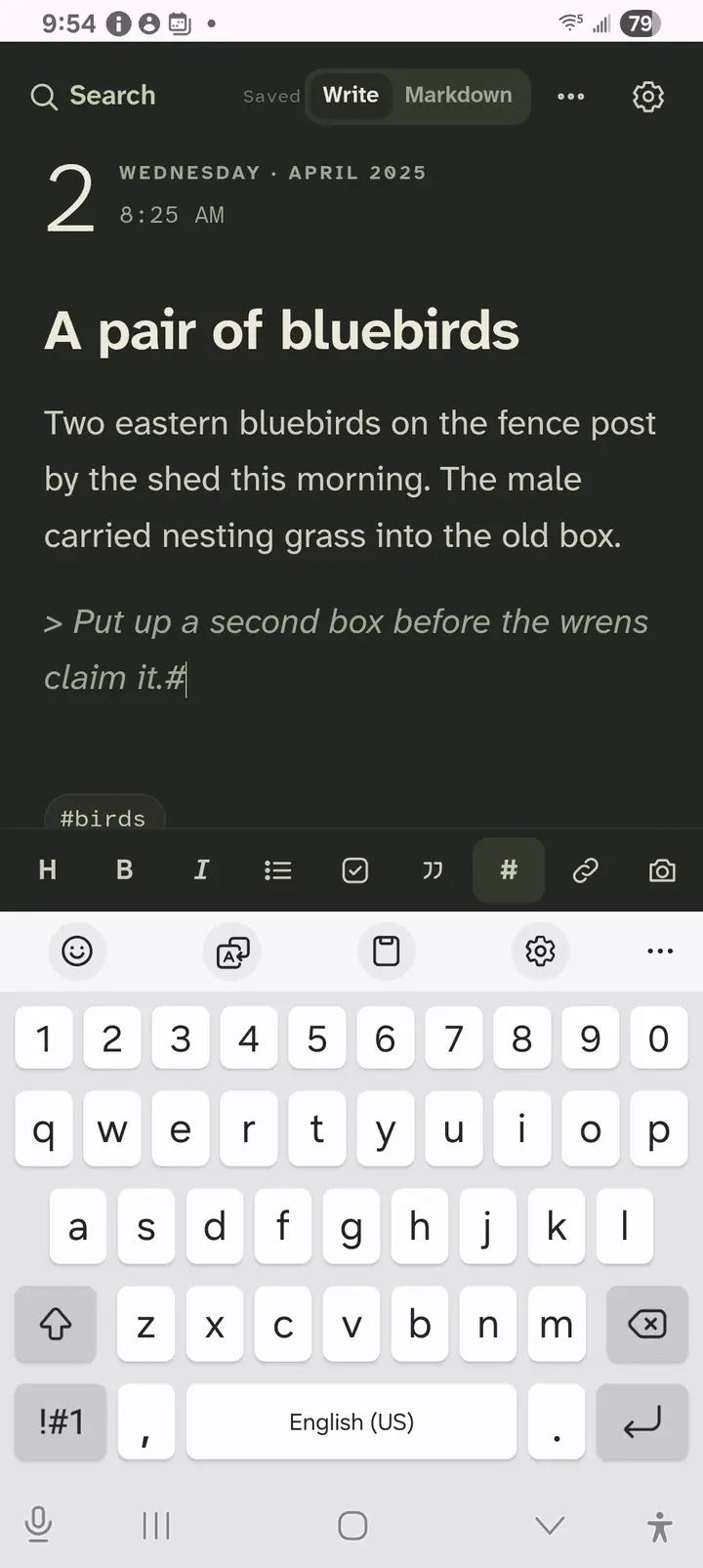
Lifespeed Journal on a Galaxy A14: the fictional entry A pair of bluebirds with the formatting bar above the keyboard
Lifespeed Journal on Android.
  • Opens to a new entry
  • Search or create in one box
  • Plain Markdown files
  • Any folder you choose
  • Several journals
  • Tags
  • Paper, Night, Sepia and E-ink
  • One license, desktop and mobile

Write

A new entry, ready when you are.

  • Open the app: today’s entry is waiting, keyboard up.
  • Type. Every letter is saved.
  • Headings, lists, checkboxes, links: one tap on the formatting bar.
A Lifespeed entry with its date, the cursor in the text and the formatting bar above the keyboard
Type. It saves from the first letter.

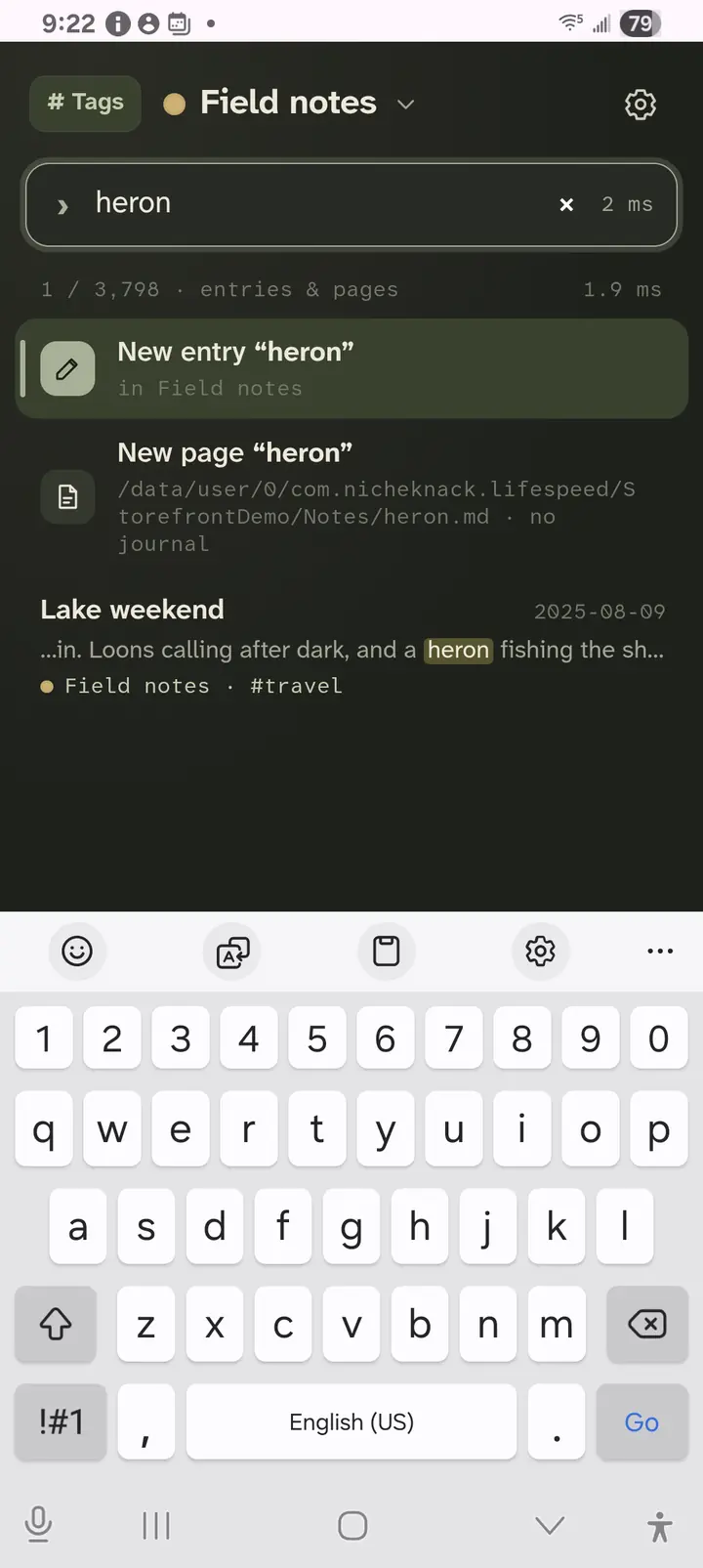
Find or create

One box for both.

  • Type a few letters: titles, text and tags all match.
  • Tap a match to keep writing in it.
  • No match? Choose New entry or New page with what you typed.
  • Enter opens the top match.
Lifespeed search for heron: New entry “heron”, New page “heron” and the matching Lake weekend entry
Type a few letters. Pick a match, or make something new.

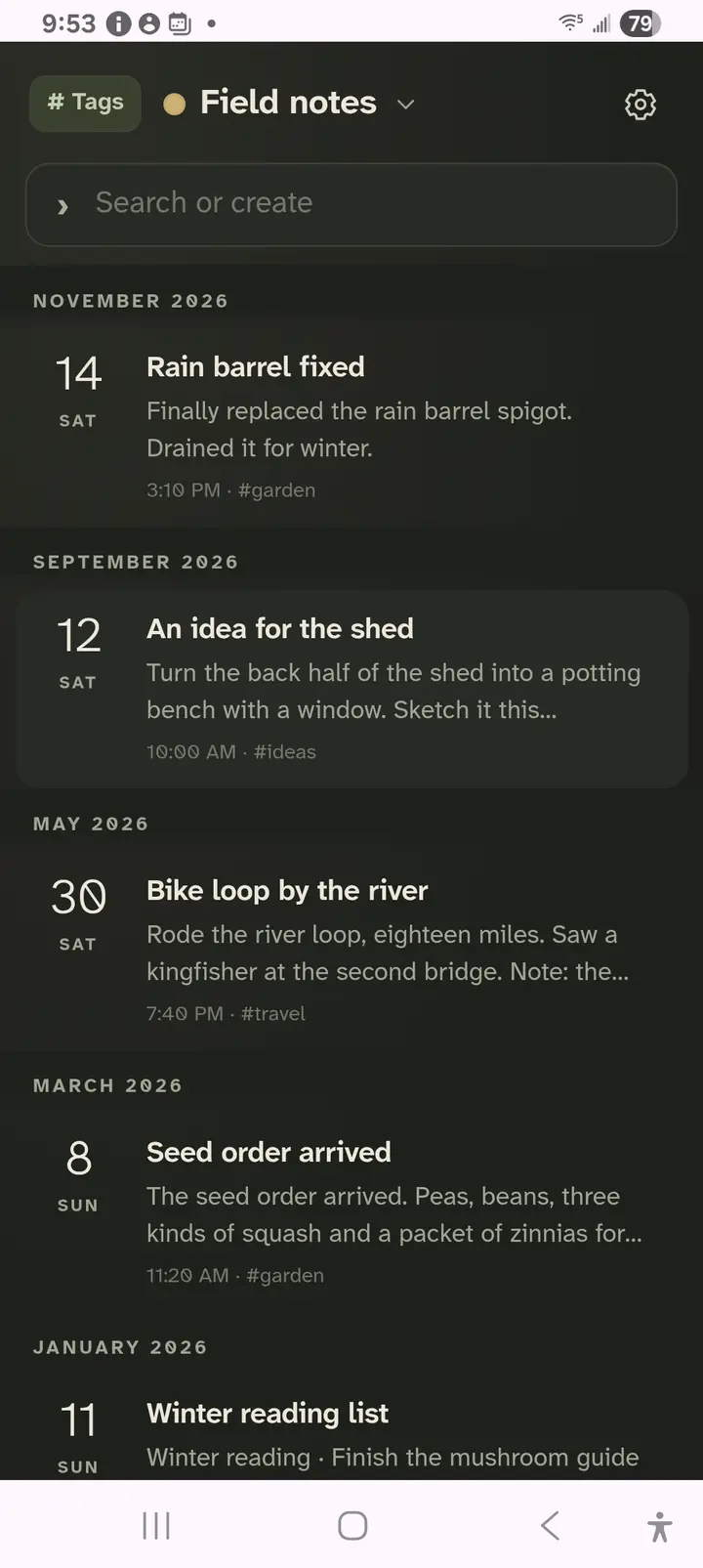
Timeline

Every entry, by day.

  • Entries by date, newest first.
  • One journal, or every journal together.
  • Tap an entry to open it.
Lifespeed timeline of the fictional Field notes journal: dated entries with their first lines and tags
Scroll back through a journal, or all of them.

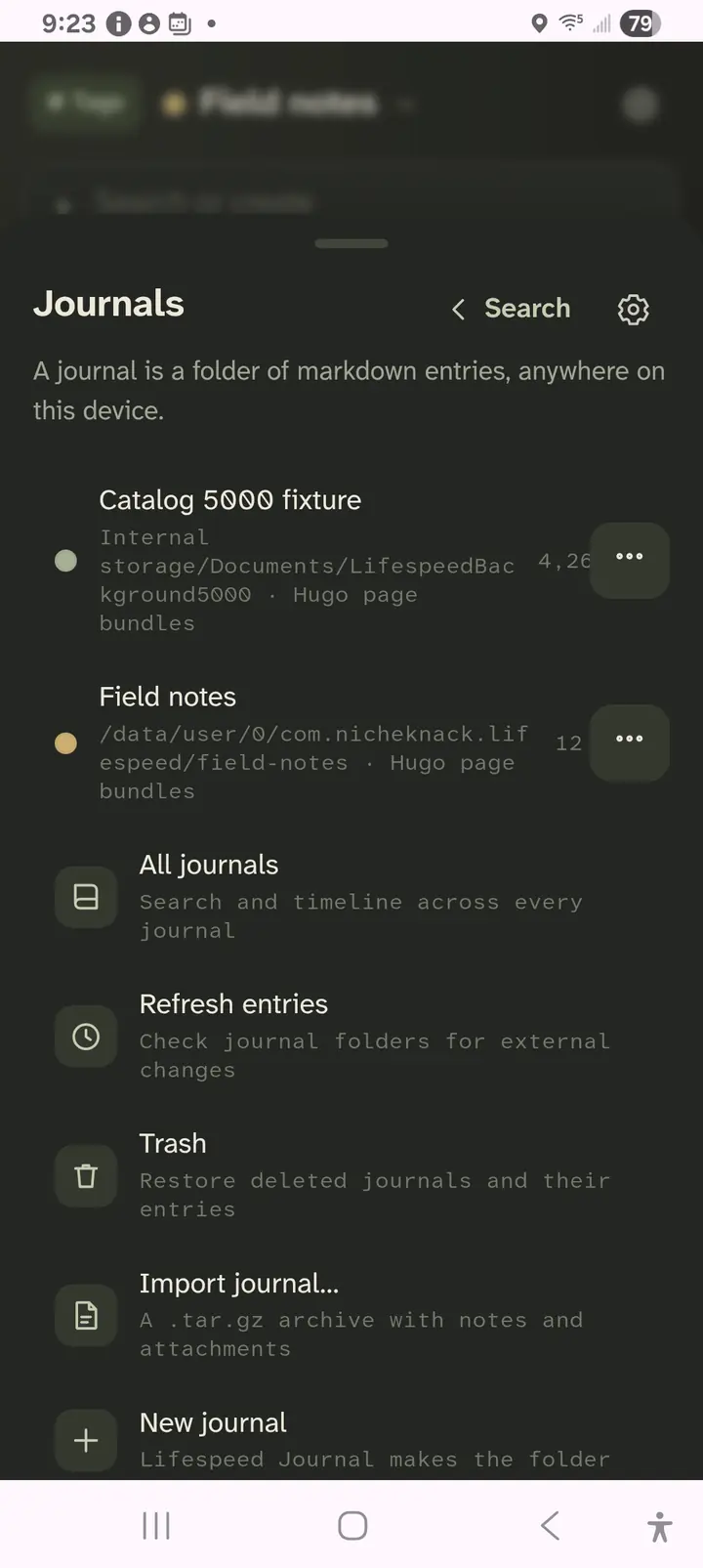
Journals and pages

Your folders, your files.

  • Pick any folder on the device as a journal.
  • Keep several: personal, garden, work.
  • Pages are single Markdown files, saved exactly as written.
  • Deleted entries wait in Trash.
Lifespeed Journals menu: two journal folders, All journals, Refresh entries, Trash, Import journal and New journal
Each journal is a folder you chose.

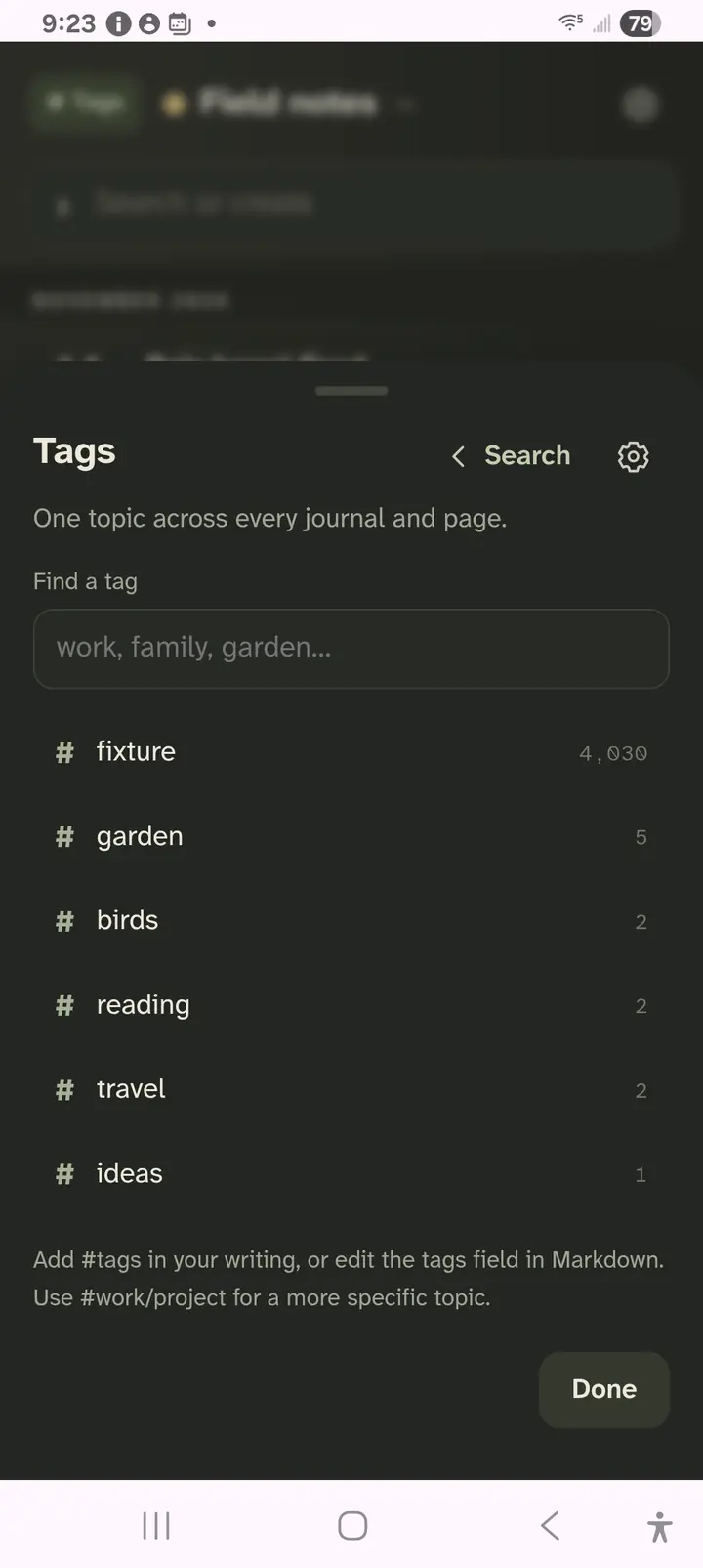
Tags

One topic, across every journal.

  • Add #tag in your writing, or in the tags field.
  • Find every entry with a tag, in any journal.
  • Use #work/project for a more specific tag.
Lifespeed Tags list: fixture, garden, birds, reading, travel and ideas
Tap a tag to see every entry that has it.

Markdown

Write naturally. Keep the source.

  • Edit a block where it is, formatted.
  • Switch to the full source any time.
  • The same file on your phone and your desk.

Make it yours

Paper, Night, Sepia or E-ink.

  • Four themes, three typefaces, three text sizes.
  • Open to a new entry, or to your journal.
  • Choose where new pages are saved.
  • Settings, License shows your trial or license.

Screenshots from development builds on a Galaxy A14 and Linux, with fictional entries.
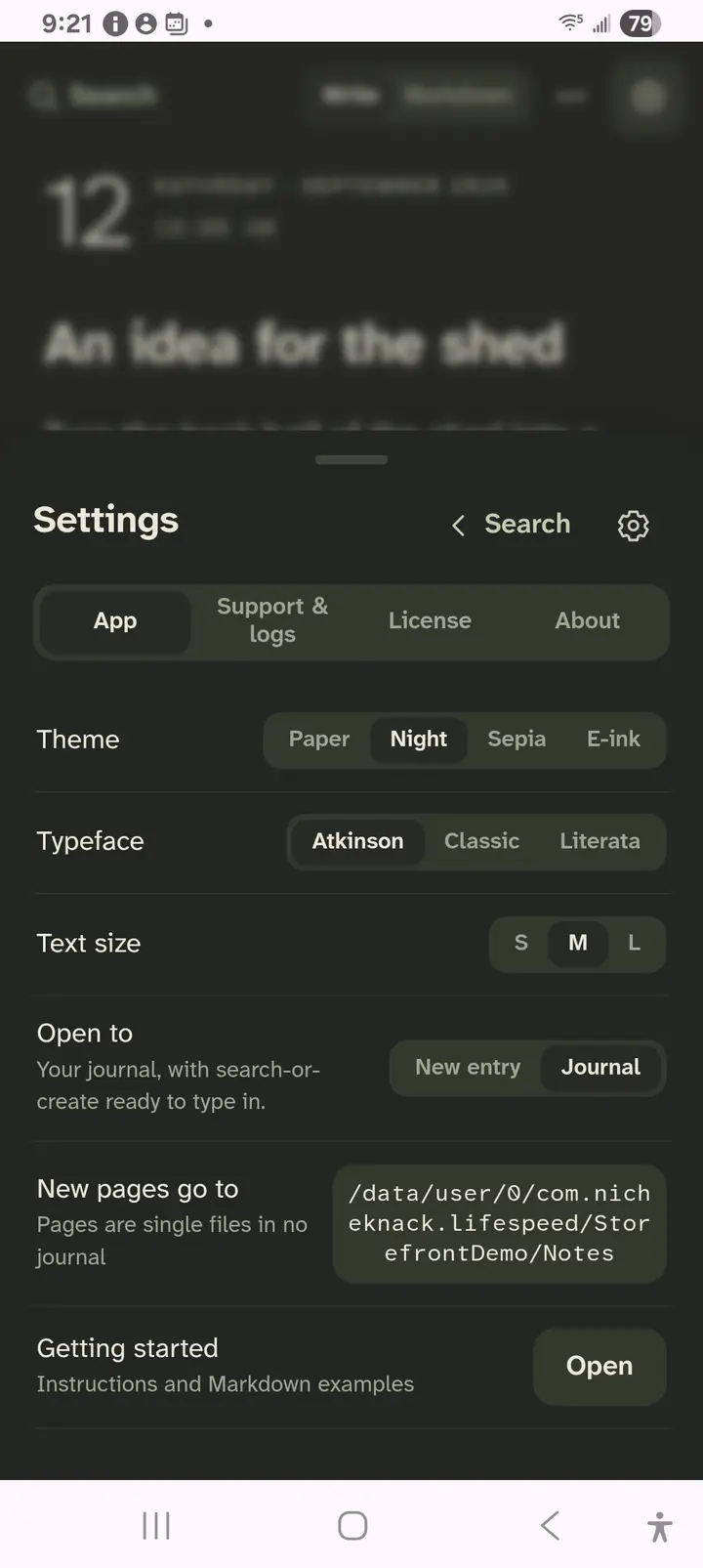
Lifespeed Settings: theme Paper, Night, Sepia or E-ink; typeface; text size; open to a new entry or your journal; where new pages go
Theme, type, size and where it opens.

30-day demo

Get Lifespeed Journal.

Everything works for 30 days from the first opening. After that it is read-only until you buy.

Loading downloads…

Windows

Coming soon.

macOS

Coming soon.

Buy Lifespeed Journal.

$5.99 for desktop and mobile. Purchases open soon.

One license covers desktop and mobile. Pay once. Licensed for this major version, up to 5 devices. Works offline. No account needed. The demo does not charge you.

Already bought? Open the app, then Settings, License, and paste your key.

Questions

What does it cost?

$5.99, once, after a 30-day free trial. One license covers desktop and mobile.

Which devices?

Android and Linux now. Windows, macOS and iPhone are coming.

Where are my entries kept?

In the folder you choose, as plain Markdown files. Open them with any editor, sync them with any tool, back them up like any other folder.

Do I need an account or a connection?

No. The app and its license work offline.

Can I keep more than one journal?

Yes. Each journal is a folder. See them one at a time or all together.

What is a page?

A single Markdown file outside any journal, saved exactly as you wrote it. Create one from search, or open any Markdown file.

Open your journal. Start typing.

Lifespeed Journal privacy

30-day demo, then $5.99 for desktop and mobile. Pay once.