
Android · 0:41 video
Loop a passage and place marks
Listen to a small passage repeatedly, then name and position the moments you want to keep.
Before you start: A saved take in the Android development app.
Download videoDownload captions
Step by step
Select a smaller passage
Open the take from Clips and drag across its waveform. Adjust the handles, or enter exact Range start and Range end times.
Listen on repeat
Tap Loop range. Only the selected passage repeats. Tap Stop loop when you have found the right moment; Play range auditions it once.
Name and position a mark
Tap the mark you want to change and edit its label. Move mark to range start places that flag at the exact start of the listening range. You can also drag its handle or type its position.
Add or remove flags
Delete selected mark removes an unwanted flag. Tap an unmarked place in the waveform, choose Add mark here, and give the new mark a name and position.
Save a new version
Choose Save changes as v2, or the next version offered. The name, labels, and marks are saved together; the original audio and earlier versions stay on the phone.
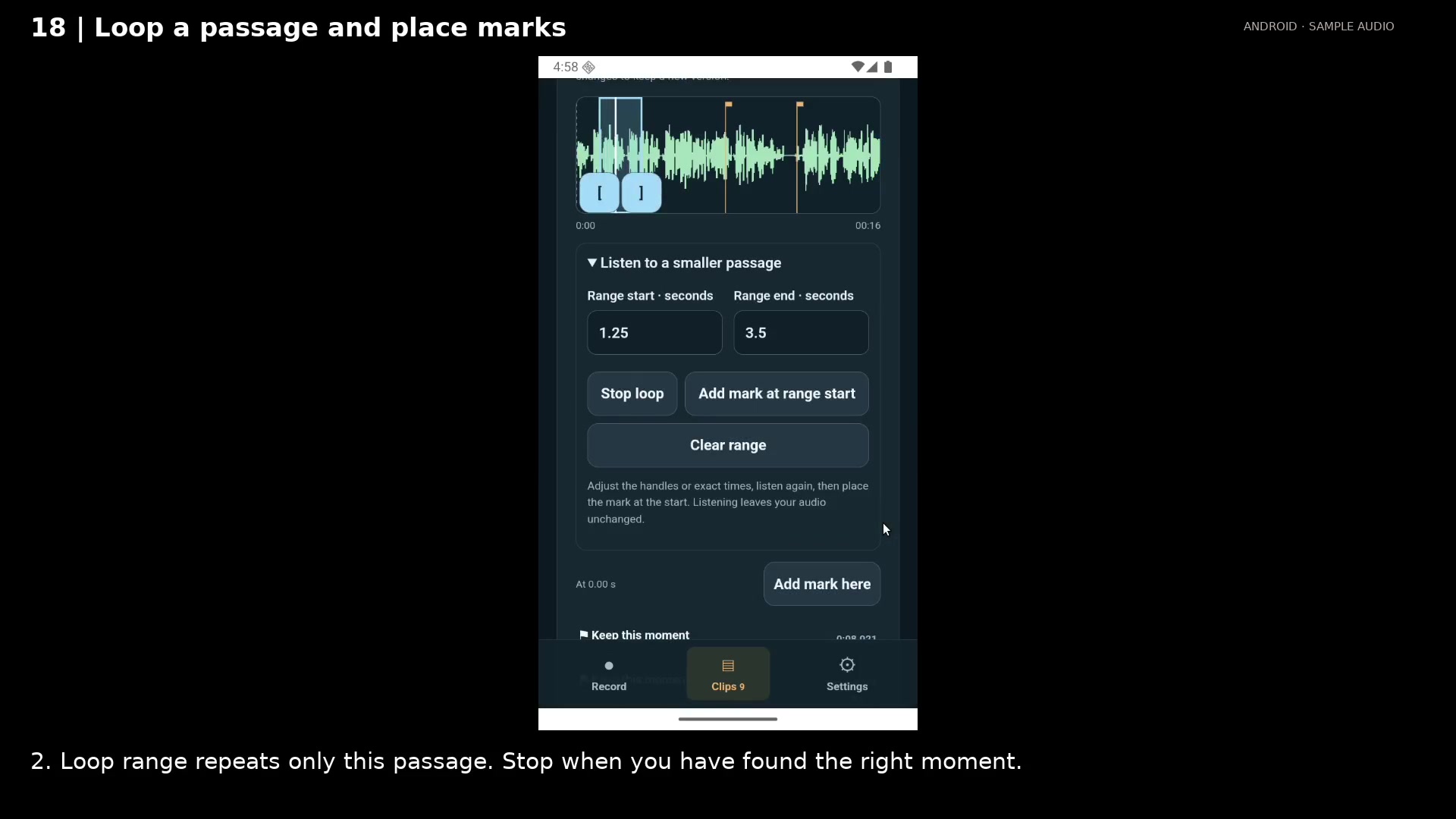
Listen repeatedly inside the selected boundaries. Open full size
- Only the highlighted passage plays on repeat.
- Enter exact range boundaries when you need precision.
- Stop the loop when you have found the right moment.
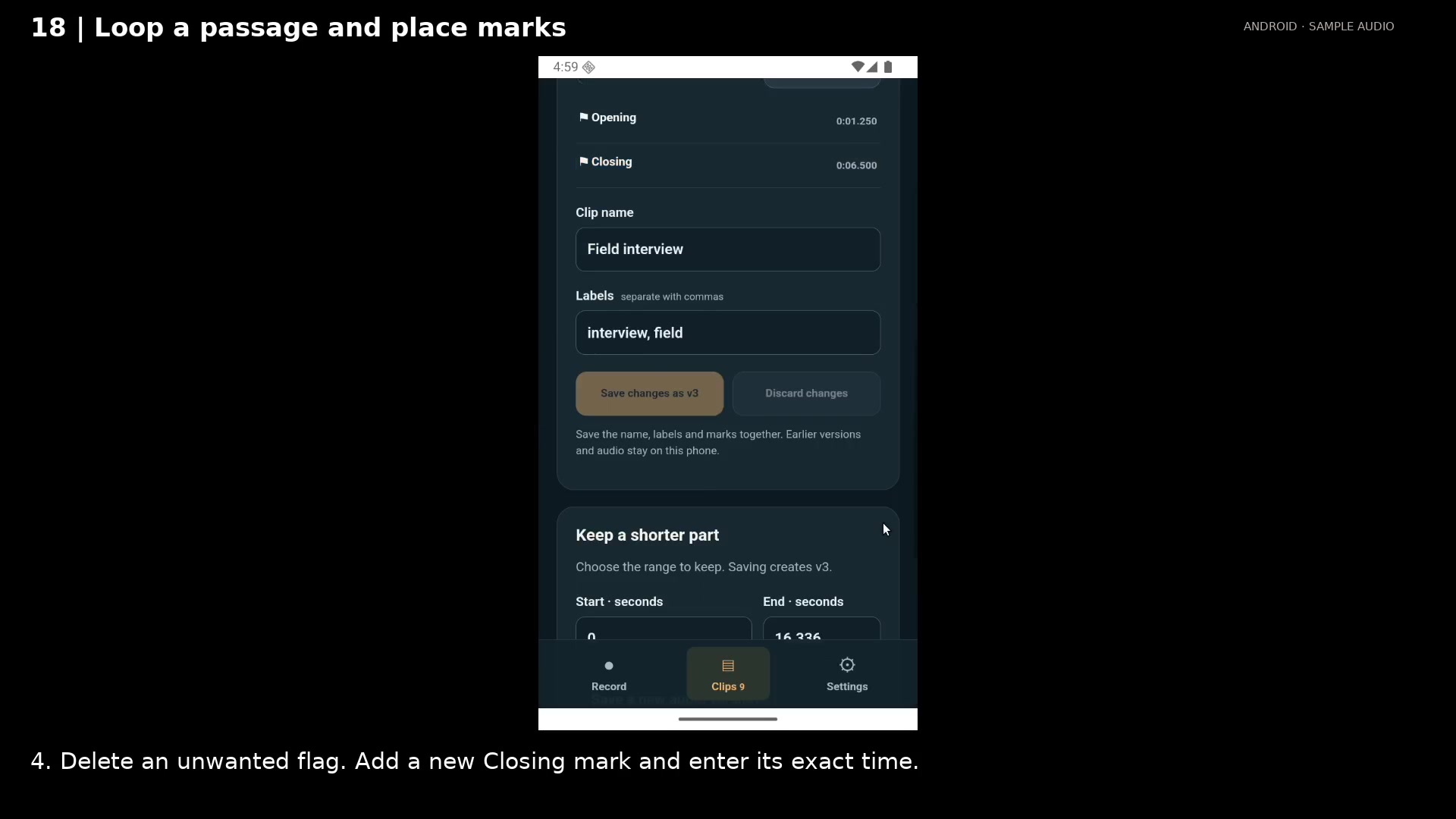
Save named marks as a new version. Open full size
- Saved flags have names you can choose on desktop.
- Each mark keeps its precise source position.
- Labels travel with the handoff package.
Read the video instructions
- Drag a smaller passage, listen on repeat, and put your marks exactly where you want them.
- 1. Drag across the waveform. Use the handles or exact times to refine the range.
- 2. Loop range repeats only this passage. Stop when you have found the right moment.
- 3. Select a flag, name it Opening, and move it to the start of the range.
- 4. Delete an unwanted flag. Add a new Closing mark and enter its exact time.
- Your audio is unchanged. The named marks and labels are saved as v2, ready to travel to desktop.
Audio credits
LibriSpeech excerpts 1688-142285-0007 and 1272-128104-0000, collected by Vassil Panayotov, Guoguo Chen, Daniel Povey, and Sanjeev Khudanpur from LibriVox, are used under CC BY 4.0. Excerpts have been trimmed, resampled, padded, or processed. The voice-replacement example uses an original synthetic voice.