
the web · 0:18 video
Dispute an argument
Think a step is wrong or unfair to the other side? Say so with the pencil beside that step.
Before you start: Resolve by Reason open on your phone, or nk.tools/resolve-by-reason in a browser.
Download videoDownload captions
Tap Send to send it to support@nk.tools. Answers to the other side aim to state their view fairly.
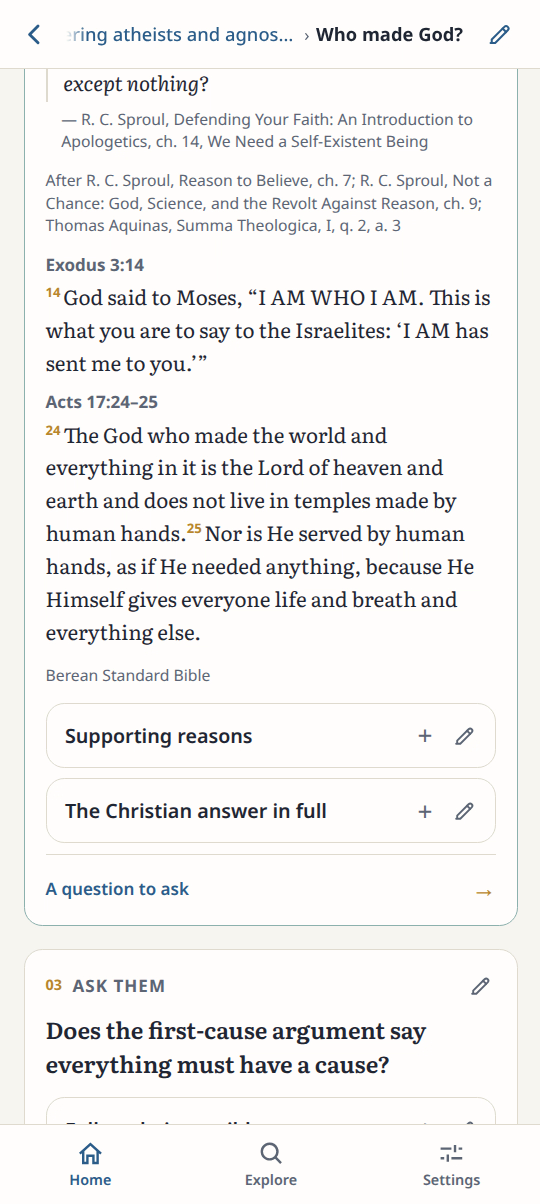
1Find the step
Scroll to the step you disagree with. Tap its pencil.
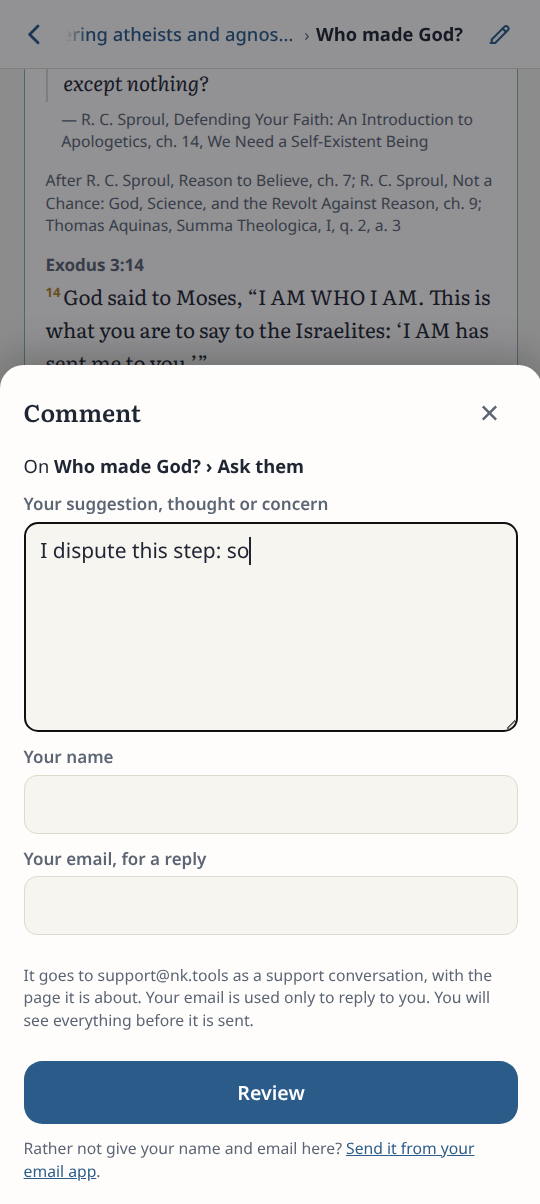
2Write the objection
Say what is wrong and why.
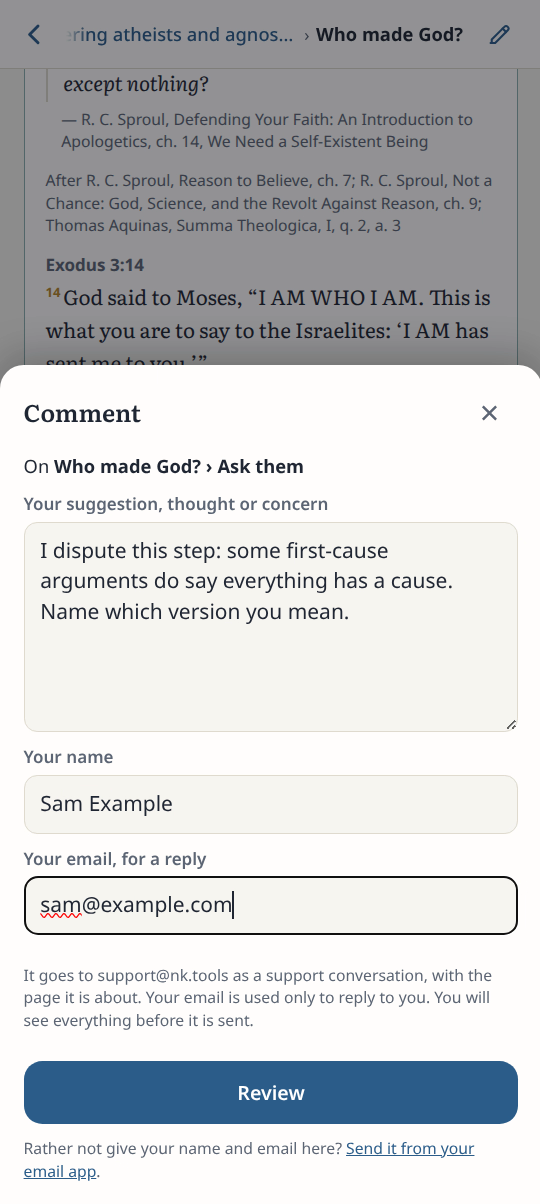
3Add your name
Enter your name and email. Tap Review.
4Check and send
Check the step named in the message. Tap Send.
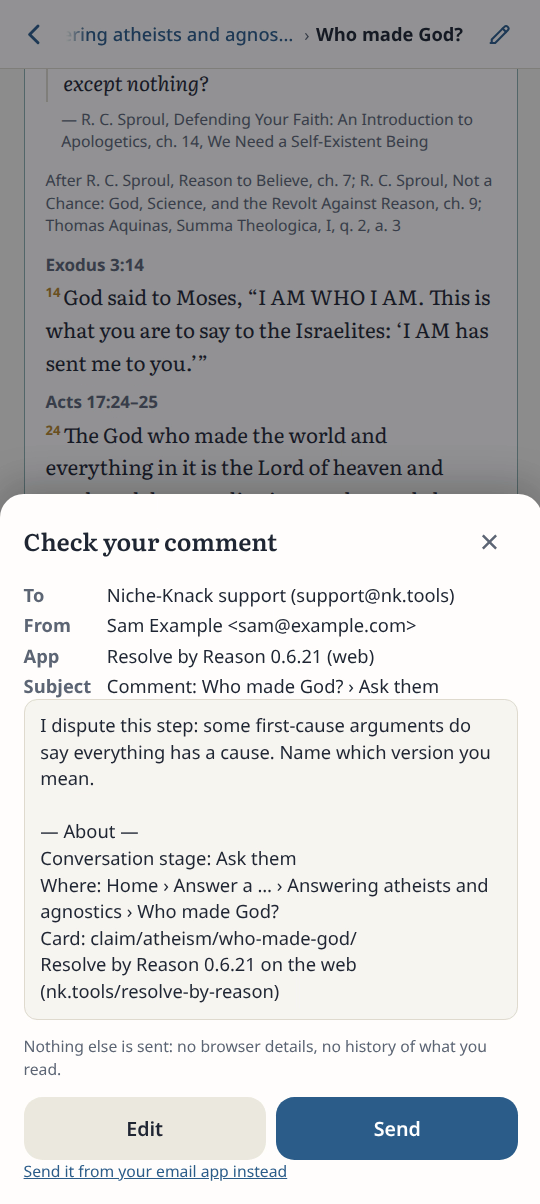
Result: The Review screen shows your objection and the step it disputes.