
Linux · 0:21 video

Export your music as WAV on desktop

Render the riff or saved arrangement to an audio file.

Before you start: RiffWright open on a Linux computer.

Download videoDownload captions

The save dialog is the Linux system dialog.

1Export

Click Export at the top right.
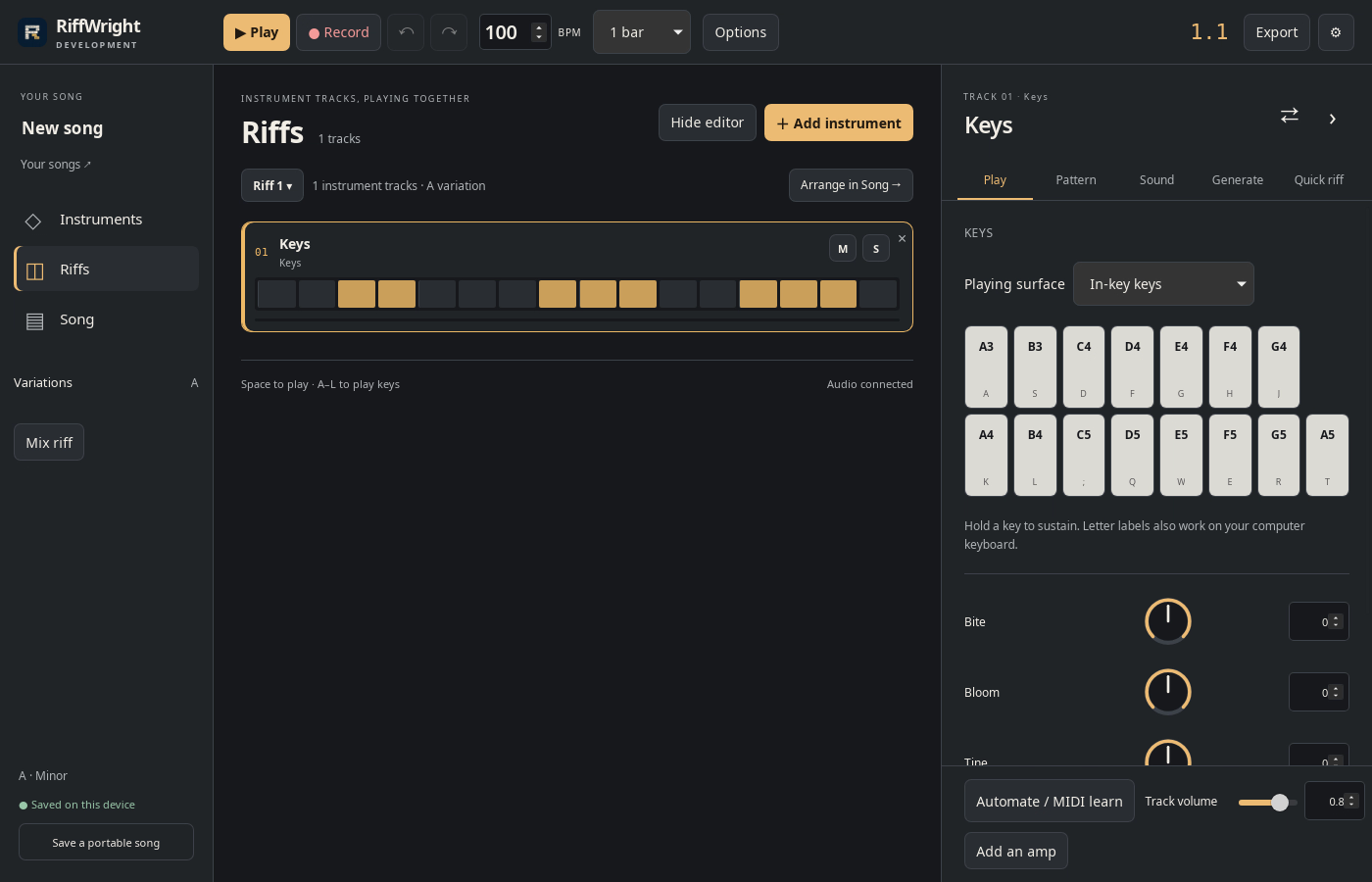
1 · Export. Click Export at the top right.Export your music as WAV on desktop — step 11
Export. Select the image to enlarge it.

2Choose the format

WAV 24-bit / 48 kHz. Set loop repeats, or export the saved arrangement.
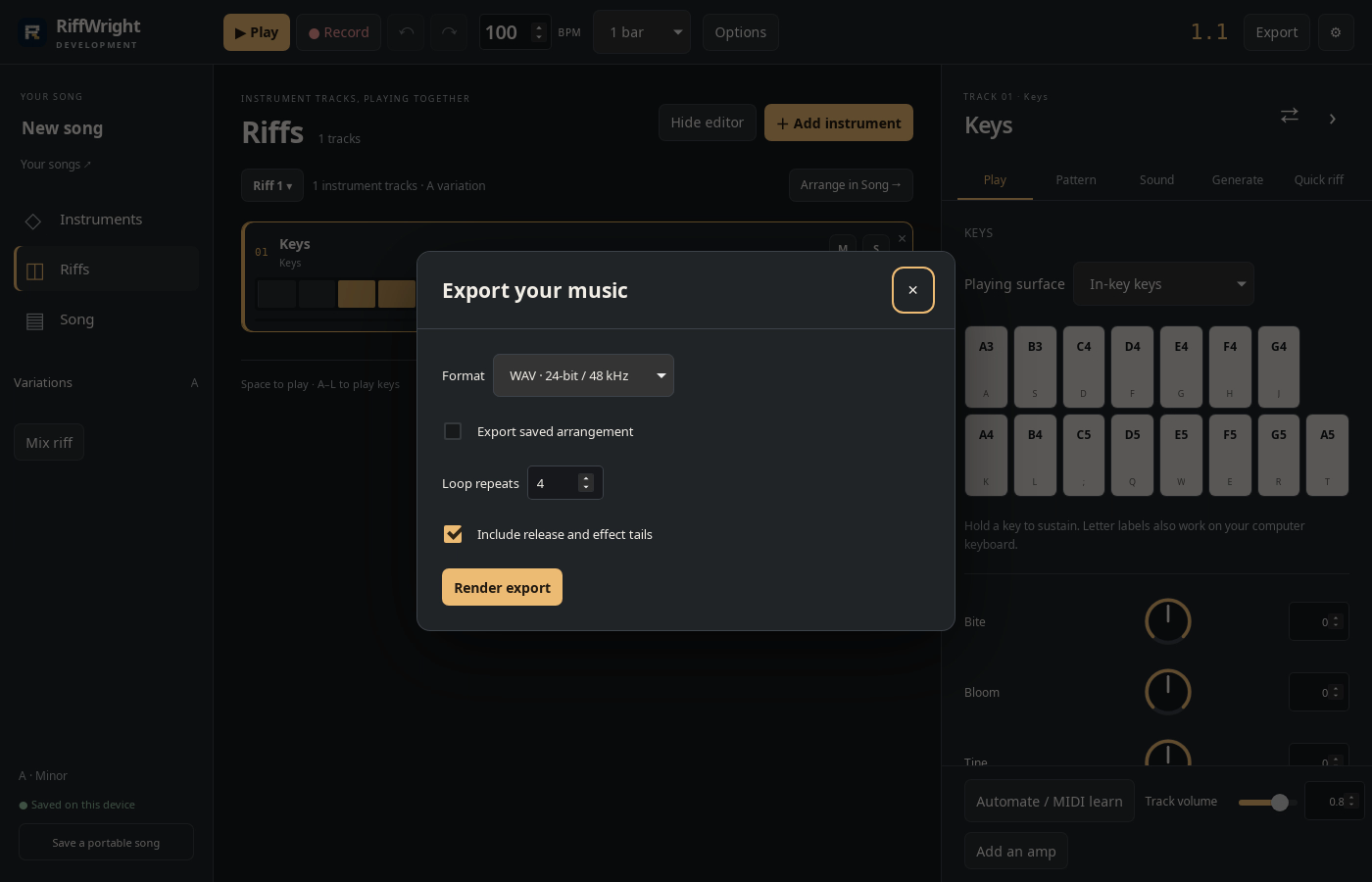
2 · Choose the format. WAV 24-bit / 48 kHz. Set loop repeats, or export the saved arrangement.Export your music as WAV on desktop — step 22
Format. Select the image to enlarge it.

3Render export

Click Render export and wait for Ready to save.
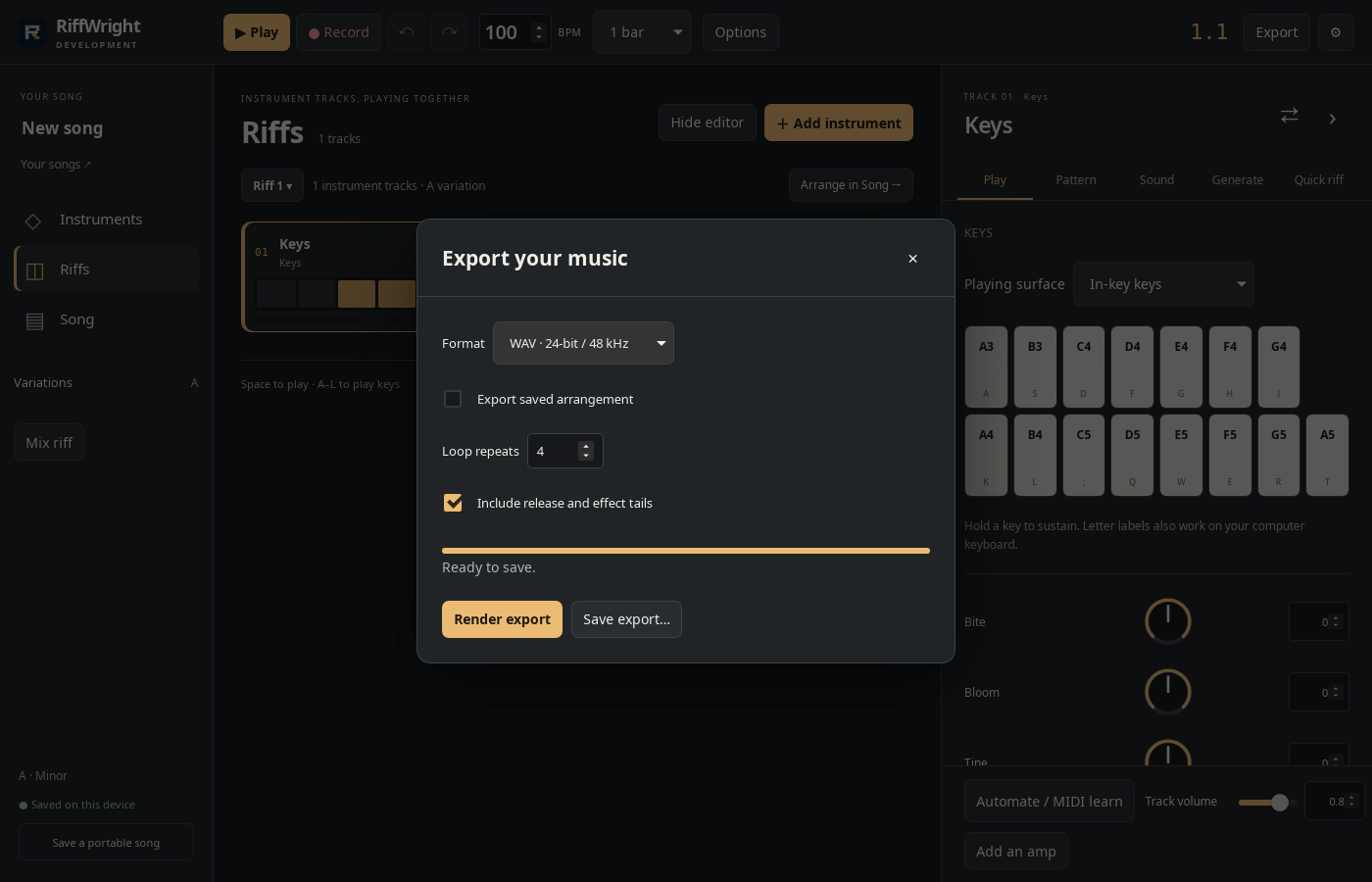
3 · Render export. Click Render export and wait for Ready to save.Export your music as WAV on desktop — step 33
Render export. Select the image to enlarge it.

4Save

Click Save export…, choose a folder and click Save.
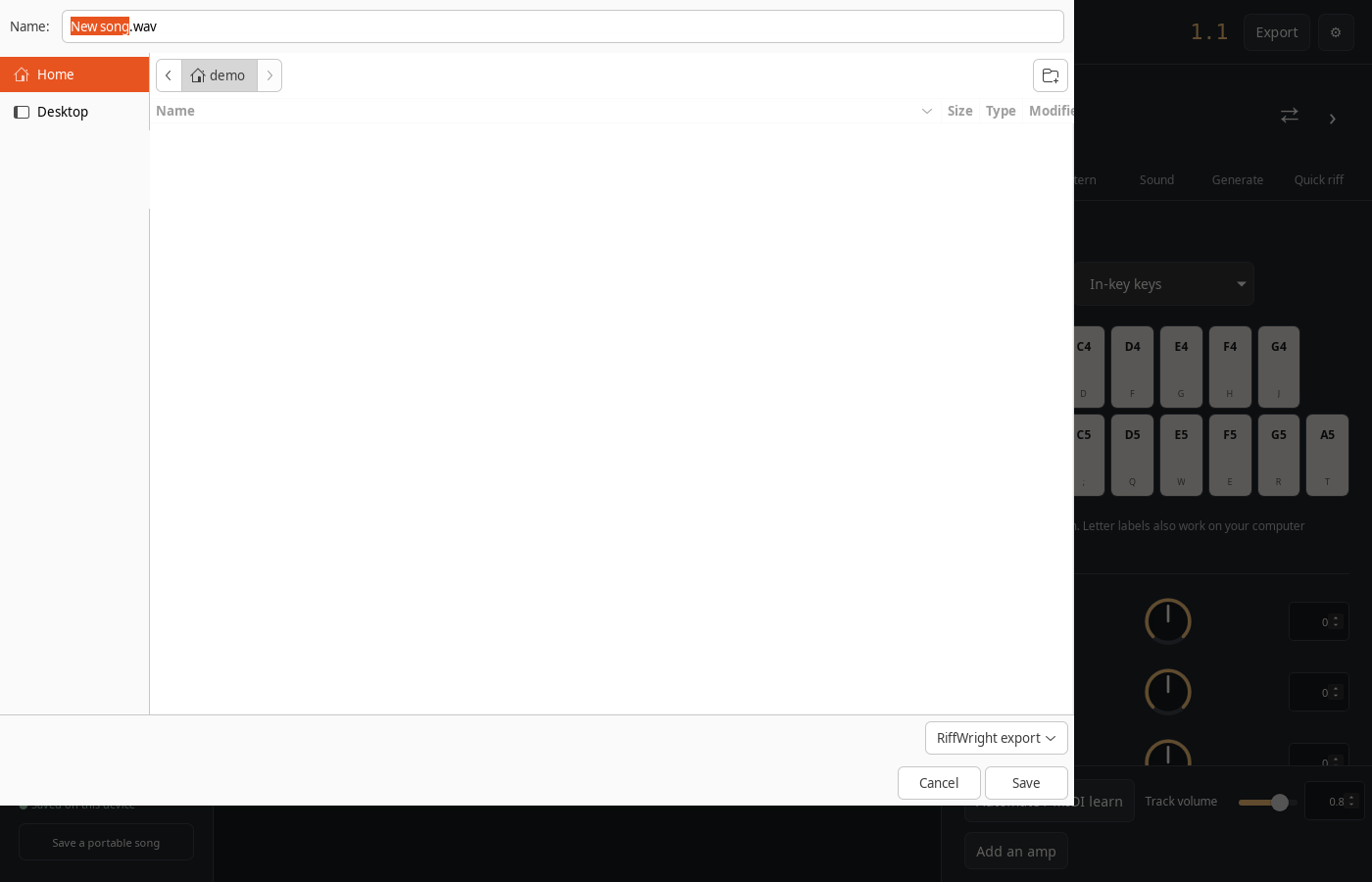
4 · Save. Click Save export…, choose a folder and click Save.Export your music as WAV on desktop — step 44
Save. Select the image to enlarge it.

Result: The WAV file is saved in the folder you chose.