
Android · Beta installation · 0:48 video
Install the Rabbit Trail beta on Android
Download your approved Rabbit Trail beta, install it on Android and open it for the first time.
Before you start: An approved Rabbit Trail beta invitation and the download for your device. Open your private invitation on this device and save the installer. Use the filename in your invitation; build labels and versions may differ.
Android example: Pocket Nerd. Use the Rabbit Trail beta download from your own invitation.
Download videoDownload captions
Step by step
-
Open the downloaded APK.
Open Downloads in your browser or Files app and tap the APK from your invitation. Check that the app name matches your invitation before continuing.
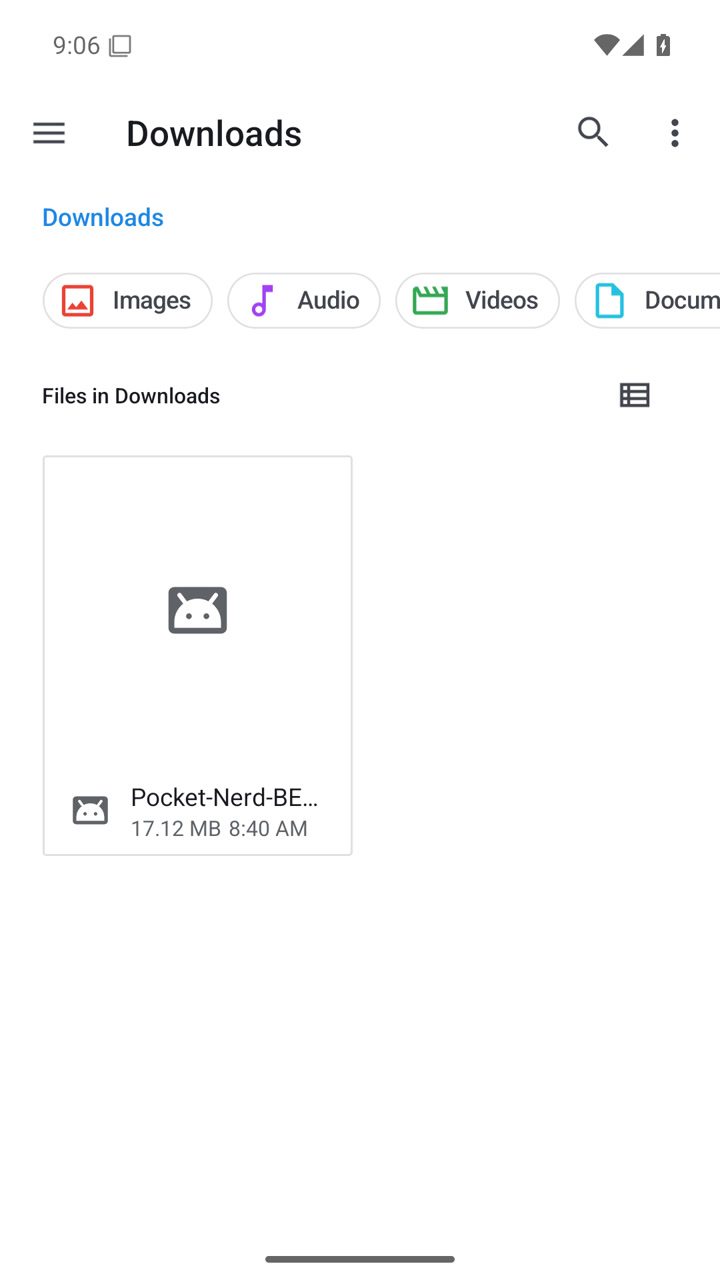
Open the APK for the app you were invited to test. -
Allow this download source.
If Android blocks installation, tap Settings. Turn on Allow from this source for the browser, file manager or Download Manager named on that screen. On Samsung, you may first need Settings → Security and privacy → Auto Blocker → Off; then return to the APK.
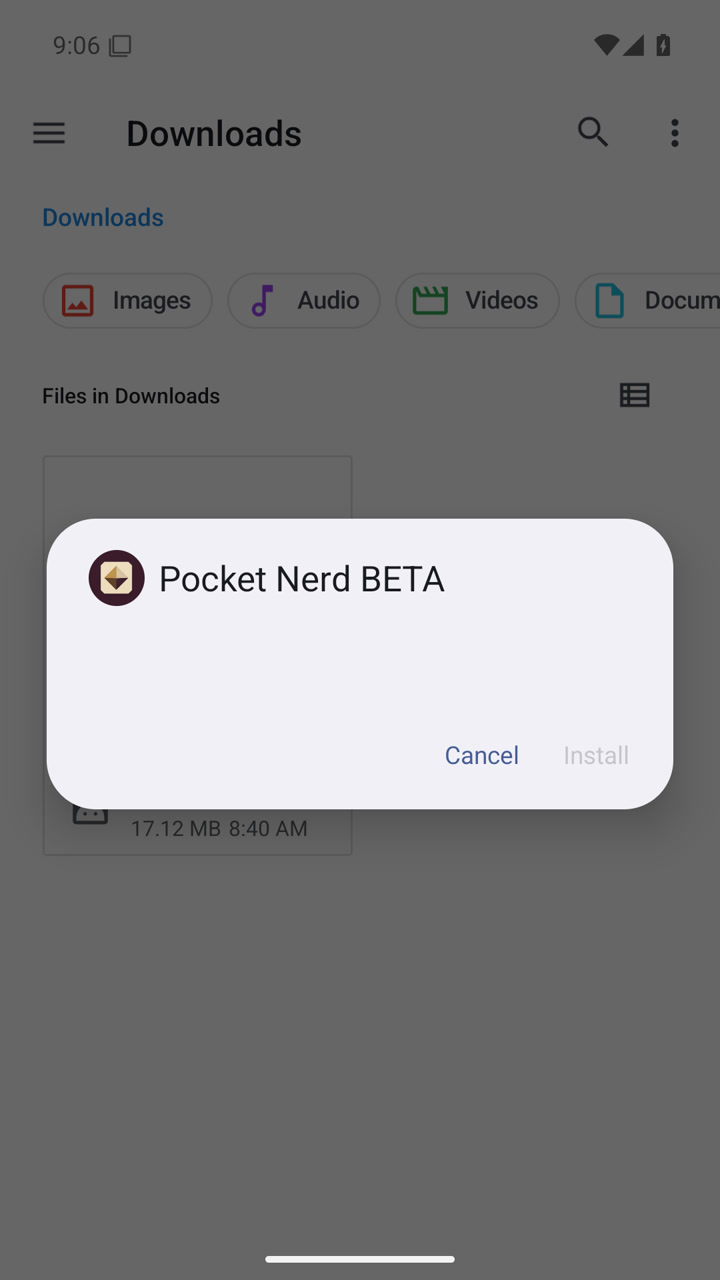
Allow the installation source named by Android. -
Install the beta.
Go back to the installation prompt and tap Install. Wait for App installed, then tap Done. If the prompt closed, open the same APK again. Keep the beta separate from any regular Rabbit Trail installation.
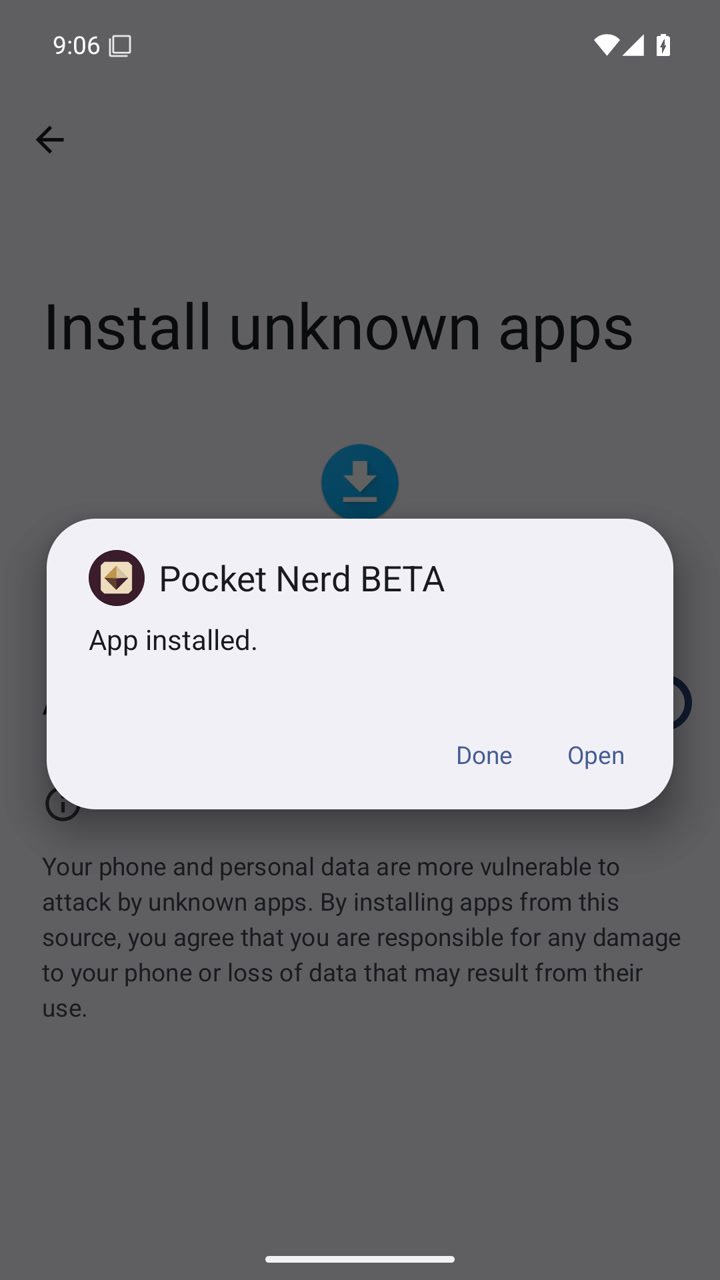
Wait for Android to confirm that the beta is installed. -
Restore the installation settings.
Open Settings → Apps → Special app access → Install unknown apps. Select the source you allowed and turn off Allow from this source. If you turned off Samsung Auto Blocker, turn it back on.
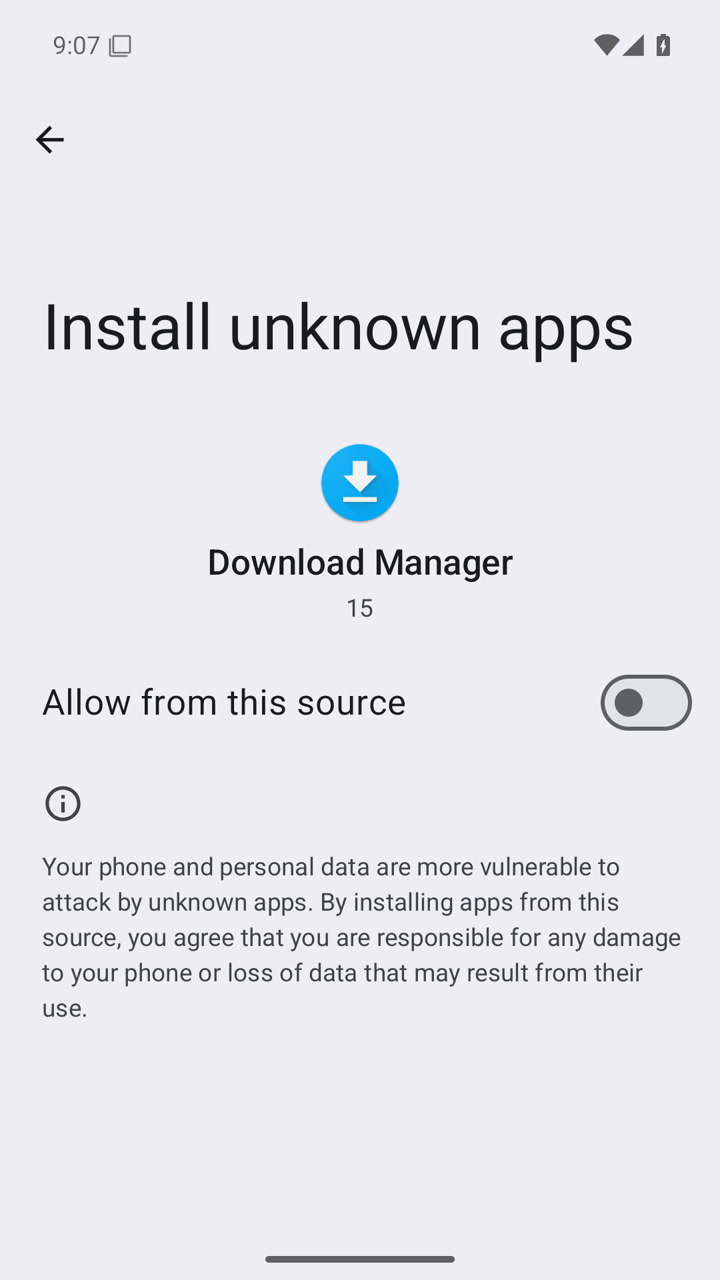
Turn the source permission back off after installation. -
Open the beta app.
Find Rabbit Trail with the beta label in your app list. Read the diagnostic agreement and choose whether to agree. Follow the private access instructions when prompted. You can contact support if activation does not finish.
Keep your invitation private. For a new device or a different operating system, contact support for the correct download.
Read the video instructions
- Open the beta APK from your private invitation.
- Tap Settings if Android blocks this installation source.
- Turn on Allow from this source, then return to the APK.
- Tap Install and wait for installation to finish.
- When Android says App installed, tap Done.
- Turn off Allow from this source after installing.