
Hub · 0:20 video
Review a proposed research note
Check a proposed finding before adding it to your evidence board.
Before you start: An open hub project with a proposed note and permission to edit it.
Download videoDownload captions
Step by step
Open the review list
Choose Review in the project toolbar to see notes waiting for approval.
Read and check
Read the proposed text and its source references. Use the project’s search and library to verify the passages before approving.
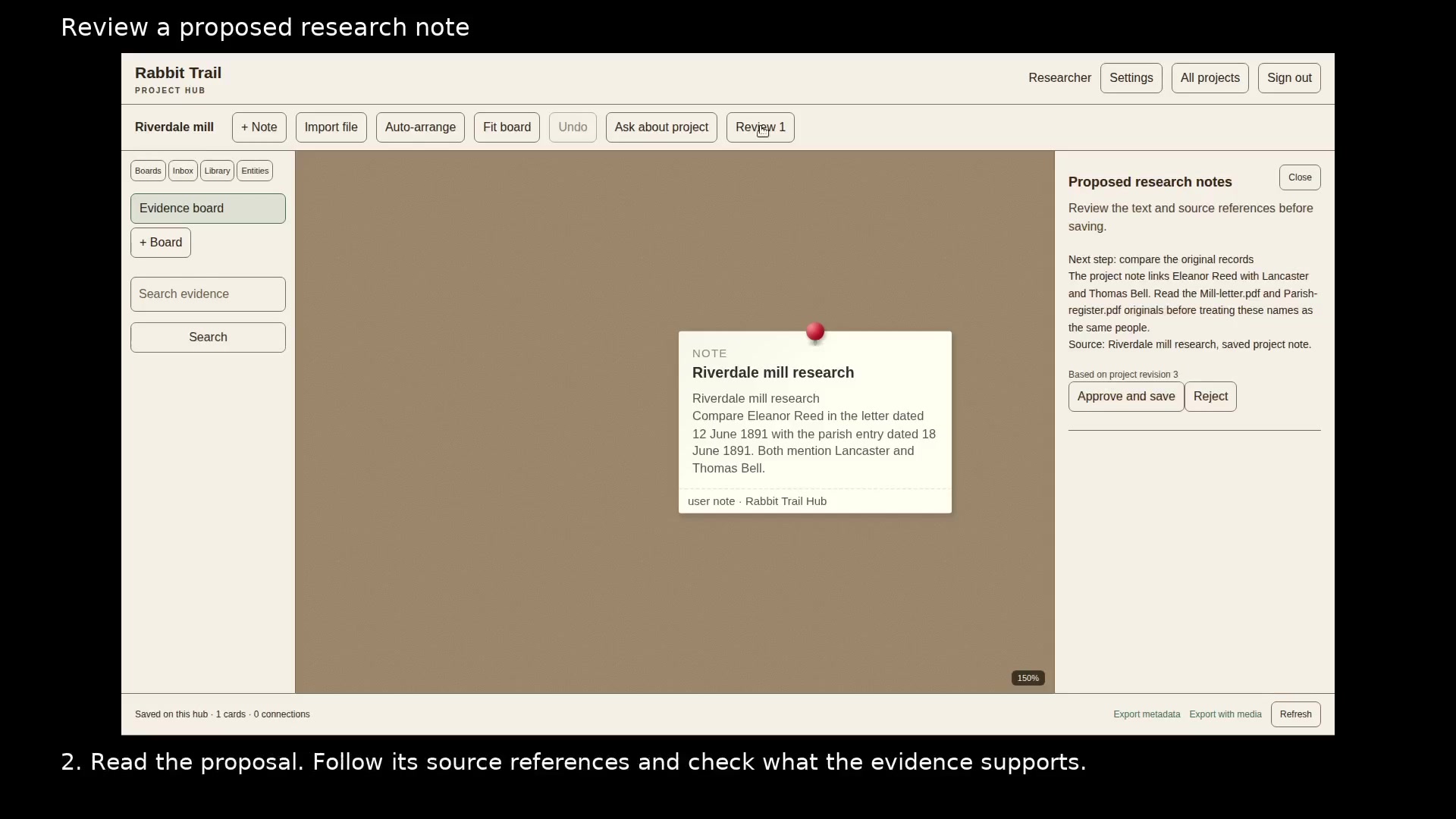
Approve only the findings you want to keep. Open full size
- Read the proposed text before saving it.
- Approve and save adds the note. Reject discards the proposal.
Save or reject
Choose Approve and save to add the note to the board. Choose Reject if the proposal is not useful or its evidence does not support the claim.
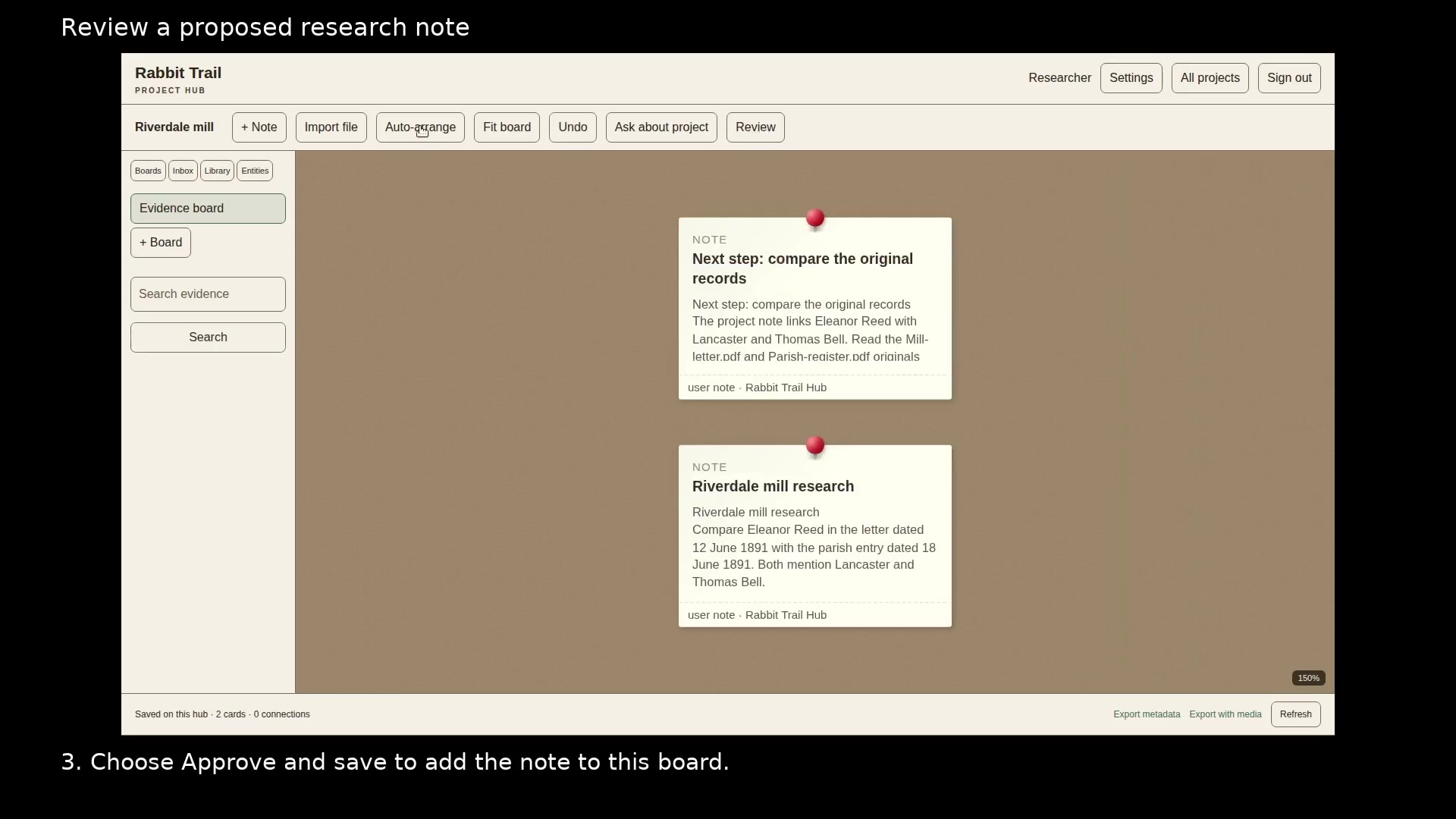
The approved note is now part of the project. Open full size
- Open the saved note to read or revise it.
Read the video instructions
- Read the proposed text and check its sources before saving it to your project.
- 1. Choose Review to open notes waiting for your approval.
- 2. Read the proposal. Follow its source references and check what the evidence supports.
- 3. Choose Approve and save to add the note to this board.
- A proposed note waits for your approval. Reject it if the evidence does not support it.