
Android · 0:23 video
Open local media on Android
Find a recording in the Android media library and open it for playback.
Before you start: Choirboy for Android, media permission, and a supported recording stored on the device.
Download videoDownload captions
Step by step
Open your local folder
In Library, select Local and tap the folder that contains your recording. If prompted on first use, grant access to the media you want Choirboy to open.
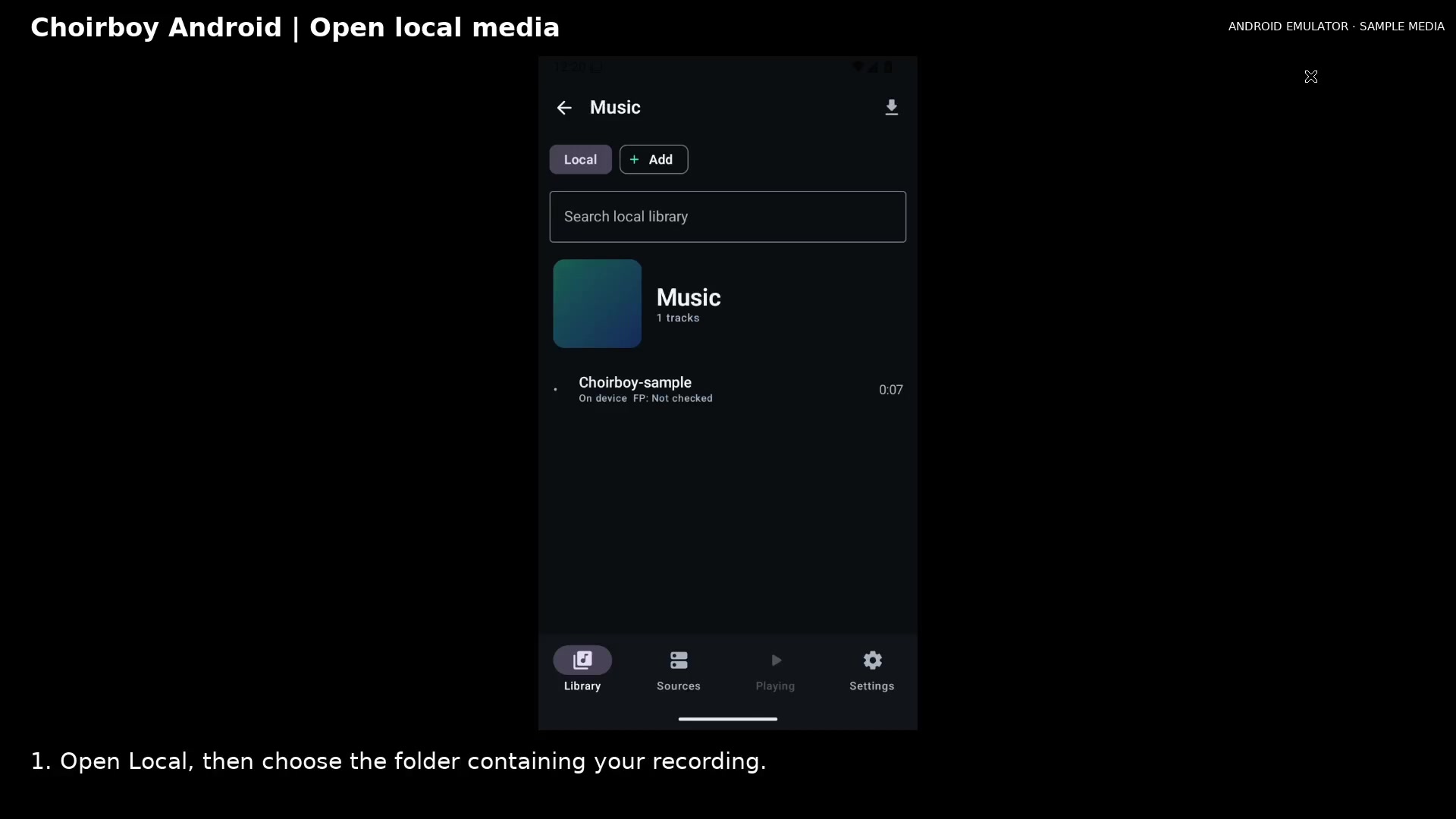
Open a local media folder Open full size
- Tap the recording
Select a recording
Tap its title. Choirboy prepares the media and opens its mini player. The fingerprint indicator updates as analysis finishes. Playing opens the full player.
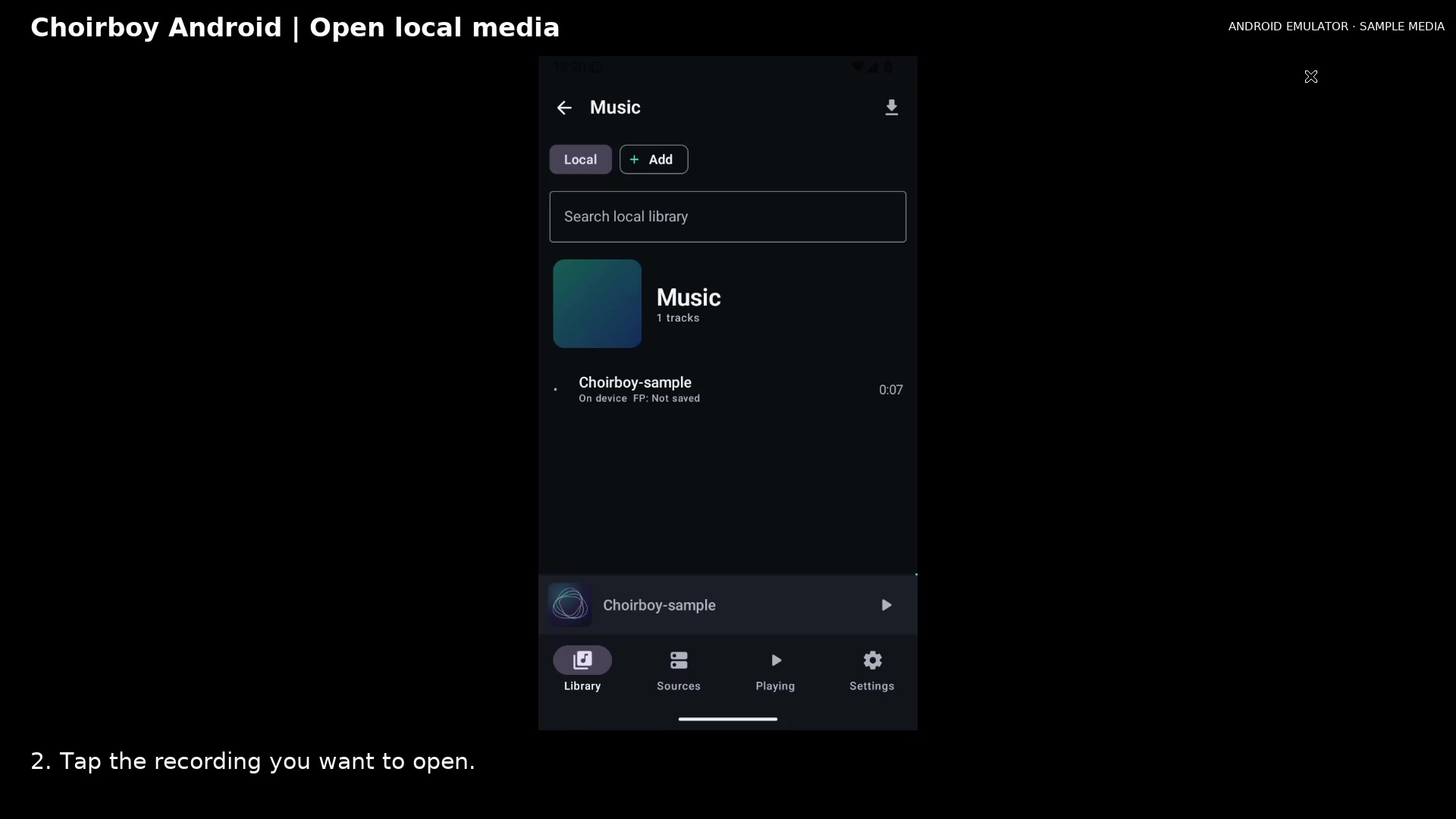
Open the selected recording Open full size
- Open Playing
Read the video instructions
- Open Library and choose a local folder. Allow media access if prompted.
- 1. Open Local, then choose the folder containing your recording.
- 2. Tap the recording you want to open.
- Allow preparation to finish before playback. Playing brings you back to the current recording.