
Desktop · 0:29 video
Download a fingerprint to Desktop
Use Pull to import a registry fingerprint into your local fingerprint library.
Before you start: Your matching recording, a configured registry, and any account access that registry requires.
Download videoDownload captions
Step by step
Browse a registry
Open Fingerprints, choose Servers, and open your registry. Check the listed item before downloading.
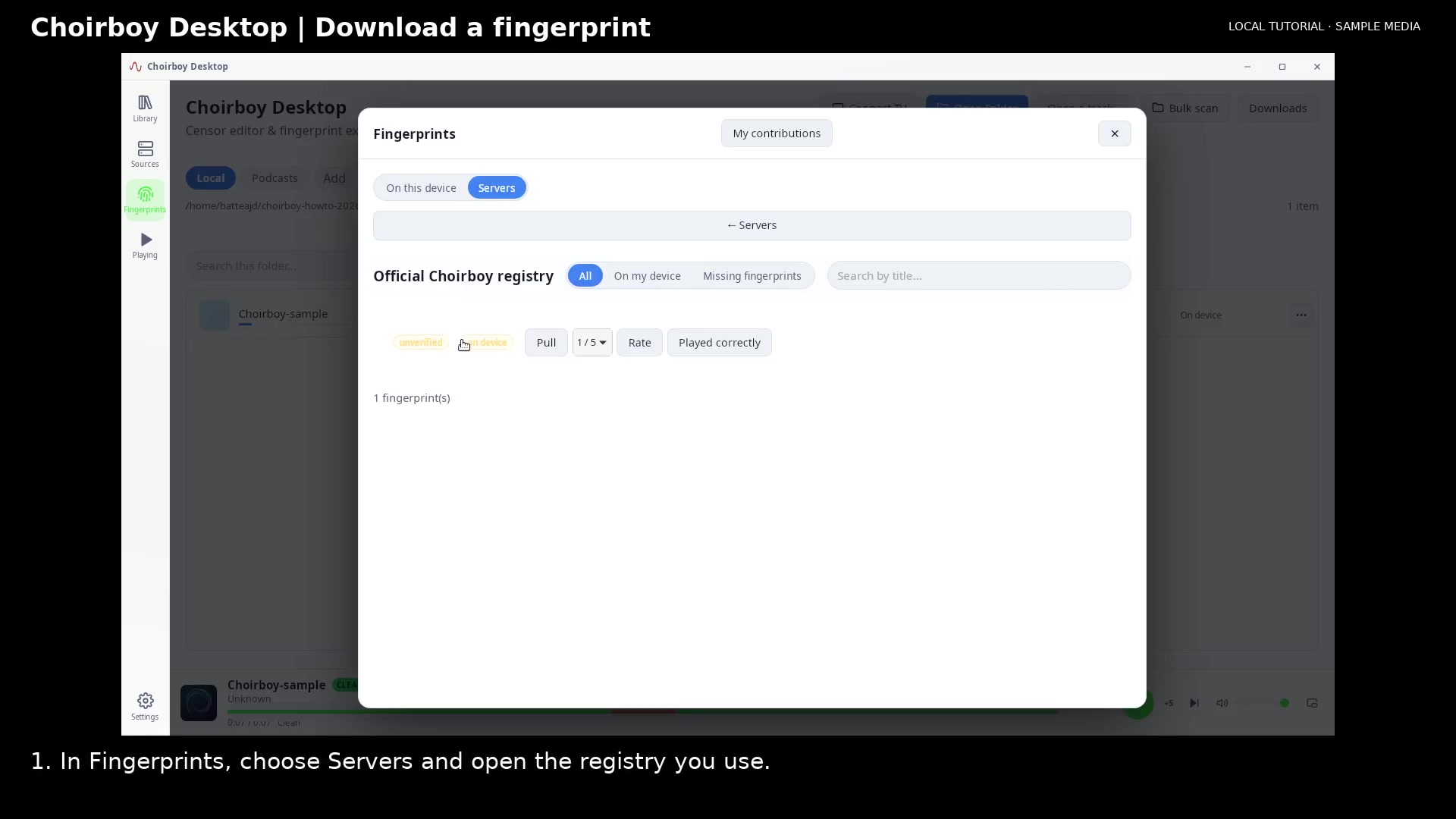
Browse the registry fingerprints Open full size
- Open your registry
Pull the fingerprint
Choose Pull. Wait for Pulled and the import result.
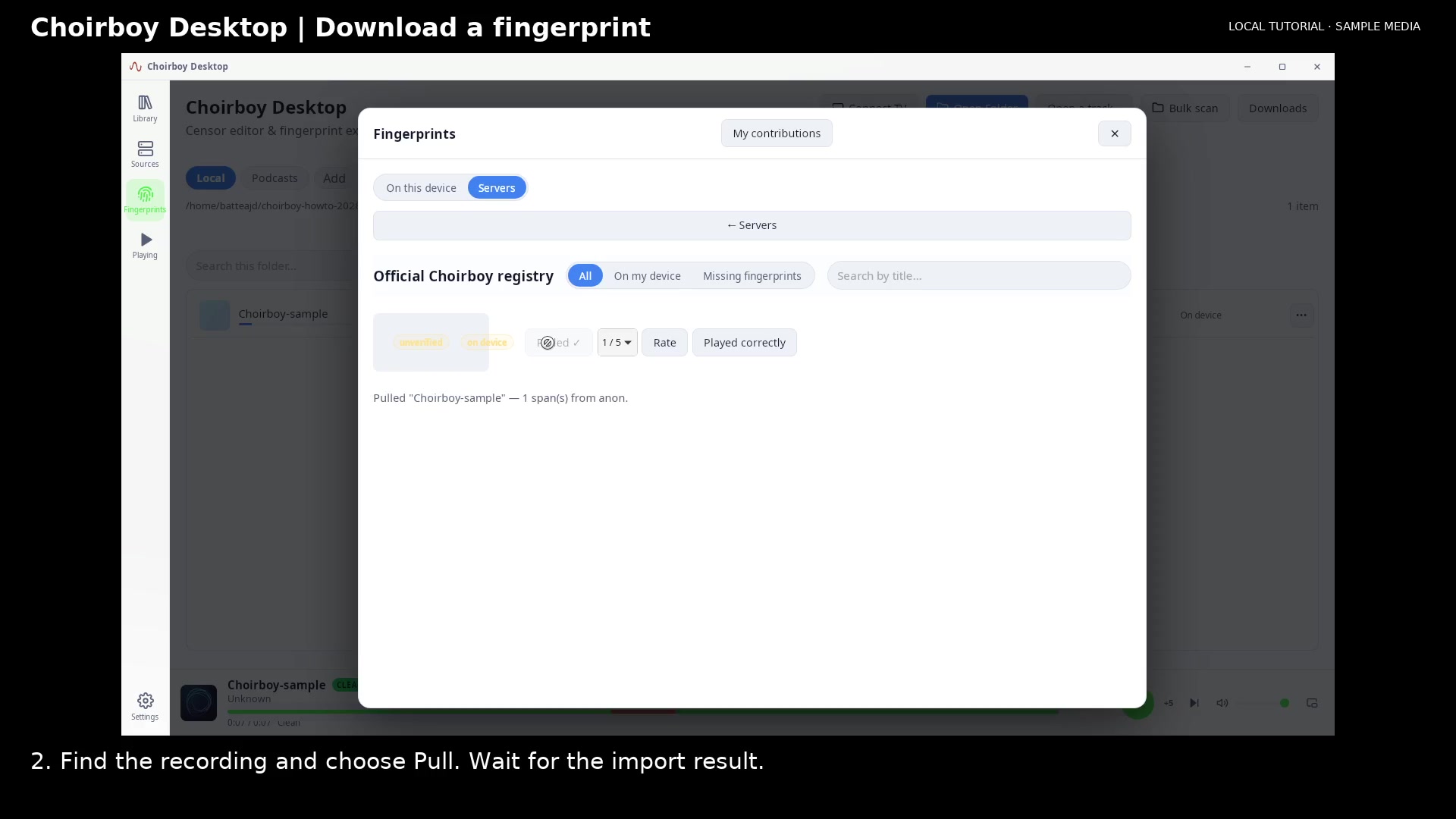
Confirm the fingerprint was pulled Open full size
- Pull completed
- Import result
Check your local library
Select On this device to see the fingerprint in your local library. The recording is kept separately from its fingerprint data.
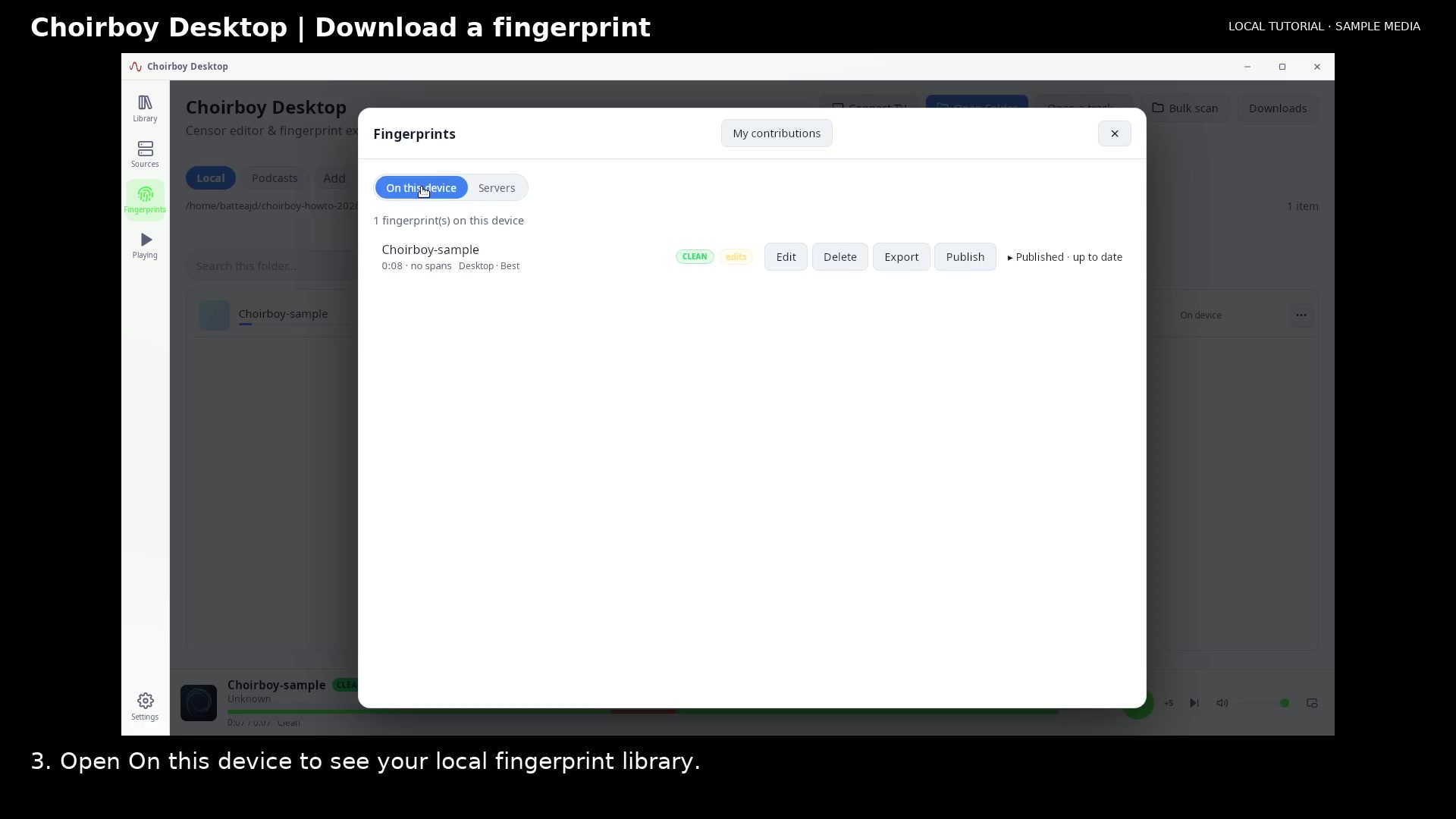
Find the local fingerprint after import Open full size
- Your local fingerprints
Read the video instructions
- Open the fingerprint registry to bring a saved fingerprint onto this device.
- 1. In Fingerprints, choose Servers and open the registry you use.
- 2. Find the recording and choose Pull. Wait for the import result.
- 3. Open On this device to see your local fingerprint library.
- This pulls fingerprint data, not the media recording. Your access determines which items you can download.