
Website · 0:17 video
Find and review your license
Review the license linked to your account and locate recovery for an earlier purchase.
Before you start: A signed-in Choirboy account.
Download videoDownload captions
Step by step
Review your purchases
Open My account, then Subscriptions & purchases. The page lists the subscriptions and purchases associated with your signed-in account.
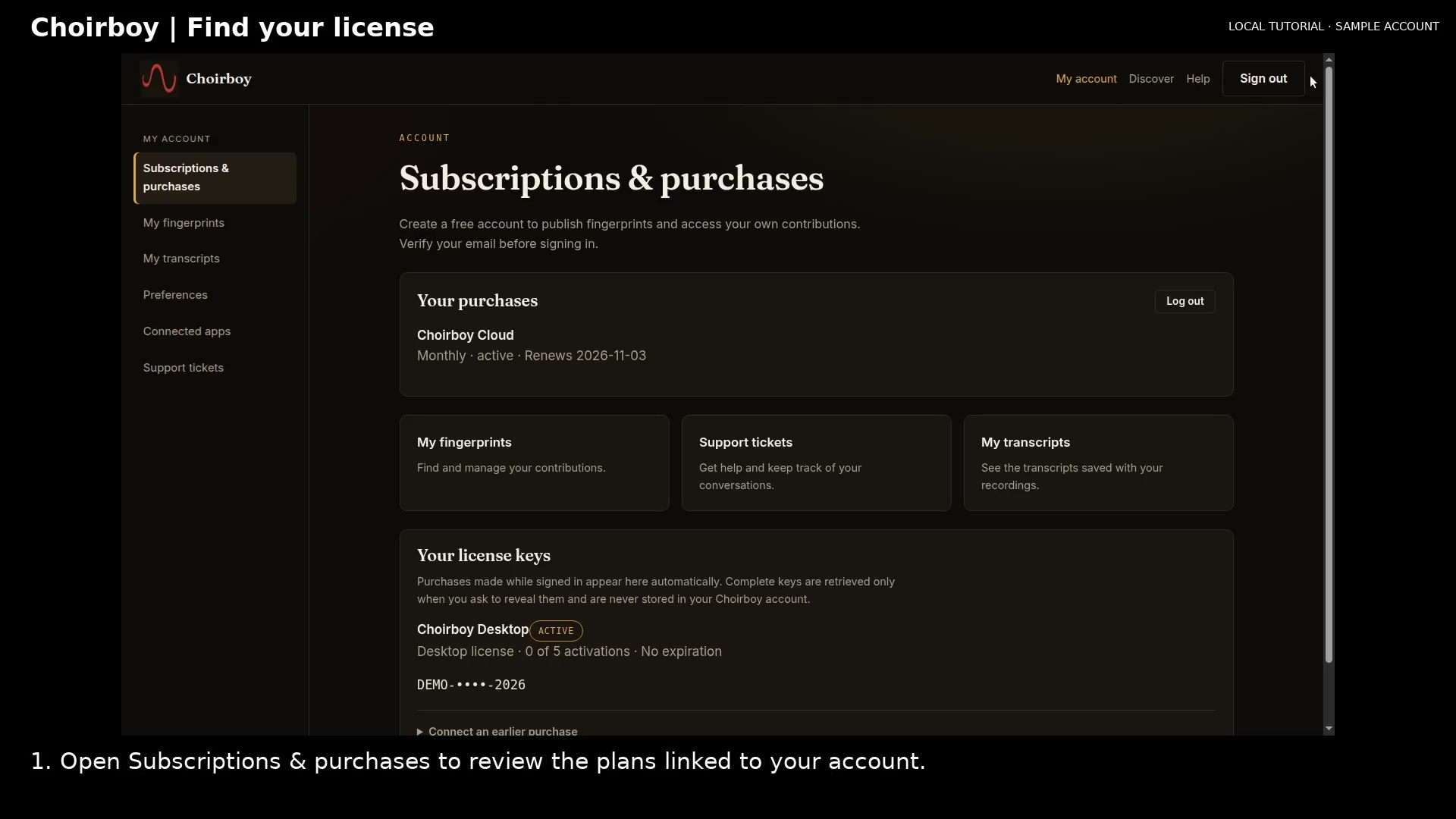
Review subscriptions and purchases Open full size
- Purchases and subscriptions
Check your license
Scroll to Your license keys. Check the product, current status, activation count, and expiration.
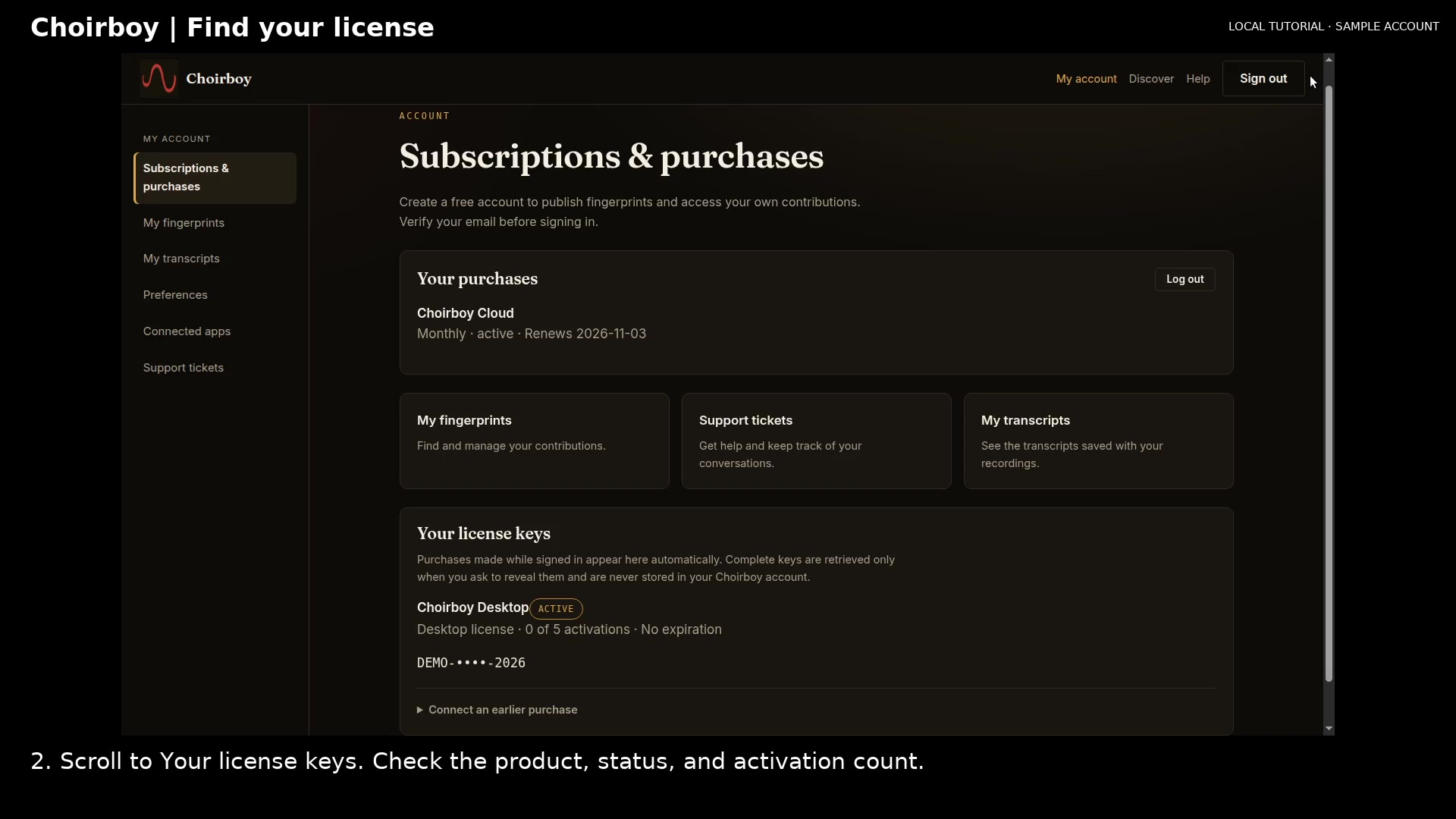
Review the masked license and activation count Open full size
- Status and activation count
- Masked license key
Find an earlier purchase
Expand Connect an earlier purchase to open the key-recovery form. Use your Choirboy license key to connect the purchase to this account.
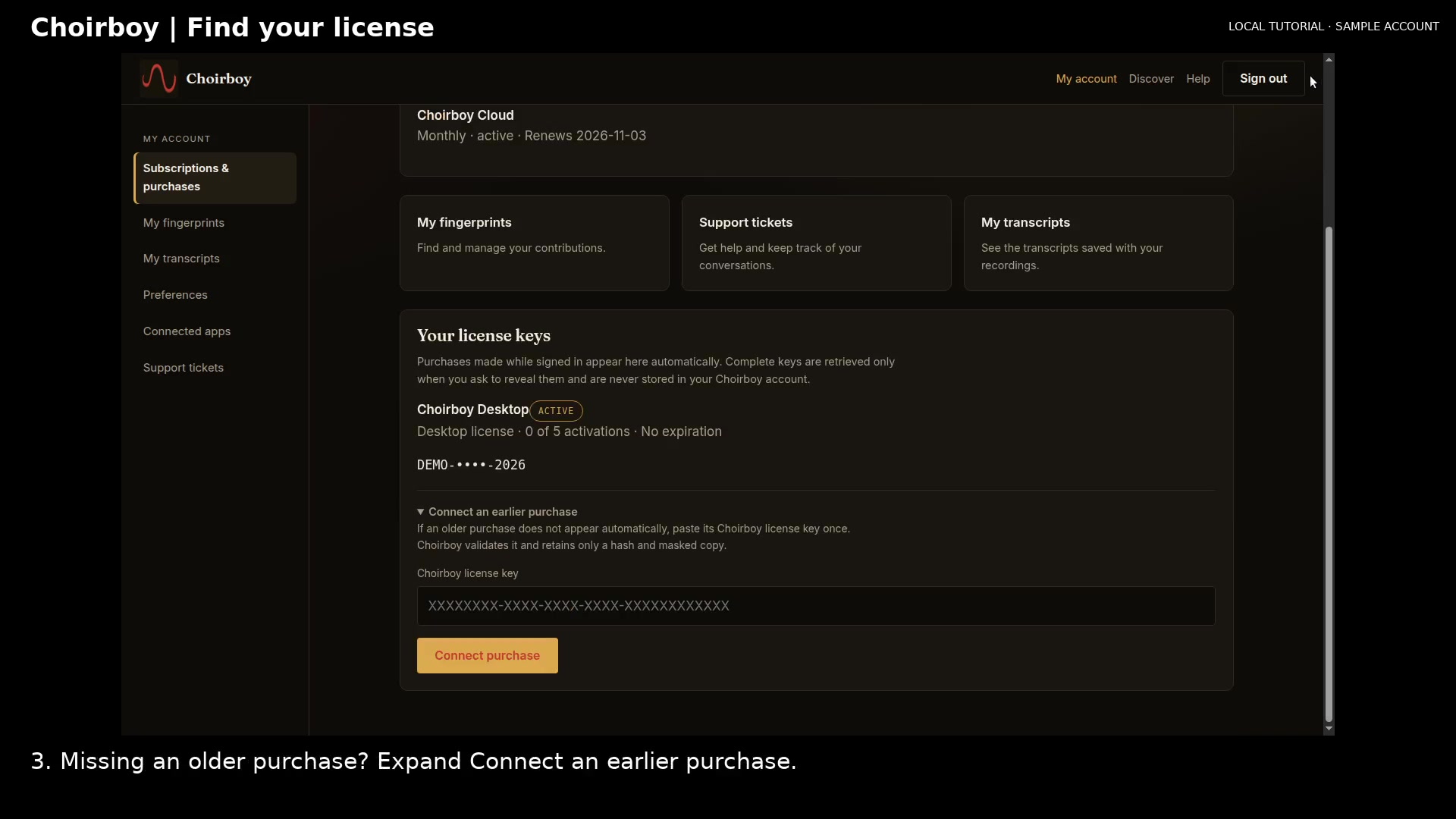
Find the purchase-recovery form Open full size
- Enter your own key
Read the video instructions
- Open your account to review subscriptions and licenses.
- 1. Open Subscriptions & purchases to review the plans linked to your account.
- 2. Scroll to Your license keys. Check the product, status, and activation count.
- 3. Missing an older purchase? Expand Connect an earlier purchase.
- Use the Choirboy license key from your purchase to connect it to your account.