
Website · 0:35 video
Review and correct a paired transcript
Find your transcript, correct its text through the owner fingerprint editor, and reopen the saved revision.
Before you start: A signed-in Choirboy account with an owned fingerprint and its editable paired transcript.
Download videoDownload captions
Step by step
Find the paired transcript
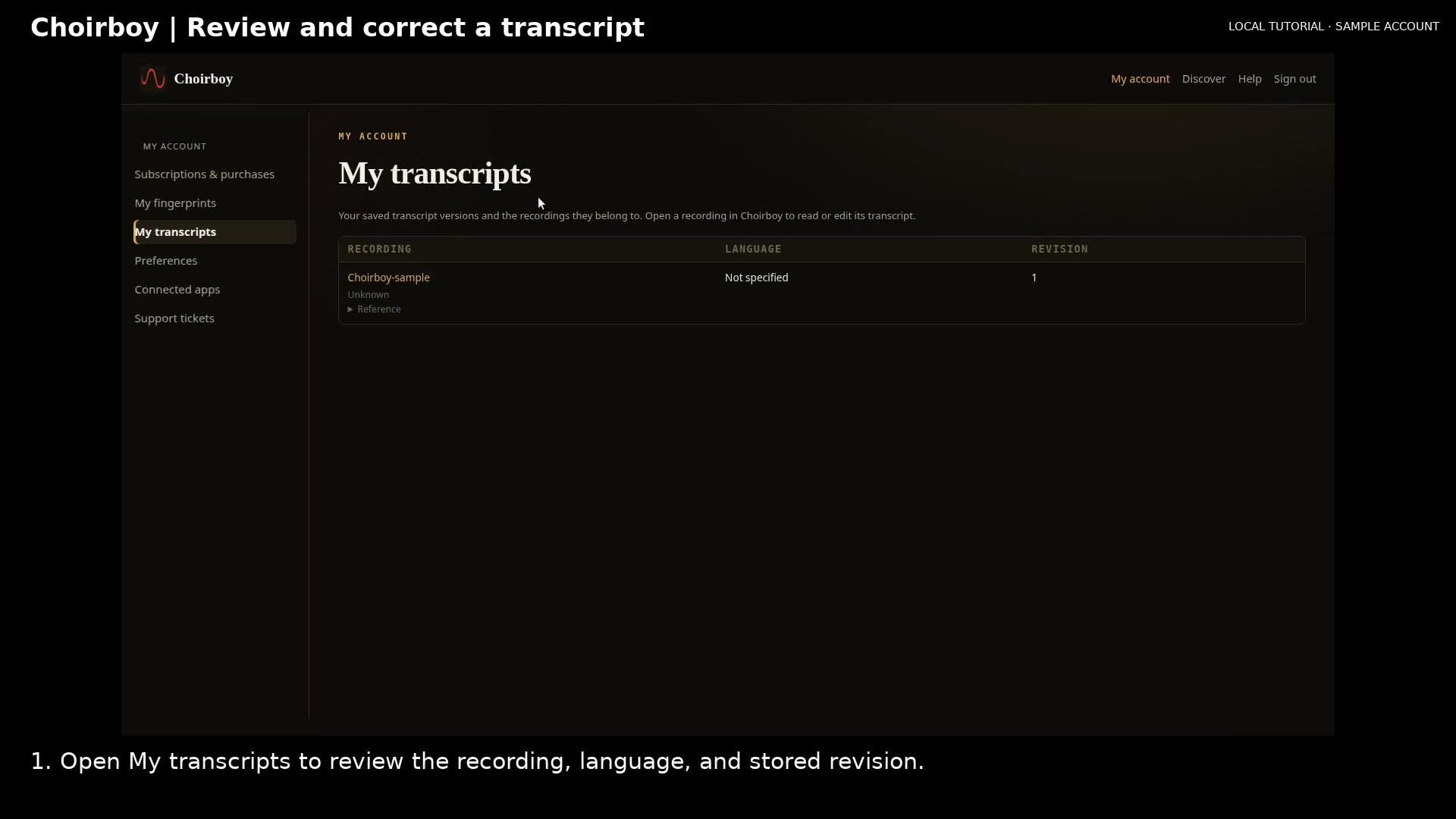
Open My transcripts. Check the recording, language, and revision to find the transcript you want.
Review your paired transcript Open full size
- Stored transcript revision
Open the matching fingerprint editor
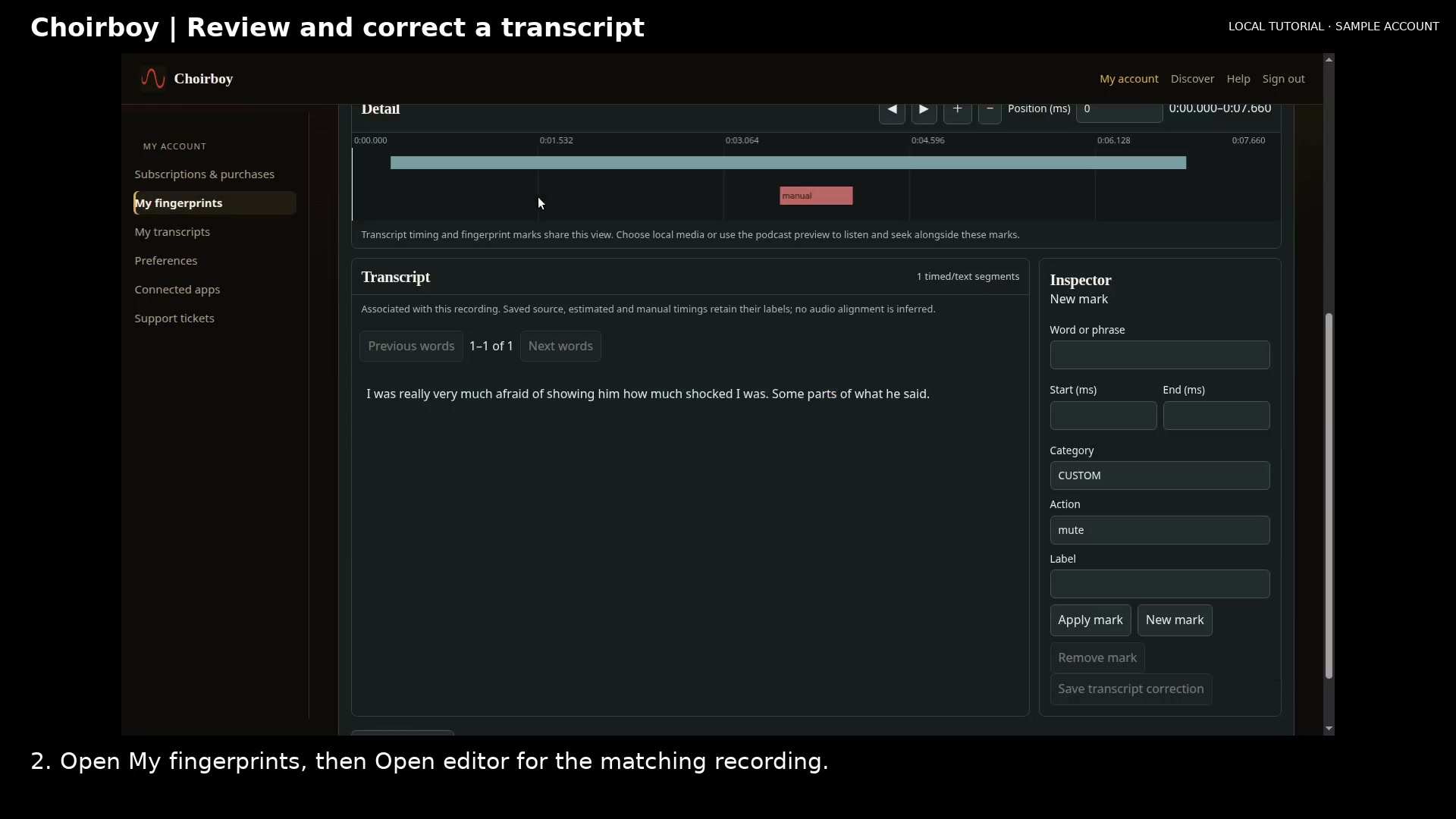
Choose My fingerprints, then Open editor for the same recording. Scroll to the transcript beside the fingerprint timeline.
Find the transcript beside the fingerprint Open full size
- Paired transcript text
Select a transcript segment
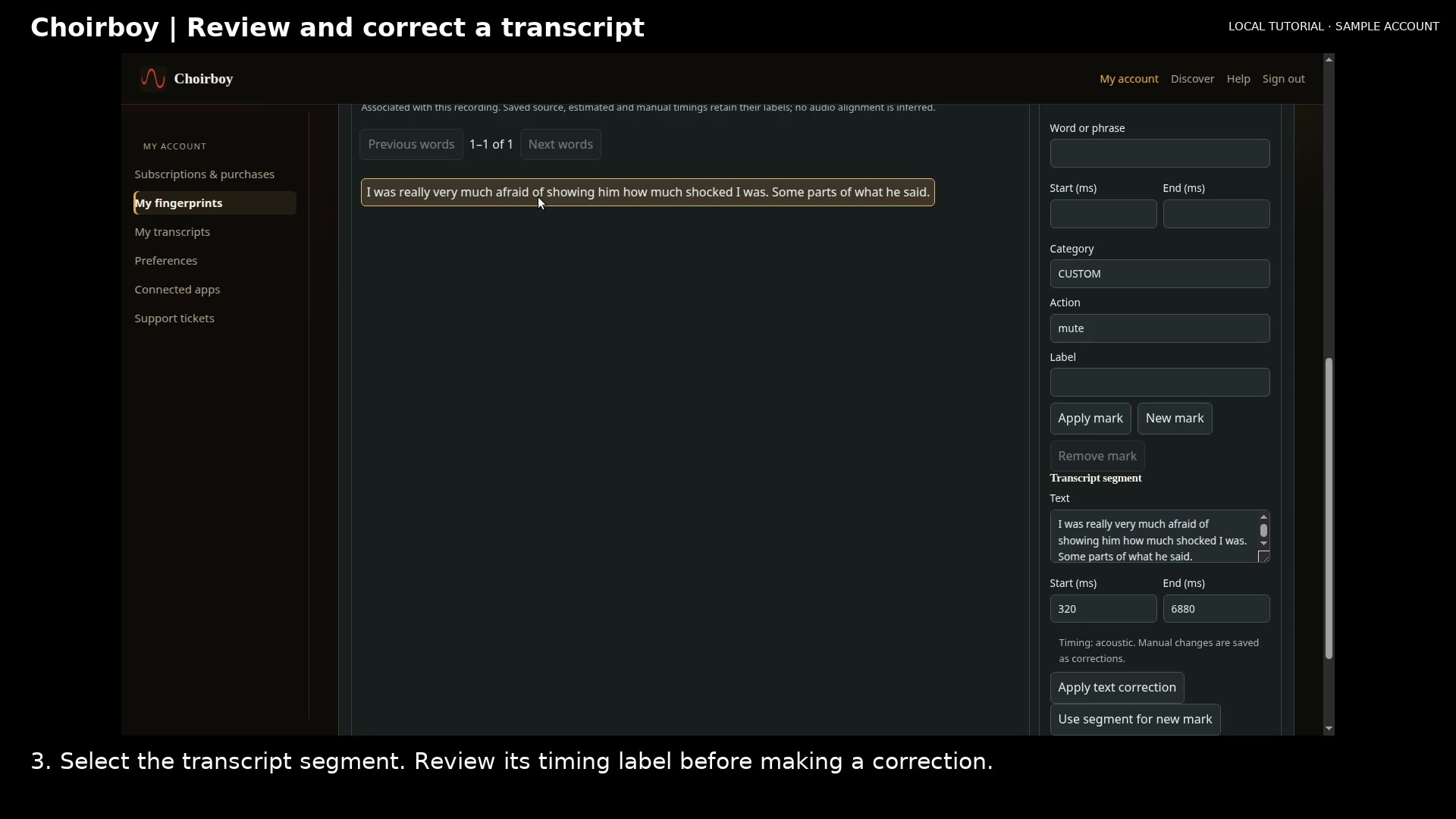
Choose the segment to edit. Review its text and timing in the inspector.
Select the segment and inspect its timing Open full size
- Edit the selected segment
- Check its timing label
Apply the correction
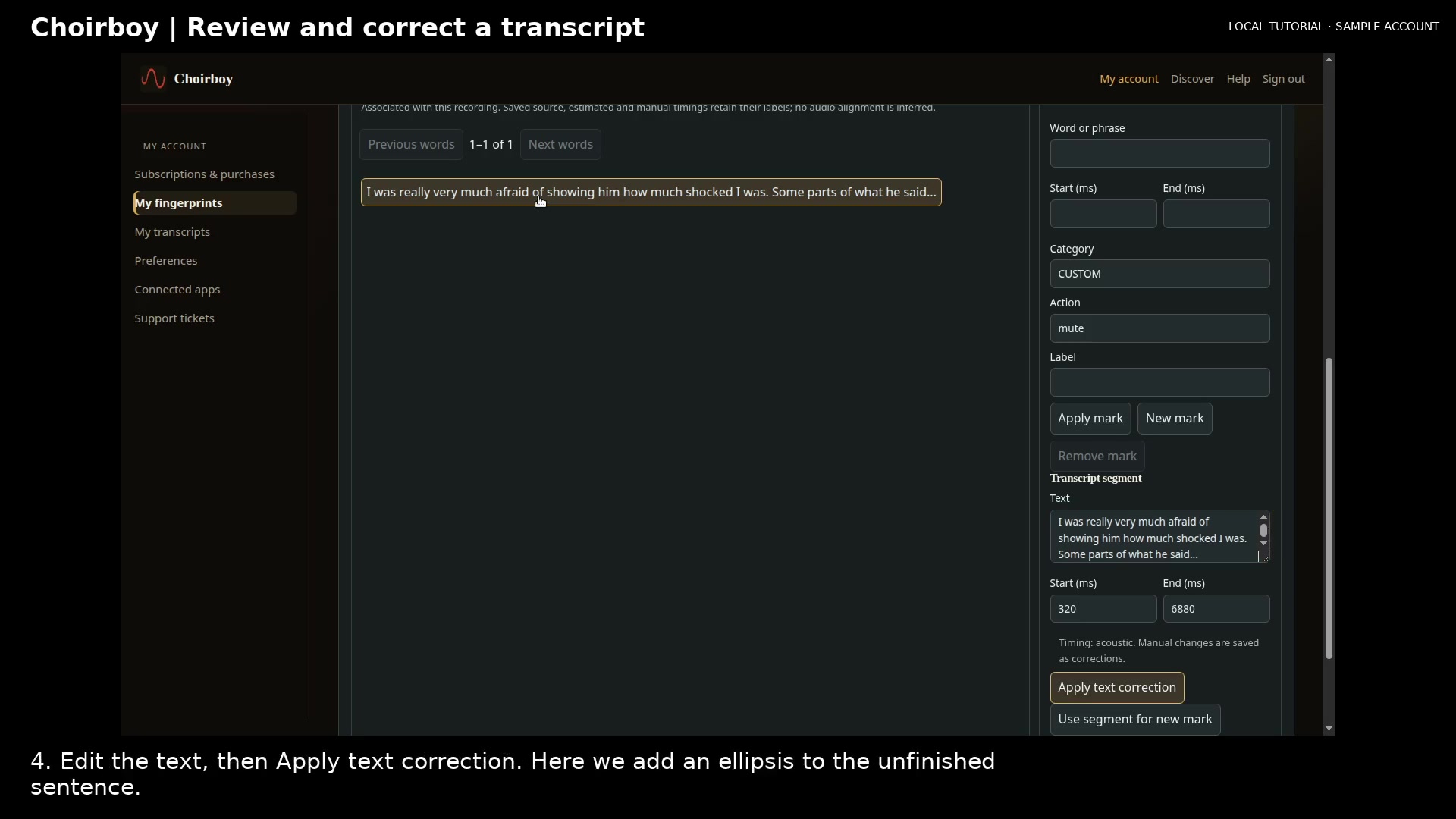
Edit the text and choose Apply text correction. Continue to Save transcript correction to store the change.
Apply the punctuation correction Open full size
- Apply the correction
Save the transcript correction
Choose Save transcript correction. Wait for the visible saved confirmation before leaving the editor.
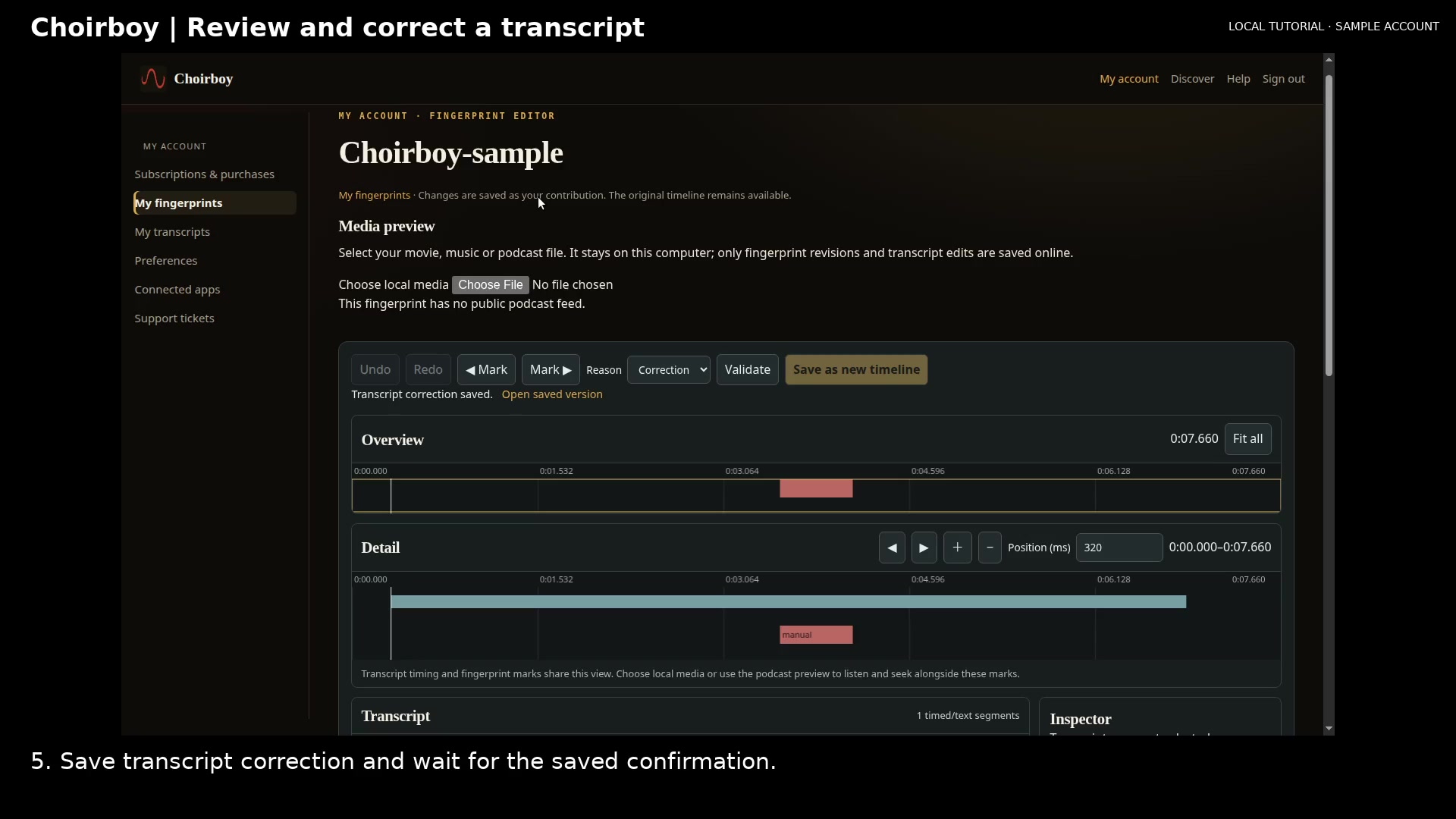
Confirm the correction was saved Open full size
- Saved confirmation
- Open the saved version
Verify the stored version
Choose Open saved version and check that your correction is present.
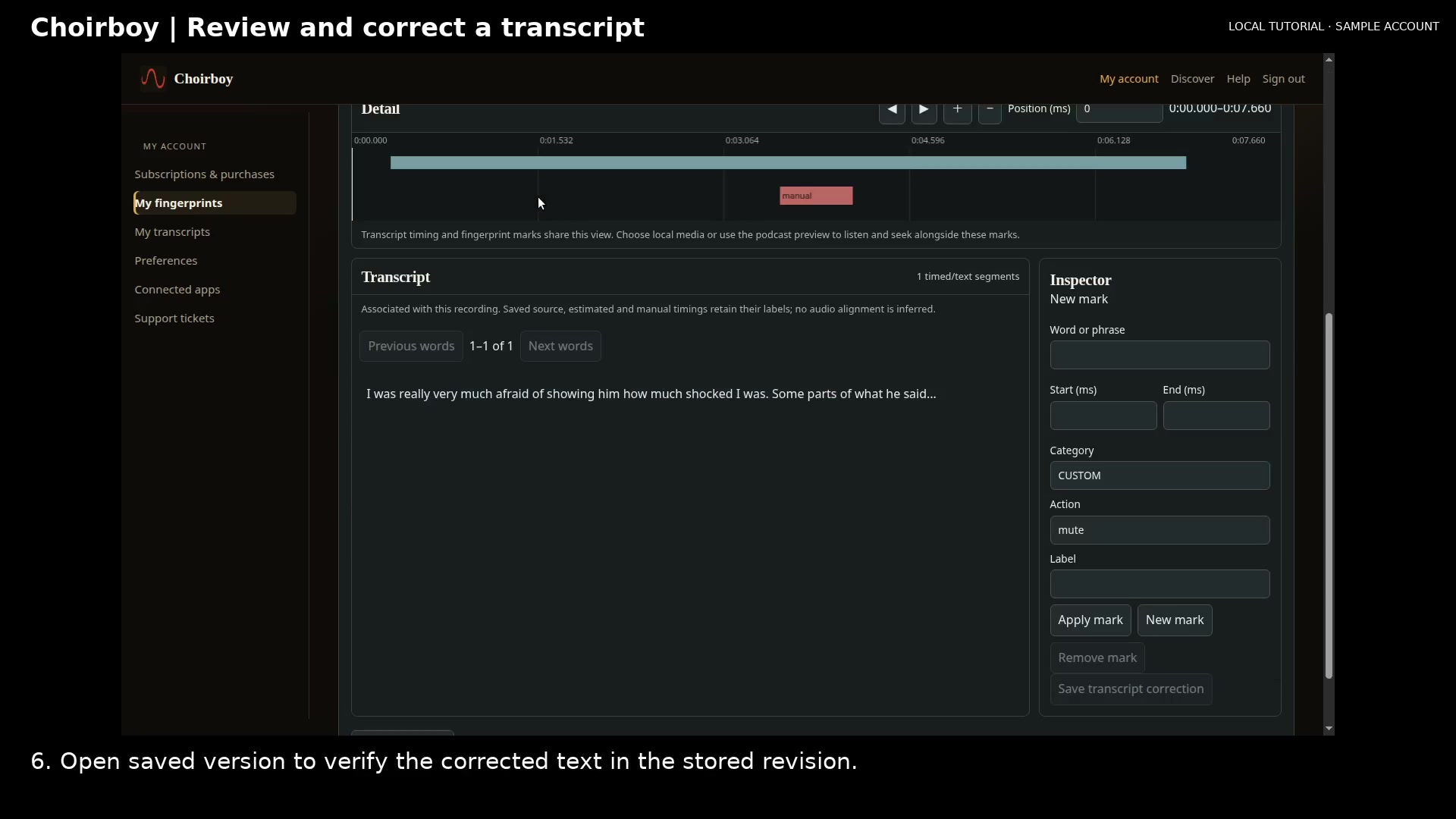
Reopen and verify the saved transcript Open full size
- Correction persisted
Read the video instructions
- Open your transcript, correct a segment and save the change.
- 1. Open My transcripts to review the recording, language, and stored revision.
- 2. Open My fingerprints, then Open editor for the matching recording.
- 3. Select the transcript segment. Review its timing label before making a correction.
- 4. Edit the text, then Apply text correction. Here we add an ellipsis to the unfinished sentence.
- 5. Save transcript correction and wait for the saved confirmation.
- 6. Open saved version to verify the corrected text in the stored revision.
- The correction is stored with the contribution. This does not infer new audio alignment or word timing.