
Desktop · 0:43 video
Repair a passage in Surgery
Loop a troublesome passage, compare a treatment, and create a treated copy while keeping the source.
Before you start: A track open in the waveform workspace.
Download videoDownload captions
Step by step
Open the track’s repair workspace
Choose Perform Surgery on the track. The waveform, spectrogram, meters, and grouped effect controls open together.
Select a region and listen
Drag across the waveform to set In and Out. Surgery enables a loop of that region. Use the small Play button at the top to audition it.
Try a treatment
Enable an effect and open its controls. This example uses High Pass at 80 Hz. Toggle the effect off and on while listening so you can compare it with the original.
Keep the useful treatment
Choose Commit to Region, then Apply. Apply renders the committed treatment into a new aligned track. Exit Surgery to return to the editor.
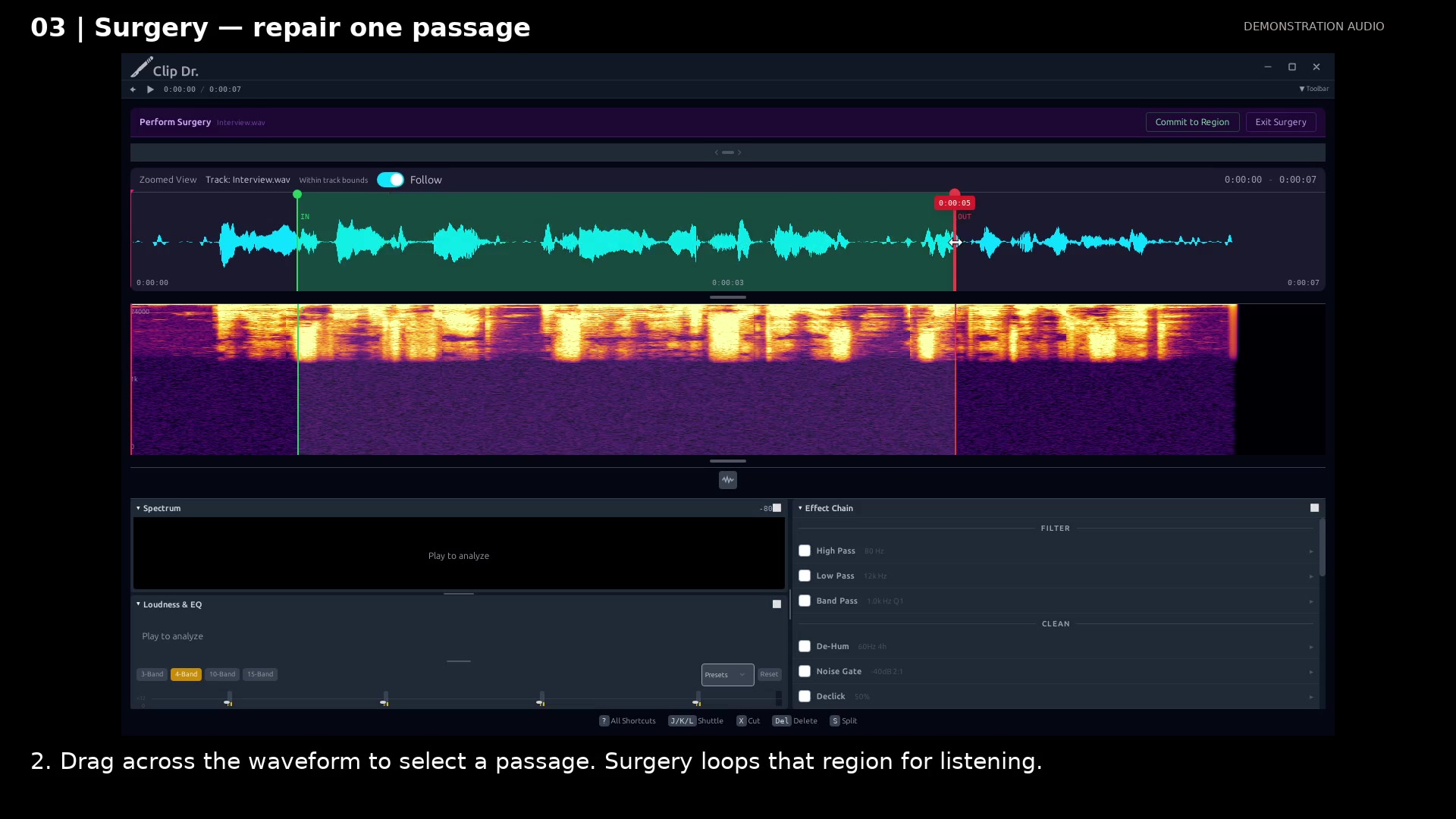
Select the treatment region. Open full size
- The selected region is the part being treated.
- Effects are grouped by purpose.
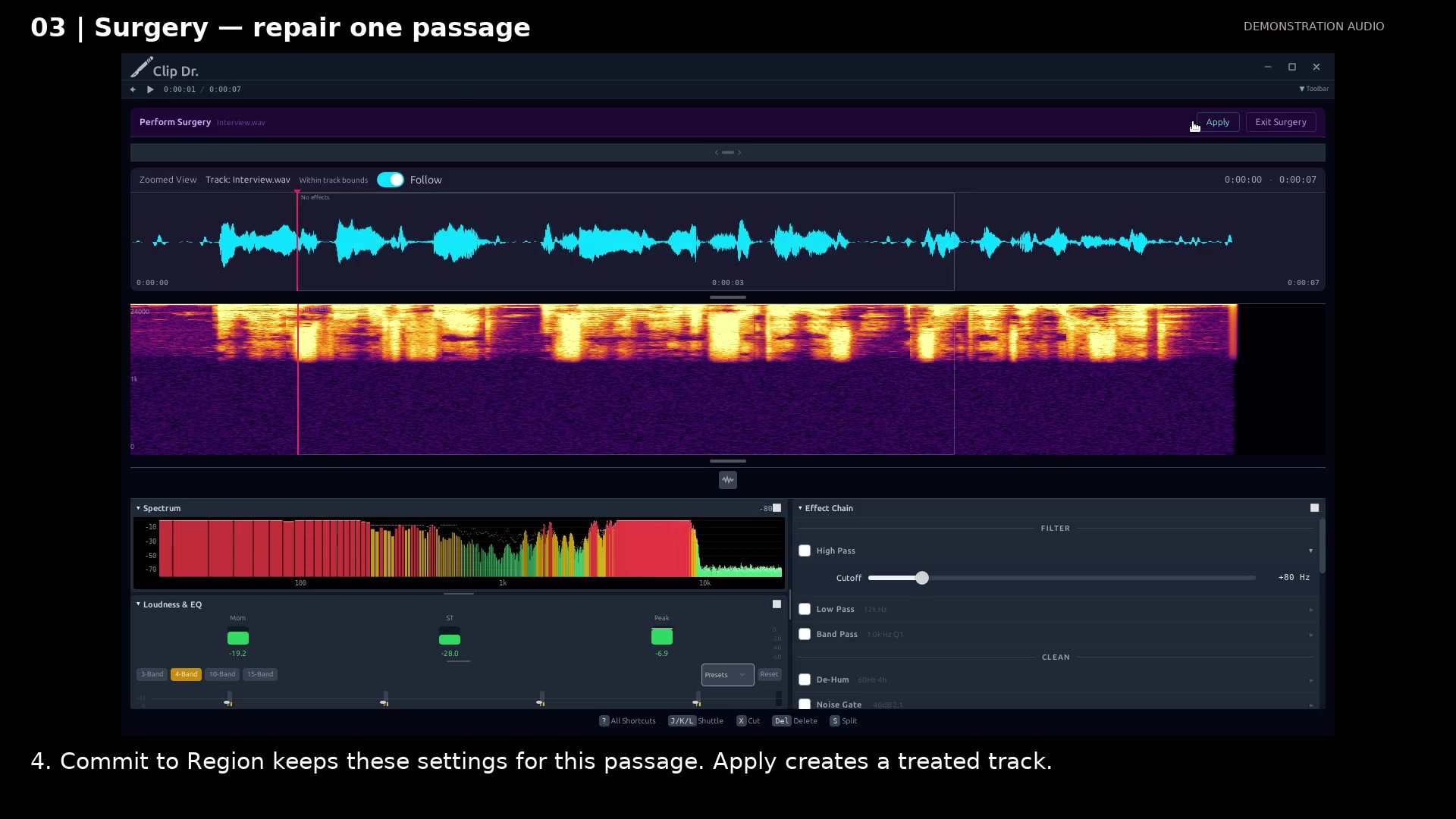
Keep the treatment as a region. Open full size
- Apply creates a treated track from committed regions.
Read the video instructions
- Work on one track. Listen to a small region, then keep the treatment when it helps.
- 1. Choose Perform Surgery on the track you want to repair.
- 2. Drag across the waveform to select a passage. Surgery loops that region for listening.
- 3. Enable High Pass for this example. Its cutoff controls the low frequencies removed.
- Toggle the effect off and on to compare. Keep settings that improve the recording.
- 4. Commit to Region keeps these settings for this passage. Apply creates a treated track.
- The source remains in place. Surgery gives each repair a region and an audible preview.
Audio credits
LibriSpeech excerpts 1688-142285-0007 and 1272-128104-0000, collected by Vassil Panayotov, Guoguo Chen, Daniel Povey, and Sanjeev Khudanpur from LibriVox, are used under CC BY 4.0. Excerpts have been trimmed, resampled, padded, or processed. The voice-replacement example uses an original synthetic voice.