
Desktop · 0:24 video
Make a clip from selected words
Pick the passage in a transcript and let its timing locate the audio excerpt.
Before you start: A selected track with a completed transcript.
Download videoDownload captions
Step by step
Select a passage
Click the first word, then hold Shift and click the last word. The matching In and Out points appear in the waveform.
Check the opening
Choose Play from words and listen. Mark this passage adds a moment you can return to later.
Create the excerpt
Choose Make clip from words. Clip Dr. adds the excerpt at the end of the timeline. The original recording remains available, and the edit can be undone.
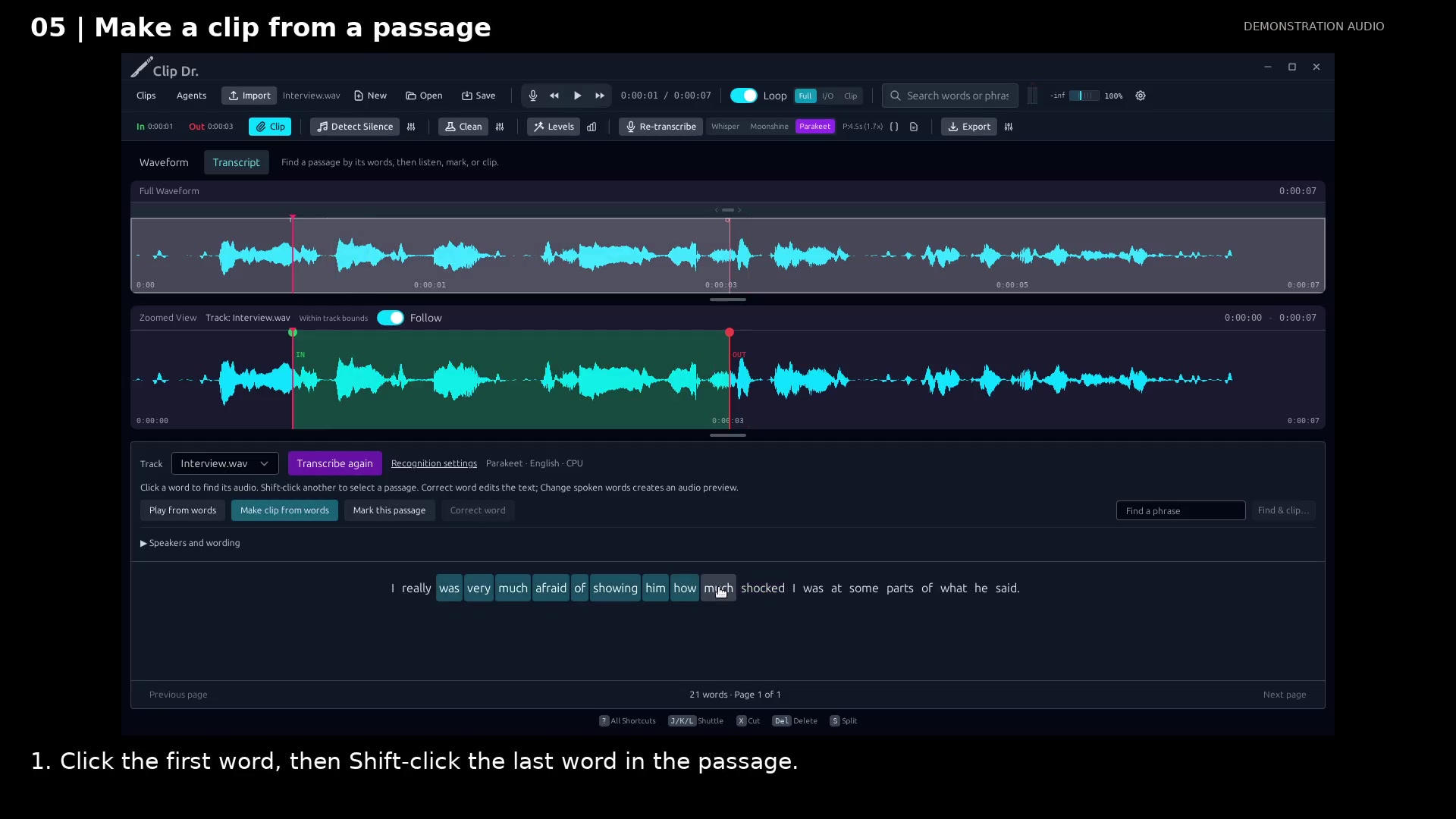
Select a continuous passage. Open full size
- Shift-click selects a continuous passage.
- The waveform shows the corresponding audio range.
- Make clip from words creates the excerpt.
Read the video instructions
- Choose the words you want to keep. Clip Dr. finds their audio for you.
- 1. Click the first word, then Shift-click the last word in the passage.
- 2. Play from words to check the opening. Add a mark if you want to return later.
- 3. Choose Make clip from words. The excerpt appears at the end of the timeline.
- Keep your original recording. Each excerpt is a separate, undoable clip.
Audio credits
LibriSpeech excerpts 1688-142285-0007 and 1272-128104-0000, collected by Vassil Panayotov, Guoguo Chen, Daniel Povey, and Sanjeev Khudanpur from LibriVox, are used under CC BY 4.0. Excerpts have been trimmed, resampled, padded, or processed. The voice-replacement example uses an original synthetic voice.