
Desktop · 0:40 video
Keep your clips and every version
Listen through a folder, open only the clip that needs work, and save its next numbered version.
Before you start: A writable clips folder. English transcription is included for automatic clip transcripts.
Download videoDownload captions
Step by step
Choose the clips folder
Open Clips → Choose clips folder. Make a clip in the editor or use Add selected track. The library saves a WAV in that folder.
Listen, then open just one clip
Use the play button beside a clip to audition it. Click its name to load only that clip in the editor. Save your current project first if you need to keep its arrangement.
Save another version
Make your edit and choose Save version. The library lists the newest v-number; earlier WAV versions stay in the folder.
Find it by what was said
Expand Automatic clip transcripts and enable background transcription for clips under three minutes. Using the included Parakeet English model, the list gains opening words and can filter by a spoken phrase, name, or tag.
Pause and pick up later
Use the switch under Automatic clip transcripts to pause or resume the queue. In the transcription development preview, Pause automatic transcripts and Resume automatic transcripts are also beside the remaining-clip count. Completed words remain searchable while the rest wait.
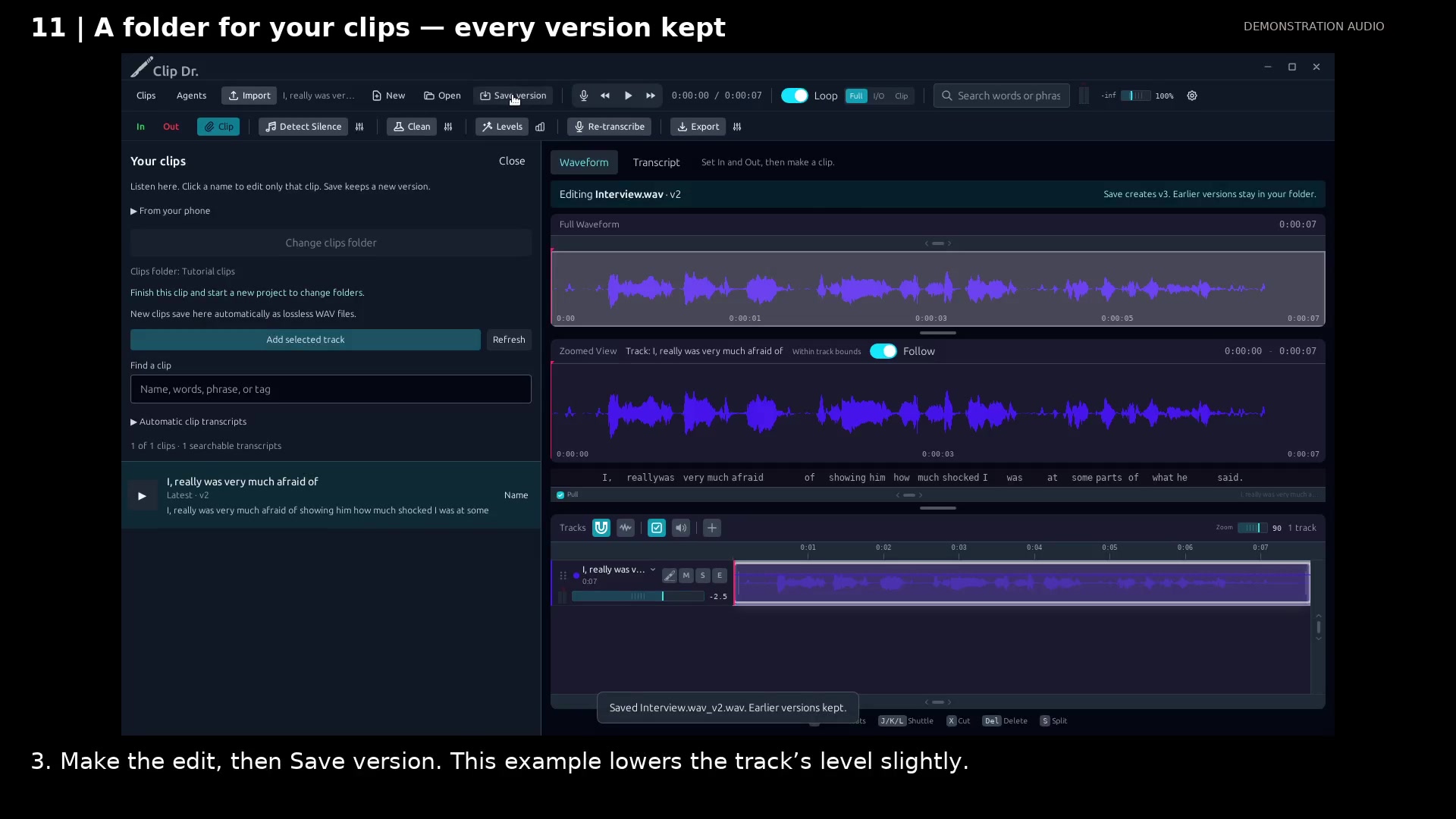
Save v2 while preserving v1. Open full size
- Latest v2 is listed; v1 stays in the clips folder.
- Save version writes the next numbered WAV.
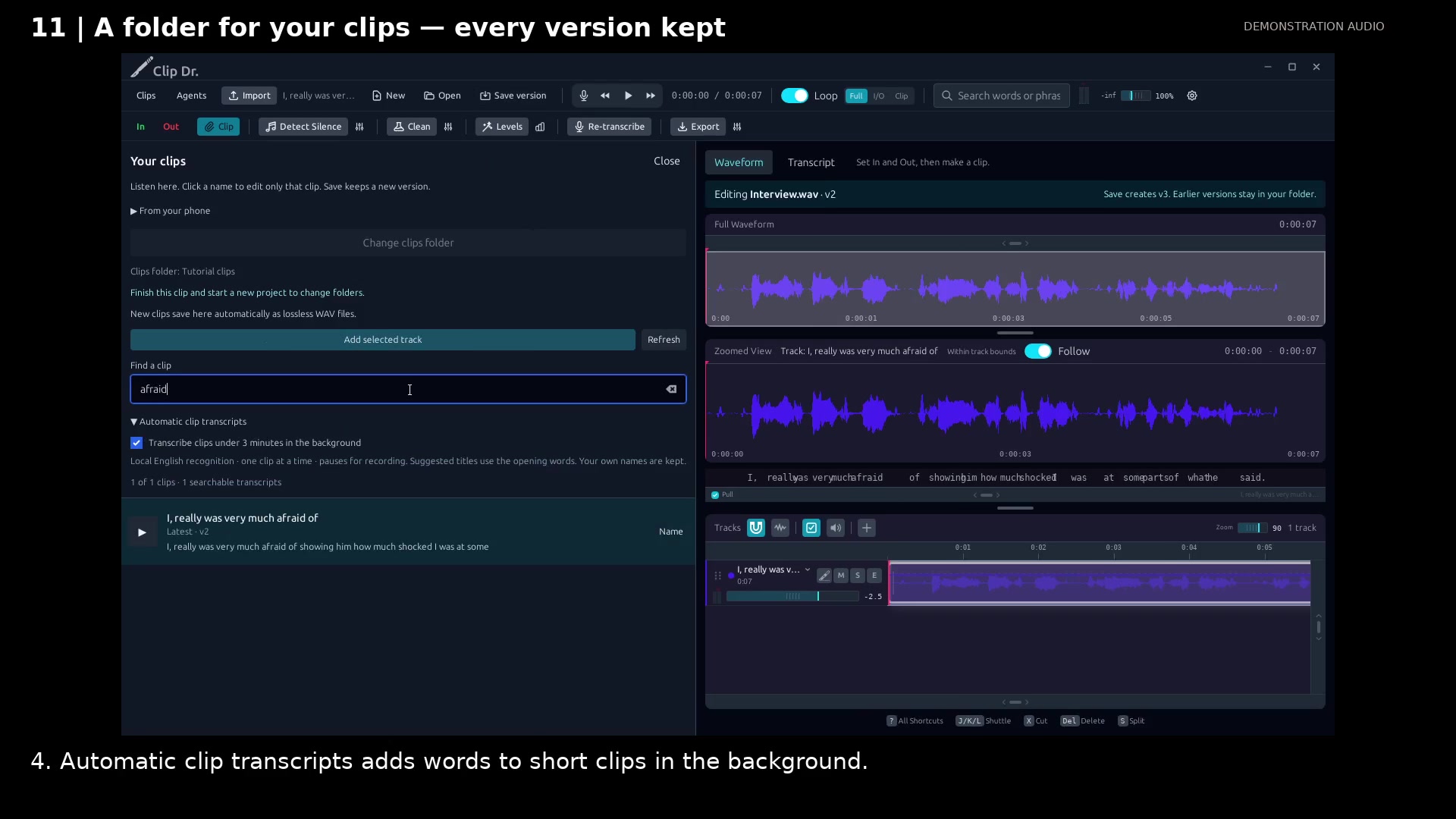
Find the latest version by spoken words. Open full size
- Filter the library by a word or phrase.
- Enable local background transcripts for short clips.
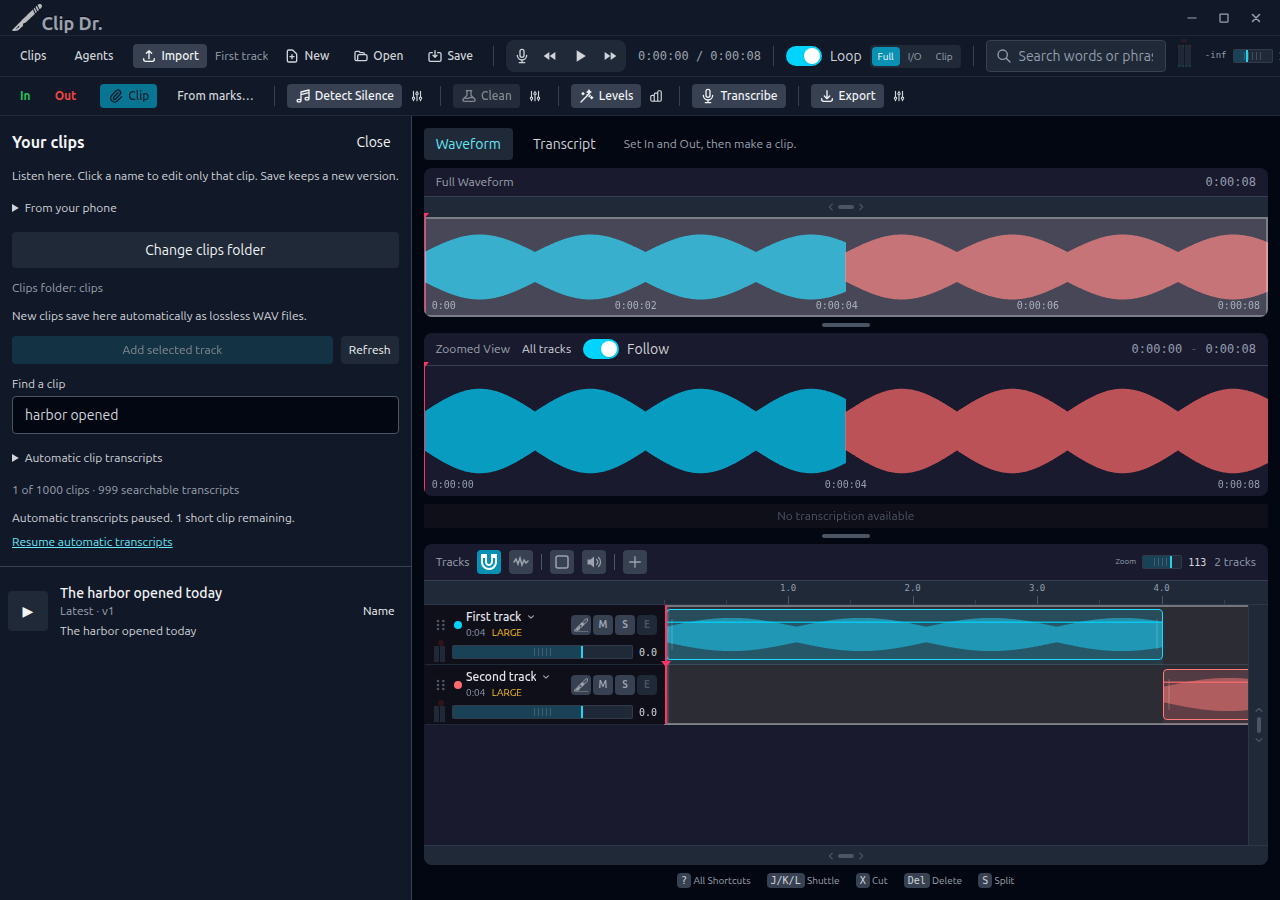
Search completed transcripts while the rest of the queue is paused. Open full size
- Search words already recognized without waiting for the whole collection.
- Resume the remaining short clips when you are ready.
Read the video instructions
- Listen to your clips, open just one for editing, and save a new version.
- 1. Open Clips and choose a folder to keep your clips together.
- 2. Listen in the list. Click the clip’s name to open only that clip for editing.
- The sample is already saved in the library. Discard this temporary editor arrangement.
- 3. Make the edit, then Save version. This example lowers the track’s level slightly.
- 4. Automatic clip transcripts adds words to short clips in the background.
- The list shows the latest version. Earlier WAV files stay in your folder.
Audio credits
LibriSpeech excerpts 1688-142285-0007 and 1272-128104-0000, collected by Vassil Panayotov, Guoguo Chen, Daniel Povey, and Sanjeev Khudanpur from LibriVox, are used under CC BY 4.0. Excerpts have been trimmed, resampled, padded, or processed. The voice-replacement example uses an original synthetic voice.