
Android · 0:33 video
Record and mark on Android
Watch incoming audio and flag useful moments without stopping the take.
Before you start: The Android development app and microphone permission.
Download videoDownload captions
Step by step
Choose the take and input
On Record, enter an optional take name. Connect your input, refresh the list, and check the source and channel selection.
Record and watch
Tap Start recording. The waveform shows the last six seconds as audio arrives; level meters show each channel.
Mark useful moments
Tap Mark this moment when you hear something to revisit. Recording continues while the flags are added.
Save and review
Tap Stop & save, then open Clips. Find the take by its name and open it to review the saved waveform and marks.
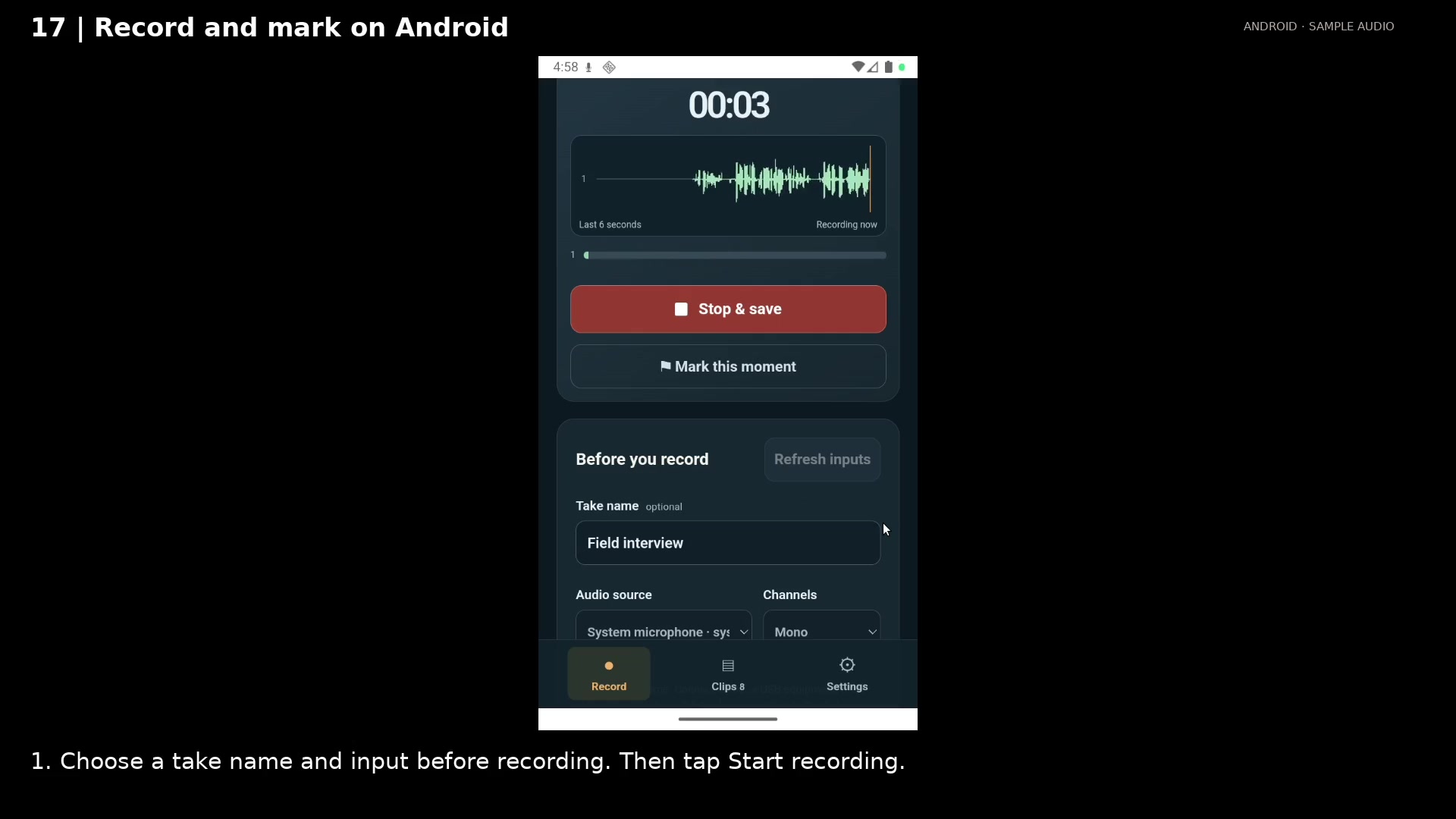
Watch the waveform as you record. Open full size
- The live waveform shows the latest six seconds.
- Mark a useful moment without stopping.
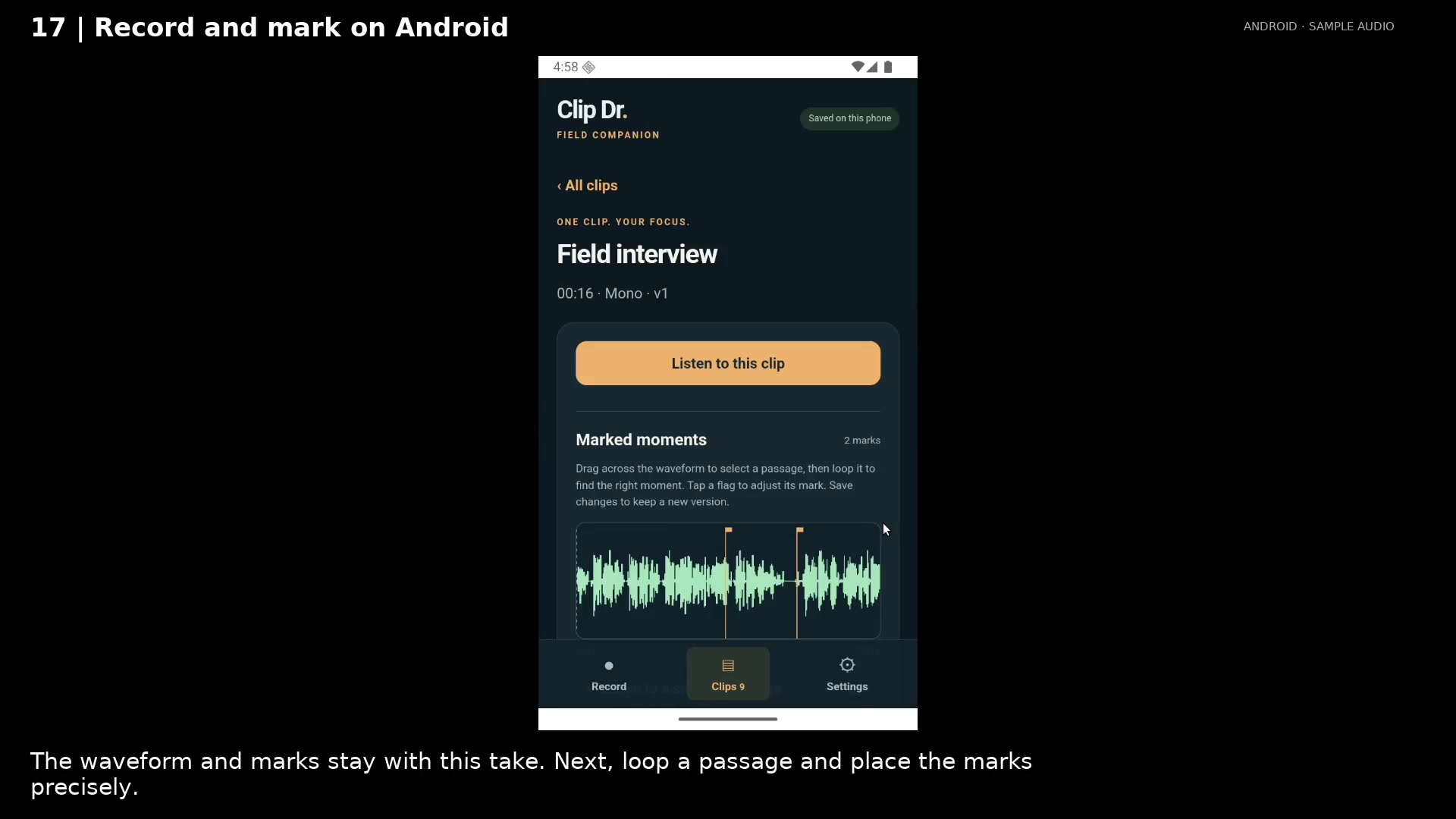
Open the saved take with its waveform and marks. Open full size
- The saved waveform keeps the marks from recording.
Read the video instructions
- Record on your phone and mark useful moments as you hear them.
- 1. Choose a take name and input before recording. Then tap Start recording.
- 2. Mark a useful moment. The take keeps recording while you add flags.
- 3. Stop & save keeps the take on the phone. Open Clips when you are ready to review it.
- The waveform and marks stay with this take. Next, loop a passage and place the marks precisely.
Audio credits
LibriSpeech excerpts 1688-142285-0007 and 1272-128104-0000, collected by Vassil Panayotov, Guoguo Chen, Daniel Povey, and Sanjeev Khudanpur from LibriVox, are used under CC BY 4.0. Excerpts have been trimmed, resampled, padded, or processed. The voice-replacement example uses an original synthetic voice.