
Android · 0:27 video

Tag an entry and browse tags

Add a #tag while you write, then use Tags to see every entry on that topic.

Before you start: Lifespeed Journal open on Android with a journal.

Download videoDownload captions

1Open an entry

Search bluebirds and open the entry.
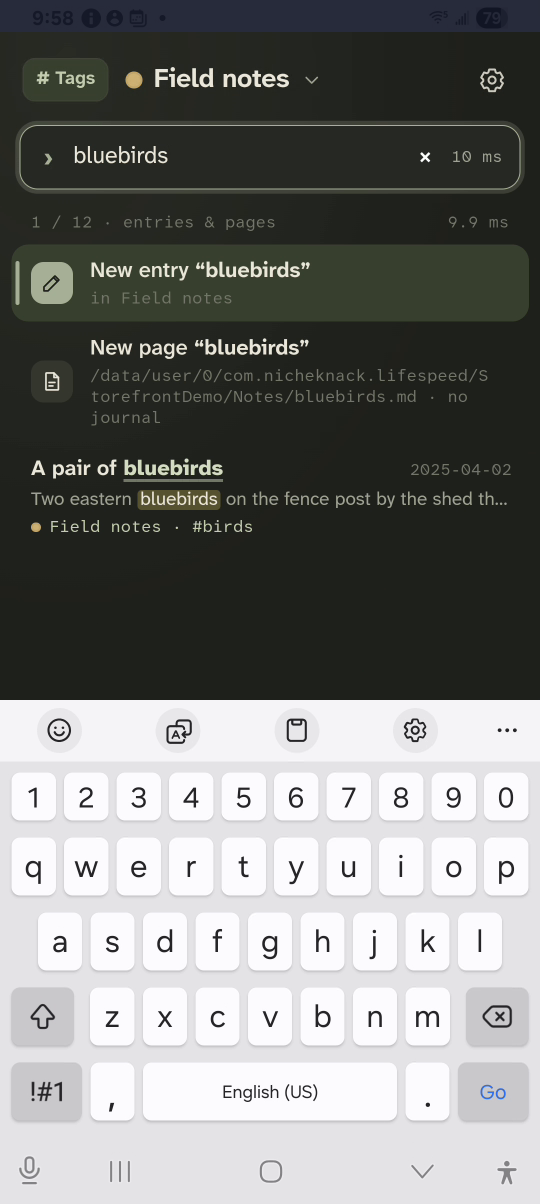
1 · Open an entry. Search bluebirds and open the entry.Tag an entry and browse tags — step 11
Result. Select the image to enlarge it.

2Add a tag

Start a new line. Tap # on the toolbar and type nesting.
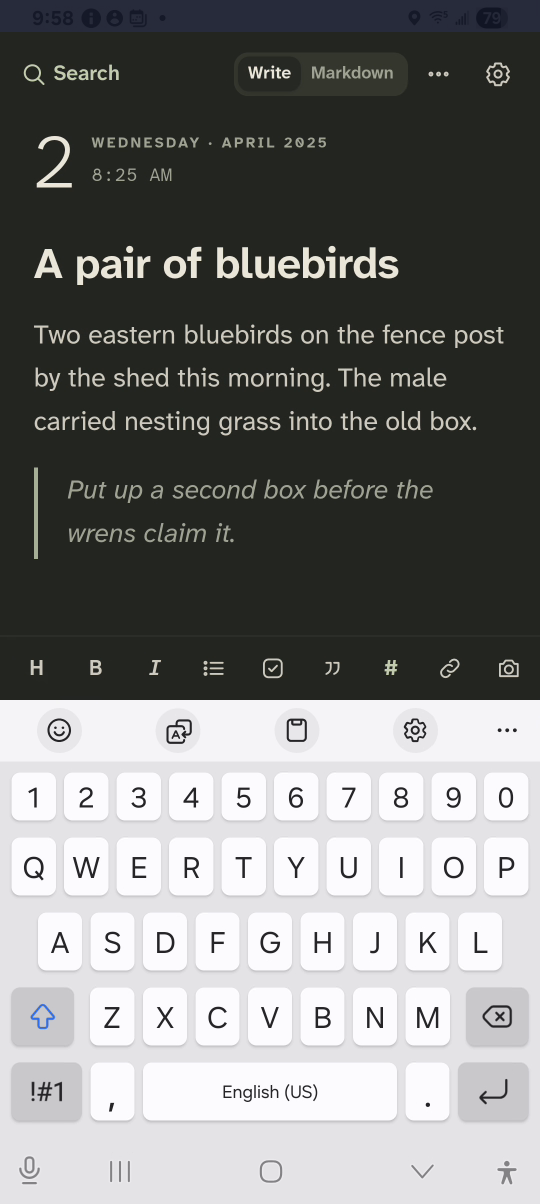
2 · Add a tag. Start a new line. Tap # on the toolbar and type nesting.Tag an entry and browse tags — step 22
Tag button. Select the image to enlarge it.

3Open Tags

Tap Search, then # Tags at the top left.
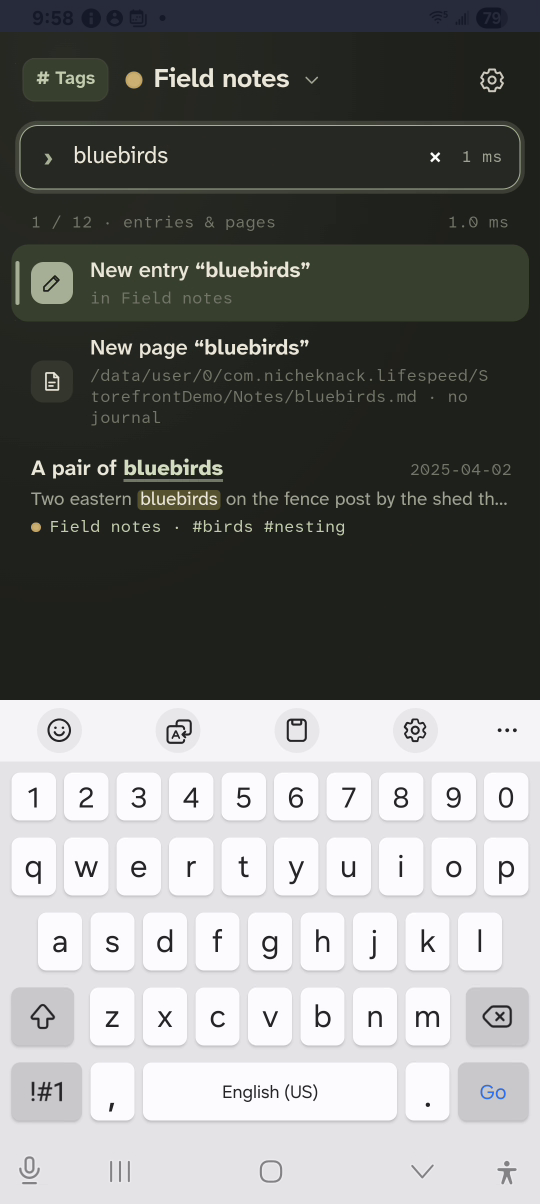
3 · Open Tags. Tap Search, then # Tags at the top left.Tag an entry and browse tags — step 33
# Tags. Select the image to enlarge it.

4Pick a tag

Tap a tag to list its entries.
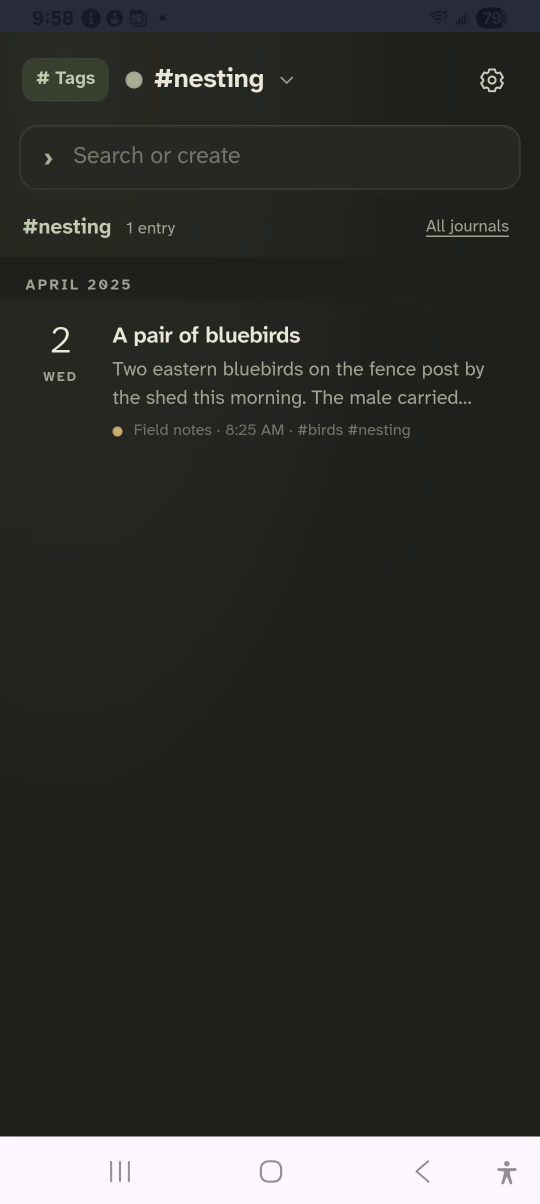
4 · Pick a tag. Tap a tag to list its entries.Tag an entry and browse tags — step 44
# nesting. Select the image to enlarge it.

Result: Tags lists #nesting, and the tag shows every entry that carries it.