
Linux · 0:20 video

Tag an entry on desktop

Add a tag in the text, then browse every entry with that tag.

Before you start: Lifespeed Journal open on a Linux computer with a journal.

Download videoDownload captions

1Open an entry

Click the entry in the timeline.
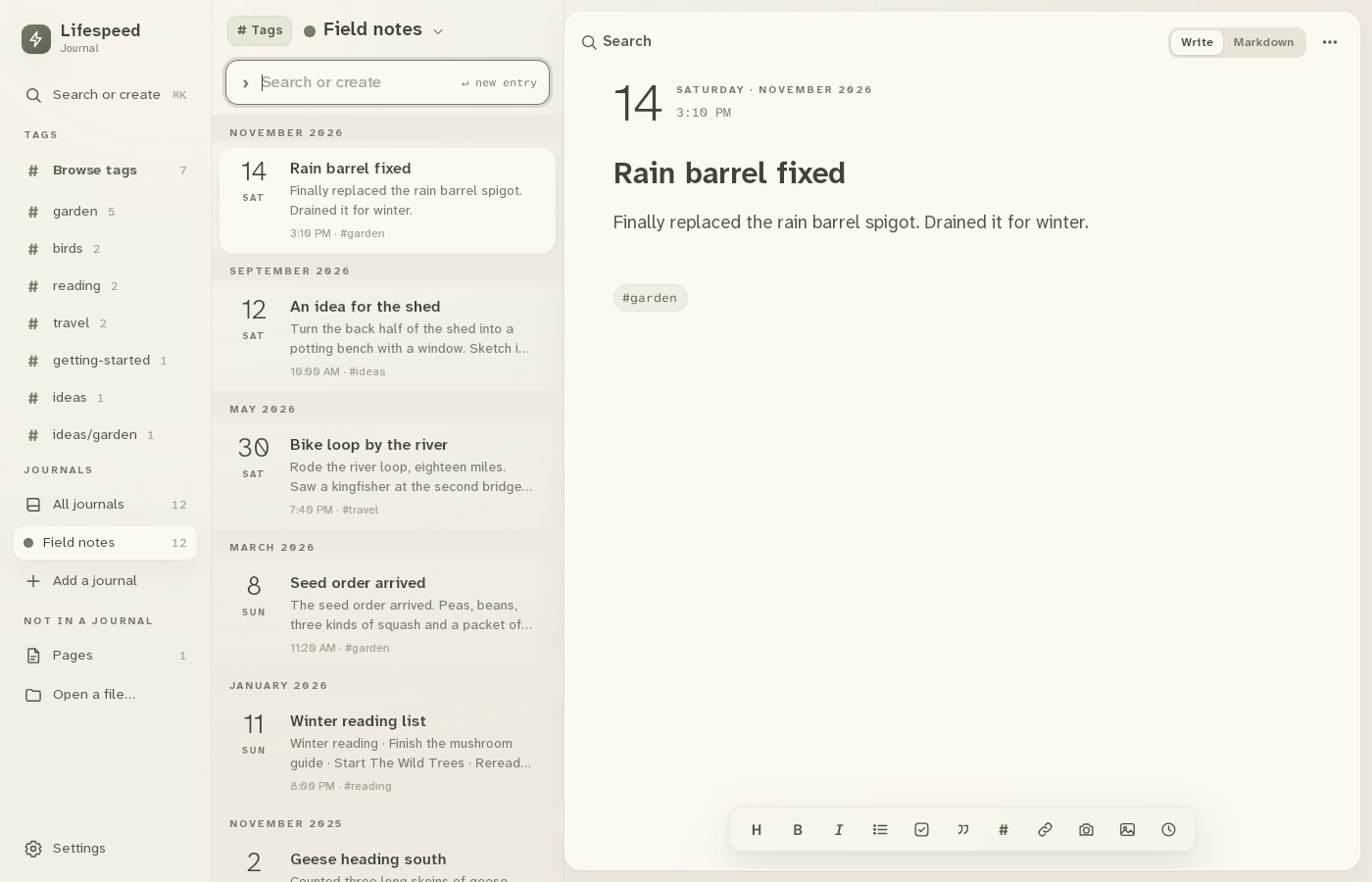
1 · Open an entry. Click the entry in the timeline.Tag an entry on desktop — step 11
An idea for the shed. Select the image to enlarge it.

2Type a tag

Type # and a word anywhere in the text: #garden.
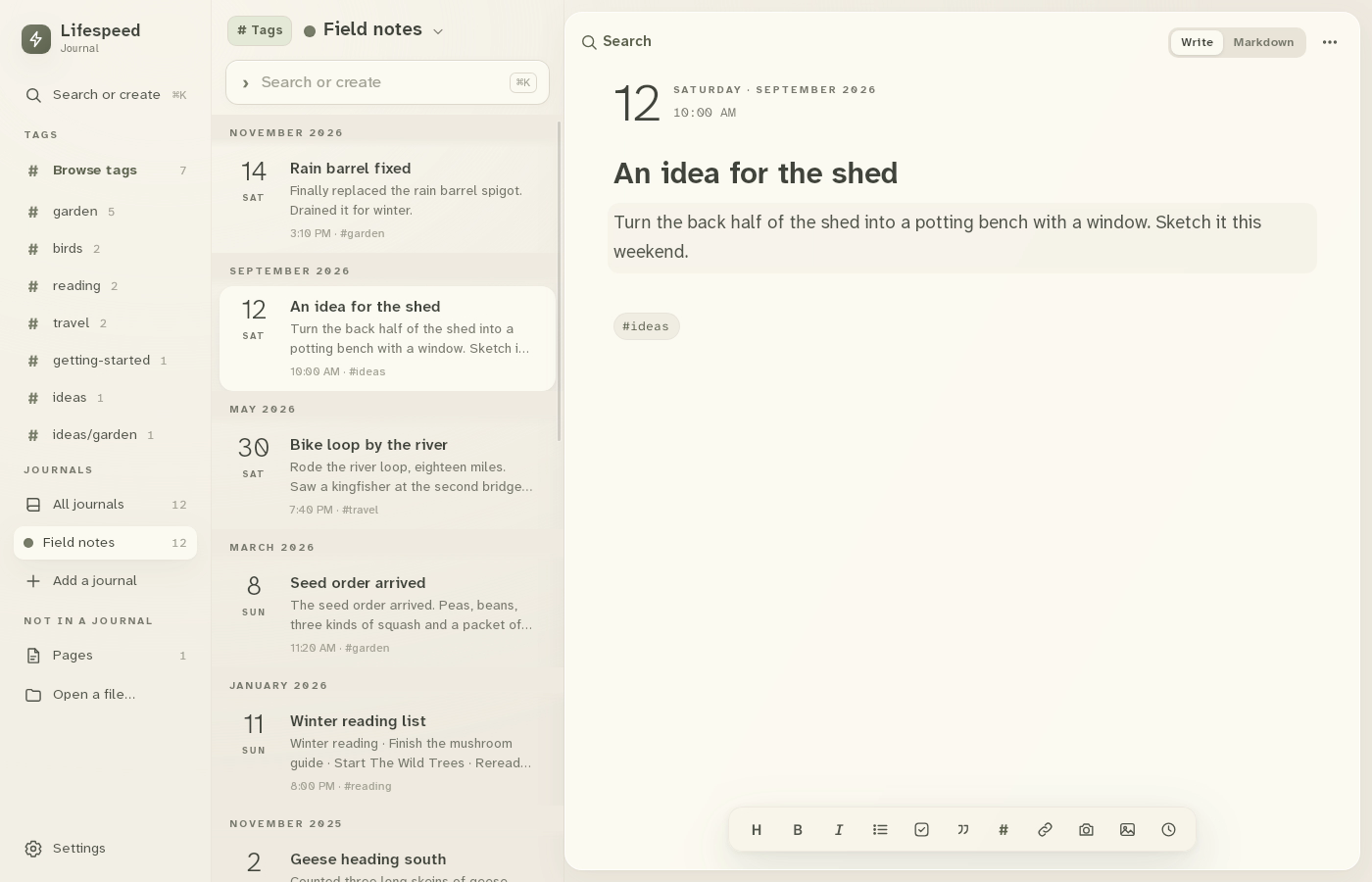
2 · Type a tag. Type # and a word anywhere in the text: #garden.Tag an entry on desktop — step 22
Entry text. Select the image to enlarge it.

3Check the tags

The tag appears under the entry and in the sidebar count.

3 · Check the tags. The tag appears under the entry and in the sidebar count.Tag an entry on desktop — step 33
Tags. Select the image to enlarge it.

4Browse the tag

Click garden in the sidebar to list every entry with it.
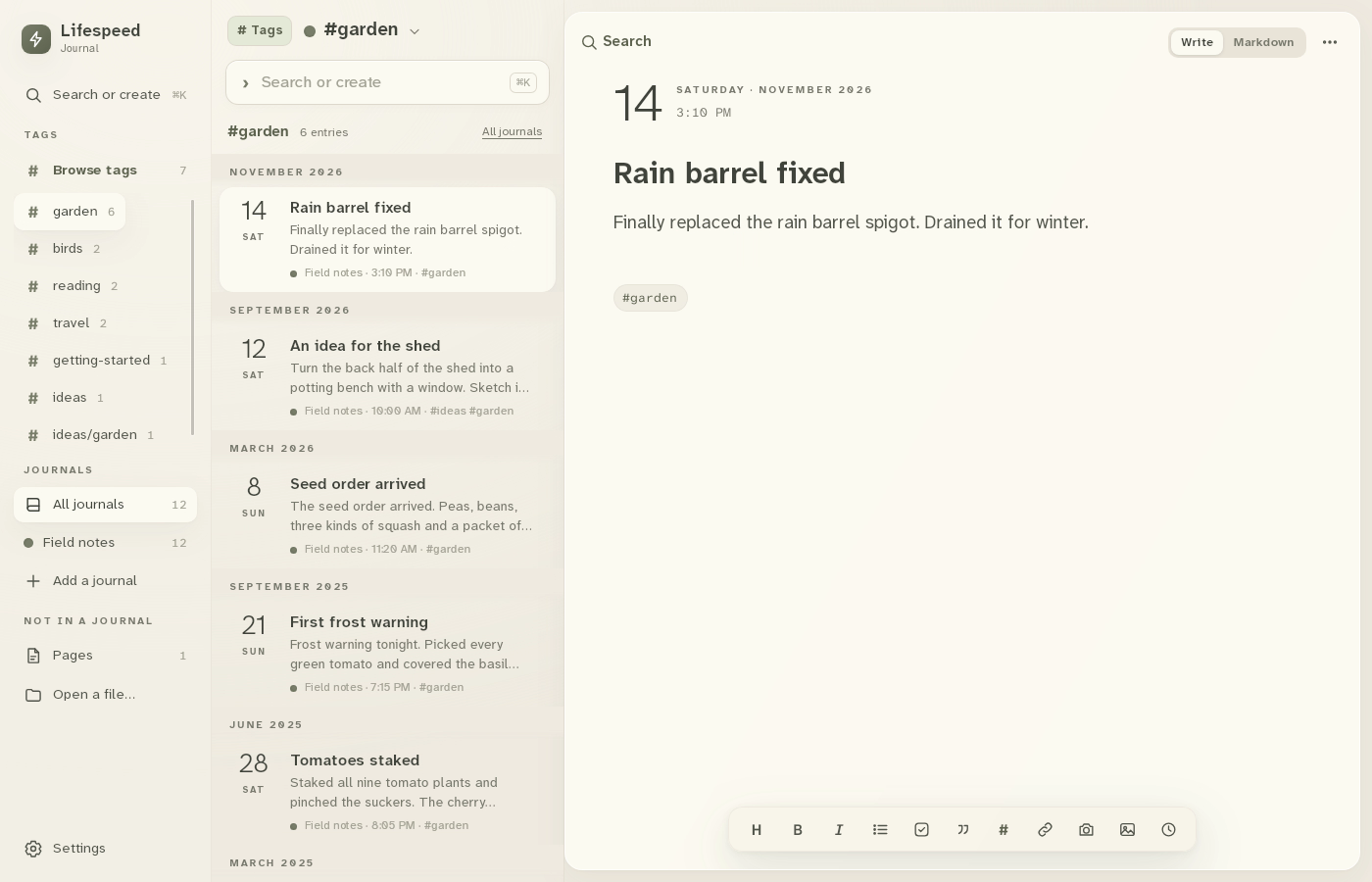
4 · Browse the tag. Click garden in the sidebar to list every entry with it.Tag an entry on desktop — step 44
garden. Select the image to enlarge it.

Result: The garden tag lists six entries, including the shed idea.