
Linux · 0:23 video

Add a second journal on desktop

Keep separate journals, each in its own folder and color.

Before you start: Lifespeed Journal open on a Linux computer with a journal.

Download videoDownload captions

1Add a journal

Click Add a journal in the sidebar.
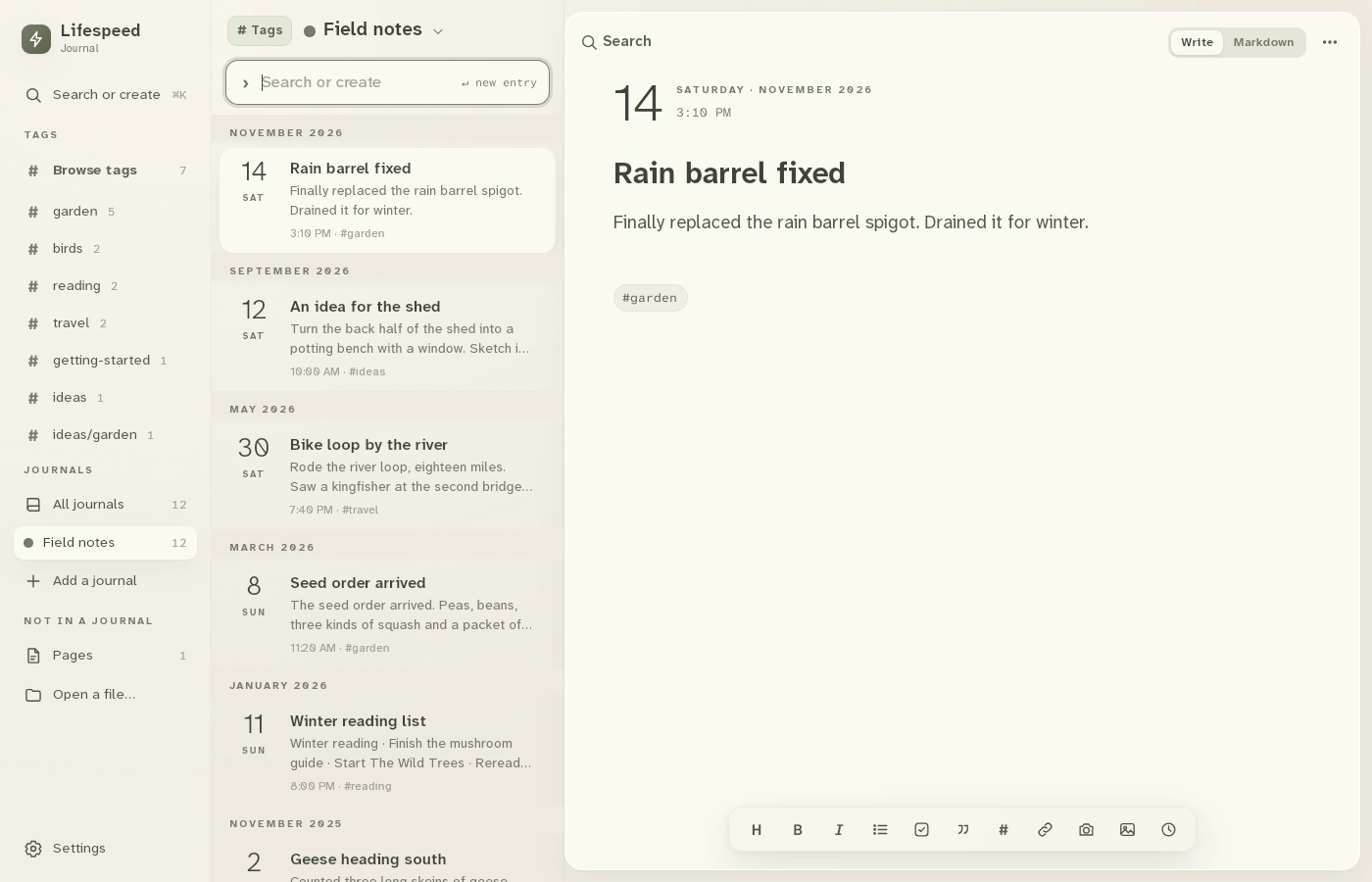
1 · Add a journal. Click Add a journal in the sidebar.Add a second journal on desktop — step 11
Add a journal. Select the image to enlarge it.

2New journal

Click New journal. Open a folder… uses a folder you already have.
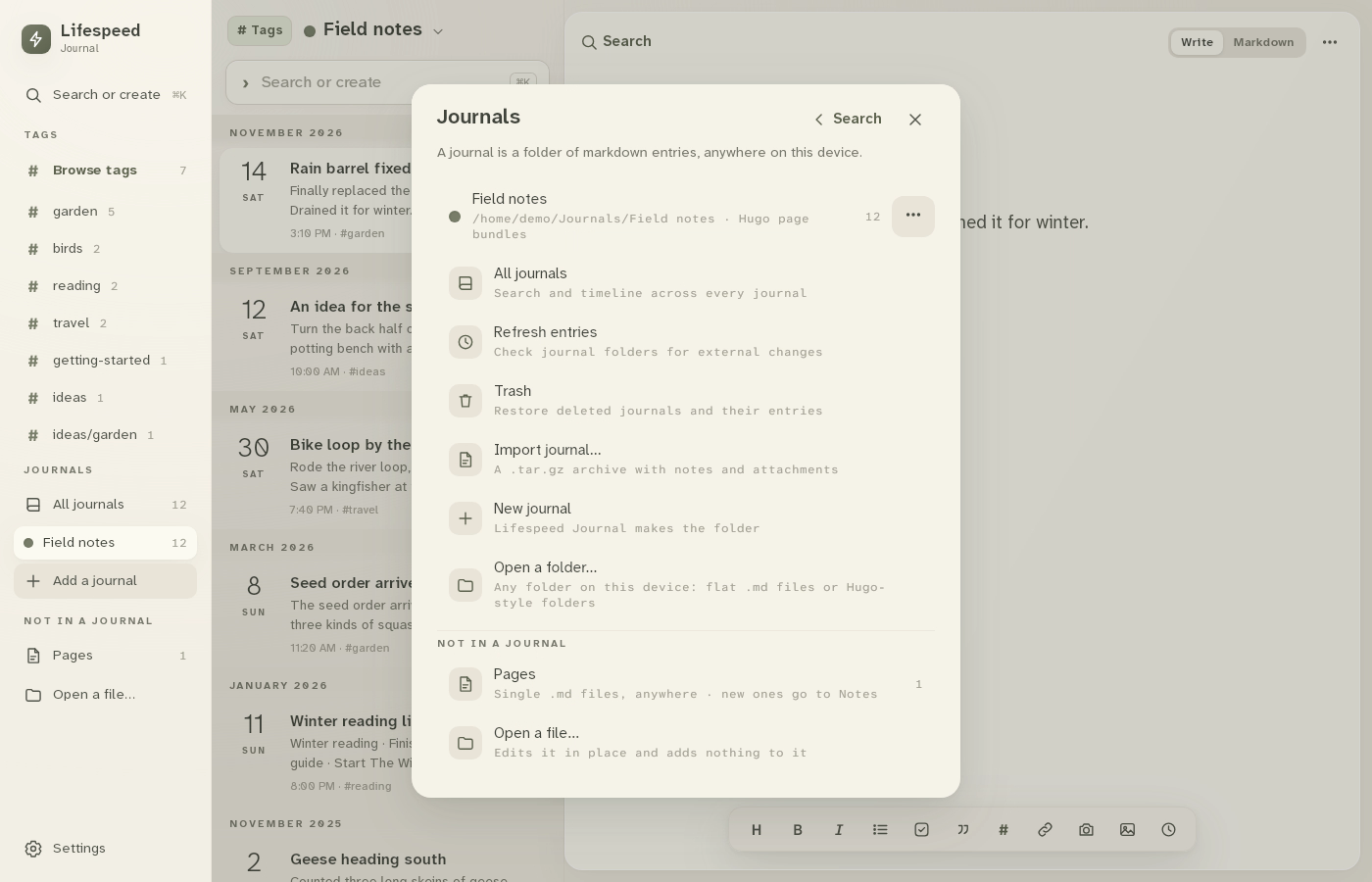
2 · New journal. Click New journal. Open a folder… uses a folder you already have.Add a second journal on desktop — step 22
New journal. Select the image to enlarge it.

3Name it

Type Recipes, pick a color, then click Create journal.
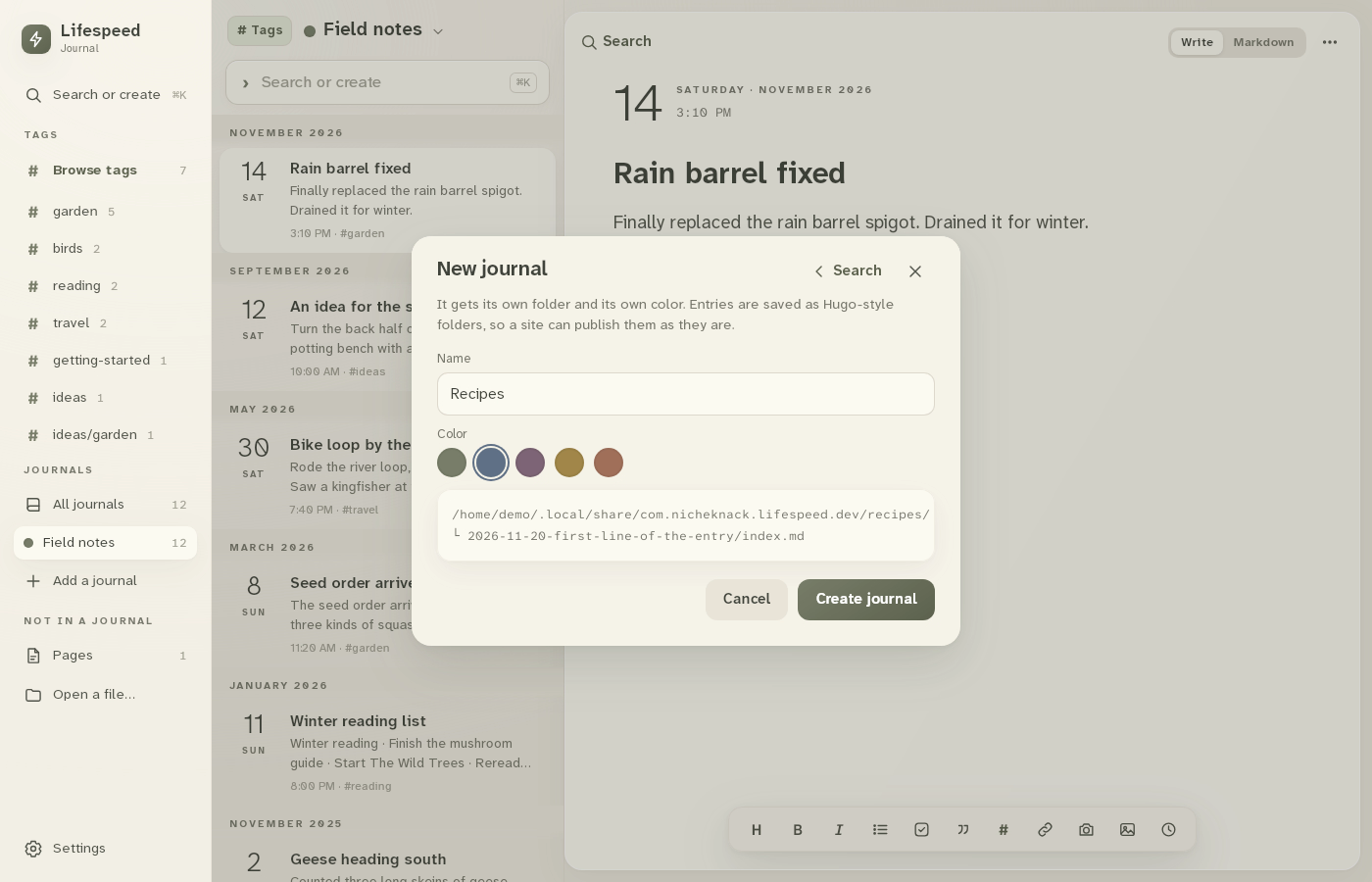
3 · Name it. Type Recipes, pick a color, then click Create journal.Add a second journal on desktop — step 33
Name and color. Select the image to enlarge it.

4Switch journals

Click a journal in the sidebar to switch. All journals shows every entry.
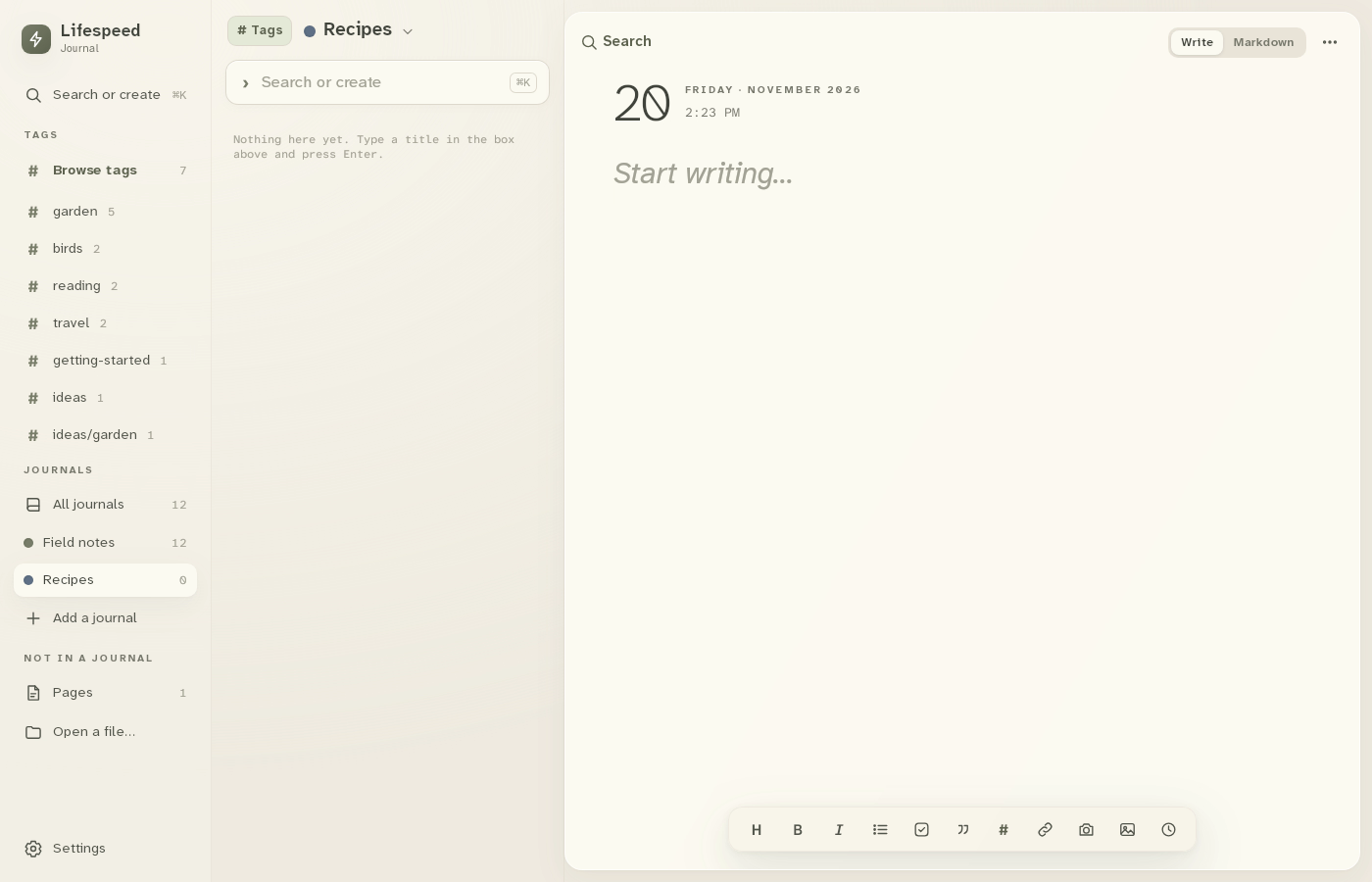
4 · Switch journals. Click a journal in the sidebar to switch. All journals shows every entry.Add a second journal on desktop — step 44
Journals. Select the image to enlarge it.

Result: Recipes is listed under Journals. Click a journal to switch.