
Android · 0:23 video

Start a focus

Pick a length and the focus starts. Clearing distractions is optional.

Before you start: Redeem the Time open on Android, set up with your birth date.

Download videoDownload captions

1Pick a length

Tap Focus, then a length.
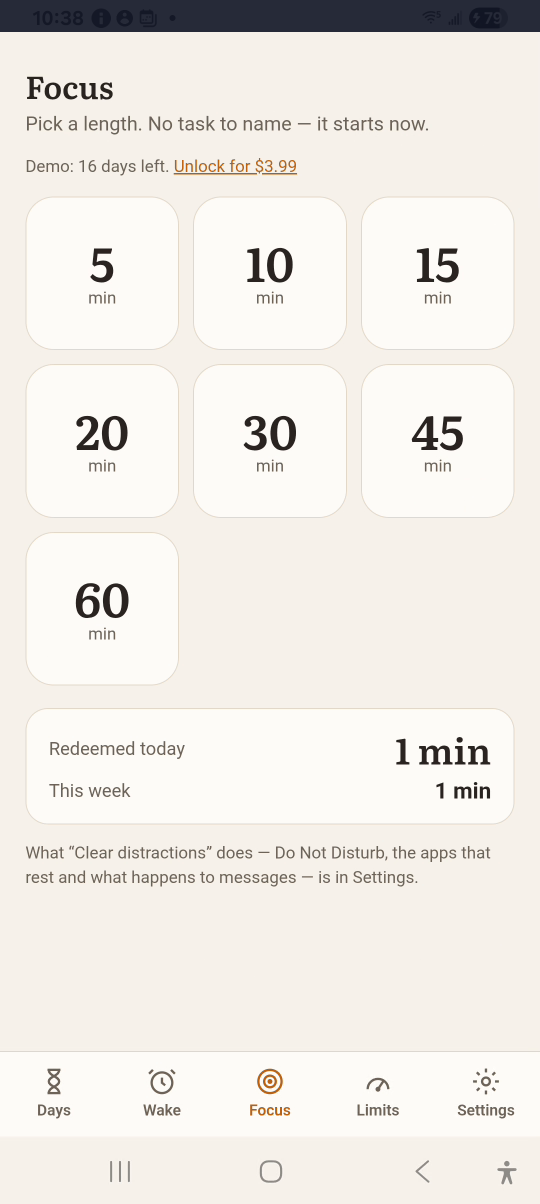
1 · Pick a length. Tap Focus, then a length.Start a focus — step 11
Focus 5 minutes. Select the image to enlarge it.

2Choose what to clear

Tap Yes, clear them for Do Not Disturb and resting apps, or Just the timer.
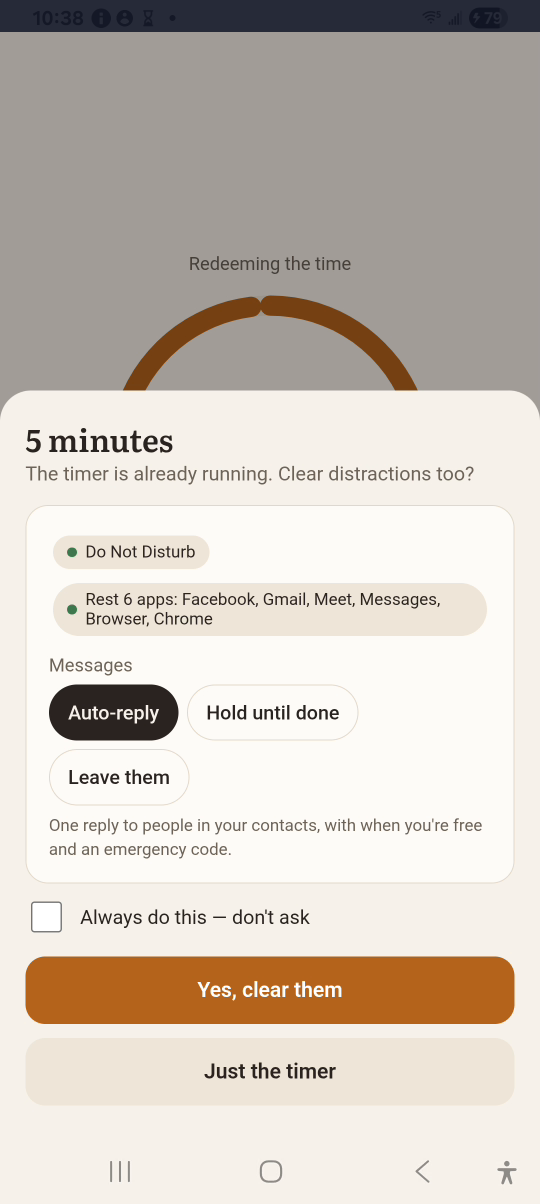
2 · Choose what to clear. Tap Yes, clear them for Do Not Disturb and resting apps, or Just the timer.Start a focus — step 22
Clear distractions. Select the image to enlarge it.

3Focus

The ring counts down. Tap +5 min for more time.
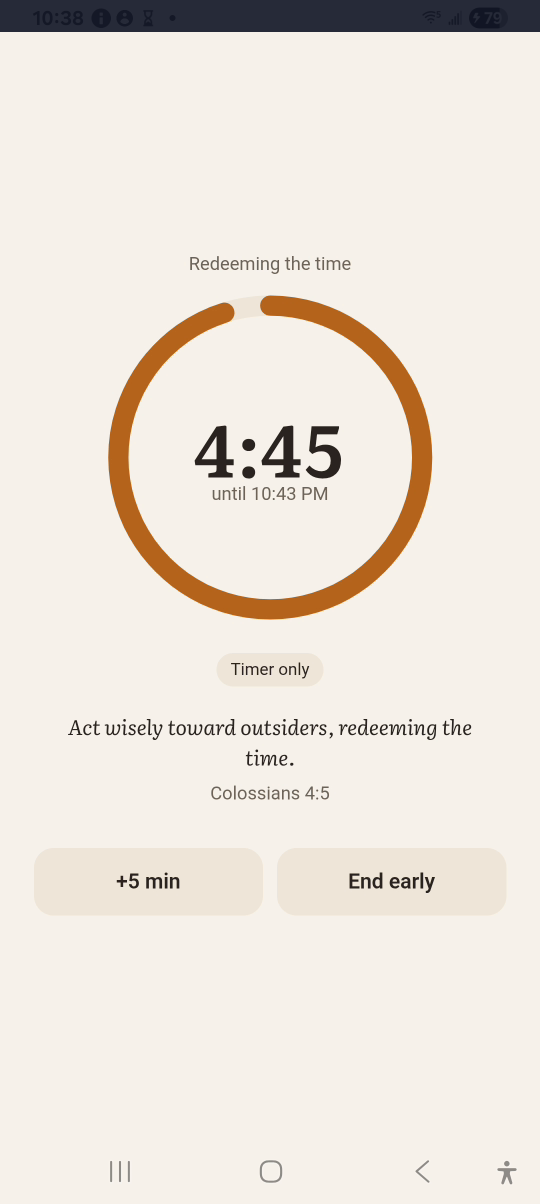
3 · Focus. The ring counts down. Tap +5 min for more time.Start a focus — step 33
Time left. Select the image to enlarge it.

4End it

Tap End early, or let the timer finish. Tap Done.
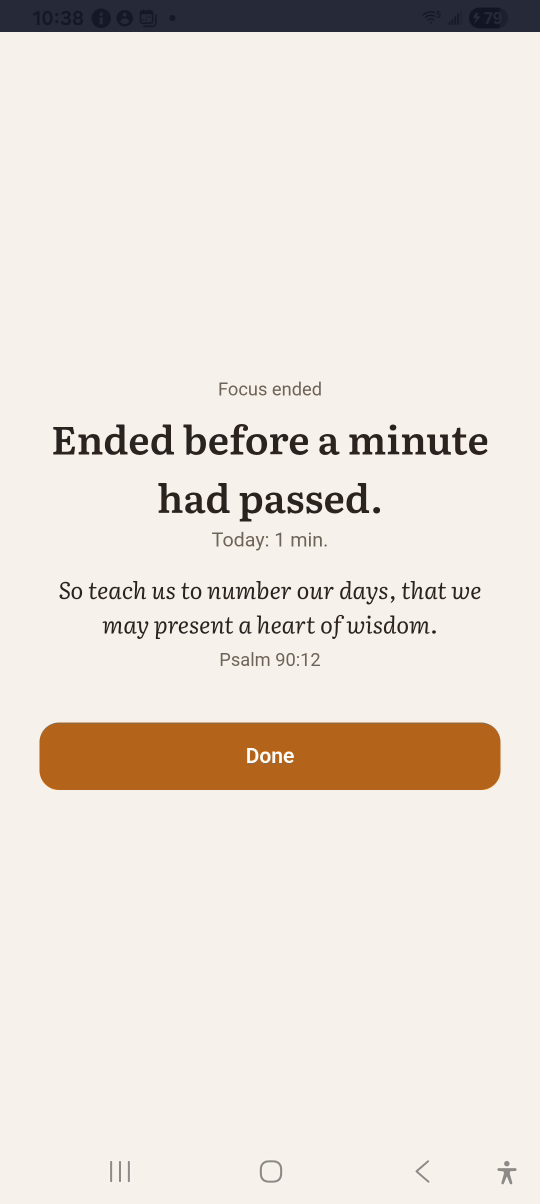
4 · End it. Tap End early, or let the timer finish. Tap Done.Start a focus — step 44
Done. Select the image to enlarge it.

Result: The end screen shows the minutes redeemed today.