
Desktop · 0:41 video
Start a project and write a note
Give an investigation its own folder, board, and first research question.
Before you start: Rabbit Trail installed and a folder for this investigation.
Download videoDownload captions
Step by step
Open a project folder
Choose open in the toolbar, or Open project folder on the welcome screen. Select a folder for this investigation.
Create a board
In the Boards sidebar, enter a name under New board and select +. Use a board for a question or line of inquiry.
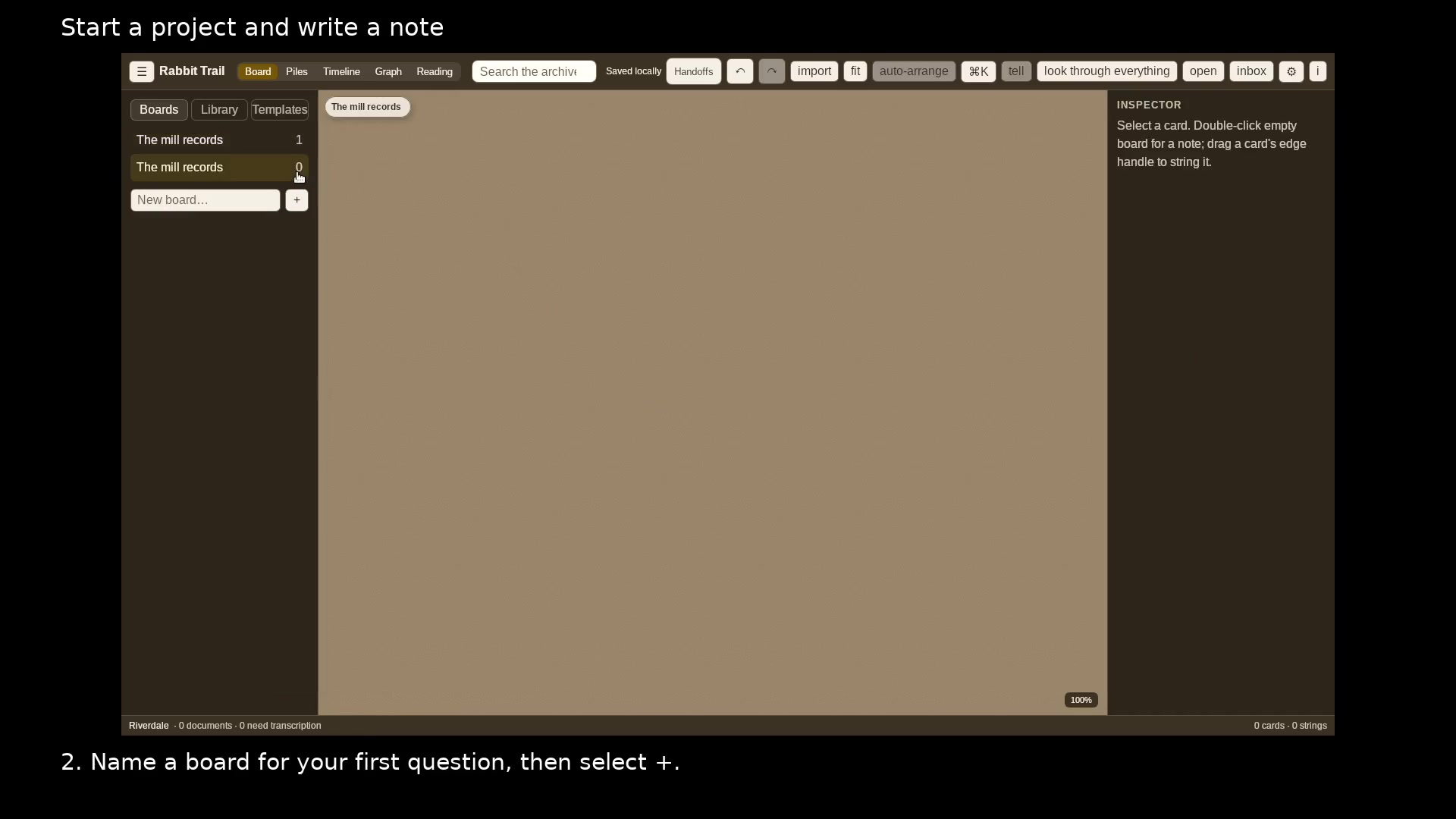
Choose a board for each line of inquiry. Open full size
- Boards holds your lines of inquiry.
Write the question
Double-click an empty part of the board. Put a short title on the first line and the details below it.
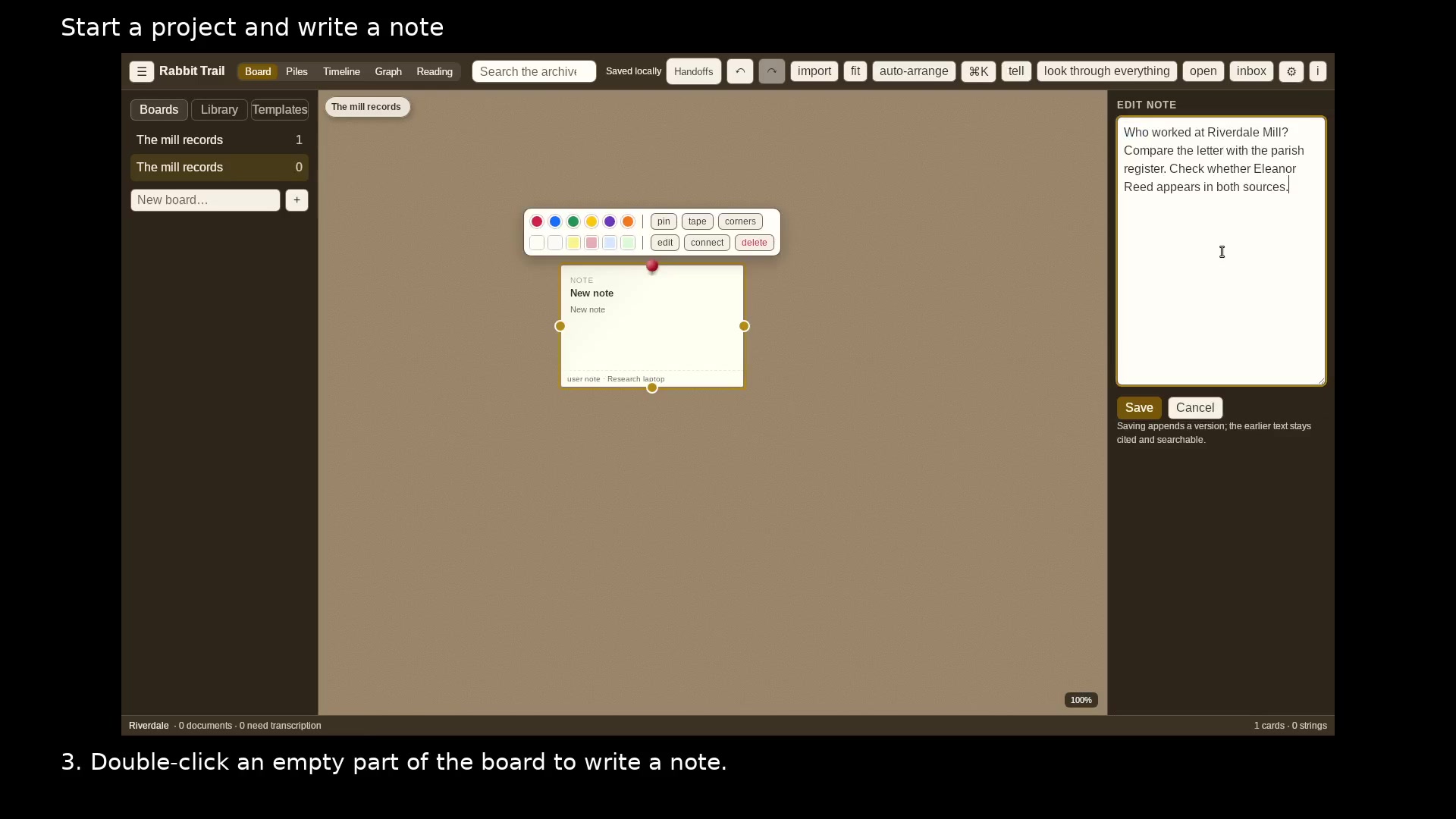
Write the question you want to answer. Open full size
- The first line becomes the note title.
- Save keeps the note on the board.
Save the note
Choose Save. Double-click the card when you want to revise its text.
Read the video instructions
- Open a project folder to keep a research question and its evidence together.
- 1. Choose Open project folder and select a folder for this investigation.
- 2. Name a board for your first question, then select +.
- 3. Double-click an empty part of the board to write a note.
- 4. Choose Save. Return to the note whenever you find another clue.
- Your note is saved in this project. Double-click it to revise the text.