
Desktop · 0:38 video
Import a source and read it
Keep the original document beside the text you use in your research.
Before you start: An open project and a PDF or other supported source document.
Download videoDownload captions
Step by step
Import the document
Choose import and select the file. Wait for its source card to appear.
Find the source card
Use auto-arrange if the card overlaps other items. A PDF preview helps you recognize the page.
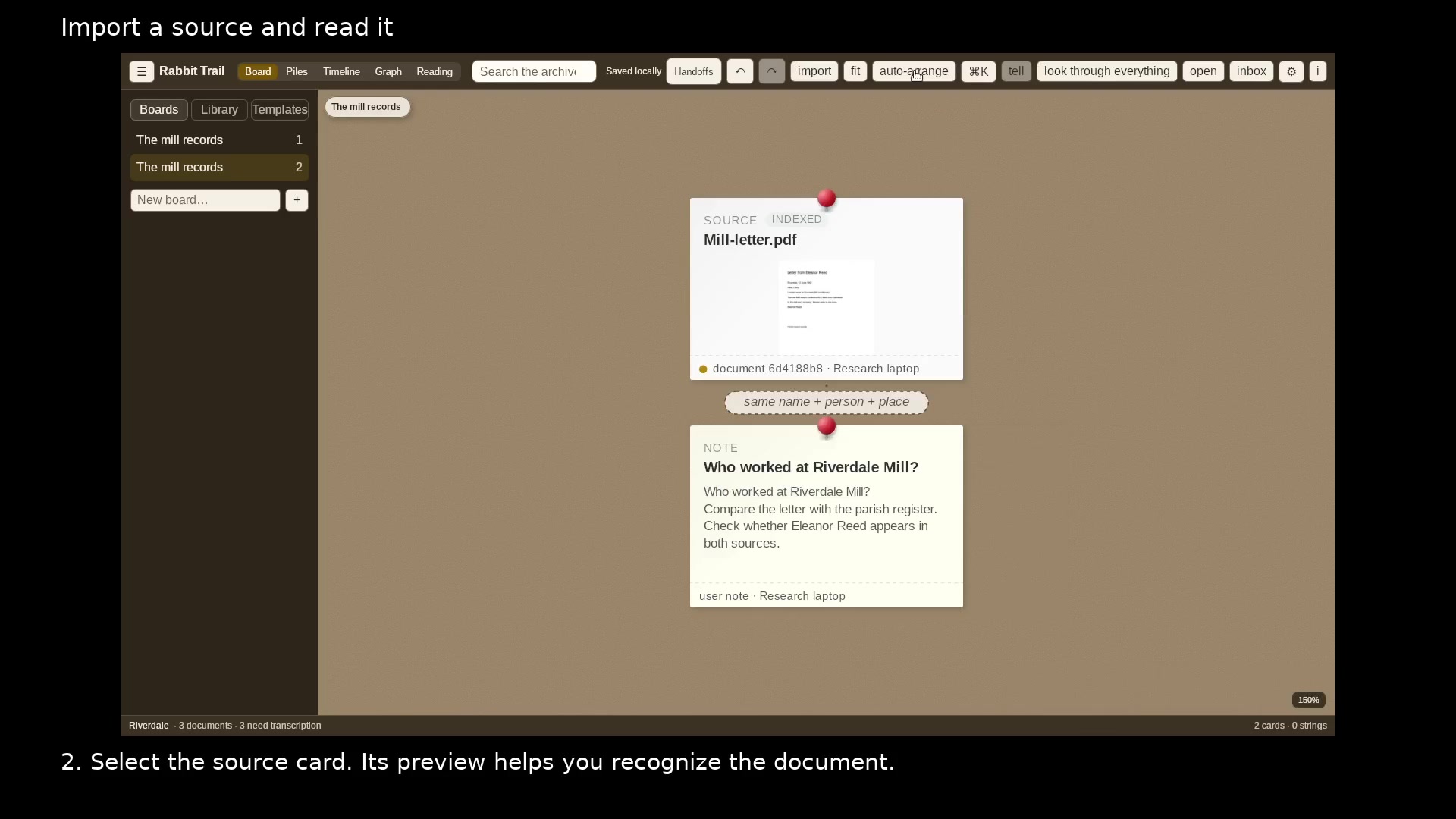
Keep sources beside your research notes. Open full size
- Auto-arrange separates the cards.
Open the document
Select Library in the sidebar, then choose the document name. Select Expand for more reading space.
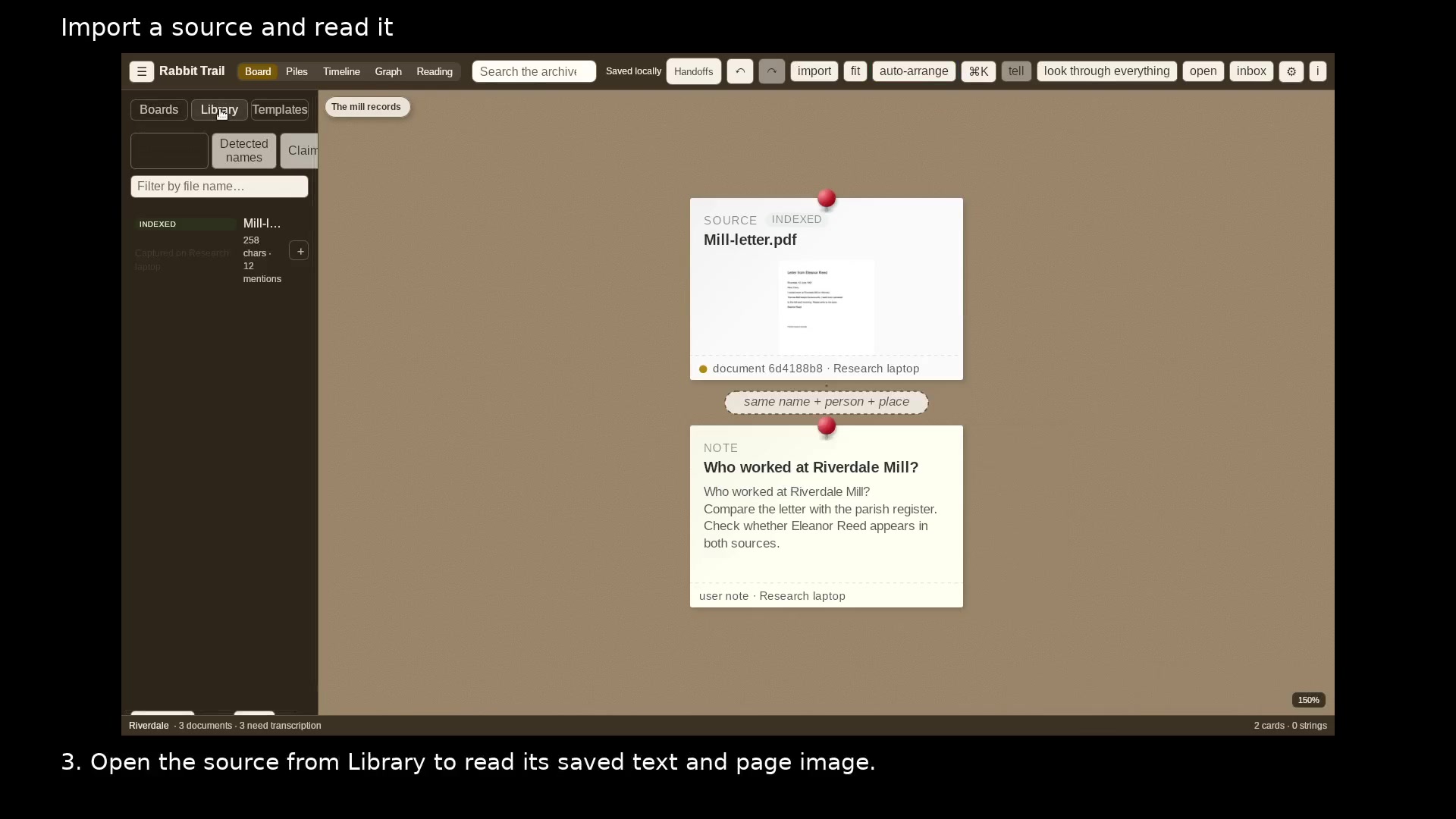
Find saved source documents in Library. Open full size
- Library lists the sources in this project.
Compare page and text
Use Details & tools to view the page beside its saved text. Reader switches to a simpler text view. Exit focus returns to the board.
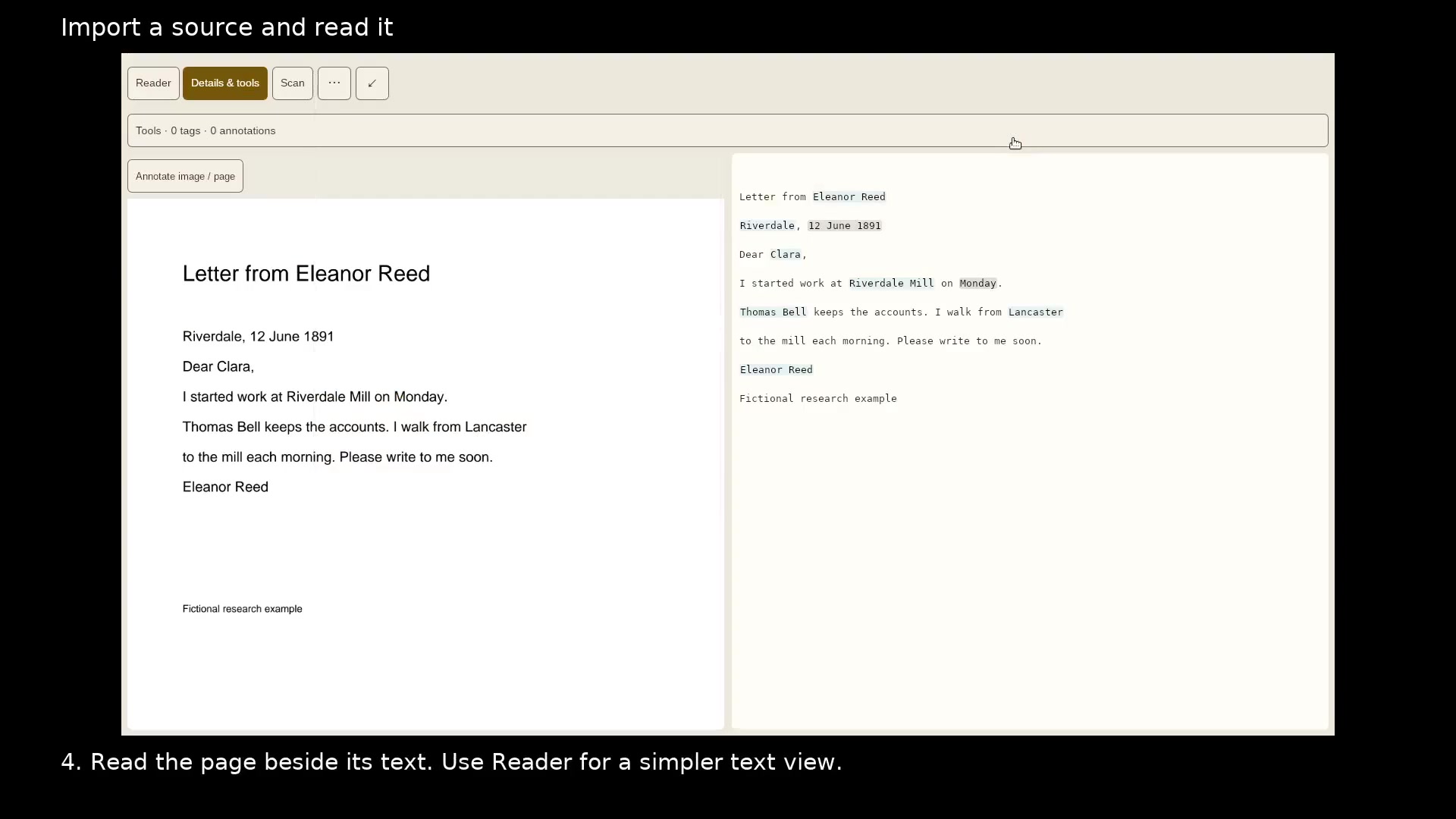
Read the source before drawing a conclusion. Open full size
- The page image keeps the original layout.
- Saved text can be searched and corrected.
Read the video instructions
- Add a document to the board, then read the evidence behind its card.
- 1. Choose import and open the document you want to keep.
- 2. Select the source card. Its preview helps you recognize the document.
- 3. Open the source from Library to read its saved text and page image.
- 4. Read the page beside its text. Use Reader for a simpler text view.
- Use Details & tools to return to the page and its research tools.