
Android · 0:20 video
File a note and find it again
Clear the phone Inbox while keeping the note in its project.
Before you start: A saved note in the current project’s Inbox.
Download videoDownload captions
Step by step
File the reviewed note
Tap Filed / keep in library below the item. The note leaves the Inbox and remains in this project.
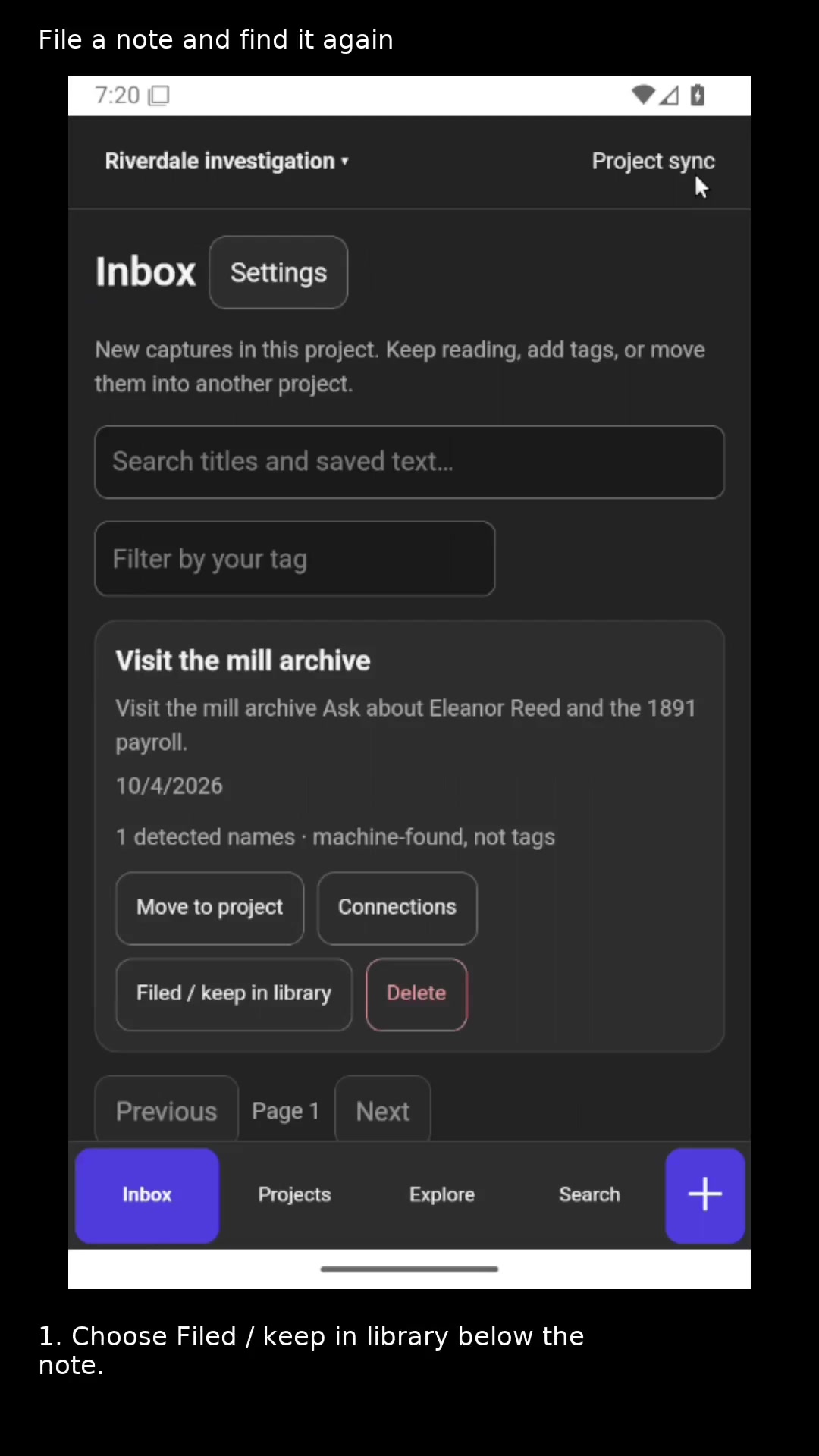
File a note once you have reviewed it. Open full size
- Filing clears the Inbox and keeps the saved item.
Open the project library
Tap Search in the bottom navigation to browse saved items, including filed notes.
Search the saved text
Enter a word from the title or body. Open a matching result to read it again.
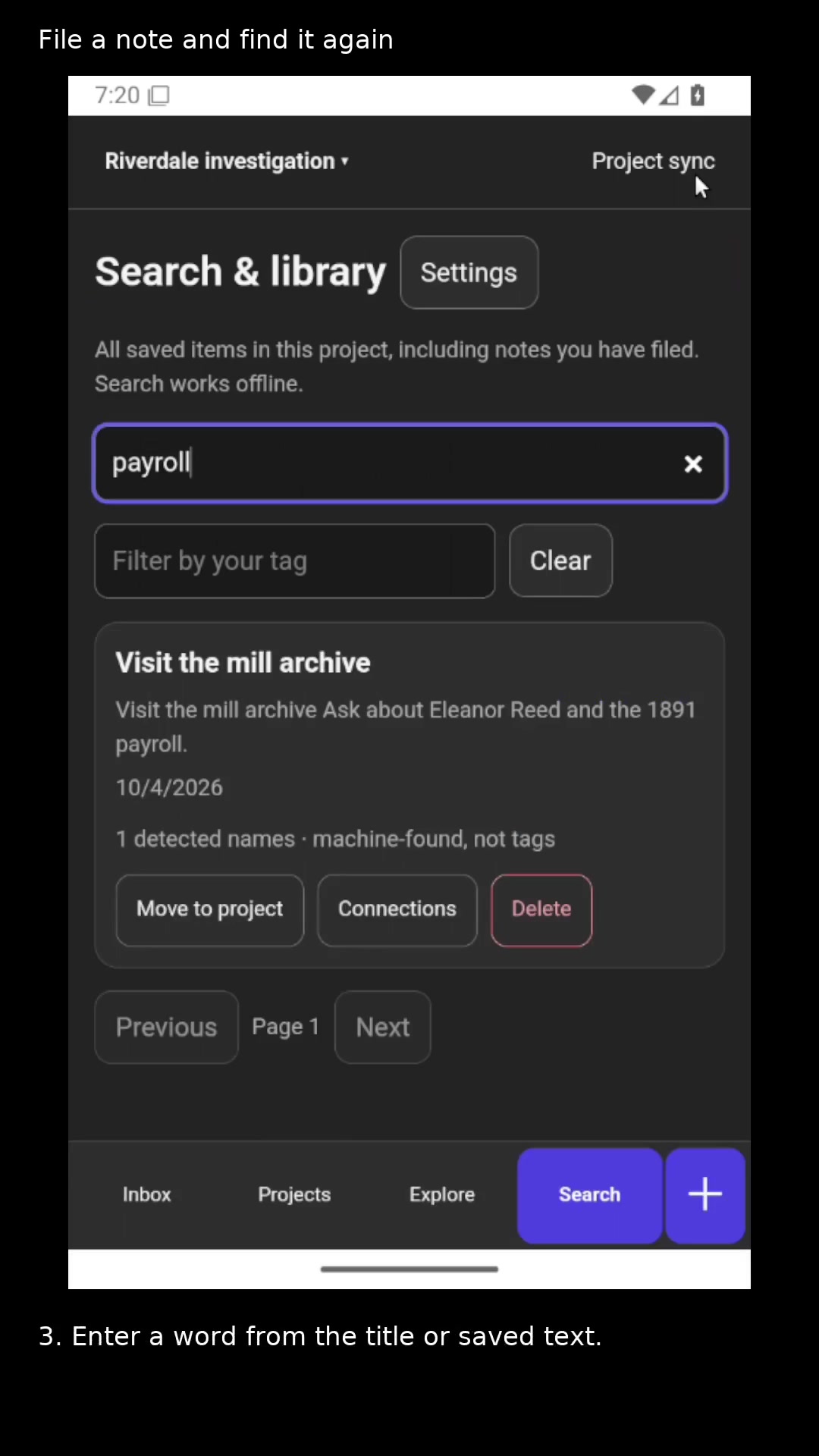
Search includes the words inside your note. Open full size
- Enter a word from the title or saved text.
Read the video instructions
- Clear your Inbox while keeping the note in your project.
- 1. Choose Filed / keep in library below the note.
- 2. Open Search to see the project library.
- 3. Enter a word from the title or saved text.
- Filed notes stay under their project and remain searchable offline.