
Android · 0:20 video
Delete a note and undo it
Remove an unwanted library item and recover it if you change your mind.
Before you start: An item in the current project’s Inbox or Search results.
Download videoDownload captions
Step by step
Choose the item
Find the item in Inbox or Search and tap Delete below it.
Confirm the deletion
Check the item title in the confirmation, then tap Delete from library.
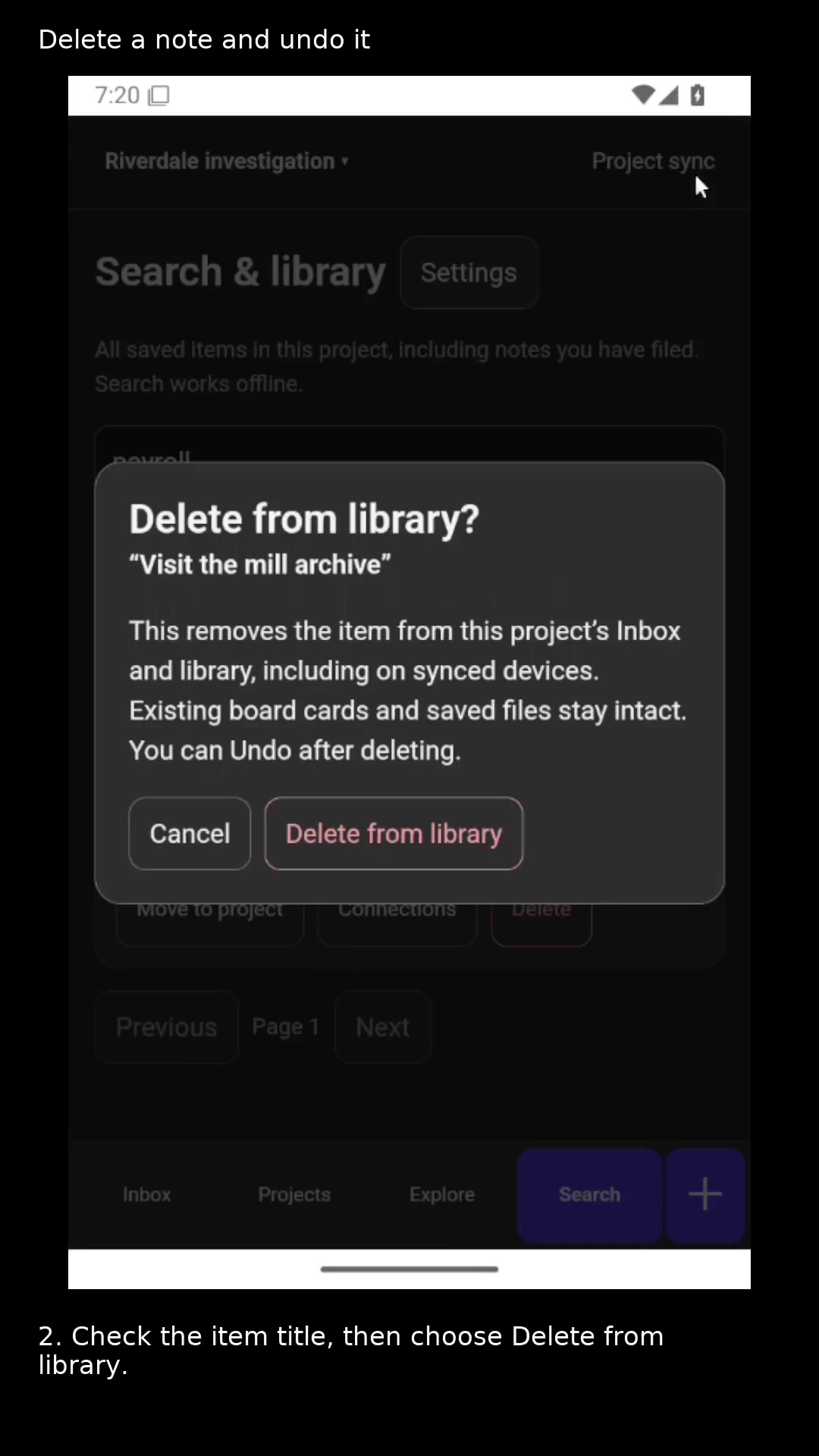
Confirm the item before deleting it. Open full size
- This removes the item from the project Inbox and library.
Restore with Undo
Tap Undo in the deletion message to restore an accidental deletion.
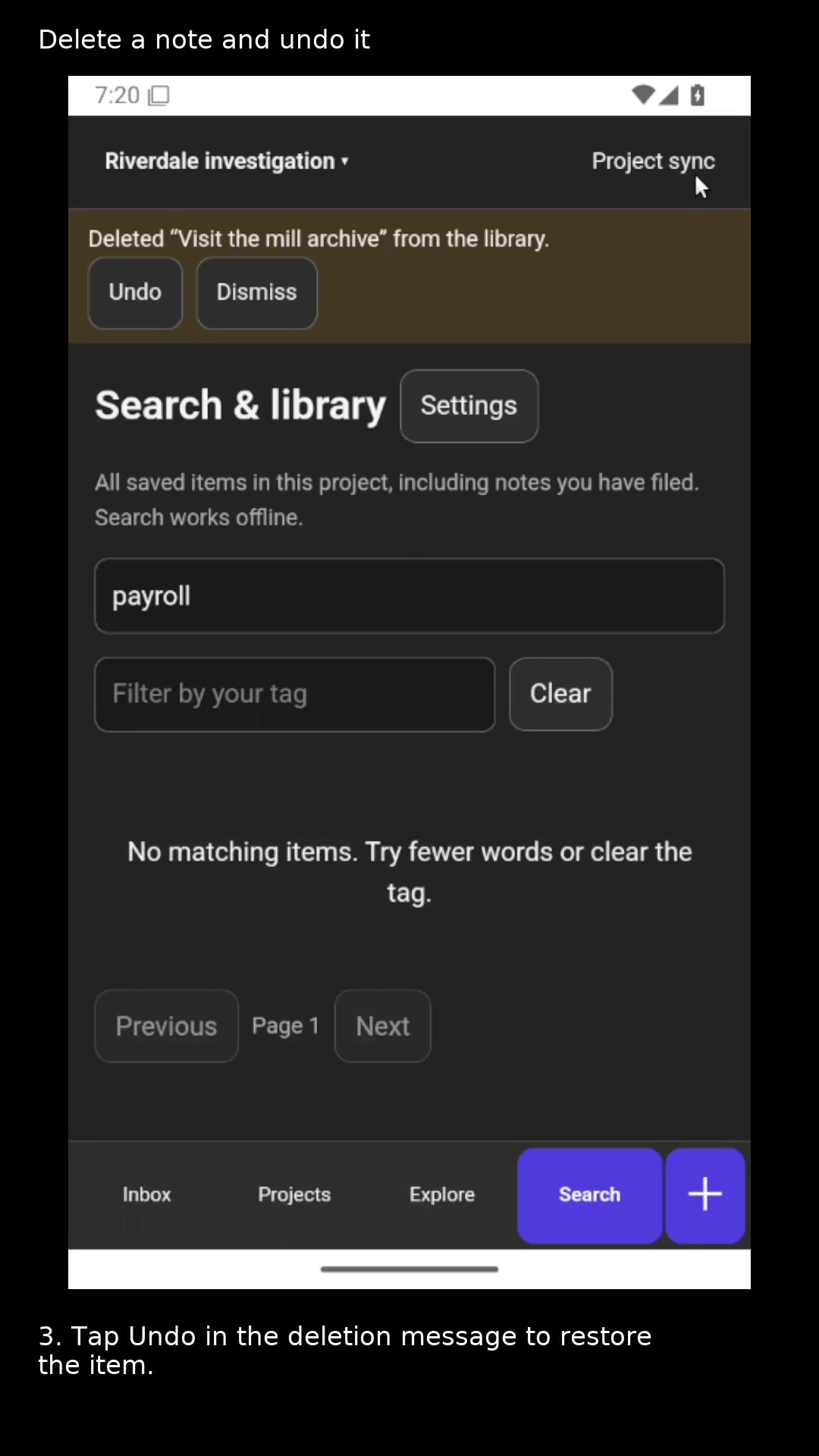
Use Undo to recover an accidental deletion. Open full size
- Restore the deleted item.
Read the video instructions
- Remove an unwanted item from the project library, or restore it with Undo.
- 1. Tap Delete below the item you want to remove.
- 2. Check the item title, then choose Delete from library.
- 3. Tap Undo in the deletion message to restore the item.
- Deletion syncs with paired devices. Existing board cards and saved files stay intact.