
Android · 0:40 video
Sync a project and limit phone storage
Pair with the desktop and choose which media files download to the phone.
Before you start: Desktop connections enabled, its pairing code available, and both devices on the same network.
Download videoDownload captions
Step by step
Open Project sync
Select the matching project on the phone, then open Project sync from the Inbox header.
Choose what downloads
Under Media downloaded to this phone, keep Include small media files and set Maximum per file (MB), or select Text and metadata only. The default limit is 5 MB per file.
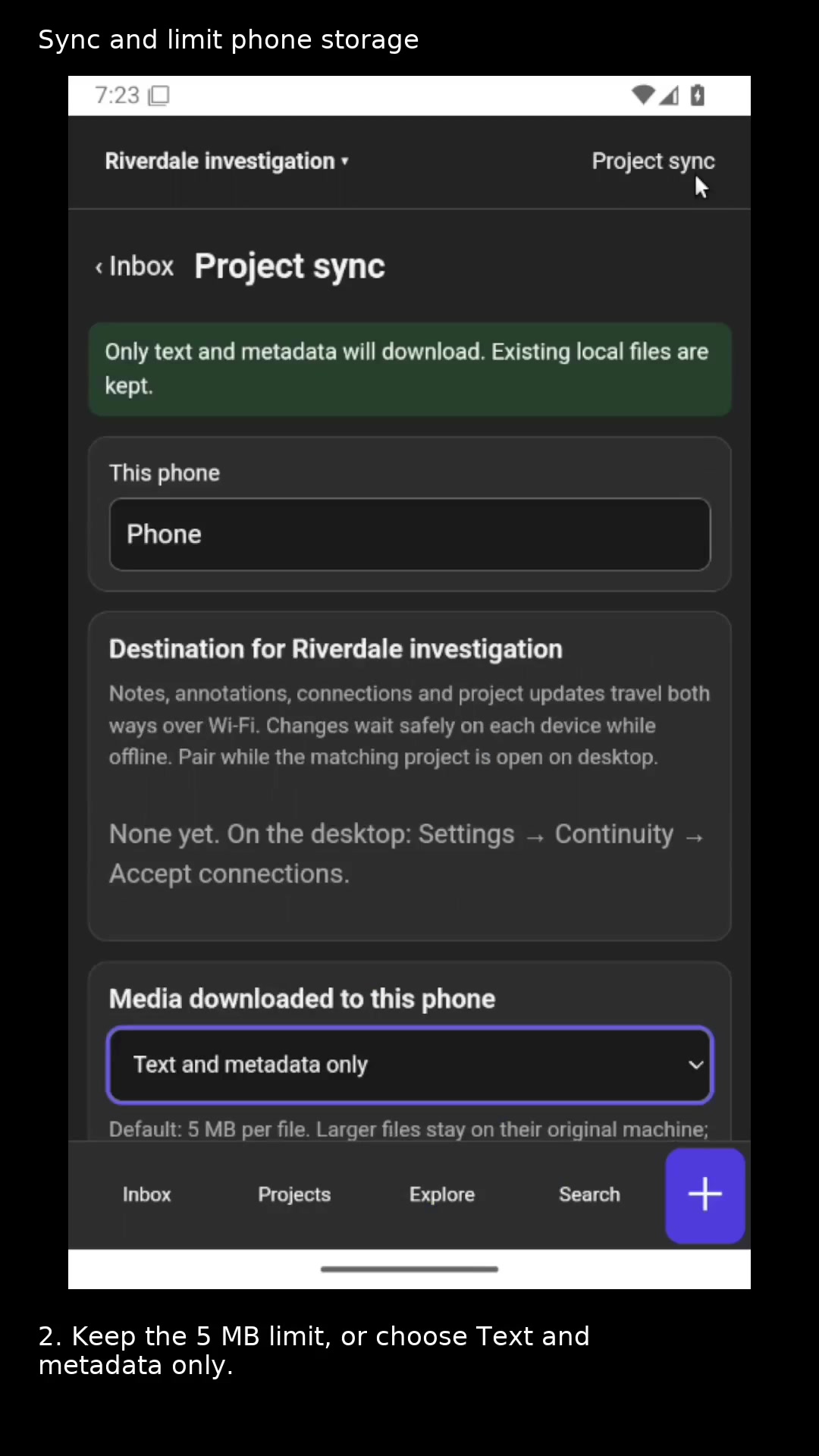
Control which media downloads to this phone. Open full size
- Text and metadata travel without downloading the original media.
Pair with the desktop
Choose a nearby desktop or enter its displayed address. Confirm the found device and project, enter its six-digit code, and tap Pair.
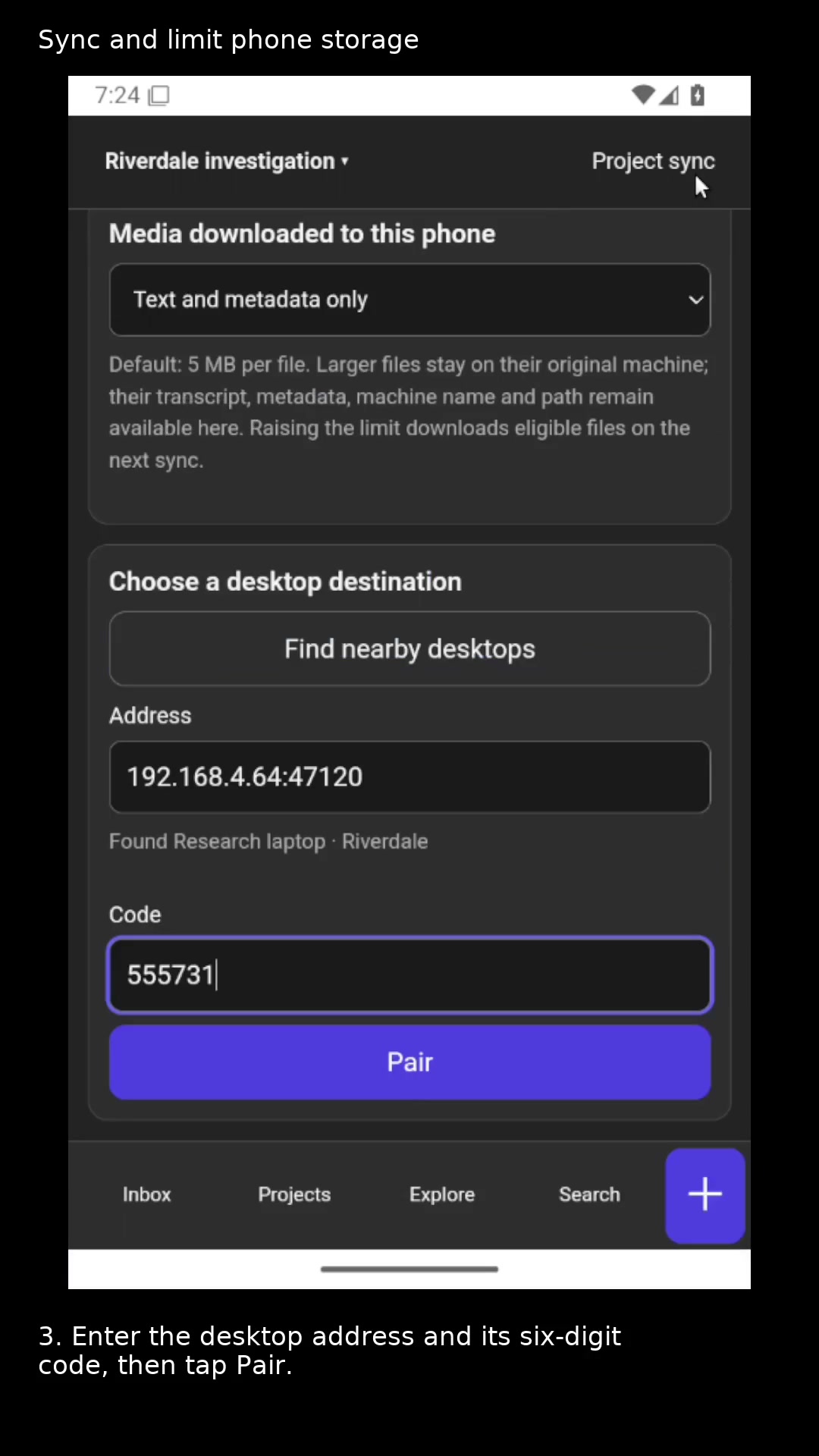
Check the found device and project before pairing. Open full size
- Pair this phone project with the displayed desktop project.
Check the exchange
Use Sync now and read Last sent and Last received. Return to Inbox or Search to find the transferred items.
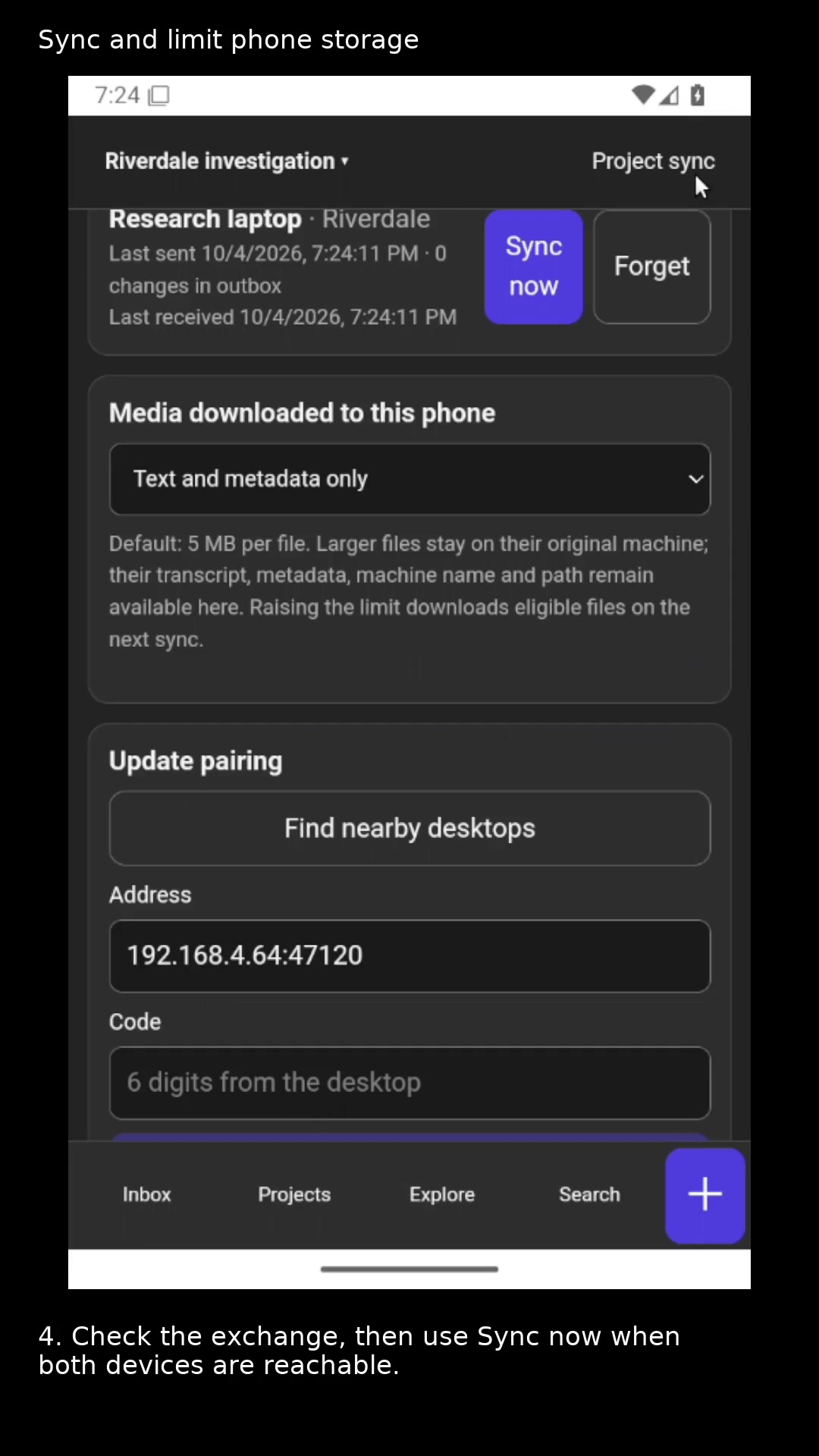
The project now has a desktop destination. Open full size
- Use Sync now to exchange pending project changes.
Read the video instructions
- Exchange project updates and choose how much media downloads to your phone.
- 1. Open Project sync for the matching project.
- 2. Keep the 5 MB limit, or choose Text and metadata only.
- 3. Enter the desktop address and its six-digit code, then tap Pair.
- 4. Check the exchange, then use Sync now when both devices are reachable.
- Large originals stay on their source machine. Their saved text and metadata remain with the project.