
Desktop · 0:30 video
Fix a hit in the pattern
Add a hit, then set how hard it lands and nudge its timing.
Before you start: A riff with a drum track. Select the track and open Pattern.
Download videoDownload captions
Step by step
Open the pattern
Select a drum track and choose Pattern. Every step of the riff is in the grid.
Add a hit
Tap an empty step to add a hit.
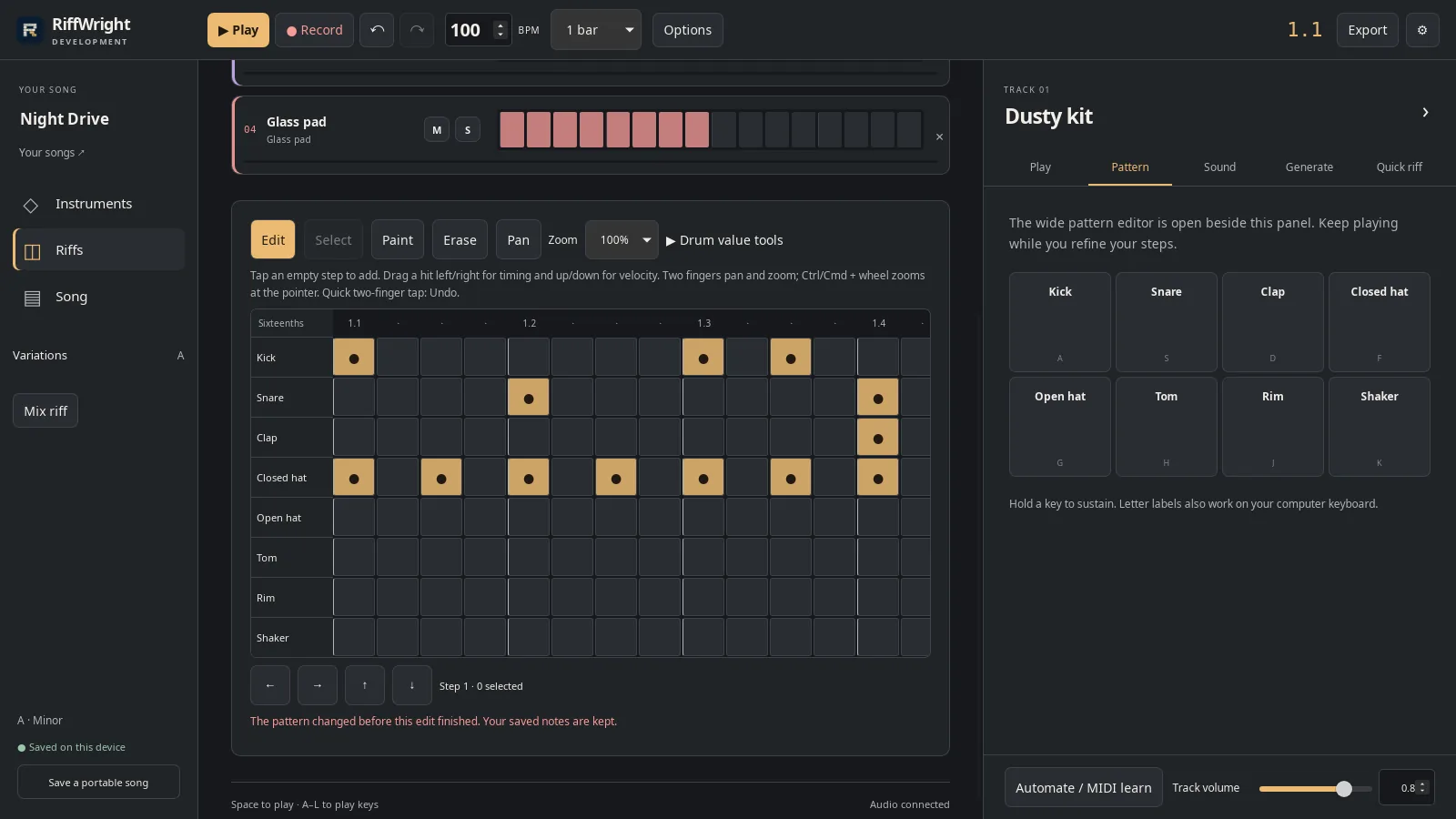
A clap added on the last beat. Open full size
- New clap
Select a hit
Tap an existing hit. Its Velocity, Timing, Chance and Repeats appear below the grid.
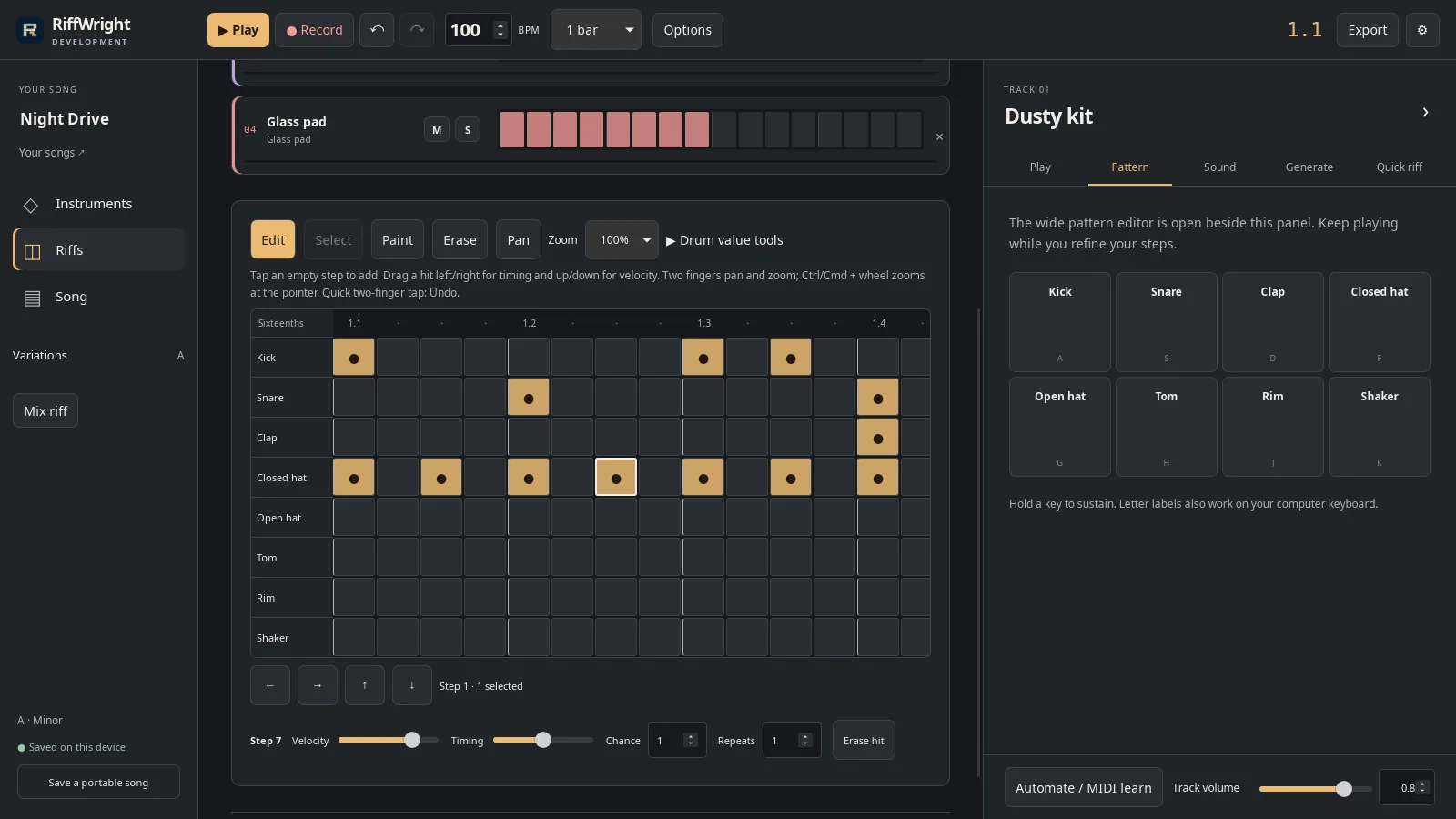
A selected hit shows its values below. Open full size
- Selected hit
Set its velocity
Drag Velocity to set how hard it hits. The color of the hit follows.
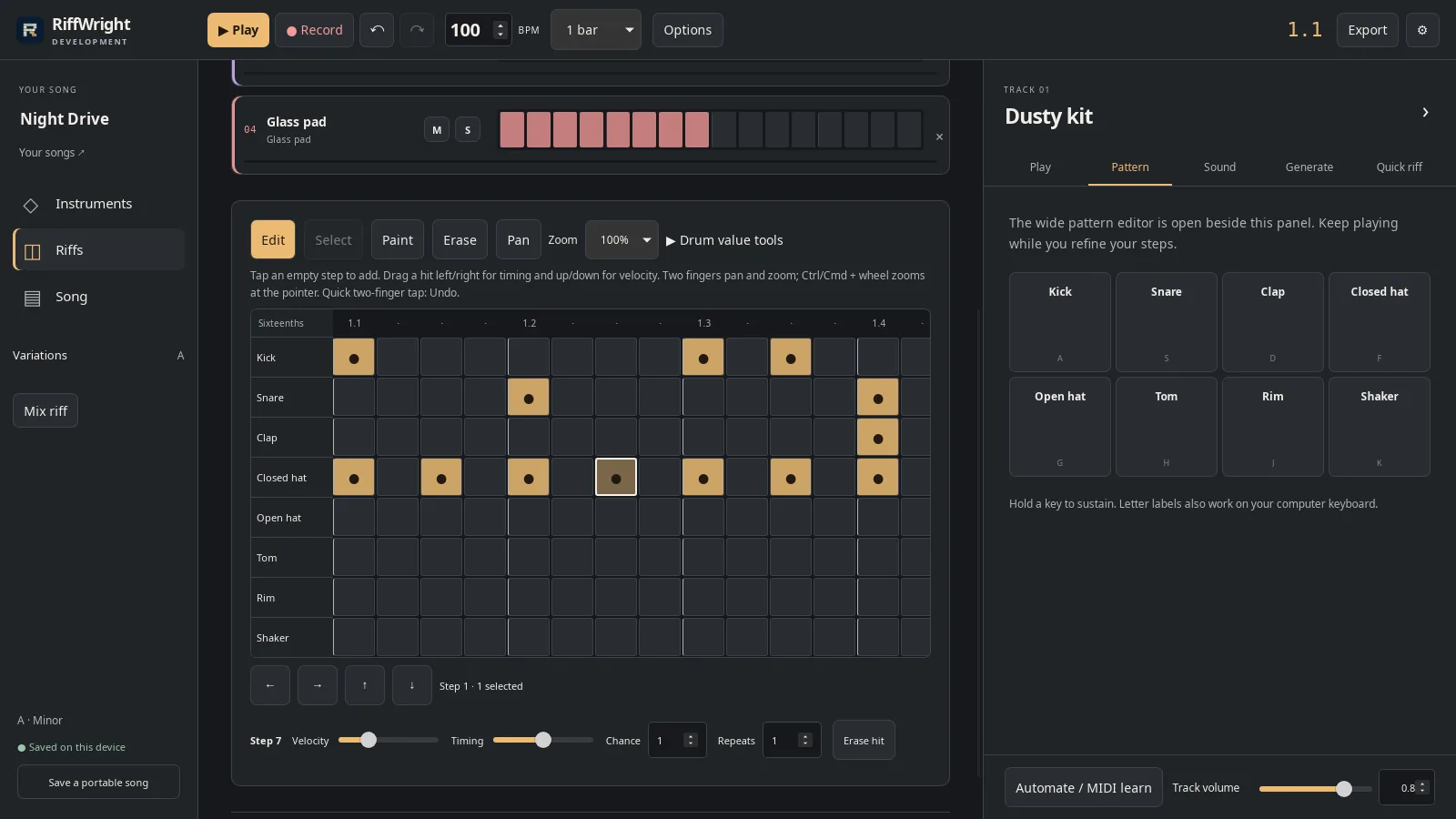
A softer hit, shown dimmer. Open full size
- Velocity
Nudge its timing
Drag Timing to play it a little early or late.
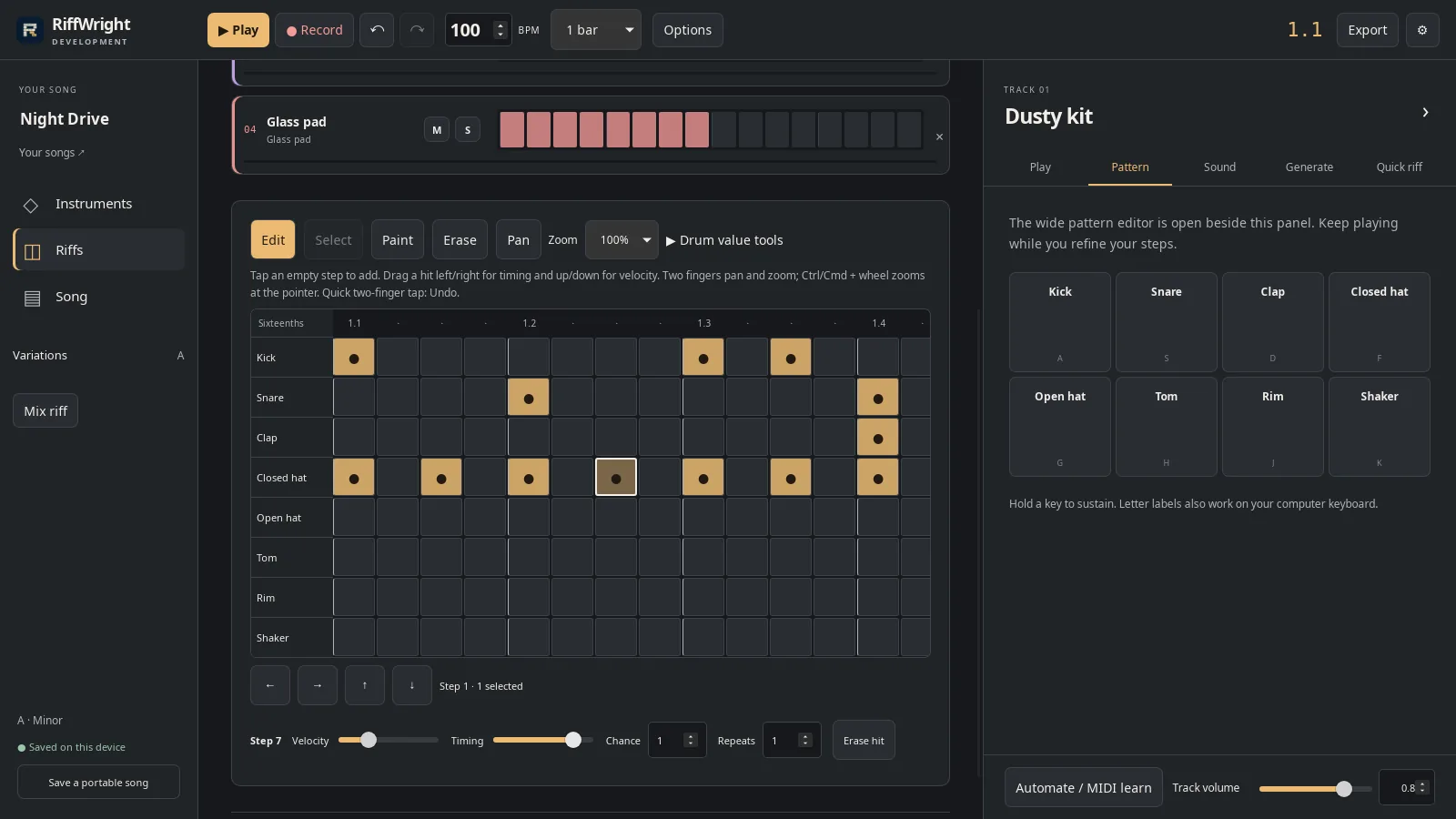
Timing moves it slightly late. Open full size
- Timing
Listen
Press Play to hear the change. Undo takes back any edit you do not want.
Read the video instructions
- Pattern shows every step of the beat.
- Tap an empty step to add a hit.
- Select a hit to fine-tune it.
- Velocity sets how hard it hits. The color follows.
- Timing nudges it a little early or late.
- Press Play to hear the change.
- Stop, or Undo any edit you do not like.