
Desktop · 0:35 video
Mix and export your song
Balance each instrument, add space and echo, then export audio, MIDI or stems.
Before you start: A song with at least one riff.
Download videoDownload captions
Step by step
Open the mixer
Choose Mix riff. Each instrument has Volume, Pan, Space and Echo.
Mix while you listen
Press Play and set levels and pan.
Add space and echo
Space adds room around a part; Echo repeats it in time.
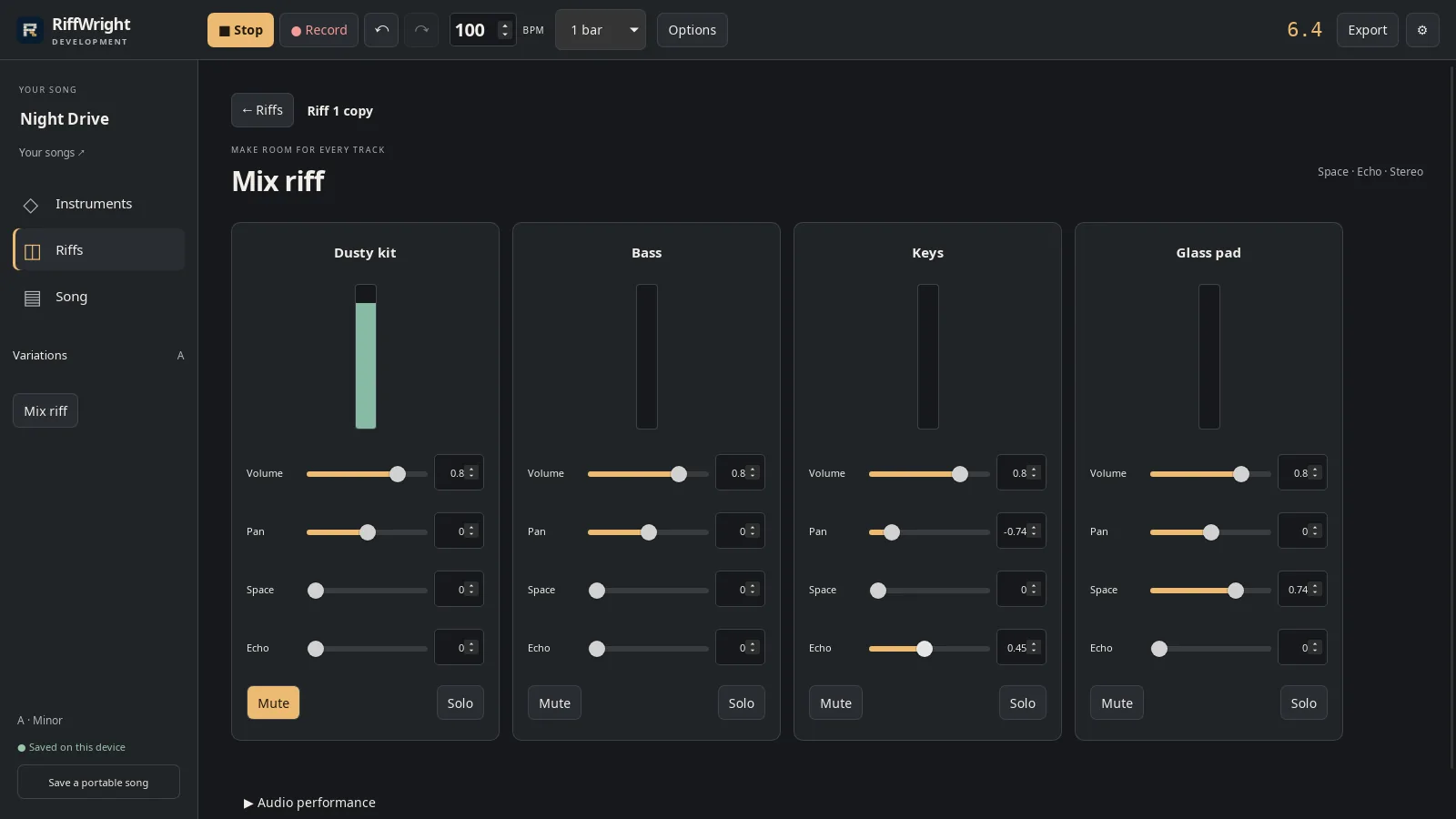
Space and Echo on the pad and keys. Open full size
- Space
Export
In Song, choose Export.
Pick a format
Choose WAV, MP3, MIDI notes, or separate stems.
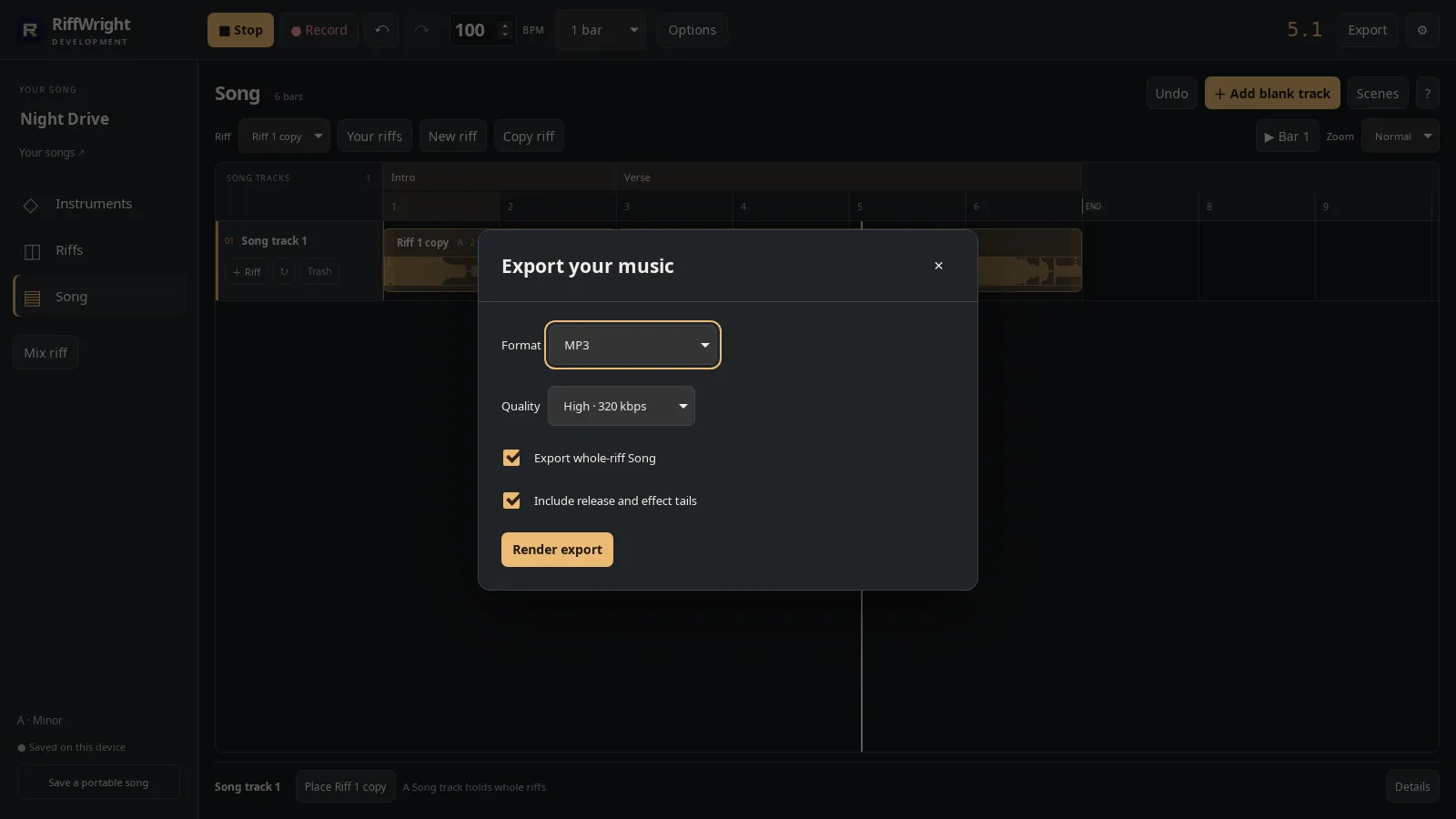
Pick the format and quality. Open full size
- Format
Render and save
Choose Render export, then Save export to pick where the file goes.
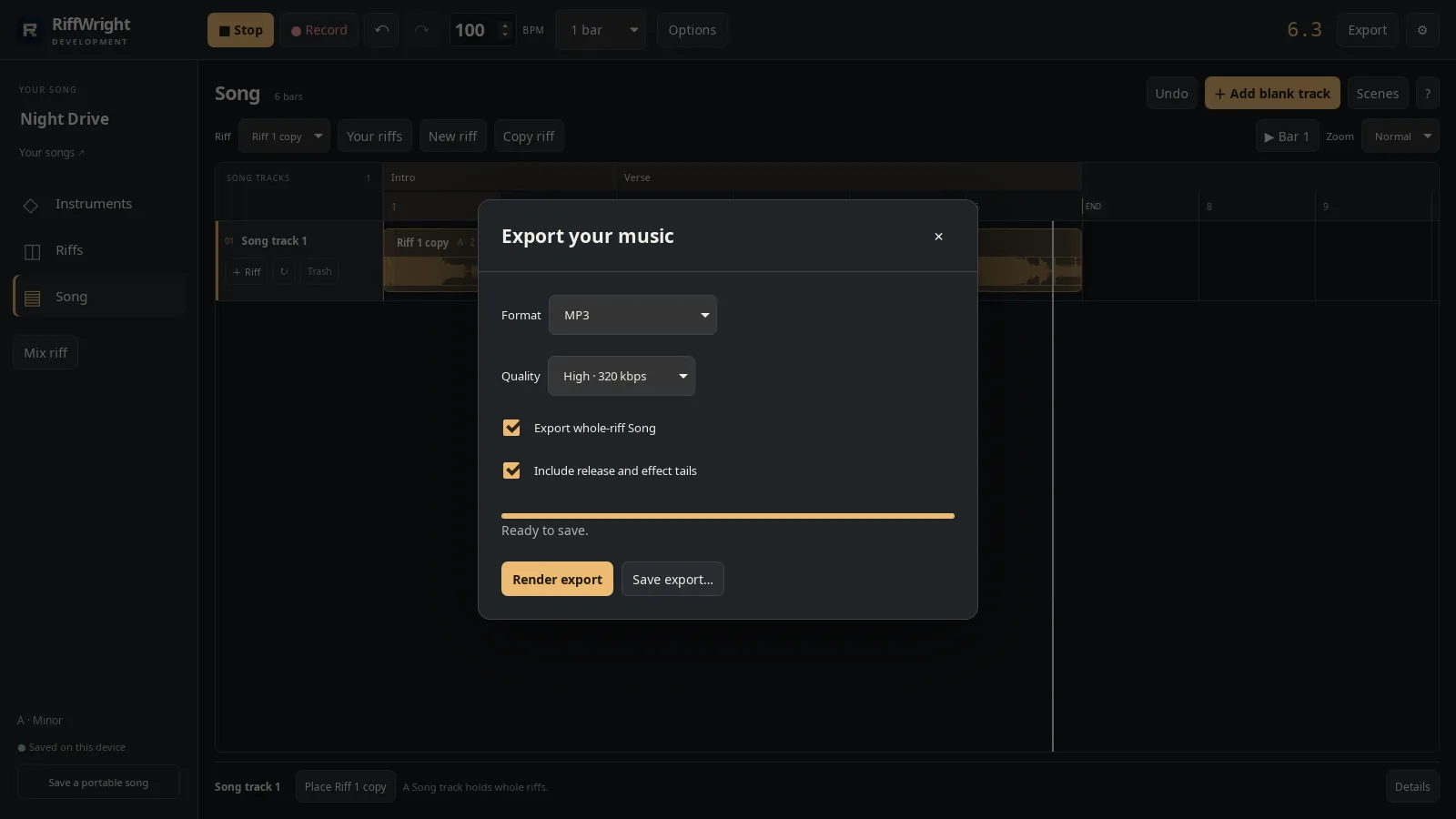
Rendered and ready to save. Open full size
- Save export
Read the video instructions
- Mix riff gives each instrument its own level, pan and effects.
- Press Play and listen while you mix.
- Space adds room around a part.
- Pan moves a part left or right.
- Echo repeats it in time with the song.
- Back in Song, choose Export.
- Pick WAV, MP3, MIDI notes or separate stems.
- Render it, then save the file wherever you like.